
1. Giriş
This manual provides instructions for the installation, operation, and maintenance of the Emerson F145RF-1600 Wireless Remote Temperature Sensor. This sensor is designed to work with the Emerson BLUE Wireless Easy Install Universal Wireless Thermostat System to enhance temperature control and reduce hot and cold spots within your home.
Əsas Xüsusiyyətlər:
- Reduces temperature inconsistencies in various areas.
- Supports up to four wireless remote sensors with the Emerson BLUE Wireless Easy Install Thermostat System.
- Designed for easy installation and pairing.
2. Təhlükəsizlik Məlumatı
Please read and understand all instructions before installing or operating this device. Failure to follow these instructions could result in property damage or personal injury.
- Always turn off power to the thermostat system before performing any installation or maintenance.
- Do not expose the sensor to extreme temperatures, direct sunlight, or moisture.
- Use only the specified battery type (2 AA batteries).
- Köhnə batareyaları yerli qaydalara uyğun olaraq tullayın.
- Uşaqların əli çatmayan yerdə saxlayın.
Təklif 65 Xəbərdarlıq: Bu məhsulda xərçəng və anadangəlmə qüsurlara və ya digər reproduktiv zərərlərə səbəb olduğu Kaliforniya ştatında məlum olan kimyəvi maddələr ola bilər.
3. Məhsul bitdiview
The Emerson F145RF-1600 is a compact, battery-powered wireless sensor designed to monitor ambient temperature. It communicates wirelessly with a compatible Emerson BLUE thermostat system.
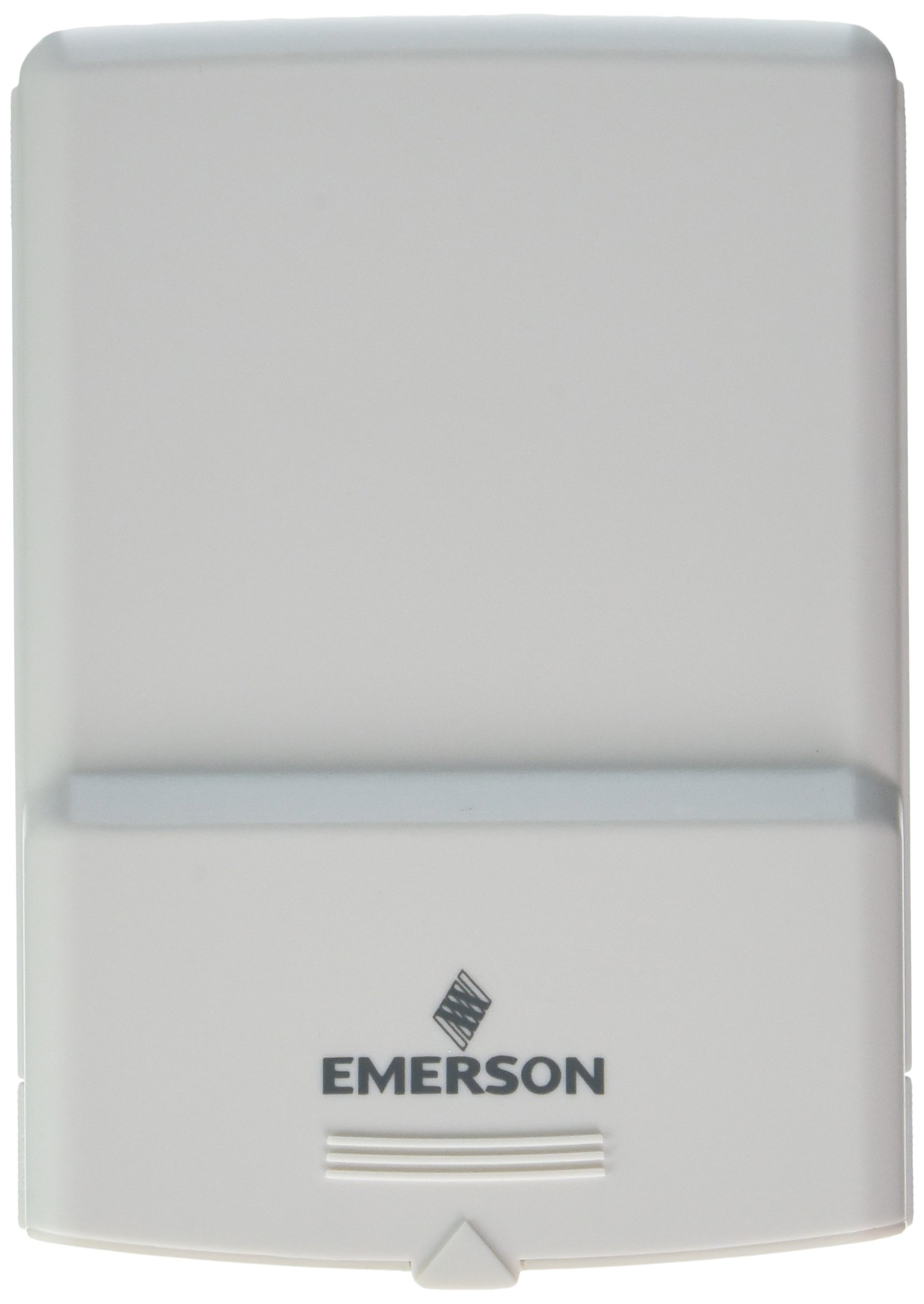
Şəkil 1: Emerson F145RF-1600 Wireless Remote Temperature Sensor. The image displays the sensor in a hand, indicating its approximate height of 4.8 inches (12 cm). The sensor is light-colored, likely white or light grey, with the 'EMERSON' logo visible at the bottom front.
4. Quraşdırma
4.1. Batareyanın quraşdırılması
- Sensorun arxasındakı batareya bölməsini tapın.
- Batareya bölməsinin qapağını açın.
- Düzgün polyarlığı (+/-) təmin edərək iki (2) AA qələvi batareyanı daxil edin.
- Batareya bölməsinin qapağını etibarlı şəkildə bağlayın.
4.2. Pairing with Thermostat System
Refer to your Emerson BLUE Wireless Easy Install Universal Wireless Thermostat System manual for detailed pairing instructions. Generally, the process involves:
- Placing the thermostat system into pairing mode.
- Activating the sensor's pairing function (often a button press or battery insertion).
- Confirming successful pairing on the thermostat display.
Up to four F145RF-1600 sensors can be paired with a single Emerson BLUE Wireless Easy Install system.
4.3. Sensorun yerləşdirilməsi
Proper placement is crucial for accurate temperature readings and effective system operation.
- Daxili yerləşdirmə:
- Place the sensor in a central location within the area you wish to monitor.
- Avoid placing near heat sources (lamps, appliances, direct sunlight) or cold drafts (windows, vents).
- Ensure it is not obstructed by furniture or curtains.
- Outdoor Placement (if applicable):
- Mount the sensor in a shaded area, away from direct sunlight, which can cause inaccurate readings.
- Protect it from direct rain and snow.
- Ensure it is easily accessible for battery replacement.
5. Əməliyyat Təlimatları
Once successfully paired and placed, the F145RF-1600 sensor will automatically transmit temperature data to your Emerson BLUE Wireless Easy Install Thermostat System. The thermostat system will then use this data to optimize heating and cooling, helping to maintain a more consistent temperature throughout your home.
- The sensor operates continuously, sending updates to the main thermostat.
- The thermostat system will display the temperature readings from the remote sensors and use them for its control logic.
- No direct user interaction is typically required with the sensor after setup, other than battery replacement.
6. Baxım
6.1. Batareyanın dəyişdirilməsi
The sensor requires two (2) AA batteries. When batteries are low, your Emerson BLUE thermostat system may indicate a low battery warning for the sensor. Replace batteries promptly to ensure continuous operation.
- Batareya bölməsini açın.
- Köhnə batareyaları çıxarın.
- Qütblüyü müşahidə edərək yeni AA batareyaları taxın.
- Bölməni bağlayın.
6.2. Təmizləmə
Wipe the sensor's exterior with a soft, dry cloth as needed. Do not use liquid cleaners or abrasive materials, as these can damage the device.
7. Giderme
| Problem | Mümkün Səbəb | Həll |
|---|---|---|
| Sensor not reporting temperature / No signal |
|
|
| Yanlış temperatur göstəriciləri |
|
|
8. Spesifikasiyalar
| Model nömrəsi | F145RF-1600 |
| İstehsalçı | Uayt-Rocers (Emerson) |
| Güc mənbəyi | Batareya ilə işləyir |
| Batareyalar Tələb olunur | 2 AA batareya |
| Maddə Çəkisi | 3.2 unsiya |
| Məhsul Ölçüləri | 3.5 x 2.5 x 5.25 düym |
| Material | plastik |
| Rəng | Mavi (Note: Product image shows light grey/white) |
| Məhsul Paketinin Miqdarı | 1 |
9. Zəmanət Məlumatı
Specific warranty details for the Emerson F145RF-1600 Wireless Remote Temperature Sensor are typically provided with the product packaging or can be found on the official Emerson/White-Rodgers websayt. Zəmanət iddiaları üçün satınalma sübutunuzu özündə saxlayın.
Ətraflı zəmanət şərtləri və qaydaları üçün zəhmət olmasa, ziyarət edin Emerson rəsmi websayt və ya müştəri dəstəyi ilə əlaqə saxlayın.
10. Dəstək
If you encounter issues not covered in this manual or require further assistance, please contact Emerson customer support.
- Onlayn dəstək: ziyarət edin Emerson Support Page for FAQs, documentation, and contact options.
- Telefon dəstəyi: Refer to your product packaging or the Emerson webən aktual müştəri xidmətləri telefon nömrələri üçün sayt.