
Əhəmiyyətli Təhlükəsizlik Məlumatı
Please read these instructions carefully before using the shredder. Keep this manual for future reference.
- Uşaqları və ev heyvanlarını parçalayıcıdan uzaq tutun.
- Keep loose clothing, jewelry, hair, and other foreign objects away from the shredder opening.
- Do not insert fingers or hands into the shredder opening.
- İstifadə edilmədikdə və ya təmizləməzdən əvvəl doğrayıcını elektrik rozetkasından ayırın.
- Do not shred metal objects, large paper clips, or hard plastic (except credit cards as specified).
- Do not use aerosol products, petroleum-based lubricants, or other flammable products on or near the shredder.
- Elektrik kabeli zədələnibsə, parçalayıcını işlətməyin.
- The shredder is equipped with overheat protection. If it overheats, it will automatically shut off. Allow it to cool down before resuming operation.
Paketin məzmunu
Bütün əşyaların mövcud olduğundan əmin olun:
- Amazon Basics AS665C Paper Shredder Unit
- Tullantı qutusu
- Təlimat kitabçası (bu sənəd)
Quraşdırma
- Şredderi açın: Bütün komponentləri qablaşdırmadan diqqətlə çıxarın.
-
Position the Waste Bin: Place the shredder head securely on top of the provided waste bin. Ensure it is properly seated.
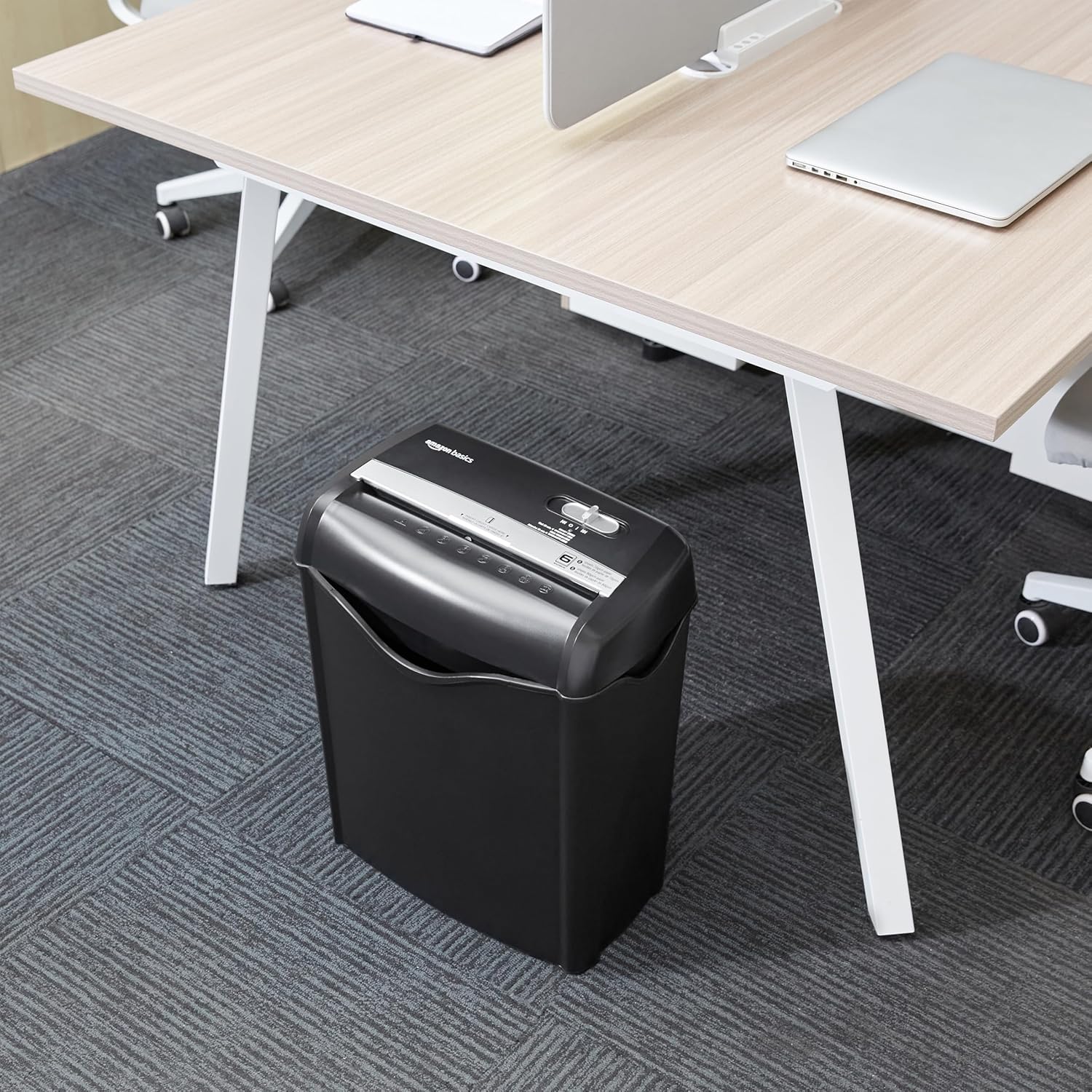
Image: The Amazon Basics AS665C Paper Shredder positioned under a desk, demonstrating its compact size and ease of placement in an office or home environment.
- Güc bağlayın: Elektrik kabelini standart elektrik rozetkasına qoşun.
Əməliyyat Təlimatları
İdarəetmə açarı
The shredder features a slide switch with three positions:
- AUTO (I): The shredder will automatically start when paper is inserted and stop when shredding is complete.
- SÖNDÜRÜLÜB (O): Şredder söndürülüb.
- REV (<<): Activates the reverse function to clear paper jams.

Şəkil: ətraflı view of the shredder's control switch, showing the "AUTO", "OFF", and "REV" settings, along with the "READY" (green) and "OVERHEAT" (red) indicator lights.
Sənədlərin Parçalanması
- Rejimi seçin: İdarəetmə açarını seçin AUTO (I) position. The "READY" indicator light (green) will illuminate.
-
Kağız daxil edin: Insert up to 6 sheets of 70gsm paper (or 5 sheets of 80gsm paper) straight into the paper entry slot. The shredder will automatically start and stop.
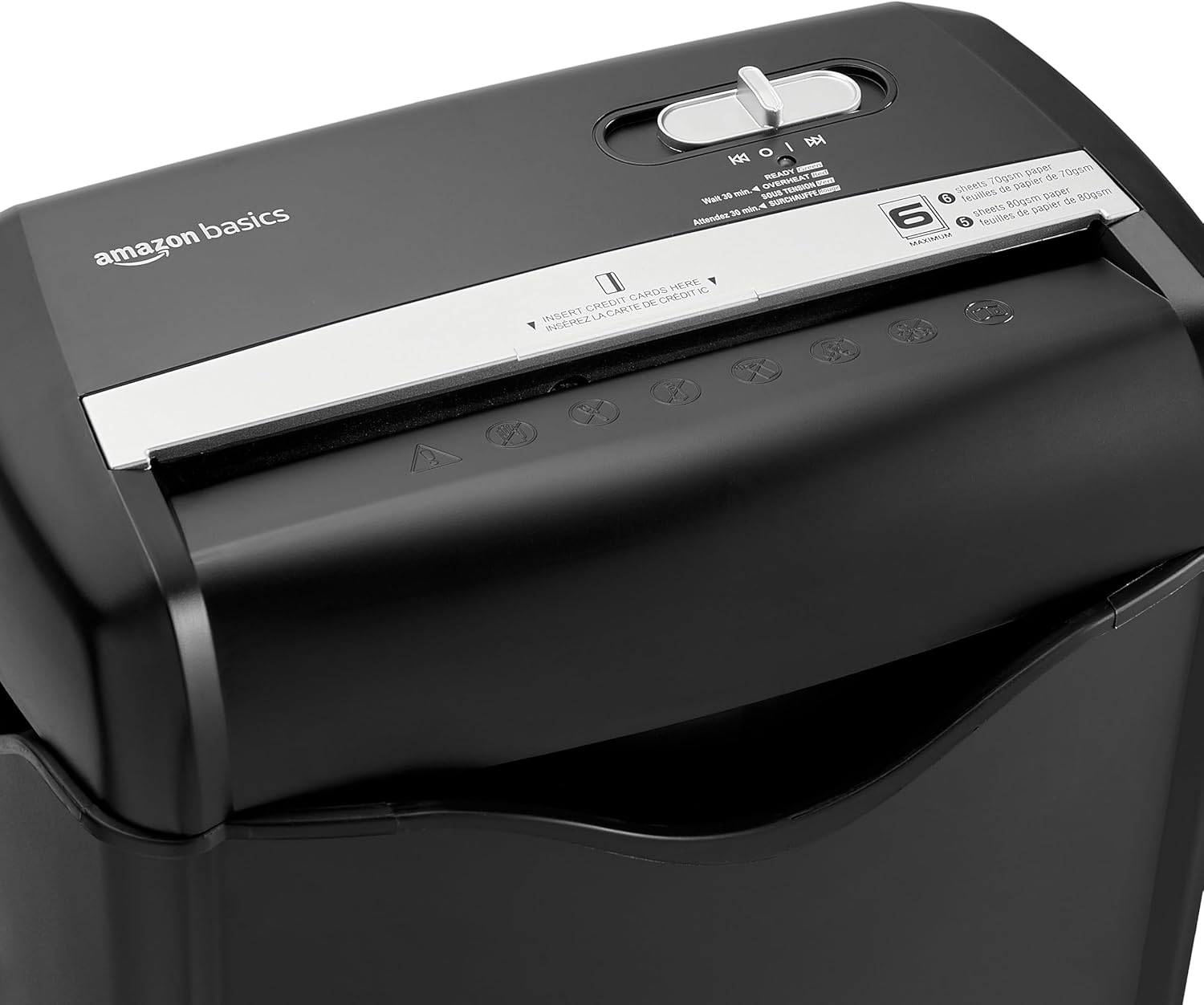
Şəkil: Üst view of the shredder, highlighting the paper entry slot, the control switch, and the "MAXIMUM" sheet capacity label.

Image: A close-up of the shredder's label indicating the maximum sheet capacity: 6 sheets of 70gsm paper or 5 sheets of 80gsm paper.
-
Kredit Kartlarının Parçalanması: Insert one credit card at a time into the dedicated credit card slot.

Şəkil: Yaxın plan view of the shredder's dedicated slot for inserting credit cards, clearly labeled "INSERT CREDIT CARDS HERE".
- Həddindən artıq istidən qorunma: The shredder will automatically shut off if it runs continuously for too long or if the motor overheats. The "OVERHEAT" indicator light (red) will illuminate. Allow the shredder to cool down for approximately 30 minutes before resuming operation.

Image: A pile of cross-cut shredded paper, demonstrating the small particle size for enhanced security. A quarter coin is placed next to it for scale.
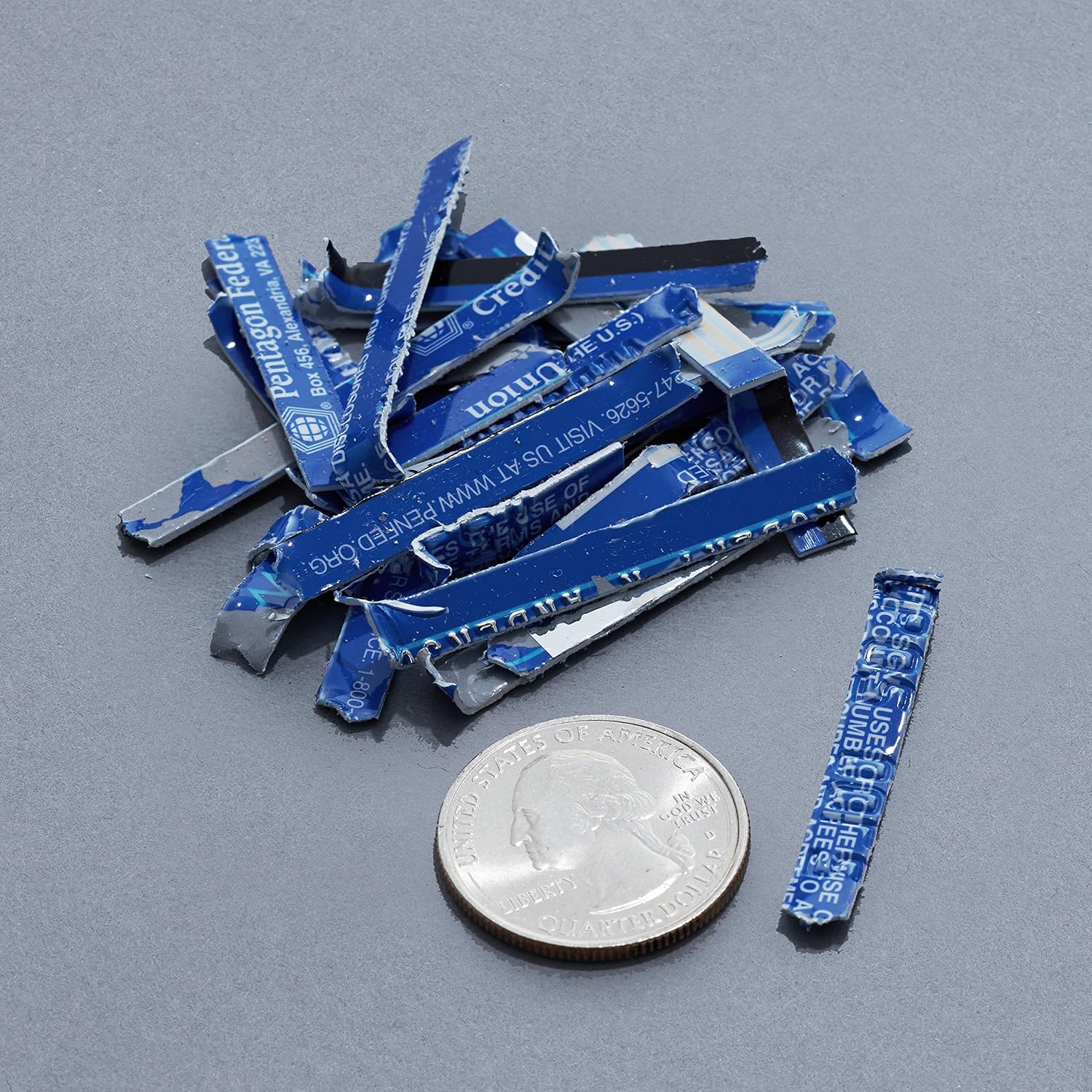
Image: A collection of shredded credit card pieces, illustrating the secure destruction of plastic cards. A quarter coin is included for size reference.
Baxım
Tullantı qutusunun boşaldılması
Regularly empty the waste bin to prevent paper jams and ensure optimal performance. Unplug the shredder before removing the head to empty the bin.
Təmizləmə
- Unplug the shredder before cleaning.
- Wipe the exterior of the shredder with a soft, dry cloth.
- Aşındırıcı təmizləyicilərdən və ya həlledicilərdən istifadə etməyin.
- For optimal performance, periodically oil the shredder blades with shredder oil sheets or liquid shredder oil. Follow the oil product's instructions.
Problemlərin aradan qaldırılması
| Problem | Mümkün Səbəb | Həll |
|---|---|---|
| Parçalayıcı işə düşmür. |
|
|
| Kağız sıxması. |
|
|
| Şredder işləmə zamanı dayanır. |
|
|
Spesifikasiyalar
| Xüsusiyyət | Detal |
|---|---|
| Brend | Amazon Əsasları |
| Model nömrəsi | AS665C (Manufacturer Model: AS662C-EU) |
| Parçalama növü | Kəsik |
| Vərəq tutumu | 6 sheets (70gsm paper) / 5 sheets (80gsm paper) |
| Parçalar | Kağız, kredit kartları |
| Güc mənbəyi | Kabelli Elektrik |
| Xüsusi Xüsusiyyətlər | Portable, Overheat Protection, Manual Reverse |
| Məhsulun Ölçüləri (U x G x Y) | 30.7 x 19.6 x 38.1 sm (12.1 x 7.7 x 15 düym) |
| Məhsul Çəkisi | 3.72 kq (8.2 funt) |
| Material | Plastik və Metal |
Zəmanət və Dəstək
For warranty information and customer support, please refer to the Amazon Basics websaytına daxil olun və ya birbaşa Amazon müştəri xidmətləri ilə əlaqə saxlayın. Zəmanət tələbləri üçün alış qəbzinizi saxlayın.