
1. Giriş
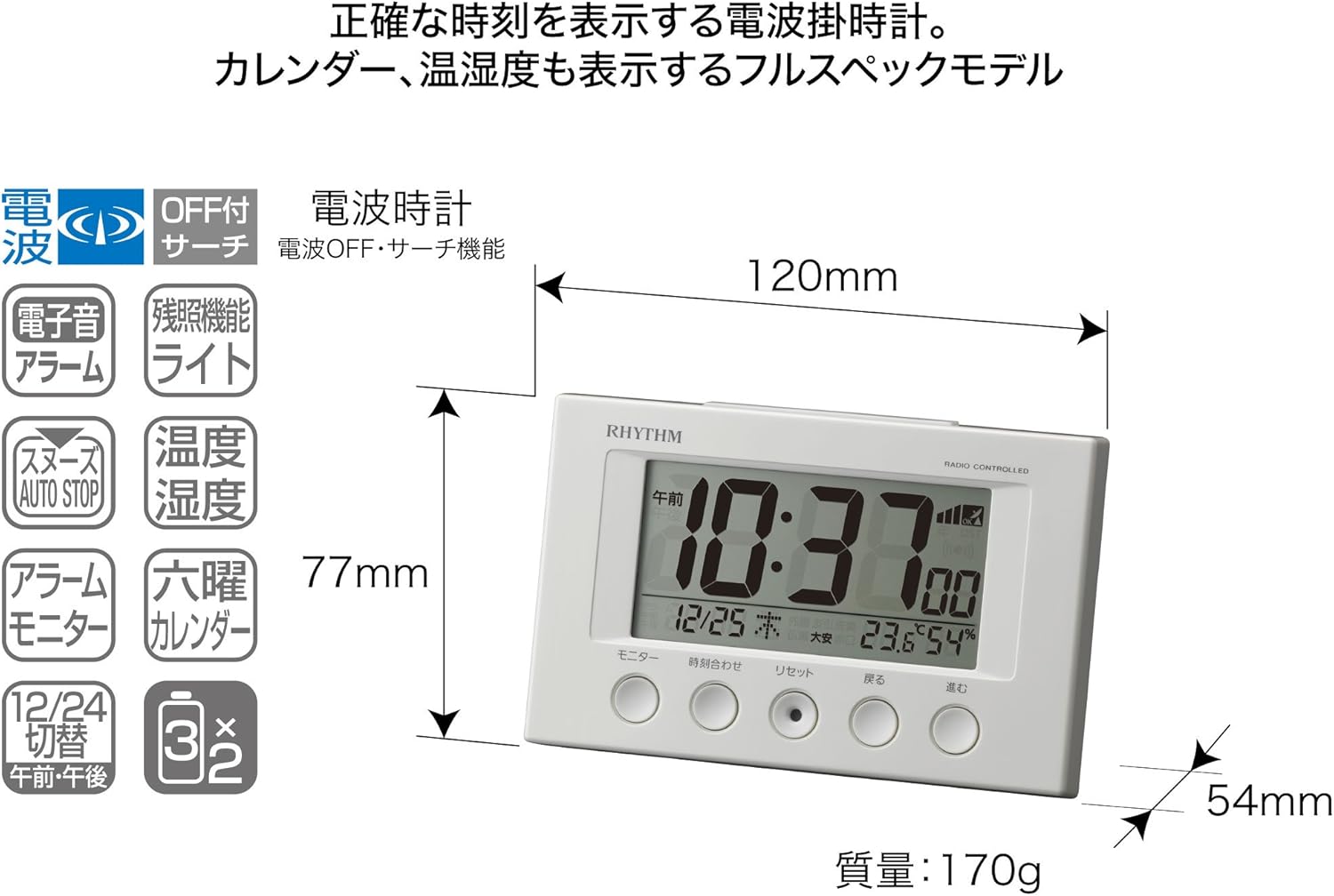
Aldığınız üçün təşəkkür edirikasing the RHYTHM 8RZ166SR03 Fit Wave Smart Alarm Clock. This device is a radio-controlled alarm clock equipped with a thermometer, hygrometer, and calendar display. Its compact design and user-friendly interface make it ideal for various indoor settings. This manual provides detailed instructions to help you set up, operate, and maintain your new alarm clock.
Əsas Xüsusiyyətlər:
- Atomic Clock Movement: Automatically synchronizes time via radio waves for precise accuracy.
- İstilik göstəricisi: Shows ambient temperature from -9.9 to 50 ℃.
- Rütubət Ekranı: Shows ambient humidity from 20% to 95%.
- Electronic Sound Alarm: Features an alarm with an auto-stop function.
- Mürgüləmə funksiyası: Siqnalı müvəqqəti olaraq susdurur.
- Dial Light: Includes an afterglow function for visibility in low light (5 seconds).
- Təqvim Ekranı: Shows date and day of the week, including Rokuyoku (Japanese traditional calendar).
- 12/24 Saat Ekranı: Switchable time format.
2. Paketin məzmunu
Paketdə bütün əşyaların olub olmadığını yoxlayın:
- RHYTHM 8RZ166SR03 Fit Wave Smart Alarm Clock
- Təlimat kitabçası (bu sənəd)
Note: 2 x AA manganese batteries are required and sold separately.
3. Məhsul bitdiview
Ön View and Display Elements:

This image displays the front of the RHYTHM 8RZ166SR03 alarm clock. It features a large digital LCD screen at the top, showing time, date, temperature, and humidity. Below the screen are five circular control buttons labeled (from left to right): Monitor, Time Adjustment, Reset, Back, and Forward.

This diagram illustrates the various elements of the LCD display:
- Vaxt Ekranı: Shows the current time in 12-hour (AM/PM) or 24-hour format.
- Radio Wave Reception Indicator: Displays the status of radio wave reception.
- Siqnal Göstərici: An icon appears when the alarm is activated.
- İstilik göstəricisi: Mövcud otaq temperaturunu göstərir.
- Rütubət Ekranı: Shows the current room humidity.
- Təqvim Ekranı: Shows the current date and day of the week, including Rokuyoku.
Geri View və Nəzarətlər:
The back of the clock features the alarm ON/OFF slide switch on the left side and the battery compartment cover in the center. The model number '8RZ166' and 'MADE IN CHINA' are also visible.
Control Buttons Explained:

This image details the function of each button:
- Monitor düyməsi: Used to check the alarm sound.
- Time Adjustment Button: Used for manual time setting and switching between 12/24 hour display.
- Sıfırlama düyməsi: Resets the clock and also functions as a forced radio wave reception button.
- Back Button (←): Used to decrease values during alarm or time settings.
- Forward Button (→): Used to increase values during alarm or time settings.
- Alarm Switch (on back): Slides up for ON, down for OFF.
- Snooze Button (top): Activates the snooze function and the dial light.
4. Quraşdırma
4.1 Batareyanın quraşdırılması
- Saatın arxasındakı batareya bölməsinin qapağını çıxarın.
- Insert two (2) AA manganese batteries, ensuring the correct polarity (+/-) as indicated inside the compartment.
- Batareya bölməsinin qapağını dəyişdirin.
This image shows the open battery compartment with two AA batteries correctly inserted, indicating the positive and negative terminals.
4.2 Initial Power On and Radio Wave Reception
After battery installation, the clock will automatically attempt to receive radio waves to set the correct time. This process may take several minutes. Ensure the clock is placed in an area with good reception, away from electronic devices that may cause interference.

This diagram illustrates how radio-controlled clocks receive standard time signals from two transmission stations (one in Fukushima, 40kHz, and one in Fukuoka/Saga, 60kHz) to automatically correct and display the precise time. The clock will automatically adjust its time based on these signals.
If reception is successful, the time will be set automatically. If not, you may need to manually set the time (refer to Section 5.1).
5. Əməliyyat Təlimatları
5.1 Manual Time and Date Setting
In cases where radio wave reception is difficult or for specific time zone adjustments:
- basın və saxlayın Vaxtın tənzimlənməsi Vaxt ekranı yanıb-sönməyə başlayana qədər düyməni basın.
- istifadə edin Back (←) və Forward (→) saatları tənzimləmək üçün düymələr.
- düyməsini basın Vaxtın tənzimlənməsi button again to move to minutes, then adjust using Back (←) və Forward (→).
- Basmağa davam edin Vaxtın tənzimlənməsi il, ay və gün parametrləri arasında dövr etmək, hər birini tənzimləmək Back (←) və Forward (→).
- Bütün parametrlər düzgün olduqdan sonra düyməsini basın Vaxtın tənzimlənməsi button one last time to confirm and exit the setting mode.
5.2 Siqnal Parametrləri
- Siqnal vaxtını təyin etmək üçün düyməni basıb saxlayın Vaxtın tənzimlənməsi button until the alarm time starts flashing (this may require cycling past the current time settings if already in manual time setting mode).
- istifadə edin Back (←) və Forward (→) buttons to set the desired alarm hour and minute.
- düyməsini basın Vaxtın tənzimlənməsi Zəngli saatı təsdiqləmək üçün düymə.
5.3 Siqnalın aktivləşdirilməsi/söndürülməsi
istifadə edin Alarm ON/OFF slide switch located on the back of the clock:
- Düyməni sürüşdürün UP to activate the alarm. An alarm icon will appear on the display.
- Düyməni sürüşdürün AŞAĞI to deactivate the alarm. The alarm icon will disappear.
5.4 Snooze Function and Dial Light
Siqnal səsləndikdə, böyük düyməsini basın Mürgüləmə düyməsi located on the top of the clock. This will:
- Temporarily silence the alarm (snooze duration is preset).
- Activate the dial light for approximately 5 seconds, illuminating the display for easy viewqaranlıqda.
The alarm will sound again after the snooze period. To stop the alarm completely, slide the Siqnalın ON/OFF açarı OFF-a.
5.5 Display Modes (12/24 Hour Format)
To switch between 12-hour (with AM/PM indicator) and 24-hour time formats, briefly press the Vaxtın tənzimlənməsi button outside of setting mode.
5.6 Checking Alarm Sound
Əvvəlcədənview the alarm sound, press the Monitor button on the front of the clock.
6. Baxım
6.1 Təmizləmə
To clean the clock, wipe it gently with a soft, dry cloth. Do not use abrasive cleaners, solvents, or chemical sprays, as these can damage the casing və ya ekran.
6.2 Batareyanın dəyişdirilməsi
When the display becomes dim or the clock functions erratically, it is time to replace the batteries. Follow the battery installation steps in Section 4.1. It is recommended to replace both batteries at the same time with new ones.
7. Giderme
| Problem | Mümkün Səbəb | Həll |
|---|---|---|
| Clock does not display anything or display is dim. | Batareyalar bitib və ya səhv daxil edilib. | Düzgün polariteyi təmin edərək, batareyaları yeni AA batareyaları ilə əvəz edin. |
| Time is incorrect or does not set automatically. | Poor radio wave reception; clock is outside reception area; interference from other electronics. | Move the clock to a different location, away from electronic devices. Try manual time setting (Section 5.1). Press the Reset button to force reception. |
| Siqnal səslənmir. | Alarm is not activated; alarm volume is too low (if adjustable); incorrect alarm time set. | Ensure the Alarm ON/OFF switch is in the ON position. Verify the alarm time is set correctly. |
| Time drifts by an hour occasionally. | Daylight Saving Time (DST) adjustment issues, especially if the clock is designed for a specific region's DST rules. | Manually adjust the time if the automatic DST adjustment is not suitable for your region. Some radio-controlled clocks are optimized for specific regional signals. |
| Ekranı müəyyən bucaqlardan oxumaq çətindir. | LCD displeylər optimaldır viewbucaqlar. | tənzimləyin viewing angle or the position of the clock for better clarity. |
8. Spesifikasiyalar
| Xüsusiyyət | Spesifikasiya |
|---|---|
| Model nömrəsi | 8RZ166SR03 |
| Brend | RİTM |
| Hərəkət | Atomic clock (Radio-controlled) |
| Çərçivə materialı | plastik |
| Ekran növü | Rəqəmsal LCD |
| Güc mənbəyi | Battery Powered (2 x AA manganese batteries, sold separately) |
| Maddə Çəkisi | 0.17 kiloqram |
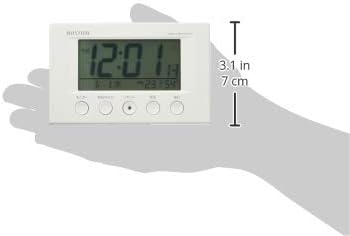
| Məhsul Ölçüləri | 12W x 7.7H x 5.4D centimetres (approx. 4.7 x 3.0 x 2.1 inches) |
| Temperatur Göstərici Aralığı | -9.9 ℃ ilə 50 ℃ arasında |
| Rütubətin göstərilməsi diapazonu | 20% - 95% RH |
| Xüsusi Xüsusiyyətlər | Calendar Display, Humidity Display, Snooze, Temperature Display, Dial Light (afterglow function) |
| Otaq Tipi | Bedroom, General Indoor Use |
9. Zəmanət və Dəstək
RHYTHM products are manufactured with high-quality standards. For warranty information, please refer to the documentation provided at the time of purchase or contact your retailer. If you encounter any issues or require technical assistance, please contact the RHYTHM customer support or your local distributor. Keep your purchase receipt as proof of purchase.