
Giriş
This manual provides instructions for the proper setup, operation, and maintenance of your Targus W600 Wireless Optical Mouse. Please read this manual thoroughly before using the device to ensure optimal performance and longevity.
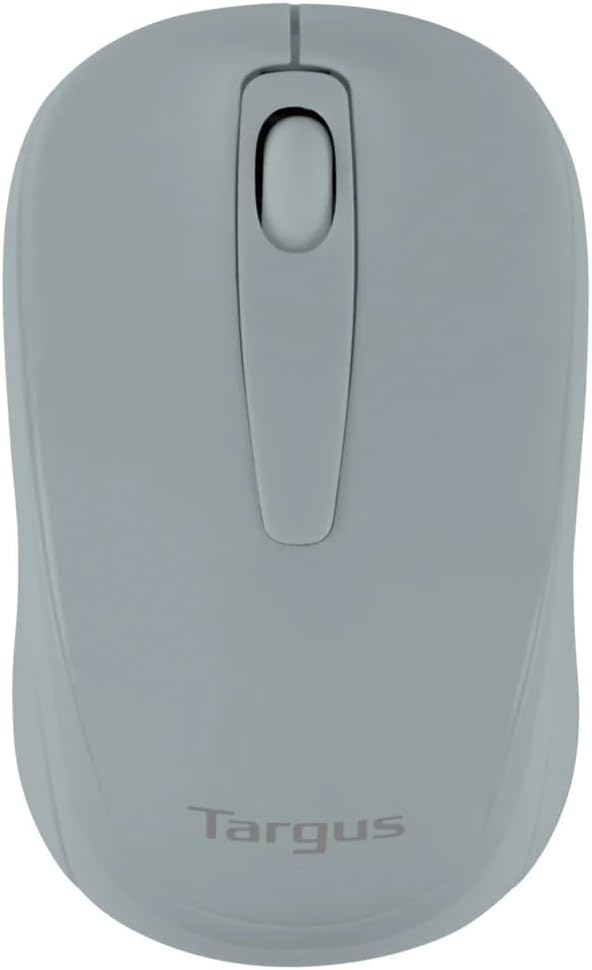
Figure 1: Targus W600 Wireless Optical Mouse (Quarry Gray)
Paketin məzmunu
Bütün əşyaların paketdə olduğundan əmin olun:
- Targus W600 Wireless Optical Mouse
- USB Qəbuledici
- İstifadəçi Təlimatı (bu sənəd)
Note: 1 AA battery is required and sold separately.
Məhsul Xüsusiyyətləri
- 2.4 GHz Wireless Technology for reliable connection
- 1600 DPI Optical Sensor for precise tracking
- Rahat istifadə üçün erqonomik dizayn
- Windows və Mac əməliyyat sistemləri ilə uyğundur
- Integrated USB receiver storage compartment
Quraşdırma
1. Batareyanın quraşdırılması
- Turn the mouse over to locate the battery compartment cover.
- Gently slide the cover off.
- Insert one (1) AA battery, ensuring correct polarity (+/-).
- Batareya bölməsinin qapağını dəyişdirin.
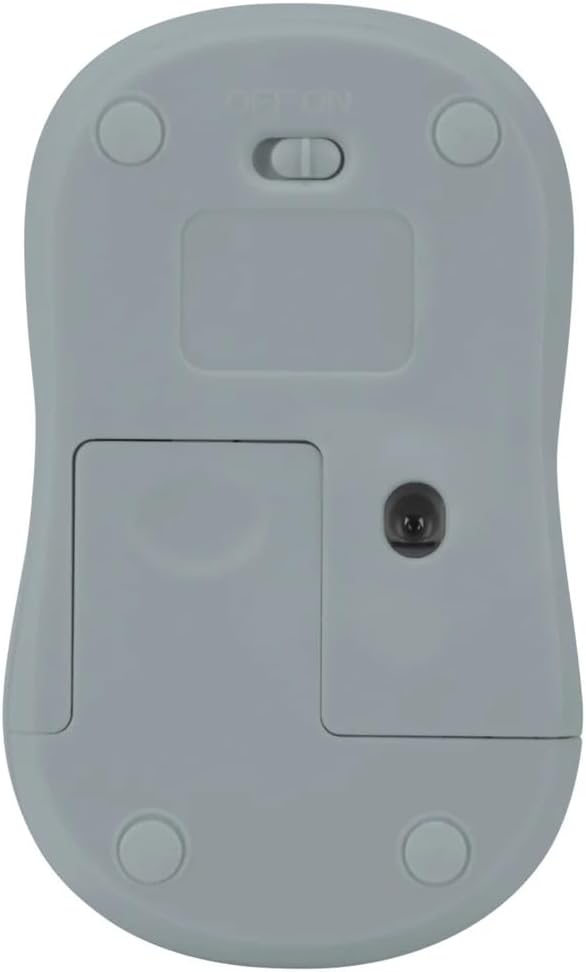
Şəkil 2: Aşağı view of the mouse with battery compartment and power switch.
2. USB qəbuledicinin qoşulması
- Locate the USB receiver, typically stored inside the mouse's battery compartment or a dedicated slot.
- USB qəbuledicisini kompüterinizdə mövcud olan USB portuna qoşun.
- Kompüteriniz lazımi sürücüləri avtomatik olaraq aşkar edib quraşdırmalıdır. Bu bir neçə dəqiqə çəkə bilər.
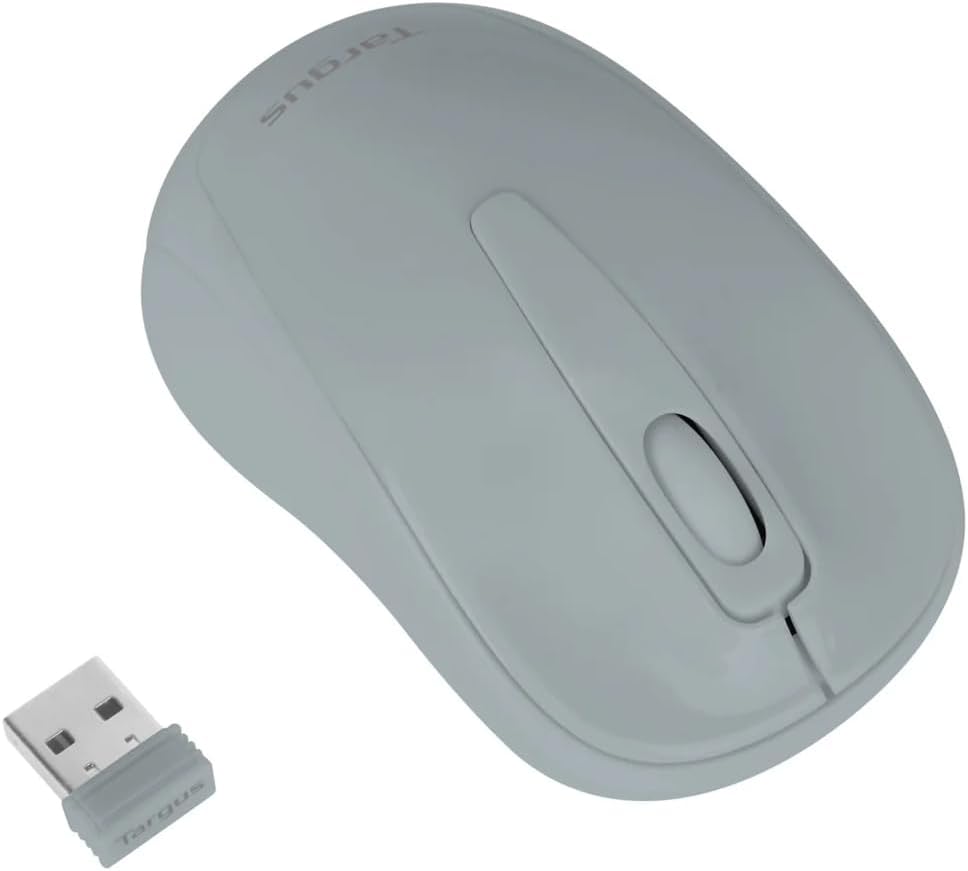
Figure 3: Targus W600 mouse and its USB receiver.

Figure 4: USB receiver plugged into a laptop, with the mouse nearby.
3. Siçanın işə salınması
On the bottom of the mouse, slide the ON/OFF switch to the "ON" position. The mouse is now ready for use.
Siçanın idarə edilməsi
The Targus W600 Wireless Optical Mouse functions like a standard 3-button mouse. It features a left button, a right button, and a scroll wheel that also acts as a middle button.
- Sol Klik: Primary action, selection, opening items.
- Sağ klikləyin: Kontekstual menyuları açır.
- Sürüşmə çarxı: Scrolls documents and web pages vertically. Pressing the scroll wheel acts as a middle click, often used for opening links in new tabs or specific application functions.
The 1600 DPI optical sensor provides smooth and accurate cursor control on most surfaces. For best performance, use on a mouse pad or a non-reflective, uniform surface.
Baxım
Təmizləmə
Siçanınızı təmizləmək üçün səthi yumşaq bir parça ilə yumşaq bir şəkildə silinamp cloth. Avoid using harsh chemicals or abrasive cleaners, as these can damage the finish or internal components. Ensure no liquid enters the mouse.
Batareyanın dəyişdirilməsi
When the mouse performance degrades or stops responding, it may be time to replace the battery. Follow the steps outlined in the "Installing the Battery" section to replace the AA battery. Dispose of used batteries responsibly according to local regulations.
Problemlərin aradan qaldırılması
| Problem | Həll |
|---|---|
| Siçan cavab vermir |
|
| Kursorun nizamsız hərəkəti |
|
| Qısa simsiz diapazon |
|
Spesifikasiyalar
| Model nömrəsi | AMW60006AP-55 |
| Bağlantı | 2.4 GHz Simsiz (USB Qəbuledici) |
| Sensor Technology | Optik |
| DPI | 1600 DPI |
| Düymələrin sayı | 3 (Left, Right, Scroll Wheel/Middle Click) |
| Güc mənbəyi | 1 x AA Batareya (daxil deyil) |
| Uyğun Əməliyyat Sistemləri | Windows, Mac |
Qeyd: Texniki şərtlər xəbərdarlıq edilmədən dəyişdirilə bilər.
Zəmanət və Dəstək
Zəmanət məlumatı və texniki dəstək üçün rəsmi Targus şirkətinə müraciət edin websaytına daxil olun və ya müştəri xidmətləri ilə əlaqə saxlayın. Satınalma qəbzinizi zəmanət iddiaları üçün satınalmanın sübutu kimi saxlayın.
Targus Rəsmi Websayt: www.targus.com