
Giriş
Thank you for choosing the KROM Kernel TKL Mechanical Gaming Keyboard. This compact, tenkeyless (TKL) keyboard is designed for gaming enthusiasts, offering a responsive mechanical experience with customizable RGB backlighting and a Spanish layout. This manual provides detailed instructions for setup, operation, maintenance, and troubleshooting to ensure optimal performance and longevity of your device.
Məhsul Bitdiview
Əsas Xüsusiyyətlər
- Mexanik açarlar: Durable and responsive mechanical key switches for precise input.
- Tenkeyless (TKL) Design: Compact form factor without a numeric keypad, ideal for saving desk space and improving mouse movement.
- RGB arxa işıqlandırma: Customizable LED backlighting with various effects and colors.
- Makro Funksionallıq: Assign macro functions to any key for personalized commands.
- Multimedia açarları: Dedicated or function-layer multimedia controls for convenience.
- Anti-ghosting: Ensures all key presses are registered accurately, even during intense gaming sessions.
- Davamlı tikinti: Uzunmüddətli performans üçün keyfiyyətli materiallarla tikilmişdir.
- Spanish Layout: Designed with a QWERTY Spanish key layout.
Paketin məzmunu
- KROM Kernel TKL Mechanical Gaming Keyboard
- USB Kabel (qoşulmuş)
- İstifadəçi Təlimatı (bu sənəd)
- (Note: Additional accessories may vary by region or specific product bundle.)
Şəkil 1.1: KROM Kernel TKL Mechanical Gaming Keyboard packaging, showing the front and back of the box with product features and design.

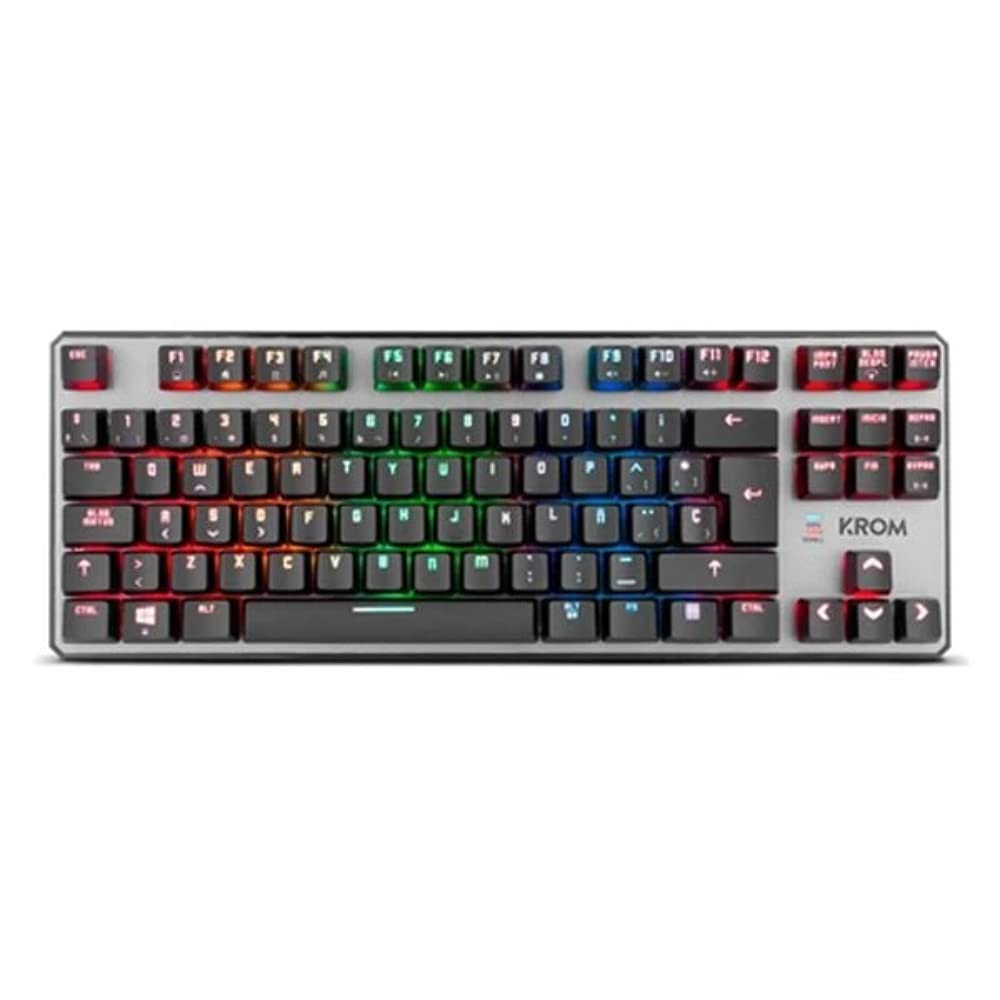
Şəkil 1.2: Yuxarıdan aşağı view of the KROM Kernel TKL keyboard, showcasing its compact design and vibrant RGB backlighting across all keys.
Quraşdırma
- Klaviaturanı paketdən çıxarın: Carefully remove the KROM Kernel TKL keyboard from its packaging.
- Kompüterə qoşulun: Locate the USB cable attached to the keyboard. Plug the USB connector into an available USB port on your computer (PC or laptop).
- Sürücünün quraşdırılması: The keyboard is plug-and-play. Your operating system (Windows 7/8/8.1/10) should automatically detect and install the necessary drivers. This process may take a few moments.
- Funksionallığı yoxlayın: Once drivers are installed, test the keyboard by typing in a text editor or browser to ensure all keys are responsive.
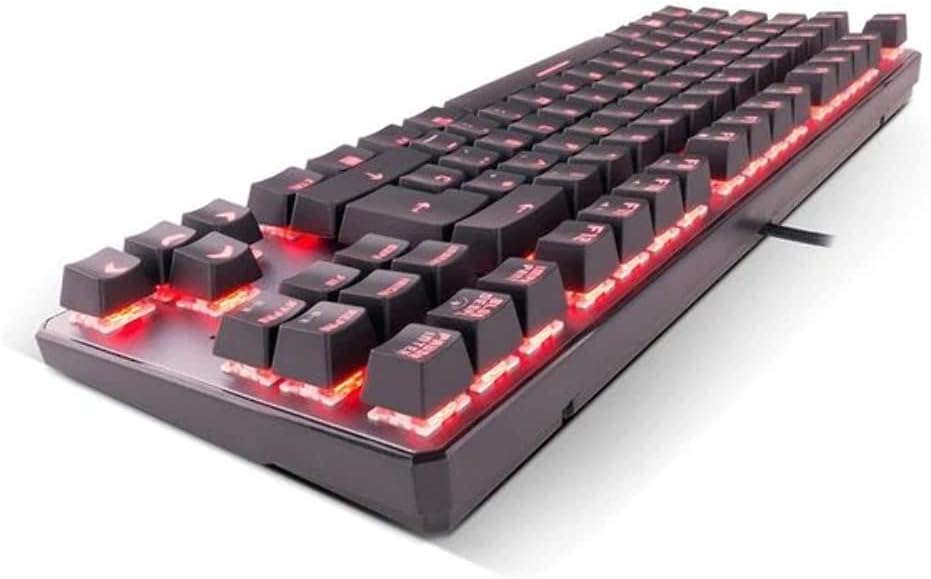
Şəkil 2.1: Yan view of the KROM Kernel TKL keyboard, highlighting the red backlighting visible beneath the keycaps and the compact profile.
Əməliyyat Təlimatları
RGB arxa işıqlandırma nəzarəti
The KROM Kernel TKL keyboard features dynamic RGB backlighting. Use the following key combinations to adjust lighting effects:
- Fn + [Açar]: Specific function keys (often F1-F12 or dedicated keys) are used in combination with the Function (Fn) key to cycle through lighting modes, adjust brightness, change speed, or select colors. Refer to the keyboard's keycap legends for specific symbols indicating lighting controls.
- Parlaqlığın tənzimlənməsi: Typically Fn + Up/Down arrow keys or dedicated brightness keys.
- Effect Speed: Often Fn + Left/Right arrow keys to increase or decrease the speed of dynamic lighting effects.
- Rejimin dəyişdirilməsi: Cycle through various pre-set RGB lighting modes (e.g., wave, ripple, breathing, static color) using a dedicated Fn combination.

Şəkil 3.1: The KROM Kernel TKL keyboard displaying its full RGB spectrum backlighting, enhancing the visual appeal during use.
Macro Function Assignment
The keyboard supports on-the-fly macro recording or software-based macro assignment. For on-the-fly recording:
- Qeydəalmaya Başlayın: Press a specific Macro Record key (often labeled "MR" or a Fn combination).
- Select Target Key: Press the key you wish to assign the macro to.
- Record Sequence: Type the sequence of keys you want to record as the macro.
- Son qeyd: Press the Macro Record key again to save the macro.
Note: Detailed macro programming instructions may require specific software or refer to the full digital manual available on the KROM websayt.
Multimedia və Qısayol Düymələri
Access multimedia functions and system shortcuts using the Fn key in combination with the F-keys (F1-F12) or other designated keys. Common functions include:
- Səs səviyyəsinə nəzarət: Fn + Fx (e.g., F1-F3 for Mute, Volume Down, Volume Up).
- Media oxutma: Fn + Fx (e.g., F5-F8 for Play/Pause, Stop, Previous Track, Next Track).
- Application Shortcuts: Fn + Fx (e.g., F9-F12 for Email, Web Browser, My Computer, Calculator).

Şəkil 3.2: Yaxın plan view of the KROM Kernel TKL keyboard's keycaps, clearly showing the Spanish QWERTY layout and secondary functions.
Baxım
Düzgün qulluq klaviaturanızın uzunömürlülüyünü və performansını təmin edir.
- Təmizləmə:
- Təmizləməzdən əvvəl klaviaturanı kompüterdən ayırın.
- Klaviatura qapaqları arasından toz və zibil çıxarmaq üçün sıxılmış hava qutusundan istifadə edin.
- Klaviatura qapaqlarını və klaviatura səthini yumşaq, bir az damp, tüysüz parça. Həddindən artıq nəmdən çəkinin.
- Sərt kimyəvi maddələr, aşındırıcı təmizləyicilər və ya həlledicilərdən istifadə etməyin.
- Yaddaş: Store the keyboard in a dry, cool place away from direct sunlight and extreme temperatures.
- İdarəetmə: Avoid dropping the keyboard or exposing it to liquids. Do not attempt to disassemble the keyboard as this may void the warranty.

Şəkil 4.1: Yan profile view of the KROM Kernel TKL keyboard, illustrating its ergonomic tilt and compact design.

Şəkil 4.2: A close-up image showing a mechanical switch on the KROM Kernel TKL keyboard, highlighting its design and potential for easy replacement (CIY Technology).

Şəkil 4.3: The CIY Technology logo, indicating that the keyboard features hot-swappable mechanical switches for easy customization or replacement.
Problemlərin aradan qaldırılması
If you encounter issues with your KROM Kernel TKL keyboard, refer to the following common solutions:
- Klaviatura cavab vermir:
- USB kabelinin həm klaviaturaya, həm də kompüterə etibarlı şəkildə qoşulduğundan əmin olun.
- Klaviaturanı kompüterinizdə başqa bir USB portuna qoşmağa çalışın.
- Kompüterinizi yenidən başladın.
- Problemin klaviaturada və ya sisteminizdə olub olmadığını müəyyən etmək üçün klaviaturanı başqa bir kompüterdə sınayın.
- Backlighting Not Working or Incorrect:
- Check if the backlighting is turned off. Use the Fn key combinations to cycle through lighting modes and adjust brightness.
- İşıqlandırma idarəetmə sistemlərinə heç bir proqram təminatı ziddiyyətinin müdaxilə etmədiyinə əmin olun.
- Qeydiyyatdan keçməyən və ya ikiqat yazan açarlar:
- Clean the affected keys with compressed air to remove any debris.
- If the keyboard uses hot-swappable switches (like the "CIY Technology" mentioned in an image), try gently removing and re-inserting the switch for the problematic key.
- Ensure your operating system drivers are up to date.
- Makro funksiyaları işləmir:
- Review the macro programming steps to ensure correct recording.
- Check if any software is overriding the keyboard's native macro functions.
Spesifikasiyalar
| Xüsusiyyət | Detal |
|---|---|
| Model nömrəsi | NXKROMKRNLTKL |
| Klaviatura növü | Mexanik |
| Layout | Spanish QWERTY (TKL) |
| Arxa işıqlandırma | RGB LED |
| Əlaqə | Wired USB (Gold-plated) |
| Kabel uzunluğu | 180 cm (Braided) |
| Fəaliyyət Qüvvəsi | 60 +/- 10 q |
| Səsvermə dərəcəsi | 1000 Hz |
| Daxili Yaddaş | 64 KB (for macros/profiles) |
| Cari istehlak | 100-260mA |
| Cildtage | 5.0 +/- 0.25 V |
| Ölçülər (U x G x Y) | 361 x 133.5 x 22.5 mm |
| Çəki | 950 +/- 30 q |
| Uyğunluq | Windows 7/8/8.1/10 |
| Xüsusi Xüsusiyyətlər | Macro function assignment, Multimedia keys, Shortcut keys |
Zəmanət və Dəstək
KROM products are designed for reliability and performance. This product comes with a standard manufacturer's warranty. For specific warranty terms and conditions, please refer to the warranty card included with your product or visit the official KROM websayt.
For technical support, driver downloads, or further assistance, please visit the KROM official support page or contact their customer service. Contact information can typically be found on the KROM websayt və ya məhsulun qablaşdırılması.
KROM Official Websayt: www.kromgaming.com (Qeyd: Bu yer tutucudur URL, please verify the actual KROM support websayt.)