
1. Giriş
The Alcatel 1X Unlocked Smartphone is designed to provide a smooth and efficient mobile experience. Featuring a compact 5.3-inch 18:9 Full View display, it maximizes on-screen content for an immersive viewing experience. Powered by Android Oreo (Go Edition), the device is optimized for performance with smaller app sizes and increased storage space. This manual provides essential information for setting up, operating, and maintaining your Alcatel 1X smartphone.
2. Başlanğıc
2.1. Qutuda nə var
- Alcatel 1X Device with pre-installed battery
- Batareya qapağı
- Quick Guide (QG)
- Məhsul Təhlükəsizliyi Məlumatı (PSI)
- Şarj cihazı
- USB kabel
- SIM kart pin
2.2. SİM kartın və MicroSD kartın daxil edilməsi
To insert your SIM card and an optional microSD card for expandable memory, carefully remove the battery cover from the back of the device. Locate the designated slots for the SIM card(s) and microSD card. Insert the cards according to the diagrams provided in the Quick Guide, ensuring correct orientation. Replace the battery cover securely.

Şəkil: arxa view of the Alcatel 1X smartphone, highlighting the camera module and fingerprint sensor. The back cover can be removed to access SIM and microSD card slots.
2.3. Batareyanın doldurulması
Connect the provided USB cable to the micro USB port at the bottom of your phone and plug the other end into the charger. Insert the charger into a power outlet. The battery indicator on the screen will show charging status. Ensure the device is fully charged before first use for optimal battery life. The Alcatel 1X features a 2460 mAh battery, providing up to 14 hours of talk time on 3G networks.

Image: Bottom edge of the Alcatel 1X, showing the micro USB charging port and speaker grille.
2.4. Açma / Söndürmə
To power on your device, press and hold the Power button located on the right side of the phone until the screen lights up. To power off, press and hold the Power button until the power options menu appears, then select 'Power off'.
3. Cihaz bitdiview
3.1. Fiziki Düymələr və Portlar
- Səs Rokeri: Located on the right side, used to adjust media and call volume.
- Güc düyməsi: Located below the volume rocker on the right side, used to power on/off the device and lock/unlock the screen.
- Mikro USB portu: Aşağıda yerləşir, şarj etmək və məlumat ötürmək üçün istifadə olunur.
- 3.5 mm audio giriş: Located at the top, for connecting headphones or external audio devices.

Image: Right side of the Alcatel 1X, showing the volume rocker and power button.

Image: Top edge of the Alcatel 1X, showing the 3.5mm audio jack.
3.2. Kameralar
The Alcatel 1X is equipped with an 8MP rear camera and a 5MP front camera, both featuring a flash for improved low-light photography. The rear camera also includes a 2MP depth sensor for enhanced photo effects.
3.3. Barmaq izi sensoru
A built-in fingerprint sensor is located on the rear of the device, providing secure and instant access to your apps and device unlock.
4. Əsas əməliyyatlar
4.1. İnterfeysdə naviqasiya
The Alcatel 1X runs on Android Oreo (Go Edition), offering a streamlined and intuitive user interface. Swipe left or right on the home screen to access different app pages. Swipe down from the top of the screen to open the notification panel and quick settings.
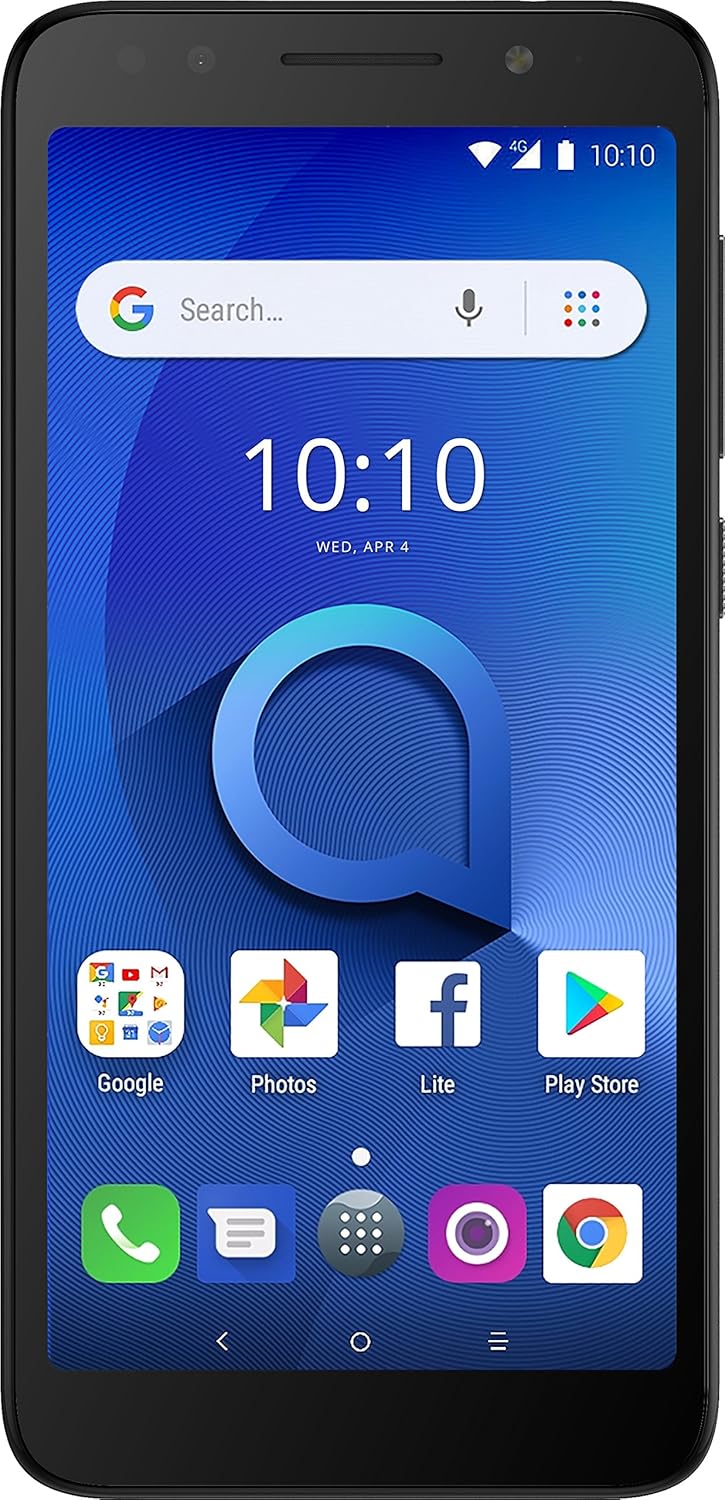
Şəkil: Ön view of the Alcatel 1X smartphone displaying the Android home screen with various app icons.
4.2. Zənglərin edilməsi və Mesajların Göndərilməsi
Tap the Phone icon to open the dialer and make calls. To send messages, tap the Messages icon and compose your text. The device supports 4G LTE for fast and reliable communication.
4.3. Wi-Fi şəbəkəsinə qoşulma
Go to Settings > Network & Internet > Wi-Fi. Toggle Wi-Fi on, then select your desired network from the list and enter the password if required.
4.4. Browsing the Internet
Use the pre-installed Chrome browser to access the internet. Tap the Chrome icon on your home screen or app drawer to begin browsing.
5. Kamera İstifadəsi
5.1. Foto və Video çəkmək
Open the Camera app from your home screen or app drawer. Tap the shutter button to take a photo. You can switch between photo and video modes within the app. The 8MP rear camera and 5MP front camera are designed for clear snapshots and selfies.
5.2. Using Flash and Special Modes
Both front and rear cameras are equipped with a flash. Within the Camera app, you can enable or disable the flash as needed. Explore special modes like Instant Collage, Photo Booth, and Social Square for creative photography.
6. Yaddaş və yaddaş
The Alcatel 1X comes with 16GB of internal storage, with approximately 10GB available for user content. You can expand the storage up to 32GB using a microSD card (sold separately). The device has 1GB of RAM, optimized by Android Oreo (Go Edition) for efficient performance with lighter apps.
7. Təhlükəsizlik Xüsusiyyətləri
7.1. Barmaq izi sensoru
Set up your fingerprint for quick and secure unlocking. Go to Settings > Security & location > Fingerprint. Follow the on-screen instructions to register your fingerprint.
7.2. Üz Kilidi
The Alcatel 1X supports Face Unlock for convenient access. To set it up, navigate to Settings > Security & location > Face Unlock. Ensure you are in a well-lit environment and follow the prompts to register your face. This feature provides a fast and seamless way to unlock your device.
8. Spesifikasiyalar
| Xüsusiyyət | Spesifikasiya |
|---|---|
| Məhsul Ölçüləri | 5.81 x 2.78 x 0.36 düym |
| Maddə Çəkisi | 6.1 unsiya |
| Element Model nömrəsi | 5059A |
| Əməliyyat sistemi | Android Oreo (Go Edition) |
| Simsiz Rabitə Texnologiyaları | Mobil |
| Bağlantı Texnologiyaları | Wi-Fi, 4G LTE |
| GPS | Doğrudur |
| Ekran Çözünürlüğü | 960 x 480 piksel |
| Ekran Ölçüsü | 5.34 Inches (18:9 aspect ratio) |
| Arxa Kamera | 8.0 MP (with 2MP depth sensor) |
| Ön kamera | 5.0 MP |
| Rəng | Tünd Boz |
| Telefon danışıq vaxtı | 14 Hours (on 3G) |
| Yaddaş Saxlama Tutumu | 16 GB (expandable up to 32GB with Micro SD) |
| Quraşdırılmış RAM Yaddaş Ölçüsü | 1 GB |
| Batareya Tutumu | 2460 milyonamp Saat |
9. Giderme
9.1. Ümumi məsələlər və həll yolları
- Cihaz cavab vermir: Yenidən başlamağa məcbur etmək üçün Güc düyməsini təxminən 10 saniyə basıb saxlayın.
- Proqramlar çökür: Clear the cache for the problematic app (Settings > Apps & notifications > App info > [App Name] > Storage & cache > Clear cache). If the issue persists, try reinstalling the app.
- Zəif batareya ömrü: İstifadə etmədiyiniz zaman ekran parlaqlığını azaldın, lazımsız fon tətbiqlərini deaktiv edin və Wi-Fi/Bluetooth-u söndürün.
- Şəbəkə bağlantısı problemləri: Toggle Airplane Mode on and off, or restart the device. Verify your SIM card is correctly inserted.
9.2. Zavod parametrlərinə sıfırlama
If you experience persistent software issues, a factory reset may be necessary. Xəbərdarlıq: A factory reset will erase all data on your phone. Back up important information before proceeding. Go to Settings > System > Reset options > Erase all data (factory reset).
10. Zəmanət və Dəstək
Your Alcatel 1X smartphone comes with a U.S. Warranty. For detailed warranty information, please refer to the Product Safety Information (PSI) document included in your product packaging or visit the official Alcatel support website. For technical assistance, troubleshooting beyond this manual, or service inquiries, please contact Alcatel customer support.
You can also find additional support resources, FAQs, and software updates on the official Alcatel websayt: www.alcatelmobile.com