
Giriş
Aldığınız üçün təşəkkür edirikasing the MAJORITY Histon Portable DAB/DAB+ Digital Radio. This manual provides essential information for setting up, operating, and maintaining your radio. Please read it thoroughly before use to ensure optimal performance and longevity of your device.
Qutuda nə var
- MAJORITY Histon Radio
- Elektrik enerjisi kabeli
- Sahibkarın Təlimatı (bu sənəd)

Image: The contents of the product packaging, including the Histon radio, its mains power cable, and the user manual.
Məhsul Bitdiview
The MAJORITY Histon radio is designed for portable and mains-powered listening, offering both DAB/DAB+ and FM radio reception. It features a clear LED display, dual alarm functionality, and a sleep timer.
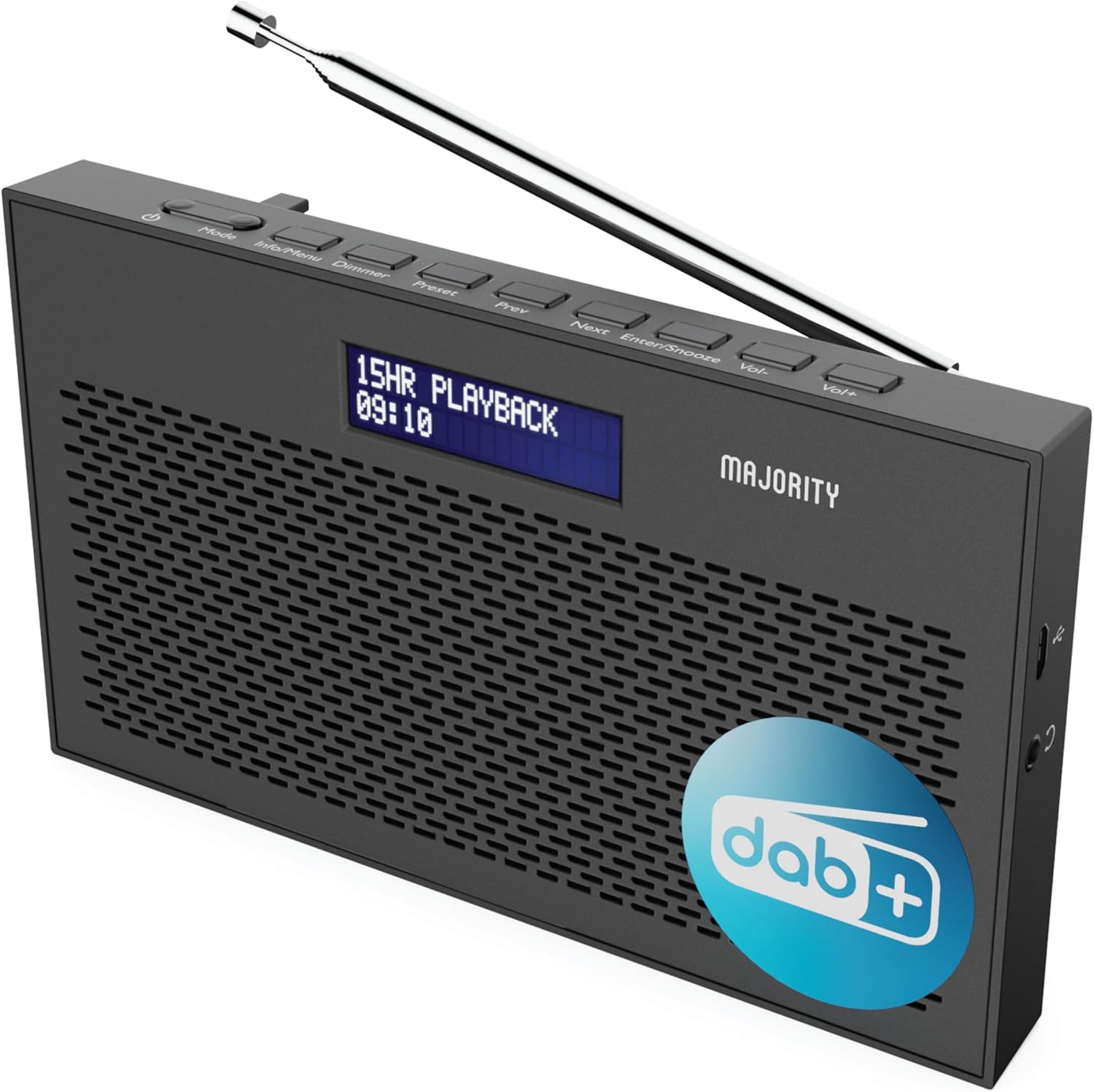
Şəkil: ətraflı view of the Majority Histon radio, highlighting its compact design and front speaker.
Nəzarət və Ekran
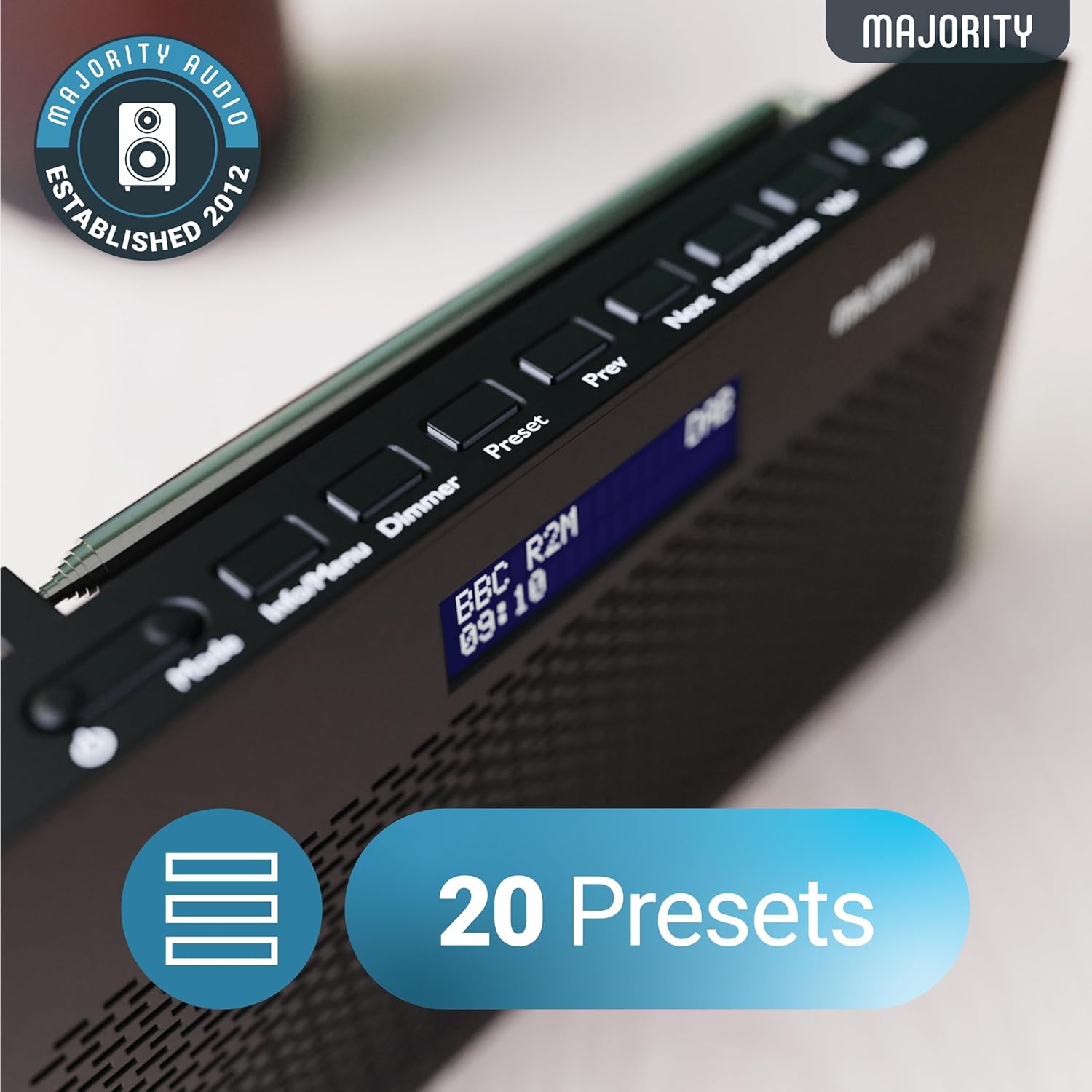
Image: A close-up of the radio's top panel, illustrating the various control buttons and the LED display showing station information.
- Rejim: Switches between DAB, FM, and other modes.
- Məlumat/Menyu: Displays station information or accesses menu settings.
- Dimmer: Ekran parlaqlığını tənzimləyir.
- Əvvəlcədən təyin: Accesses or saves preset stations.
- Əvvəlki/Sonrakı: Stansiyalar və ya menyu seçimləri arasında hərəkət edir.
- Enter/Snooze: Confirms selections or activates snooze during an alarm.
- Cild/Vol+: Səs səviyyəsini tənzimləyir.
Portlar və Əlaqələr
- DC IN Limanı: For connecting the mains power cable.
- 3.5 mm qulaqlıq girişi: Şəxsi dinləmək üçün.
- Batareya bölməsi: Located on the rear for 4 AA batteries (not included).
- Teleskopik antena: Extendable for optimal signal reception.
Quraşdırma
Yandırılır
The Histon radio can be powered by either the included mains power cable or 4 x AA batteries (not supplied).
- Şəbəkə Gücü: Connect the mains power cable to the DC IN port on the radio and plug the adapter into a wall socket.
- Batareya Gücü: Open the battery compartment on the rear of the radio and insert 4 x AA batteries, ensuring correct polarity.

Image: The radio in a portable setting, emphasizing its 15-hour battery life capability.
Antenanın tənzimlənməsi
Extend the telescopic antenna fully for the best possible signal reception, especially for DAB/DAB+ and FM broadcasts.
Initial Scan (DAB/DAB+)
Upon first power-on, the radio will automatically perform a full scan for DAB/DAB+ stations. This process may take a few minutes. Once complete, the radio will tune to the first available station.
- If no stations are found, ensure the antenna is fully extended and reposition the radio, then perform a manual scan (see Operating Instructions).
Əməliyyat Təlimatları
DAB/DAB+ Radio Əməliyyatı
- Selecting DAB Mode: düyməsini basın Rejim button until "DAB" is displayed.
- Stansiya seçimi: istifadə edin Əvvəlki or Sonrakı buttons to scroll through available DAB stations. Press Daxil edin stansiya seçmək.
- Tam Skan: Yeni stansiyaları tam şəkildə araşdırmaq üçün düyməni basıb saxlayın Məlumat/Menyu button to enter the menu, then navigate to "Full Scan" and press Daxil edin.
- Əvvəlcədən təyin edilmiş stansiyalar:
- Əvvəlcədən parametrin saxlanması: While listening to a station, press and hold the Əvvəlcədən təyin düyməsi. istifadə edin Əvvəlki/Sonrakı Əvvəlcədən təyin edilmiş nömrəni (1-20) seçmək üçün basın, sonra Daxil edin saxlamaq üçün.
- Əvvəlcədən ayarı xatırlamaq: düyməsini qısaca basın Əvvəlcədən təyin düyməsi. istifadə edin Əvvəlki/Sonrakı to scroll through saved presets, then press Daxil edin to tune.
Image: The radio's control panel, highlighting the capability to store up to 20 preset radio stations.
FM Radio əməliyyatı
- Selecting FM Mode: düyməsini basın Rejim "FM" görünənə qədər düyməsini basın.
- Avtomatik Tarama: Basın və saxlayın Daxil edin to automatically scan for the next available FM station.
- Əl ilə tənzimləmə: Qısa basın Əvvəlki or Sonrakı to fine-tune the frequency in 0.05 MHz steps.
- Əvvəlcədən təyin edilmiş stansiyalar: Saving and recalling FM presets follows the same procedure as DAB presets.
Siqnalların qurulması
The Histon radio features a dual alarm function.

Image: The radio displaying "DUAL ALARM" on its screen, illustrating its dual alarm capability.
- Basın və saxlayın Məlumat/Menyu menyuya daxil olmaq üçün.
- istifadə edin Əvvəlki/Sonrakı to navigate to "System Settings" and press Daxil edin.
- Navigate to "Alarm" and press Daxil edin.
- Select "Alarm 1" or "Alarm 2" and press Daxil edin.
- Configure the alarm time, duration, source (Buzzer, DAB, FM), frequency (Daily, Once, Weekends, Weekdays), and volume using Əvvəlki/Sonrakı və Daxil edin.
- To activate/deactivate an alarm, select "On" or "Off" for the chosen alarm.
- When an alarm sounds, press Daxil edin/Mündürə to snooze for 9 minutes, or press the Güc siqnalı söndürmək üçün düymə.
Yuxu Taymeri
Yuxu taymeri, müəyyən bir müddətdən sonra radionun avtomatik olaraq sönməsinə imkan verir.
- Basın və saxlayın Məlumat/Menyu menyuya daxil olmaq üçün.
- Navigate to "System Settings" and press Daxil edin.
- Navigate to "Sleep" and press Daxil edin.
- istifadə edin Əvvəlki/Sonrakı to select the desired sleep duration (e.g., 15, 30, 45, 60, 90, 120 minutes) or "Off". Press Daxil edin təsdiq etmək.
Ekran Parlaqlığı
LED ekranın parlaqlığını tənzimləyin.
- düyməsini qısaca basın Dimmer parlaqlıq səviyyələri arasında keçid etmək üçün düyməni basın.
Qulaqlıqdan istifadə
For private listening, connect standard 3.5mm headphones to the headphone jack on the side of the radio. The internal speaker will automatically mute when headphones are connected.
Problemlərin aradan qaldırılması
| Problem | Mümkün səbəb/həlli |
|---|---|
| Enerji yoxdur / Radio açılmır. |
|
| Poor DAB/FM reception or no stations found. |
|
| Səs təhrif olunmuş və ya fasiləlidir. |
|
| Siqnal səslənmir. |
|
| Ekran boşdur və ya oxunmur. |
|
Spesifikasiyalar
- Model: Histon 2
- Məhsul Ölçüləri: 18 x 4.5 x 11 sm (U x G x Y)
- Çəki: 249 qram
- Güc mənbəyi: Mains (via included adapter) or 4 x AA Batteries (not included)
- Dəstəklənən Radio Qrupları: DAB/DAB+, FM
- Əvvəlcədən: 20 (DAB) / 20 (FM)
- Bağlantı: 3.5mm Headphone Jack, DC IN Port
- Xüsusi Xüsusiyyətlər: Portable, Lightweight, Automatic and Manual Tuning, Dual Alarm Clock, Sleep Timer, LED Display, Mono/Auto Switching in FM Mode

Image: A visual representation of the radio's dimensions for reference.
Baxım
- Təmizləmə: Radionun səthini təmizləmək üçün yumşaq, quru bir parça istifadə edin. Aşındırıcı təmizləyicilərdən və ya həlledicilərdən istifadə etməyin.
- Yaddaş: Radionu uzun müddət saxlayırsınızsa, sızmanın qarşısını almaq üçün batareyaları çıxarın. Sərin və quru yerdə saxlayın.
- Suya məruz qalma: Bu radio suya davamlı deyil. Suya və ya yüksək rütubətə məruz qalmaqdan çəkinin.
- Antena Baxımı: Əyilmə və ya qırılmanın qarşısını almaq üçün teleskopik antenanı ehtiyatla tutun.
Zəmanət və Dəstək
The MAJORITY Histon radio comes with a 3 il zəmanət. To activate your warranty and for further support, please refer to the registration instructions provided with your purchase or visit the official MAJORITY websayt.
For technical assistance or warranty claims, please contact MAJORITY customer support through their official channels. Keep your proof of purchase for warranty validation.

Image: A graphic highlighting the 3-year warranty provided with Majority audio products.