
1. Giriş
The HORIZONT RANGER AN4800 is a versatile electric fence energizer designed for reliable animal control across various applications. This device offers flexible power options, allowing operation via 230V mains, a 12V battery, or optionally with a solar panel. It delivers high output energy suitable for long fence lines and a wide range of animals. This manual provides essential information for the safe and efficient installation, operation, and maintenance of your AN4800 energizer.
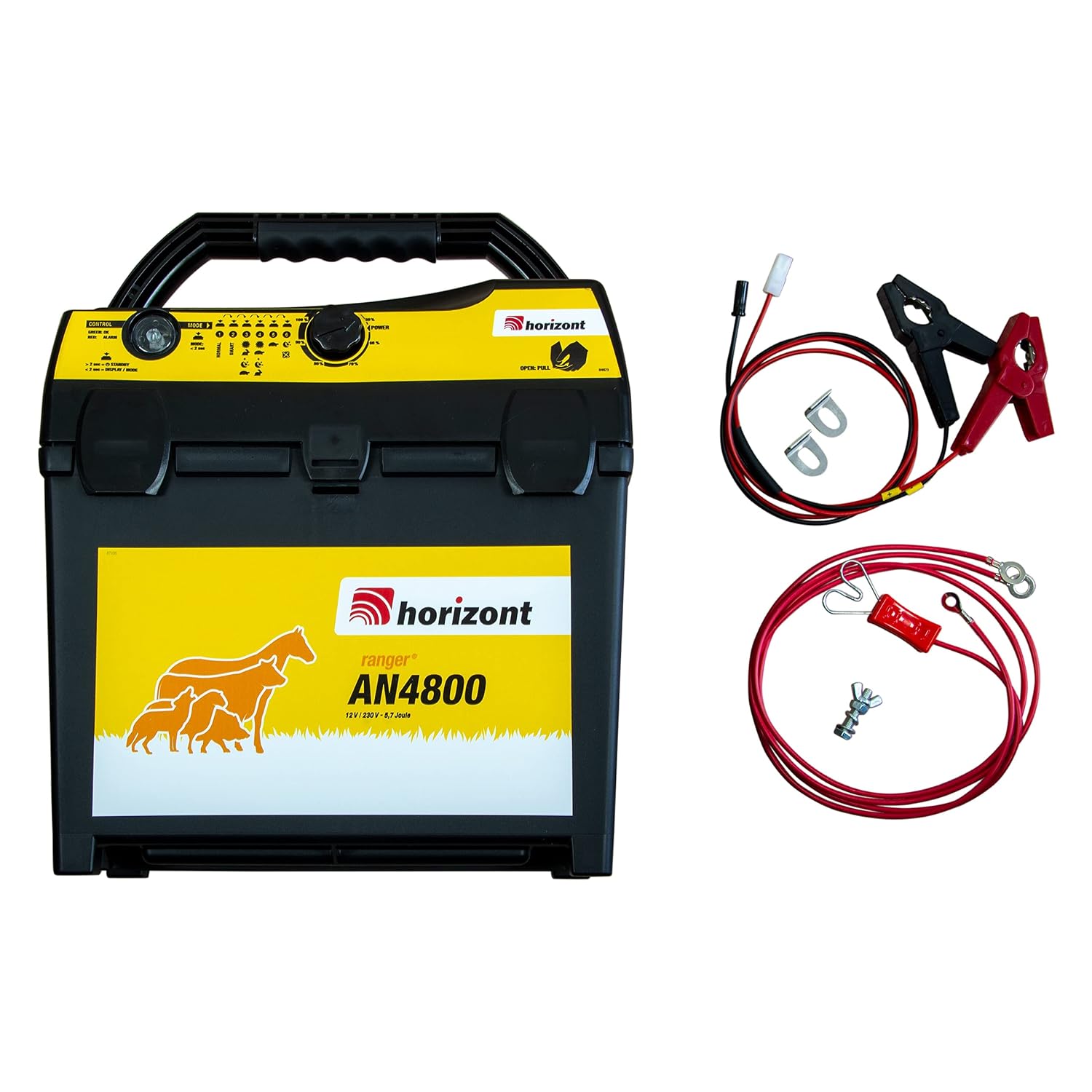
Figure 1: The HORIZONT RANGER AN4800 electric fence energizer with its connection cables and ground stake.
2. Təhlükəsizlik Məlumatı
Please read all safety warnings and instructions carefully before installing and operating the energizer. Failure to follow these instructions may result in electric shock, fire, or serious injury.
- Yüksək cildtage: Electric fence energizers produce high voltage pulses. Avoid contact with the fence line.
- Uşaqlar və ev heyvanları: Keep children and untrained individuals away from the electric fence system.
- Torpaqlama: Proper grounding is crucial for safe and effective operation. Ensure the energizer is correctly grounded as per instructions.
- Güc mənbəyi: Use only approved power sources (230V mains adapter, 12V battery, or compatible solar panel).
- Quraşdırma: Install the energizer in a dry, protected location, away from flammable materials.
- Baxım: Hər hansı təmir və ya təmir etməzdən əvvəl elektrik enerjisini ayırın.
3. Paketin məzmunu
Bütün əşyaların paketdə olduğunu yoxlayın:
- HORIZONT RANGER AN4800 Electric Fence Energizer
- Ground stake (approximately 30 cm)
- Çit bağlantısı kabeli
- Battery connection cable (for 12V operation)
- Mains adapter (for 230V operation)
4. Quraşdırma
4.1 Enerjiləndiricinin quraşdırılması
Place the energizer in a secure, dry location, preferably under shelter to protect it from weather elements. The unit features a robust casing and an ergonomic carrying handle for portability.

Figure 2: The energizer features latches for secure closure and a handle for easy transport.
4.2 Torpaqlama
Effective grounding is essential for optimal fence performance and safety. We recommend using two ground stakes for enhanced security and performance, especially for longer fence lines or in dry soil conditions. Drive the ground stakes fully into the earth, at least 3 meters apart, and connect them to the energizer's ground terminal (marked with a ground symbol) using appropriate ground cables.
4.3 Connecting to the Fence
Connect the fence line to the energizer's fence output terminal (typically marked with a lightning bolt symbol) using the provided fence connection cable. Ensure all connections are tight and free from corrosion.

Şəkil 3: Arxa view of the energizer showing the fence output (red terminal) and ground input (black terminal).

Şəkil 4: Ətraflı view of the connection terminals for fence and ground.
4.4 Enerji Bağlantısı
The AN4800 offers multiple power options:
- 230V Mains Power: Connect the provided mains adapter to the energizer and then plug it into a standard 230V AC outlet.
- 12V Batareya Gücü: Use the provided battery connection cable to connect the energizer to a 12V deep cycle battery. Ensure correct polarity (red to positive, black to negative).
- Günəş Paneli (İsteğe bağlı): The energizer can be used with a compatible solar panel for continuous operation in remote locations. Refer to the solar panel's instructions for connection details. The energizer can operate simultaneously from 230V and 12V battery, providing backup in case of power failure.
5. Əməliyyat Təlimatları
5.1 İdarəetmə Paneli Bitdiview
The control panel provides indicators and settings for energizer operation.

Figure 5: Control panel showing power adjustment dial, mode selector, and LED indicators.
- Power Adjustment Dial: Adjusts the output power from 50% to 100%.
- Rejim Seçicisi: Allows selection between different operating modes (e.g., Normal, Smart, and various animal-specific settings).
- Control LEDs:
- Yaşıl LED: Indicates normal operation (OK).
- Qırmızı LED: Indicates an alarm condition (e.g., fence fault, low battery).
- Batareya Status Göstəricisi: Shows the current charge level of the connected 12V battery.
5.2 Yandırma/Söndürmə
Once all connections are secure, turn the power adjustment dial to the desired power level. The energizer will begin to pulse. To turn off, rotate the dial to the 'OFF' position or disconnect the power source.
5.3 İş rejiminin seçilməsi
Use the mode selector to choose the appropriate operating mode for your application. Different modes may optimize pulse intervals or intensity for specific animals or conditions. Consult the icons on the control panel for guidance on animal-specific settings (e.g., horse, cattle, sheep, goat, wild boar).
5.4 Fence Length and Animal Suitability
The AN4800 is suitable for fence lengths up to 20 km under average vegetation growth conditions. It is universally applicable for various animal species, including:
- Atlar
- Mal-qara
- Qoyun
- Goats
- Vəhşi qaban
- canavarlar
- Donuzlar
6. Baxım
Regular maintenance ensures the longevity and optimal performance of your energizer.
- Bağlantıları yoxlayın: Periodically inspect all connections (power, fence, ground) for tightness and corrosion. Clean any corroded terminals.
- Hasar Xəttinin Yoxlanılması: Regularly check the fence line for vegetation growth, broken wires, or insulators that could cause shorts and reduce energizer effectiveness.
- Battery Maintenance (for 12V operation): If using a 12V battery, ensure it is regularly charged and maintained according to the battery manufacturer's instructions. Check battery terminals for corrosion.
- Bölmənin təmizlənməsi: Keep the energizer casing clean and free from dust and debris. Use a dry cloth; do not use harsh chemicals or immerse the unit in water.
- Torpaqlama sistemi: Periodically check the ground stakes and connections to ensure they remain effective.
7. Giderme
If your energizer is not functioning correctly, refer to the following common issues and solutions:
| Problem | Mümkün Səbəb | Həll |
|---|---|---|
| No pulse or weak pulse | No power, poor grounding, fence short, low battery | Check power supply (mains/battery). Verify ground connections. Inspect fence for shorts (vegetation, broken insulators). Recharge or replace battery. |
| Red Alarm LED is on | Fence fault, low battery, internal fault | Check fence line for severe shorts. Check battery voltage. If problem persists after checking external factors, contact support. |
| Energizer not turning on | No power, faulty connection | Ensure power source is connected and active. Check all cables and connections. |
If you cannot resolve the issue using these steps, please contact HORIZONT customer support.
8. Spesifikasiyalar
| Xüsusiyyət | Spesifikasiya |
|---|---|
| Model nömrəsi | AN4800 (Product Reference: 10993) |
| Əməliyyat Voltage | 9V / 12V / 230V (Mixed Power) |
| Doldurma Enerjisi | 5.7 Joul |
| Maksimum həcmtage | 16800 V |
| Ölçülər (U x G x Y) | 24 x 31.5 x 38 sm |
| Çəki | 3.5 kiloqram |
| Maximum Fence Length (average growth) | 20 km-ə qədər |
| İstehsalçı | üfüqi |
9. Zəmanət və Dəstək
9.1 Zəmanət
The HORIZONT RANGER AN4800 Electric Fence Energizer comes with a 3 il zəmanət from the date of purchase. This warranty covers defects in materials and workmanship under normal use. Please retain your proof of purchase for warranty claims. The warranty does not cover damage caused by misuse, improper installation, unauthorized modifications, or natural disasters.

Figure 6: The product packaging highlights the 3-year warranty.
9.2 Müştəri dəstəyi
For technical assistance, troubleshooting beyond this manual, or warranty inquiries, please contact HORIZONT customer support. Refer to the contact information provided with your product or visit the official HORIZONT webdəstək detalları üçün sayt.