
1. Giriş
Welcome to the user manual for your Genius Manticore Gaming Keyboard. This guide provides essential information for setting up, operating, maintaining, and troubleshooting your new gaming keyboard. Please read these instructions carefully to ensure optimal performance and longevity of your device.
2. Məhsul bitdiview
The Genius Manticore Gaming Keyboard is designed for an enhanced gaming experience, featuring a durable build and responsive keys. It connects via USB and is compatible with a wide range of devices. The keyboard includes 104 keys with a standard QWERTY layout, complemented by additional gaming-specific features.
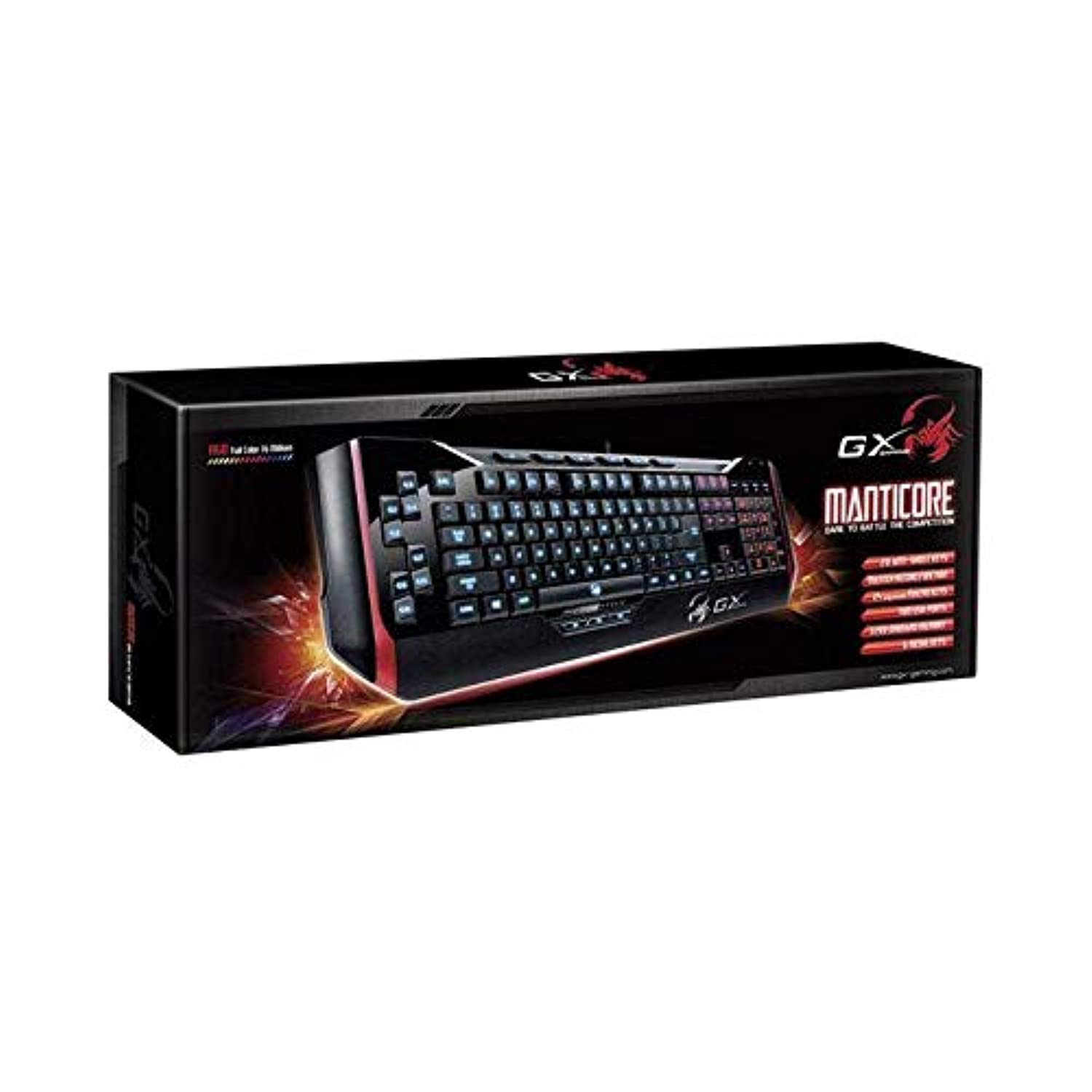
Şəkil 1: Genius Manticore Gaming Keyboard. This image displays the Genius Manticore Gaming Keyboard, featuring a black body with red accents on the sides. The keys are illuminated, indicating its gaming functionality. The keyboard has a standard QWERTY layout with additional keys on the left side, likely for macros, and a numeric keypad on the right.
3. Quraşdırma
- Klaviaturanı paketdən çıxarın: Carefully remove the Genius Manticore Gaming Keyboard from its packaging. Ensure all components are present.
- Cihazınıza qoşulun: Kompüterinizdə və ya uyğun cihazınızda mövcud USB portunu tapın. Klaviaturanın USB konnektorunu USB portuna möhkəm yerləşdirin.
- Sürücünün quraşdırılması (lazım olduqda): For most modern operating systems, the keyboard will be recognized automatically, and standard drivers will be installed. If prompted, follow the on-screen instructions to complete any driver installation.
- Test funksionallığı: Open a text editor or a web browser and test the keys to ensure they are responding correctly.
4. Əməliyyat Təlimatları
The Genius Manticore Gaming Keyboard offers a standard QWERTY layout for general typing and dedicated features for gaming.
- Standard Key Functions: All standard alphanumeric, symbol, and function keys operate as expected on a typical QWERTY keyboard.
- Oyun Xüsusiyyətləri: The keyboard is designed for gaming. Specific gaming features, such as customizable backlighting or programmable macro keys (if available on your model), can typically be configured through dedicated software provided by Genius or through specific key combinations. Refer to the Genius website for any available software downloads or advanced feature guides.
- Güc mənbəyi: The keyboard is powered directly via the USB connection to your device. No external power supply or batteries are required.
5. Baxım
Düzgün qulluq klaviaturanızın uzunömürlülüyünü və performansını təmin edir.
- Təmizləmə: Klaviatura səthini silmək üçün yumşaq, quru bir parça istifadə edin. Düymələr arasındakı toz və zibil üçün sıxılmış hava istifadə edin. Sərt kimyəvi maddələrdən və ya aşındırıcı materiallardan istifadə etməkdən çəkinin.
- Maye məruz qalma: This keyboard is suya davamlı deyil. Avoid spilling liquids on the keyboard, as this can cause permanent damage. If liquid exposure occurs, immediately disconnect the keyboard from your device and allow it to dry completely before attempting to use it again.
- Yaddaş: İstifadə edilmədikdə, klaviaturanı təmiz, quru və həddindən artıq temperaturdan və birbaşa günəş işığından uzaq bir yerdə saxlayın.
6. Giderme
If you encounter issues with your keyboard, try the following solutions:
- Klaviatura cavab vermir:
- USB kabelin həm klaviaturaya, həm də kompüterə etibarlı şəkildə qoşulduğundan əmin olun.
- Klaviaturanı kompüterinizdəki başqa USB portuna qoşmağa cəhd edin.
- Problemin klaviaturada və ya orijinal kompüterdə olub olmadığını müəyyən etmək üçün klaviaturanı başqa bir kompüterdə sınaqdan keçirin.
- Kompüterinizi yenidən başladın.
- Xüsusi düymələr işləmir:
- Check for any physical obstructions under the non-functional keys.
- Klaviaturanı Təmir bölməsində təsvir edildiyi kimi təmizləyin.
- Ensure no software conflicts are present (e.g., macro software interfering with standard key functions).
- Backlighting Issues:
- If your model features adjustable backlighting, ensure it is not turned off or set to the lowest brightness level. Consult the Genius website for specific key combinations to control backlighting.
If these steps do not resolve the issue, please contact Genius customer support for further assistance.
7. Spesifikasiyalar
| Xüsusiyyət | Detal |
|---|---|
| Brend adı | Dahi |
| Model nömrəsi | GE31310058108 |
| Uyğun Cihazlar | Hamısı |
| Bağlantı texnologiyası | USB |
| Klaviatura Təsviri | Oyun |
| Xüsusi Xüsusiyyətlər | Oyun |
| Rəng | Multi-color (Black and Red) |
| Stil | Müasir |
| Material | Çoxsaylı Materiallar |
| Mövzu | Oyunlar |
| Güc mənbəyi | USB gücü |
| Açarların sayı | 104 |
| Klaviatura düzümü | QWERTY klaviaturası |
| Əl istiqaməti | Hərtərəfli |
| Düymə Miqdarı | 104 |
| Suya davamlılıq səviyyəsi | Suya davamlı deyil |
| İstehsalçı | Dahi |
| ASIN | B07MQMXJS9 |
8. Zəmanət və Dəstək
Your Genius Manticore Gaming Keyboard is covered by a standard manufacturer's warranty. For detailed information regarding warranty terms, registration, or to access technical support, please visit the official Genius websaytına daxil olun və ya müştəri xidməti şöbəsi ilə əlaqə saxlayın. Satınalma qəbzini alışın sübutu olaraq saxlayın.
Əlavə yardım üçün müraciət edə bilərsiniz Genius Official Websayt.