
Məhsul Bitdiview
The Novation Launchpad X is an essential 64-pad MIDI grid controller designed for music creation and performance, particularly with Ableton Live and Logic Pro. It features large, super-sensitive RGB pads, dynamic note and scale modes, and integrated mixer controls to enhance your workflow.
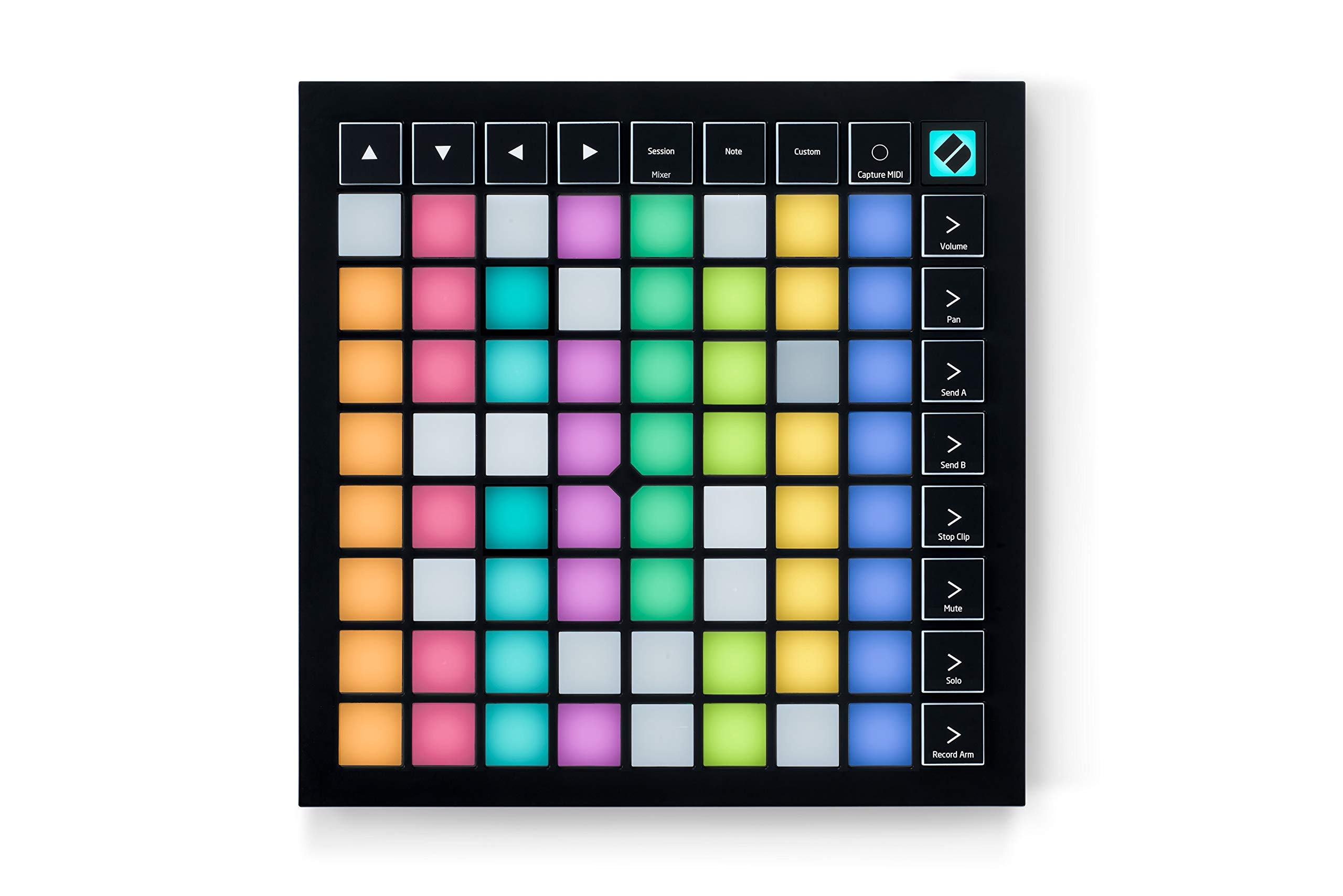
Image: Novation Launchpad X MIDI Grid Controller, top-down view.
Qutuda nə var
- Launchpad X MIDI Grid Controller
- USB-C-dən USB-A kabelinə
- Təhlükəsizlik Məlumat Vərəqi
Qutudan Açılış Videosu
Video: A user unboxes the Launchpad X, showcasing its contents and initial setup.
Quraşdırma
- Kompüterə qoşulun: Use the provided USB-C to USB-A cable to connect your Launchpad X to your computer. The device is bus-powered, so no external power supply is needed.
- Proqram təminatının quraşdırılması: The Launchpad X integrates seamlessly with Ableton Live. Register your device on the Novation website to access included software, including Ableton Live Lite and Novation Components. Novation Components allows for custom MIDI mappings.
- Sürücünün quraşdırılması: No drivers are typically required for basic functionality; simply plug and play.

Image: The Launchpad X connected to a laptop, ready for use.
Əməliyyat
The Launchpad X offers various modes and controls for dynamic music production and live performance.
Dynamic and Expressive Playing
The large RGB velocity- and pressure-sensitive pads provide a perfect reflection of your Ableton Live or Logic Pro session, matching colors from the session window to your Launchpad X. This allows for expressive playing of instruments and drums.

Image: A musician interacts with the Launchpad X, demonstrating its dynamic and expressive playing capabilities with illuminated pads.
Ableton Live Integration
Quickly launch clips and scenes, access mixer, device, and transport controls, and quantize, duplicate, and double, all without touching your mouse. The Capture MIDI feature ensures you never lose an idea, even if you didn't hit record.

Image: The Launchpad X is shown in a studio setup, seamlessly integrated with Ableton Live on a laptop.
Dynamic Note & Scale Modes
Effortlessly play in-key basslines, melodies, chords, and leads. The Launchpad X automatically displays your drum rack on the grid when drumming, and allows easy exploration, building, and playing of complex chords directly from the grid.

Image: The Launchpad X pads illuminate in various colors, indicating different notes and scale modes.
Four Custom Modes
Utilize Novation Components software to customize MIDI mappings and control almost any aspect of your music software. These four custom modes allow you to tailor the grid controller to your specific needs.

Image: The Launchpad X is shown with its pads configured for custom modes, highlighting its adaptability.
Mikser İdarəetmələri
Essential performance controls are a single button-press away, including stop, solo, mute, record arm, and setting levels, pans, and sends.

Image: The Launchpad X displays its mixer control layout, with dedicated buttons for various functions.
Məhsul Bitdiview Video
Video: Bitdiview of the Novation Launchpad X features and functionality.
Launchpad X Features Video
Video: A detailed look at the various features and capabilities of the Launchpad X.
Baxım
- Təmizləmə: Use a soft, dry cloth to clean the surface of the Launchpad X. Avoid abrasive cleaners or solvents.
- Yaddaş: Cihazı birbaşa günəş işığından və həddindən artıq temperaturdan uzaq sərin, quru yerdə saxlayın.
- İdarəetmə: Handle with care to prevent damage to the pads and internal components. Avoid dropping the device or placing heavy objects on it.
Problemlərin aradan qaldırılması
- Cihaz tanınmır:
- Ensure the USB cable is securely connected to both the Launchpad X and your computer.
- Fərqli USB portu və ya kabeli sınayın.
- Restart your computer and the Launchpad X.
- Yastıqlar cavab vermir:
- Check your software settings (Ableton Live, Logic Pro) to ensure the Launchpad X is selected as a MIDI input device.
- Verify that the correct mode (Session, Note, Custom) is active on the Launchpad X.
- Proqram təminatı problemləri:
- Ensure your music production software is up to date.
- Visit the Novation support website for specific software integration guides and updates.
Spesifikasiyalar
| Model Adı | Launchpad X |
| Element Model nömrəsi | AMS-LAUNCHPAD-X |
| Maddə Çəkisi | 1.94 funt sterlinq |
| Məhsul Ölçüləri | 9.45 x 9.45 x 0.79 düym |
| Number of Keys/Pads | 64 |
| Bağlantı texnologiyası | USB-C, MIDI |
| Avadanlıq interfeysi | USB |
| Uyğun Cihazlar | PC |
| Dəstəklənən Proqram təminatı | Ableton, Logic, HUI |
| Əməliyyat sistemi | Mac ƏS, Windows ƏS |
| Xüsusi Xüsusiyyət | Velocity Sensitive Pads, Stop, Solo, and Mute Controls; Portable, and Lightweight |
Zəmanət
For detailed warranty information, please refer to the official Novation website or the warranty card included with your product. Novation typically offers a limited warranty covering manufacturing defects.
Dəstək
For further assistance, technical support, or to download the latest software and firmware updates, please visit the official Novation support websayt:
Visit the Novation Store on Amazon
You can also find FAQs and community forums on the Novation website for peer support and common queries.


