
Giriş
This manual provides instructions for the Speedlink PIAVO Wireless Ergonomic Vertical Mouse (Model SL-630019-BK-01). This ergonomic mouse is designed to promote a natural, relaxed wrist posture, reducing strain on the hand, arm, shoulder, and neck during extended computer use. It features 5 buttons, adjustable DPI settings, and wireless 2.4 GHz connectivity.

Şəkil 1: Speedlink PIAVO Wireless Ergonomic Vertical Mouse, front view. This image shows the overall ergonomic design of the mouse.
Paketin məzmunu
Zəhmət olmasa, paketdə bütün əşyaların olduğunu yoxlayın:
- Speedlink PIAVO Wireless Ergonomic Vertical Mouse
- USB-A qəbuledicisi
- Battery (pre-installed or included separately)
- Təlimat kitabçası (bu sənəd)

Şəkil 2: Packaging of the Speedlink PIAVO Wireless Ergonomic Vertical Mouse. The box indicates "Wireless Vertical Mouse" and "10m Range".
Quraşdırma
- Batareyanı daxil edin: If the battery is not pre-installed, open the battery compartment on the underside of the mouse and insert the included battery, ensuring correct polarity.
- USB qəbuledicini qoşun: Locate an available USB-A port on your computer or laptop. Insert the USB-A receiver into the port.
- Siçanı yandırın: Locate the On/Off switch on the underside of the mouse. Slide the switch to the "On" position.
- Sürücünün quraşdırılması: The mouse is designed for plug-and-play operation. Your operating system (e.g., Windows) should automatically detect and install the necessary drivers. This process typically takes a few seconds.
- Test: Once installed, move the mouse to test cursor movement. If the cursor does not respond, ensure the mouse is powered on and the USB receiver is securely connected.

Şəkil 3: Underside of the mouse, illustrating the battery compartment and the On/Off switch. Ensure the switch is in the 'On' position for operation.
Əməliyyat Təlimatları
The Speedlink PIAVO mouse features 5 buttons and adjustable DPI settings for optimal control.
- Sol Klik Düyməsi: Standart əsas klik funksiyası.
- Sağ Klik Düyməsi: Standart ikinci dərəcəli klik funksiyası.
- Sürüşmə çarxı: For scrolling through documents and web pages. Can also be pressed for a middle-click function.
- DPI keçid düyməsi: Located near the scroll wheel. Press this button to cycle through the available DPI settings (800, 1200, 1600 DPI). This adjusts the cursor speed and sensitivity.
- İrəli/Geri Düymələr: Located on the side of the mouse, typically used for navigation in web brauzerlər və ya file kəşfiyyatçılar.
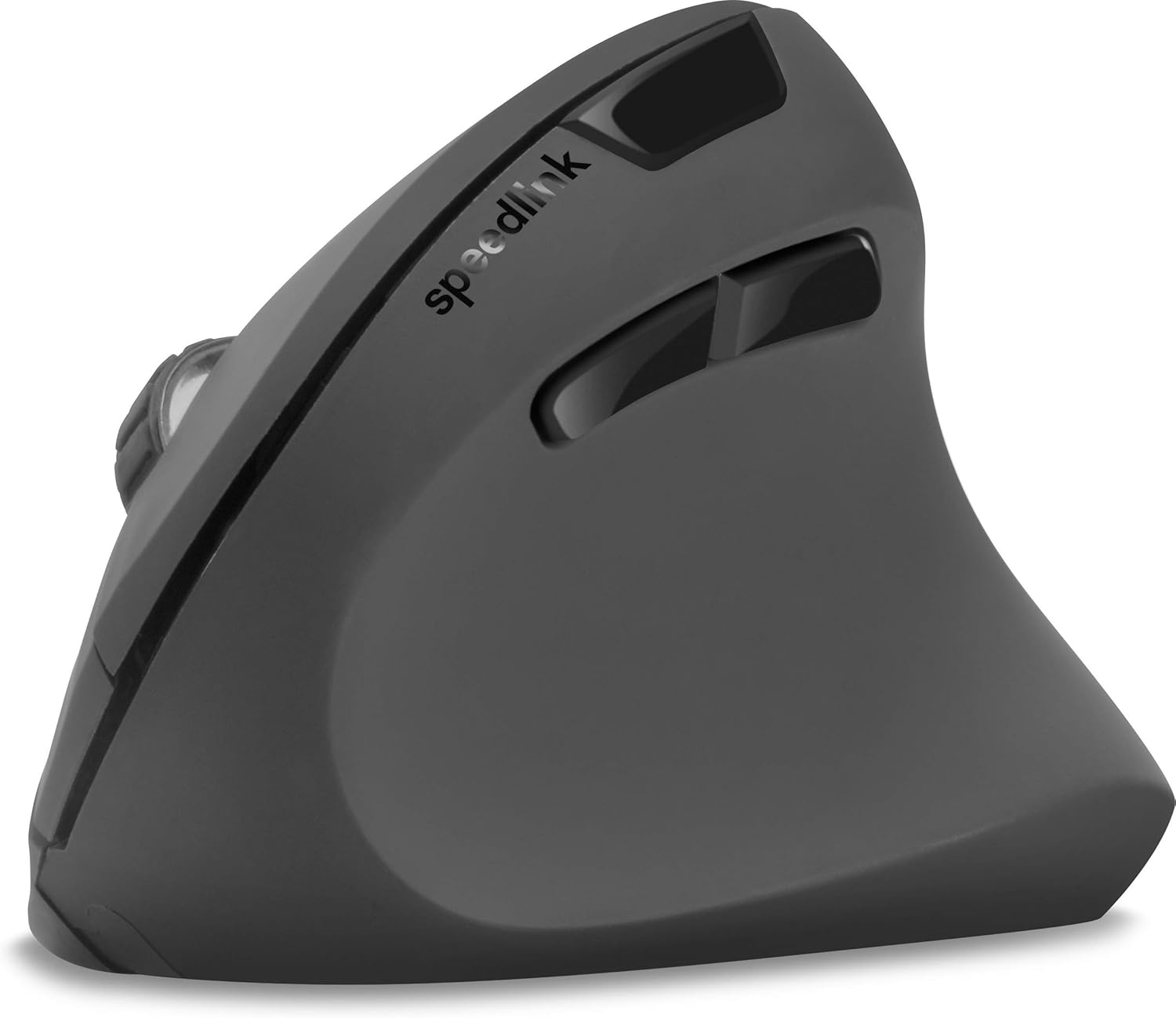
Şəkil 4: Yuxarıdan aşağı view of the mouse, highlighting the left/right click buttons, scroll wheel, and DPI switch button.

Şəkil 5: Yan view of the mouse, illustrating the ergonomic grip and the forward/backward navigation buttons.
Enerji qənaət rejimi
The mouse features an energy-saving mode to conserve battery life. If the mouse is inactive for a period, it will enter a sleep state. To wake it up, simply move the mouse or press any button.
Baxım
To ensure the longevity and optimal performance of your Speedlink PIAVO mouse, follow these maintenance guidelines:
- Təmizləmə: Siçanın xarici hissəsini təmizləmək üçün yumşaq, quru bir parça istifadə edin. İnadkar çirk üçün bir az təmizləyin.amp cloth can be used, but ensure no moisture enters the mouse. Avoid using harsh chemicals or abrasive cleaners.
- Sensorun təmizlənməsi: Occasionally, dust or debris may accumulate around the optical sensor on the underside of the mouse. Use a soft brush or compressed air to gently clean the sensor area.
- Batareyanın dəyişdirilməsi: When the mouse performance degrades or it stops responding, it may be time to replace the battery. Open the battery compartment, remove the old battery, and insert a new one of the same type, observing polarity.
- Yaddaş: When not in use for extended periods, it is recommended to switch off the mouse using the On/Off switch to conserve battery life. Store the mouse and USB receiver in a dry, dust-free environment.
Problemlərin aradan qaldırılması
| Problem | Mümkün Səbəb | Həll |
|---|---|---|
| Siçan cavab vermir / Kursor hərəkət etmir. |
|
|
| Kursorun qeyri-sabit hərəkəti. |
|
|
| DPI setting resets after sleep/reboot. | This is a known characteristic for some mice; the DPI setting may revert to default. | Press the DPI switch button to select your preferred sensitivity after waking the mouse or restarting the computer. |
Spesifikasiyalar
| Model nömrəsi | SL-630019-BK-01 |
| Bağlantı | Wireless 2.4 GHz via USB-A Receiver |
| Hərəkat aşkarlanması | Optik |
| Düymələrin sayı | 5 |
| DPI parametrləri | 800, 1200, 1600 DPI (Adjustable) |
| Əl istiqaməti | Sağ əlli |
| Wireless Range | 10 metrə qədər |
| Güc mənbəyi | Battery-powered (Battery included) |
| Uyğun Əməliyyat Sistemləri | Windows |
| Çəki | 106 qram |
| Rəng | Qara |
Zəmanət və Dəstək
Xüsusi zəmanət şərtləri və müştəri dəstəyi ilə əlaqə məlumatları təqdim olunan məhsul məlumatlarında mövcud deyil. Məhsulun qablaşdırılmasına və ya istehsalçının rəsmi nümayəndəsinə müraciət edin webən aktual zəmanət məlumatları və dəstək seçimləri üçün sayt.
Əlavə yardım üçün müraciət edə bilərsiniz Speedlink official websayt.