
1. Giriş
This manual provides instructions for the installation, features, and maintenance of your Spigen Rugged Armor Slim Protective Case. This case is designed to offer robust protection while maintaining a slim profile for your Samsung Galaxy Tab S6 Lite.
1.1. Uyğunluq
This case is specifically designed for the Samsung Galaxy Tab S6 Lite 10.4 inch models (2024, 2022, and 2020 releases). It is not compatible with the standard Samsung Galaxy Tab S6 or any other Galaxy Tab models.

Image 1.1: Compatibility overview for the Spigen Rugged Armor case, distinguishing between Galaxy Tab S6 Lite (compatible) and Galaxy Tab S6 (not compatible).
2. Quraşdırma təlimatı
Follow these steps to properly install your Spigen Rugged Armor case onto your Samsung Galaxy Tab S6 Lite:
- Clean your device: Ensure your Samsung Galaxy Tab S6 Lite is clean and free of dust or debris before installation.
- Align the tablet: Gently align your tablet with the case, starting with one side.
- Press into place: Apply gentle pressure around the edges of the tablet until it securely snaps into the case. The flexible Thermoplastic Polyurethane (TPU) material allows for easy application.
- Uyğunluğu yoxlayın: Verify that all corners and edges of the tablet are fully enclosed by the case and that all ports and buttons are accessible.

Şəkil 2.1: Ətraflı view of the case's interior design and how it secures the tablet.

Image 2.2: The flexible TPU material of the case, designed for easy installation and removal.
3. Məhsulun xüsusiyyətləri
The Spigen Rugged Armor case offers several key features to enhance your tablet experience and protection:
3.1. S Pen Integration
The case is fully compatible with the S Pen and includes a built-in storage slot for secure and convenient access. The design ensures a firm grip on the S Pen when stored.

Image 3.1: The integrated S Pen storage slot, ensuring the S Pen is always with your tablet.

Image 3.2: Smart design allows for easy slide access to the S Pen.
3.2. Slim Protection and Comfortable Grip
The Rugged Armor case provides essential protection without adding significant bulk, maintaining a slim profile that remains pocket-friendly. Its design ensures a comfortable grip during use.

Image 3.3: The slim profile of the case, offering protection with minimal added bulk.
3.3. Air Cushion Technology
Equipped with Air Cushion Technology, the case is designed to instantly absorb shock from drops and impacts, providing enhanced protection for your device.
3.4. Raised Edges
The case features raised edges around the screen and camera lens to protect these vulnerable areas from scratches and direct impact when the tablet is placed on flat surfaces.
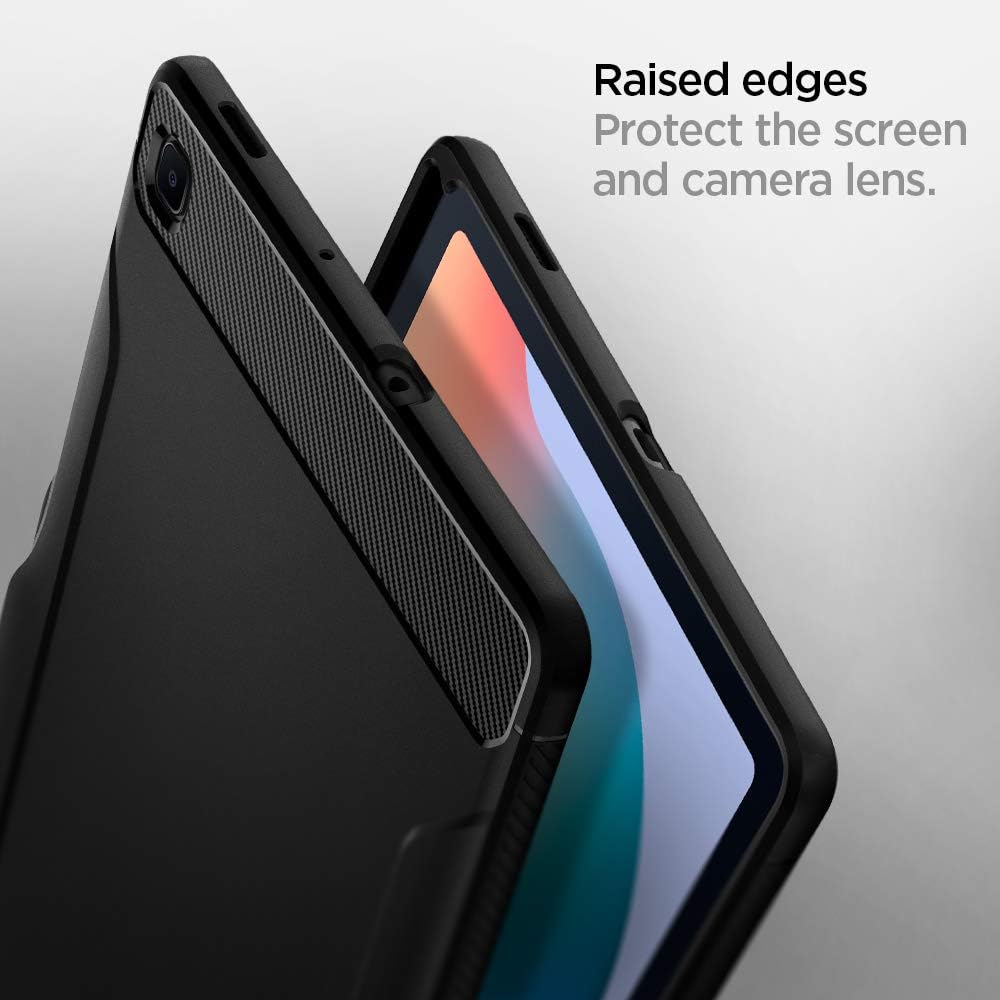
Image 3.4: Raised edges provide additional protection for the screen and camera lens.
4. Qulluq və Baxım
To keep your Spigen Rugged Armor case in optimal condition, follow these simple cleaning guidelines:
- Daimi Təmizlik: Korpusu mütəmadi olaraq yumşaq bir parça ilə silin, damp toz və barmaq izlərini silmək üçün parça.
- İnadkar ləkələr: For more stubborn stains, use a mild soap solution and a soft cloth. Avoid harsh chemicals or abrasive cleaners, as these can damage the case material.
- Qurutma: Qutunu planşetə yenidən taxmazdan əvvəl tamamilə qurumasına icazə verin.
5. Giderme
Most issues with a protective case are related to installation or compatibility. If you encounter any problems, please review aşağıdakılar:
- Yanlış Uyğunluq: Ensure your tablet model is indeed the Samsung Galaxy Tab S6 Lite (10.4 inch, 2024/2022/2020). Re-install the case, ensuring all edges are properly seated.
- S Pen Access: If the S Pen is difficult to remove or insert, check for any obstructions in the slot or ensure the tablet is correctly aligned within the case.
- Düymələrə cavab reaksiyası: If buttons feel stiff or unresponsive, gently press around the button areas on the case to ensure proper alignment with the tablet's buttons.
If issues persist, please contact Spigen customer support for further assistance.
6. Məhsulun Spesifikasiyası
| Brend | Spigen |
| Model nömrəsi | ACS01284 |
| Uyğun Cihazlar | Samsung Galaxy Tab S6 Lite (10.4 inch, 2024/2022/2020) |
| Material | Termoplastik Poliuretan (TPU) |
| Rəng | Qara |
| Maddə Çəkisi | 115 q |
| Ölçülər | 6.56 x 0.47 x 9.8 düym |
7. Zəmanət və Dəstək
Spigen products are designed for durability and performance. For specific warranty details and terms, please refer to the official Spigen websayt və ya satınalmanıza daxil olan zəmanət kartı.
For customer support, technical assistance, or to report any issues, please visit the official Spigen support page: