
Giriş
This manual provides instructions for the MICROWARE HDMI USB Audio Game Capture Card. This device allows you to capture HDMI video and audio signals from various sources and transfer them to your computer via USB 2.0 for recording, streaming, or live broadcasting. It supports input resolutions up to 3840x2160@30Hz and output resolutions up to 1920x1080@30Hz.

Image: The MICROWARE HDMI USB Audio Game Capture Card, a compact black device with HDMI input and USB output ports.

Image: The capture card highlighting its features: pure hardware, small size, easy to carry, and suitability for game live broadcasts. Icons indicate HDMI cable, USB port, HD resolution, and wide applicability.
Quraşdırma Bələdçisi
The MICROWARE HDMI USB Audio Game Capture Card is designed for plug-and-play operation, requiring no driver installation for most operating systems.

Image: A diagram illustrating the 'plug and play' nature of the capture card, showing it connected to a laptop and various use cases like webcam, gaming, and video conferencing.
Paketin məzmunu
- 1 x MICROWARE HDMI USB Audio Game Capture Card
Bağlantı addımları
- Connect your HDMI source device (e.g., camcorder, game console, TV box, phone, DSLR) to the HDMI input port of the capture card using an HDMI cable.
- Connect the USB output port of the capture card to a USB 2.0 port on your computer (Windows, macOS, or Linux).
- Your computer should automatically recognize the capture card as a video and audio input device.
- Open your preferred video acquisition software (e.g., OBS Studio, VLC, Amcap) and select the capture card as your video and audio input source.

Image: Diagram illustrating how to connect various HDMI input devices (Video Recorder, Webcam, TV Box, Game Player, Phone) to the capture card's HDMI input, and the capture card's USB output to a computer.
Supported Operating Systems and Software
The capture card supports Windows (WIN10, WIN8.1, WIN8, WIN7), macOS, and Linux operating systems. It is compatible with most acquisition software that supports USB Video Class (UVC) and USB Audio Class (UAC) standards, including:
- OBS Studio
- VLC Media Player
- Amcap
- Zoom (for video conferencing)
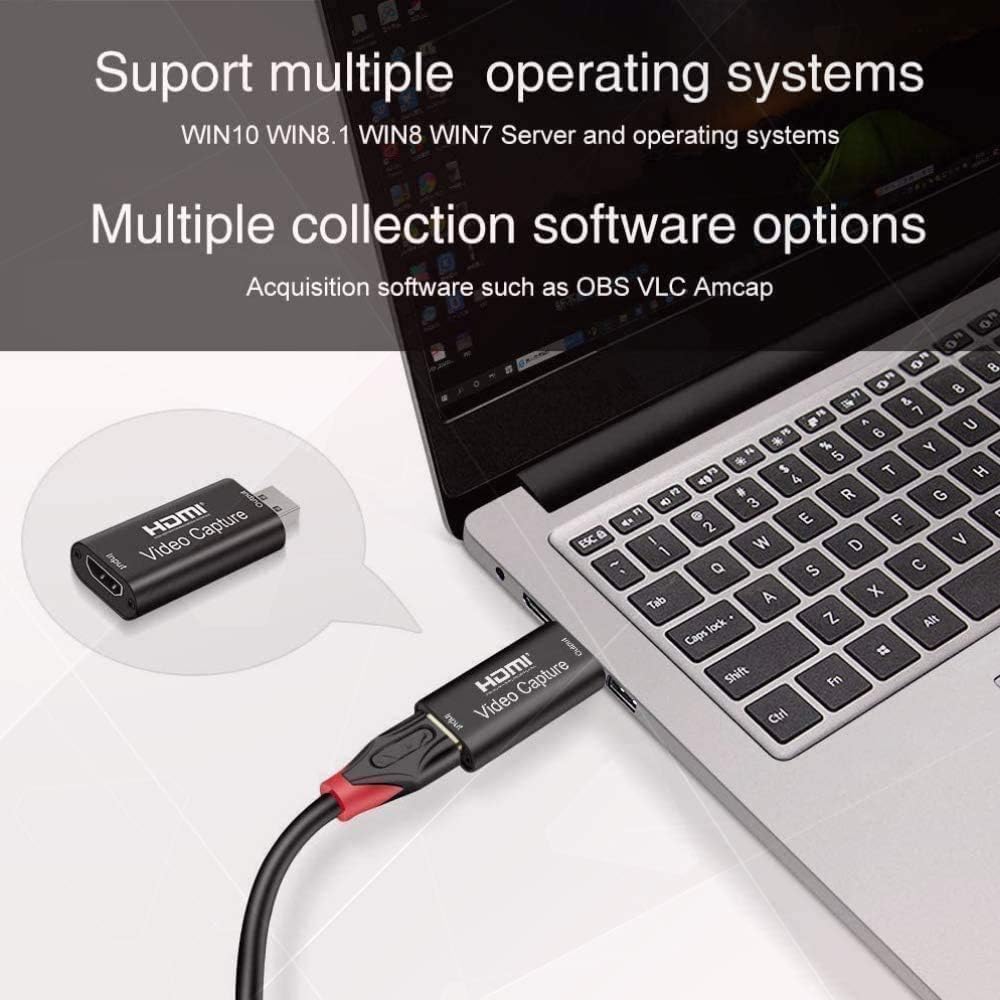
Image: The capture card connected to a laptop, with text indicating support for multiple operating systems (Windows, Mac, Linux) and acquisition software like OBS, VLC, and Amcap.
Əməliyyat Təlimatları
Once connected, the capture card functions as a bridge between your HDMI source and your computer.
kimi istifadə Webcam
You can use a DSLR camera, camcorder, or action camera as a professional webcam for your PC or Mac. Connect the camera's HDMI output to the capture card's HDMI input, then connect the capture card to your computer's USB port. In your video conferencing or streaming software, select the capture card as your camera source.
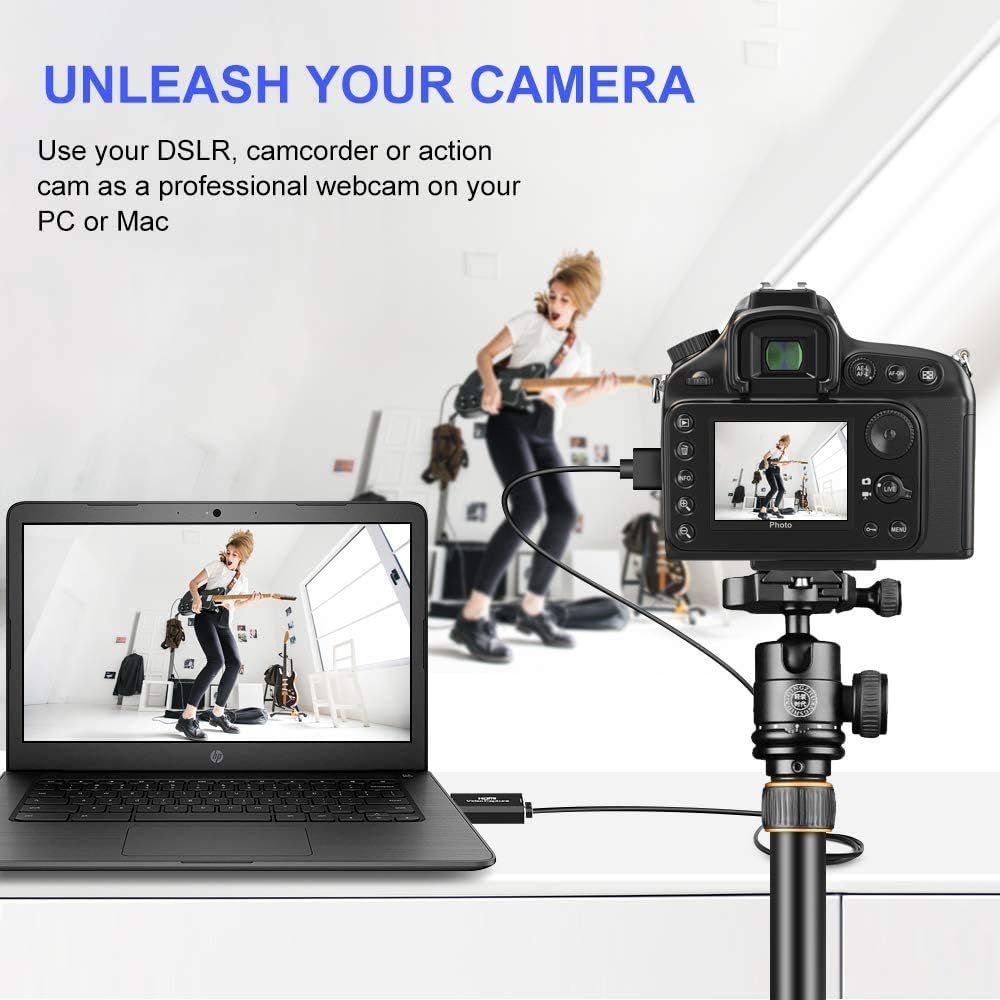
Image: A DSLR camera mounted on a tripod, connected via HDMI to the capture card, which is then connected to a laptop, demonstrating its use as a professional webkamera
Oyun və Yayım
Connect your game console (e.g., Xbox) to the HDMI input of the capture card. The card will transfer the game's video and audio to your computer, allowing you to record gameplay or stream live through compatible software. The USB 2.0 interface ensures smooth transfer for online and standalone games.

Image: A visual depicting the capture card's use in gaming, with a focus on smooth effects and HD capture quality.
Video və Audio Xüsusiyyətləri
- Giriş həlli: Supports a maximum input resolution of 3840x2160 at 30Hz.
- Çıxış qətnaməsi: Supports a maximum output resolution of 1920x1080 at 30Hz.
- Rəng Dərinliyi: 8/10/12 bit dərin rəngi dəstəkləyir.
- HDMI Kabel Uzunluğu: Supports AWG26 HDMI standard cable up to 15 meters (for 1080P and lower resolutions).
- Enerji təchizatı: Operates without an external power supply.
Baxım
To ensure the longevity and optimal performance of your capture card, follow these general maintenance guidelines:
- Cihazı təmiz və tozdan təmiz saxlayın. Təmizləmək üçün yumşaq, quru bir parça istifadə edin.
- Cihazı həddindən artıq temperatura, rütubətə və ya birbaşa günəş işığına məruz qoymayın.
- Do not drop or subject the device to physical shock.
- İstifadə edilmədikdə cihazı sərin, quru yerdə saxlayın.
- Həddindən artıq istiləşmənin qarşısını almaq üçün cihazın işləməsi zamanı ətraf mühitin düzgün havalandırılmasını təmin edin.
Problemlərin aradan qaldırılması
If you encounter issues with your MICROWARE HDMI USB Audio Game Capture Card, refer to the following common problems and solutions:
- No Signal/Device Not Recognized:
- Ensure all HDMI and USB cables are securely connected.
- Kompüterinizdə fərqli USB portunu sınayın.
- Test with a different HDMI cable or source device to rule out cable/source issues.
- Restart your computer and the source device.
- Verify that your operating system and software are up to date.
- Video Lag or Choppy Playback:
- Ensure your computer meets the minimum system requirements for video capture and streaming.
- Close unnecessary applications running in the background to free up system resources.
- Check the USB port. While the device is USB 2.0, using a higher bandwidth port (if available) or a different USB 2.0 port might help.
- Reduce the output resolution or frame rate in your capture software settings.
- Həddindən artıq istiləşmə:
- Ensure the device has adequate ventilation and is not covered.
- Avoid prolonged continuous use if overheating is a persistent issue.
- Consider using a USB extender if the device is tightly packed with other USB peripherals, as mentioned in some user feedback.
- Audio yoxdur:
- Check audio settings in your capture software to ensure the capture card's audio input is selected.
- Verify that the HDMI source device is outputting audio.
- Ensure your computer's audio drivers are up to date.
Spesifikasiyalar
| Brend | MİKROQAZ |
| Model nömrəsi | MMPL-HDMITOUSB3.0VDOCAPTURE |
| Avadanlıq interfeysi | USB 2.0, HDMI |
| Giriş qətnaməsi | Up to 3840x2160@30Hz |
| Çıxış Qətiyyəti | Up to 1920x1080@30Hz |
| Rəng Dərinliyi | 8/10/12 bit Dərin Rəng |
| Dəstəklənən Əməliyyat Sistemləri | Windows (WIN10, WIN8.1, WIN8, WIN7), macOS, Linux |
| Tövsiyə olunan istifadələr | Video Recording, Live Streaming, Video Conferencing |
| Maddə Çəkisi | 0.634 unsiya (təxminən 18 qram) |
| Məhsul Ölçüləri (UxGxY) | 2.36 x 3.15 x 1.18 düym (təxminən 6 x 8 x 3 sm) |
| Enerji təchizatı | Xarici güc tələb olunmur |
| İlk Əlçatan Tarix | 7 iyul 2020-cü il |

Image: A summary of the capture card's features including supported resolutions, deep color, cable length, software compatibility, and compact design.
Zəmanət və Dəstək
For specific warranty information, please refer to the documentation provided at the time of purchase or contact your retailer.
For technical support or further assistance, please contact MICROWARE customer service through the platform where the product was purchased.