
Məhsul Bitdiview
The XIAOMI Redmi 9I is a feature-rich smartphone designed for everyday use. This manual provides essential information for setting up, operating, maintaining, and troubleshooting your device.
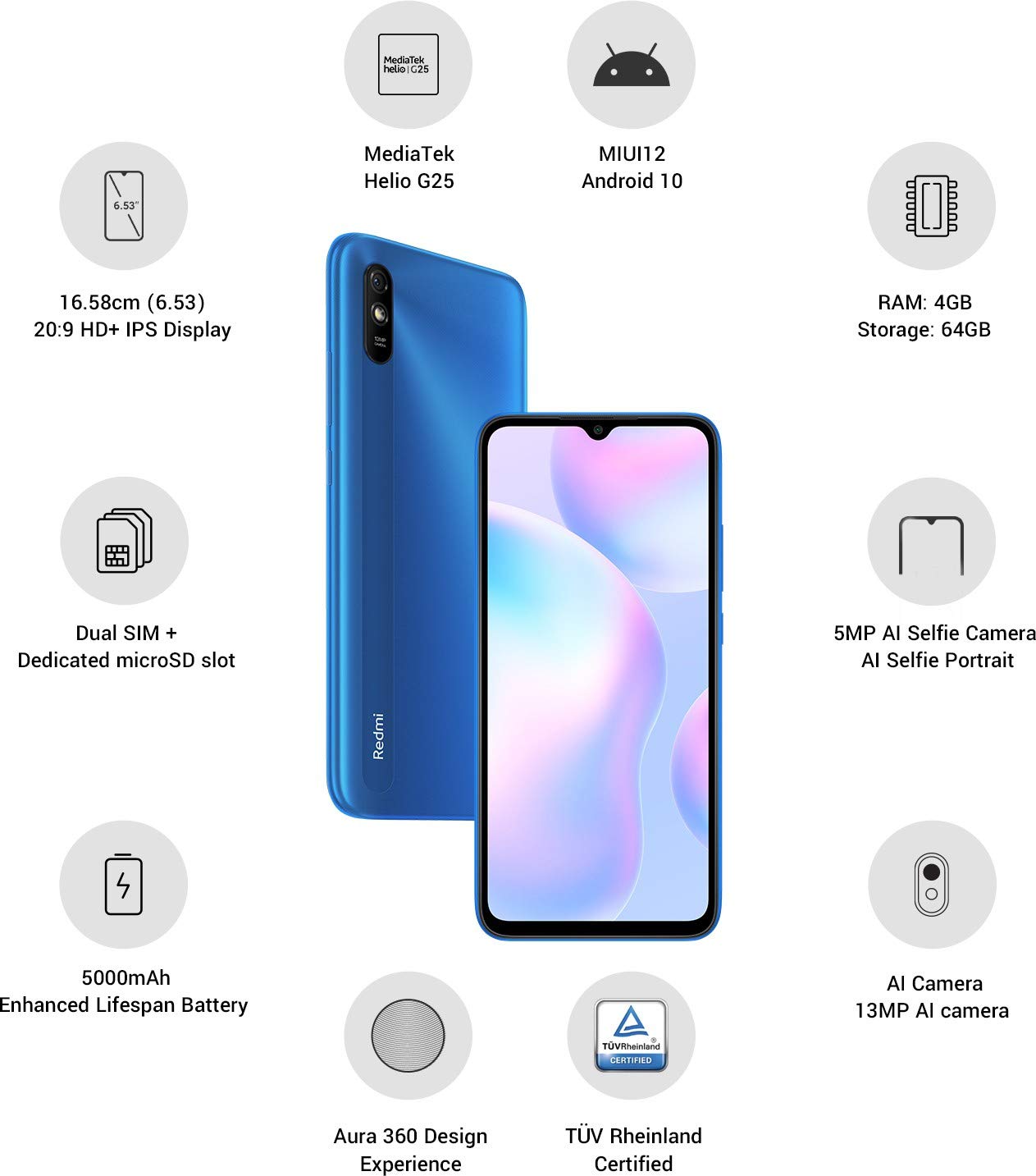
Şəkil: Bitdiview of the Xiaomi Redmi 9I highlighting key features such as the 6.53-inch HD+ IPS Display, MediaTek Helio G25 processor, MIUI12 Android 10, 4GB RAM, 64GB Storage, Dual SIM + dedicated microSD slot, 5000mAh battery, 5MP AI Selfie Camera, 13MP AI Camera, Aura 360 Design Experience, and TÜV Rheinland Certification.
Quraşdırma Bələdçisi
1. Qutudan Çıxarma və İlkin Yoxlama
Carefully remove all items from the packaging. Ensure the following components are present:
- XIAOMI Redmi 9I Smartphone
- Güc adapteri
- USB Tip-C Kabel
- SIM çıxarma vasitəsi
- Tez Başlanğıc Bələdçisi (əgər daxil edilirsə)
2. SIM kart(lar)ın və MicroSD kartın daxil edilməsi
Locate the SIM card tray on the side of your device. Use the provided SIM ejector tool to open the tray. Insert your Nano SIM card(s) and/or a microSD card into the designated slots. Ensure the cards are correctly oriented as shown in the diagram below. Gently push the tray back into the phone until it clicks into place.

Şəkil: Yan view of the Xiaomi Redmi 9I, illustrating the location of the SIM card tray. The tray is designed to hold dual Nano SIM cards and a dedicated microSD card.
3. Cihazın doldurulması
Before first use, fully charge your Redmi 9I. Connect the USB Type-C cable to the phone's charging port (located at the bottom) and the other end to the power adapter. Plug the adapter into a wall outlet. The charging indicator will appear on the screen.

Şəkil: Aşağı view of the Xiaomi Redmi 9I, showing the USB Type-C charging port and speaker grille.
4. Yandırma və İlkin Konfiqurasiya
Press and hold the Power button (located on the right side of the device) until the XIAOMI logo appears. Follow the on-screen instructions to complete the initial setup, including language selection, Wi-Fi connection, Google account setup, and security settings.

Şəkil: Yan view of the Xiaomi Redmi 9I, clearly showing the power button and volume rocker on the right edge of the device.
Əməliyyat Təlimatları
Əsas Naviqasiya
- Toxunmaq: Tap icons to open apps, select items, or confirm actions.
- Çalmak: Slide your finger across the screen to scroll, switch between home screens, or navigate within apps.
- Çimdik: Fotoları böyütmək və ya kiçiltmək üçün iki barmağınızdan istifadə edin və web səhifələr.
- Uzun Mətbuat: Press and hold an item for additional options or to move icons.
Zənglərin edilməsi və Mesajların Göndərilməsi
Tap the Phone icon to access the dialer. Enter a number or select a contact. Tap the Messages icon to compose and send text messages.
Şəbəkələrə qoşulma
- Wi-Fi: gedin Parametrlər > Wi-Fi, turn Wi-Fi on, and select your desired network. Enter the password if prompted.
- Bluetooth: gedin Parametrlər > Bluetooth, turn Bluetooth on, and pair with compatible devices.
- Mobil Məlumat (4G): SİM kartınızın aktiv olduğundan və mobil məlumatın aktiv olduğundan əmin olun Parametrlər > SIM kartlar və mobil şəbəkələr.
Kameradan istifadə
Tap the Camera icon to open the camera application. The Redmi 9I features a 13MP rear camera and a 5MP front camera. Switch between modes (Photo, Video, Portrait, etc.) by swiping across the screen. Tap the shutter button to capture photos or start/stop video recording.

Şəkil: arxa view of the Xiaomi Redmi 9I, showcasing the 13MP AI camera module and the Redmi branding.
Baxım
Cihazınızın Təmizlənməsi
Telefonunuzun ekranını və korpusunu təmizləmək üçün yumşaq, tüksüz bir parça istifadə edin. Ekrana və ya örtüyə zərər verə biləcək sərt kimyəvi maddələrdən və ya aşındırıcı materiallardan istifadə etməkdən çəkinin. İnadkar ləkələr üçün bir az təmizləyin.ampsu və ya elektronika üçün nəzərdə tutulmuş ekran təmizləyicisi ilə parça.
Proqram təminatı yeniləmələri
Optimal performansı, təhlükəsizliyi və yeni funksiyalara çıxışı təmin etmək üçün proqram yeniləmələrini mütəmadi olaraq yoxlayın və quraşdırın. gedin Parametrlər > Telefon haqqında > MIUI versiyası yeniləmələri yoxlamaq üçün.
Batareyaya qulluq
The Redmi 9I is equipped with a 5000 mAh Lithium-Polymer battery. To prolong battery life:
- Həddindən artıq temperaturdan çəkinin.
- Tez-tez doldurulmadan əvvəl batareyanın tamamilə boşalmasına icazə verməyin.
- Orijinal şarj cihazı və kabeldən istifadə edin.
- Batareya istifadəsini optimallaşdırın Parametrlər > Batareya və performans.
Saxlama İdarəetmə
Cihazınız 64 GB daxili yaddaşla təchiz olunub. Yaddaşı effektiv şəkildə idarə etmək üçün:
- Müntəzəm olaraq lazımsız silin files, şəkillər və videolar.
- İstifadə edilməmiş proqramları silin.
- Bulud saxlama xidmətlərindən istifadə edin.
- Böyük hərəkət edin files to an inserted microSD card.
Problemlərin aradan qaldırılması
This section addresses common issues you might encounter with your Redmi 9I.
Cihaz Yandırılmır
- Ensure the battery is charged. Connect the phone to its charger for at least 30 minutes.
- Yenidən başlamağa məcbur etmək üçün Güc düyməsini 10-15 saniyə basıb saxlayın.
Zəif Şəbəkə Bağlantısı
- SIM kartınızın düzgün daxil edilib-edilmədiyini yoxlayın.
- Toggle Airplane Mode on and off (swipe down from the top for Quick Settings).
- Cihazınızı yenidən başladın.
- Verify your mobile data plan is active and you are in an area with network coverage.
Applications Crashing or Freezing
- Problemli tətbiqi bağlayın və yenidən açın.
- Tətbiqin önbelleğini və məlumatlarını təmizləyin (Parametrlər > Tətbiqlər > Tətbiqləri idarə et > [Tətbiq Adı] > Məlumatları silin).
- Proqramın ən son versiyasına yeniləndiyinə əmin olun.
- Telefonunuzu yenidən başladın.
Ekran cavab vermir
- Force restart the device by holding the Power button.
- If the issue persists, consider a factory reset (Warning: This will erase all data on your phone. Back up important data first. gedin Parametrlər > Telefon haqqında > Zavod parametrlərinə yenidən qur).
Spesifikasiyalar
| Xüsusiyyət | Detal |
|---|---|
| Brend | XIAOMI |
| Model | Redmi 9I |
| Əməliyyat sistemi | Android 9.0 (MIUI12) |
| RAM | 4 GB |
| Daxili yaddaş | 64 GB |
| Prosessor | Snapdragon (2 GHz CPU Speed) |
| Ekran növü | LCD |
| Ekran Ölçüsü | 6.53 düym |
| Arxa Kamera | 13 MP |
| Ön kamera | 5 MP |
| Batareya Tutumu | 5000 milyonamp Hours (Lithium-Polymer) |
| SİM kart yuvası | Dual SIM (Nano) |
| Bağlantı | 4G, Wi-Fi, Bluetooth, USB Type C |
| GPS | QLONASS |
| Material | plastik |
| Suya davamlılıq səviyyəsi | Suya davamlı |
Zəmanət Məlumatı
The XIAOMI Redmi 9I comes with a 1 illik istehsalçı zəmanəti from the date of purchase. This warranty covers manufacturing defects under normal use. For detailed terms and conditions, please refer to the warranty card included in your product packaging or visit the official XIAOMI support websayt.
Müştəri dəstəyi
If you encounter issues not covered in this manual or require further assistance, please contact XIAOMI customer support. You can typically find contact information (phone numbers, email, chat support) on the official XIAOMI websaytına və ya cihazınızın parametrlərindəki dəstək bölməsinə daxil olun.
Before contacting support, please have your device's model number (Redmi 9I) and serial number ready. The serial number can usually be found in Parametrlər > Telefon haqqında > Vəziyyət.