1. Giriş
Aldığınız üçün təşəkkür edirikasing the Blackstar ID:Core Stereo 10 Sugar Skull V2 Limited Edition amplifier. This 10-watt (2x5W) stereo combo amplifier is designed to provide a versatile and high-quality sound experience for electric guitarists. It features Blackstar's patented ISF (Infinite Shape Feature) control, a range of voices, and built-in effects, making it ideal for practice, recording, and small performances. This manual provides essential information for safe and effective use of your ampömürlük.
2. Əhəmiyyətli Təhlükəsizlik Təlimatları
- Təlimatları oxuyun: Bu məhsulu istifadə etməzdən əvvəl bütün təhlükəsizlik və istismar təlimatlarını oxuyun.
- Təlimatları saxla: Bu təlimatları gələcək istinad üçün saxlayın.
- Xəbərdarlıqlara Diqqət Edin: Məhsulda və istismar təlimatlarında göstərilən bütün xəbərdarlıqlara əməl edin.
- Su və nəm: Bu cihazı suyun yaxınlığında istifadə etməyin.
- Təmizləmə: Yalnız quru parça ilə təmizləyin.
- Havalandırma: Heç bir ventilyasiya açılışını bağlamayın. İstehsalçının göstərişlərinə uyğun olaraq quraşdırın.
- İstilik: Radiatorlar, istilik registrləri, sobalar və ya digər aparatlar (o cümlədən) kimi istilik mənbələrinin yaxınlığında quraşdırmayın. ampistilik əmələ gətirən qaldırıcılar).
- Elektrik kabelinin qorunması: Elektrik kabelini, xüsusən də tıxaclarda, prizlərdə və onların aparatdan çıxdığı yerdə gəzməkdən və ya sıxılmaqdan qoruyun.
- Fırtınalar zamanı şəbəkəni ayırın: İldırım fırtınası zamanı və ya uzun müddət istifadə edilmədikdə bu cihazı elektrik şəbəkəsindən ayırın.
- Xidmət: Bütün xidmətlər üçün ixtisaslı xidmət personalına müraciət edin. Aparat hər hansı şəkildə zədələndikdə, məsələn, enerji təchizatı kabeli və ya tıxacı zədələndikdə, maye töküldükdə və ya cihazın içərisinə əşyalar düşdükdə, cihaz yağışa və ya nəmə məruz qaldıqda, normal işləmədikdə xidmət tələb olunur. , ya da atılıb.
3. Paketin məzmunu
Zəhmət olmasa aşağıdakı elementlər üçün qutuyu yoxlayın:
- Blackstar ID:Core Stereo 10 Sugar Skull V2 Limited Edition Ampömürlük
- Enerji təchizatı vahidi
- USB kabel
- İstifadəçi Təlimatı (bu sənəd)
4. Nəzarət və Xüsusiyyətlər
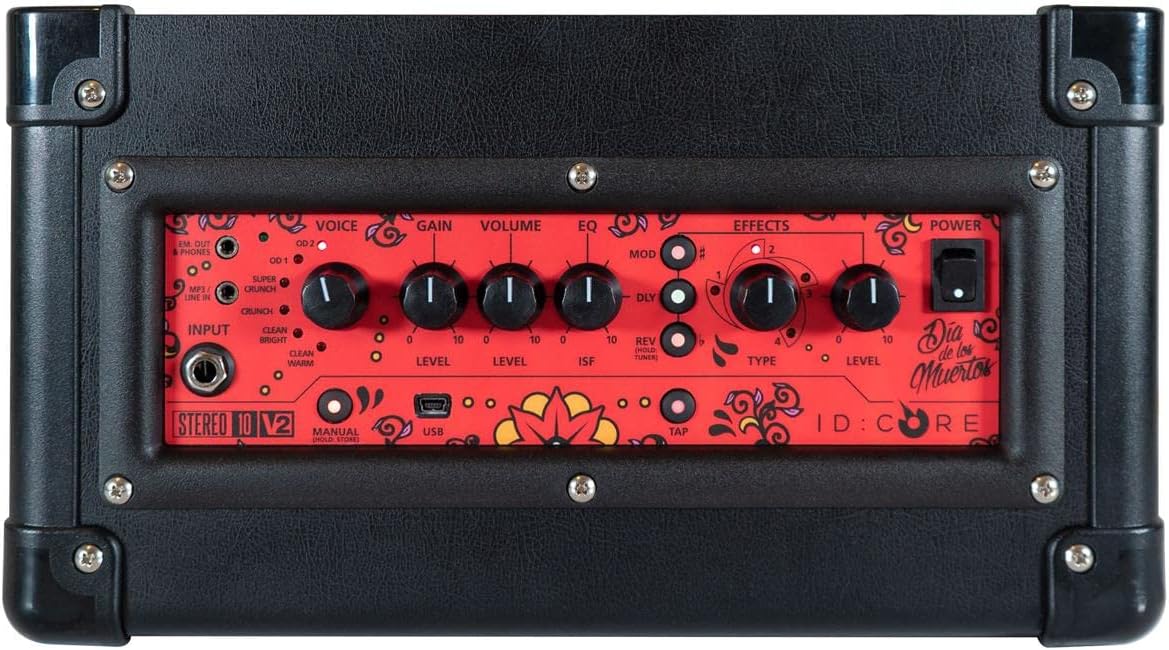
Şəkil: Üst view -nin amplifier's control panel, showing all knobs, buttons, and input/output jacks.
Ön Panel Nəzarətləri:
- Giriş: 6.35mm (1/4") jack for connecting your guitar.
- Səs: Rotary switch to select one of six Blackstar voices: Clean Warm, Clean Bright, Crunch, Super Crunch, OD 1, OD 2.
- Qazanc: Həddindən artıq sürətlənmə və ya təhrif miqdarını idarə edir.
- Həcmi: Ümumi çıxış səviyyəsini tənzimləyir ampömürlük.
- EQ: Tona nəzarət.
- ISF (Sonsuz Forma Xüsusiyyəti): Patented control that shifts the tone stack response between a USA-style (counter-clockwise) and a UK-style (clockwise) ampömürlük.
- Mod (modulyasiya): Rotary switch to select and adjust the level of modulation effects (Chorus, Flanger, Phaser, Tremolo).
- Dly (Delay): Rotary switch to select and adjust the level of delay effects (Linear, Analogue, Tape, Multi).
- Rev (Reverb): Rotary switch to select and adjust the level of reverb effects (Room, Hall, Spring, Plate).
- Növ: Selects the specific effect type within the Mod, Dly, or Rev categories.
- Səviyyə: Seçilmiş effektin ümumi səviyyəsini tənzimləyir.
- Klikləyin: Button to set the tempo for time-based effects (Delay, Tremolo).
- Güc: üçün yandırma/söndürmə açarı ampömürlük.
- USB: USB-B port for connecting to a computer for recording and using Blackstar's Architect software.
- Em. Out / Phones: 6.35mm (1/4") jack for headphones or direct recording output with speaker emulation.
- MP3 / Line In: 3.5mm (1/8") stereo jack for connecting external audio devices like MP3 players or phones.

Şəkil: Ön view of the Blackstar ID:Core Stereo 10 ampqaldırıcı, nümayişasing the unique Sugar Skull V2 design on the speaker grille.
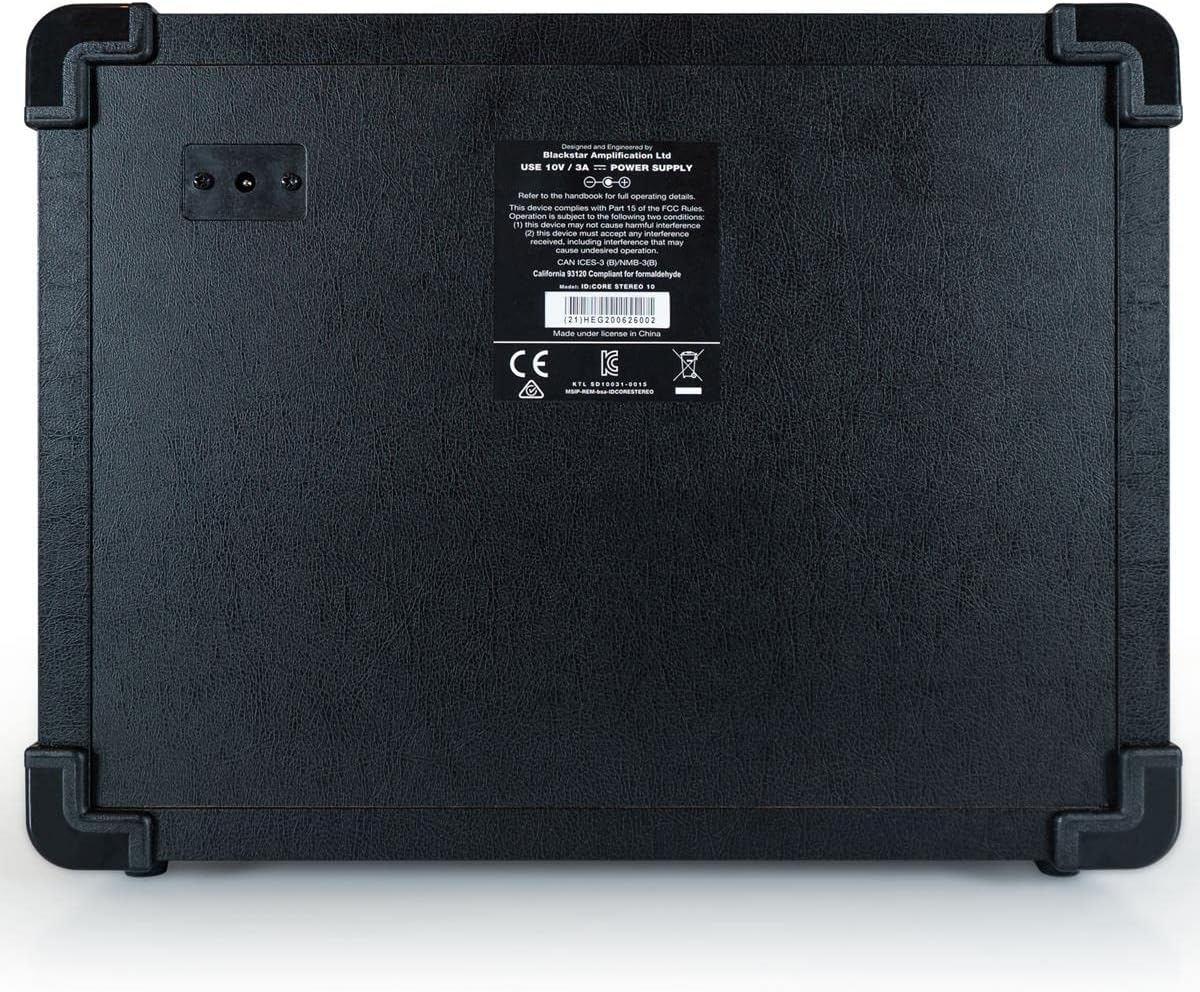
Şəkil: arxa view of the Blackstar ID:Core Stereo 10 amplifier, displaying the product information label and power input.
5. Quraşdırma
- Qablaşdırma: Diqqətlə çıxarın ampqaldırıcı və qablaşdırmadan gələn bütün aksesuarlar. Gələcək daşınma və ya saxlama üçün qablaşdırmanı saxlayın.
- Yerləşdirmə: yerləşdirin ampqaldırıcını sabit, düz bir səthə qoyun. Cihazın ətrafında kifayət qədər havalandırma təmin edin. Onu istilik mənbələrinə yaxın və ya birbaşa günəş işığı düşən yerə qoymayın.
- Enerji bağlantısı: Connect the supplied power supply unit to the DC input jack on the rear of the amplifier. Plug the power supply into a suitable mains outlet. Ensure the ampQoşulmazdan əvvəl qaldırıcının güc açarı OFF vəziyyətindədir.
- Gitara Qoşulması: Elektrik gitaranızı qoşun Giriş jack on the front panel using a standard 6.35mm (1/4") instrument cable.
- Xarici Audio (Könüllü): To play along with music, connect an MP3 player, phone, or other audio source to the MP3 / Line In jack using a 3.5mm stereo cable.
- USB Bağlantısı (İstəyə görə): For recording or using the Blackstar Architect software, connect the amplifier to your computer using the supplied USB cable.
6. Əməliyyat Təlimatları
- Güc Aktivdir: Ensure all connections are secure, then switch the Güc button to the ON position. The power indicator light will illuminate.
- Həcmi təyin edin: ilə başlayın Həcmi knob at a low setting to avoid sudden loud sounds.
- Səs seçin: Döndürün Səs switch to choose your desired amplifier type (e.g., Clean Warm, Crunch, OD 1).
- Qazancı tənzimləyin: istifadə edin Qazanc knob to control the amount of drive. Lower settings provide cleaner tones, while higher settings introduce more distortion.
- Shape Tone with EQ and ISF: tənzimləyin EQ knob for general tone shaping. Experiment with the ISF control to blend between American (tight low-end, aggressive mids) and British (woodier, less aggressive) amplifier characteristics.
- Tətbiq Effektləri:
- Select a modulation, delay, or reverb effect using the Mod, Dly, və ya Rev rotary switches.
- istifadə edin Növ knob to select a specific effect within that category (e.g., Chorus, Flanger for Mod).
- Adjust the effect's intensity with the Səviyyə düymə.
- For time-based effects (Delay, Tremolo), press the vurun button repeatedly at your desired tempo to synchronize the effect.
- Headphone/Recording Output: Qulaqlıqları şəbəkəyə qoşun Em. Out / Phones jack for silent practice. This output also provides a speaker-emulated signal for direct recording.
- USB Səs: When connected to a computer via USB, the amplifier acts as an audio interface, allowing you to record your guitar directly into a DAW or use the Blackstar Architect software for deeper editing and patch management.
- Söndürmək: When finished, turn the Həcmi down, then switch the Güc düyməsini OFF vəziyyətinə gətirin.
7. Baxım
- Təmizləmə: Təmizləyin amplifier's exterior with a soft, dry cloth. Do not use abrasive cleaners, solvents, or waxes.
- Yaddaş: Uzun müddət istifadə edilmədikdə, onu saxlayın ampquru, sərin yerdə, birbaşa günəş işığından və həddindən artıq temperaturdan uzaqda qaldırıcı.
- Havalandırma: Ensure that the ventilation openings are always clear to prevent overheating.
- Kabel Baxımı: Always handle power and instrument cables carefully. Avoid bending or kinking them sharply.
8. Giderme
| Problem | Mümkün Səbəb | Həll |
|---|---|---|
| dan səs yoxdur ampömürlük |
|
|
| Poor sound quality / Buzzing noise |
|
|
| Effektlər işləmir |
|
|
9. Spesifikasiyalar
- Model: IDCORE10 V3
- Çıxış Wattage: 10 Watts (2 x 5W Stereo)
- Natiqlər: 2 x 3" Blackstar Speakers
- Səslər: 6 (Təmiz İsti, Təmiz Parlaq, Xırtıldayan, Super Xırtıldayan, OD 1, OD 2)
- Effektləri: Modulation (Chorus, Flanger, Phaser, Tremolo), Delay (Linear, Analogue, Tape, Multi), Reverb (Room, Hall, Spring, Plate)
- Nəzarətlər: Voice, Gain, Volume, EQ, ISF, Mod, Dly, Rev, Type, Level, Tap, Power
- Girişlər: Guitar Input (6.35mm jack), MP3/Line In (3.5mm stereo jack), USB-B
- Çıxışlar: Emulated Out/Headphones (6.35mm jack)
- Güc mənbəyi: Kabelli Elektrik
- Uyğun Cihazlar: Elektrik Gitara
- Maddə çəkisi: 10 funt (4.54 kq)
- Məhsul Ölçüləri: 16 x 18 x 14 düym (40.6 x 45.7 x 35.6 sm)
- ASIN: B08Z88WN8T
10. Zəmanət və Dəstək
Qara ulduz Amplification products are designed and manufactured to the highest standards. For detailed warranty information specific to your region and product, please refer to the warranty card included with your purchase or visit the official Blackstar Ampcanlanma website. For technical support or service inquiries, please contact your authorized Blackstar dealer or Blackstar customer support directly.
Onlayn Resurslar:
- Qara ulduz Amprəsmi lification Websayt: www.blackstaramps.com
- Blackstar Architect Software: www.blackstaramps.com/architect