
1. Giriş
Aldığınız üçün təşəkkür edirikasing the Heayzoki K605 Portable Digital Tuning Radio Receiver. This device combines a multi-band radio with an MP3 player, offering versatility and portability. Please read this manual carefully to ensure proper use and to maximize your enjoyment of the product.

Image: The Heayzoki K605 portable radio, highlighting its compact and lightweight design.
Əsas Xüsusiyyətlər:
- Asan daşıma üçün kompakt və portativ dizayn.
- MP3 playback mode supporting WAV and MP3 formats.
- Memory card support for audio playback.
- FM stereo reception for improved sound clarity.
- High sensitivity and good selectivity for clear reception.
- Simple and intuitive operation, suitable for all ages.
2. Təhlükəsizlik Məlumatı
To prevent damage and ensure safe operation, please observe the following precautions:
- Cihazı həddindən artıq temperatura, birbaşa günəş işığına və ya yüksək rütubətə məruz qoymayın.
- Cihazı yerə atmaqdan və ya güclü zərbələrə məruz qoymaqdan çəkinin.
- Cihazı özünüz sökməyin və ya təmir etməyə çalışmayın. Bütün xidmət işlərini ixtisaslı mütəxəssislərə həvalə edin.
- Cihazı sudan və digər mayelərdən uzaq saxlayın.
- Yalnız göstərilən batareya və şarj aksesuarlarından istifadə edin.
- When using earphones, keep the volume at a moderate level to prevent hearing damage.
3. Paketin məzmunu
Bütün əşyaların paketdə olduğunu yoxlayın:
- Heayzoki K605 Portable Radio Receiver
- Doldurula bilən batareya (əvvəlcədən quraşdırılmış və ya ayrı)
- USB şarj kabeli
- Qulaqlıqlar
- Sahibkarın Təlimatı (bu sənəd)
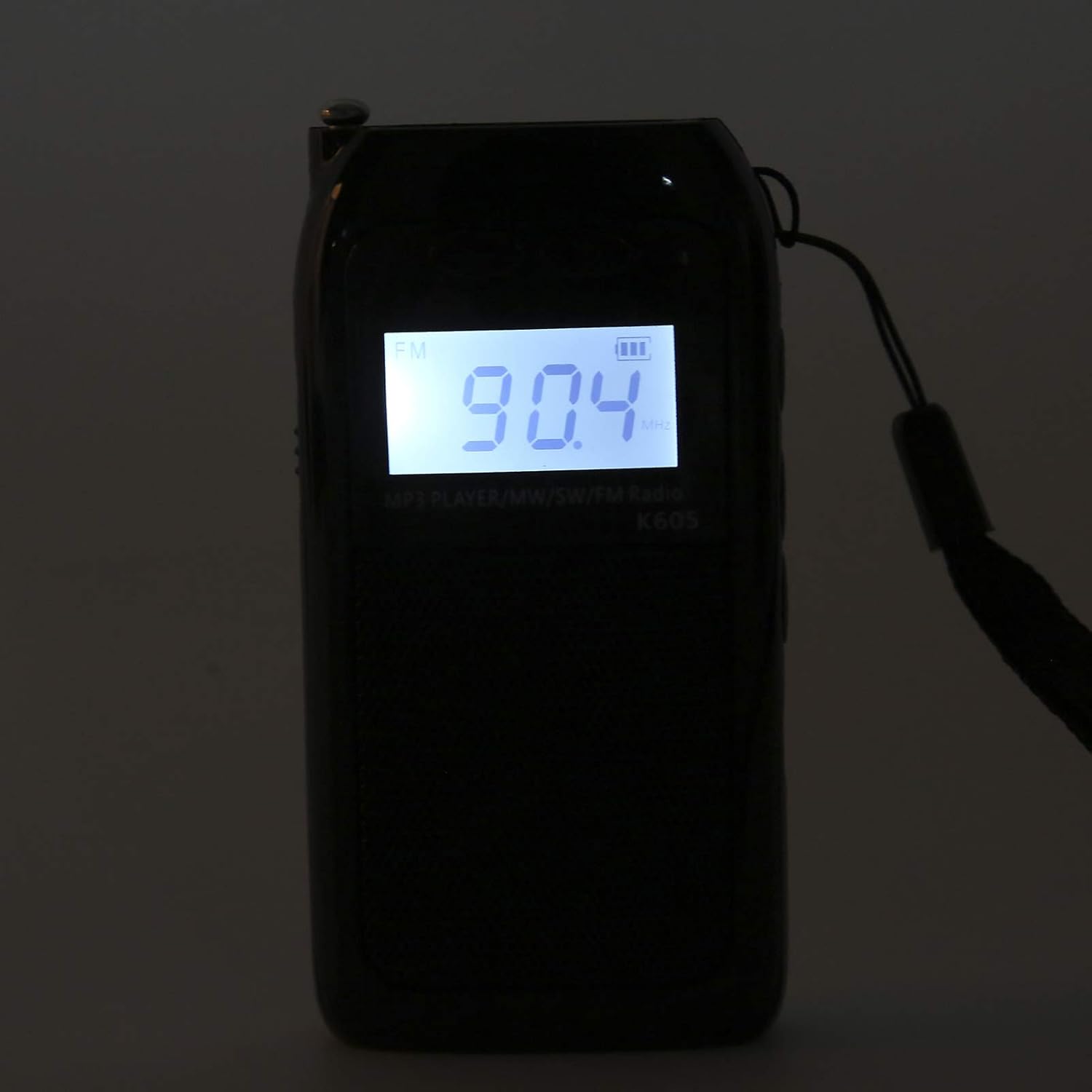
Image: The Heayzoki K605 radio displayed with its accessories, including earphones and a charging cable.
4. Məhsul bitdiview
Familiarize yourself with the buttons and ports of your K605 radio.

Şəkil: Ön view of the K605 radio, highlighting the LCD screen and speaker.

Şəkil: Yan view of the K605 radio, illustrating the control buttons for tuning and volume.

Şəkil: arxa view of the K605 radio, showing the battery compartment and additional ports.
Nəzarət və Portlar:
- LCD displey: Shows frequency, time, battery status, and MP3 track information.
- Güc düyməsi: Cihazı yandırır/söndürür.
- Rejim düyməsi: Switches between FM, SW, MW radio, and MP3 player modes.
- Səs +/- Düymələri: Səs səviyyəsini tənzimləyir.
- Tuning +/- Buttons: Scans or manually tunes radio frequencies; navigates MP3 tracks.
- Oynat/Pauza düyməsi: Controls MP3 playback.
- Antena: Radio qəbulunu yaxşılaşdırmaq üçün genişləndirilə bilən anten.
- Qulaqlıq girişi (3.5 mm): Şəxsi dinləmək üçün.
- Mikro USB portu: Cihazı doldurmaq üçün.
- Yaddaş Kartı Yuvası: For inserting a microSD card with MP3/WAV files.
5. Quraşdırma
5.1. Batareyanın doldurulması
- Connect the small end of the USB charging cable to the Micro USB port on the radio.
- USB şarj kabelinin daha böyük ucunu USB enerji adapterinə (daxil deyil) və ya kompüterin USB portuna qoşun.
- LCD displeydəki batareya göstəricisi doldurulma vəziyyətini göstərəcək.
- Tam doldurulduqdan sonra şarj kabelini ayırın.
5.2. Inserting a Memory Card (for MP3 Playback)
- Locate the memory card slot on the side or back of the radio.
- Gently insert a microSD card (up to 32GB, not included) with the metal contacts facing down until it clicks into place.
- To remove, push the card in slightly until it clicks out.
6. Əməliyyat Təlimatları
6.1. Gücü yandırın/söndürün
basın və saxlayın Güc radionu yandırmaq və ya söndürmək üçün düymə.
6.2. Selecting Modes
düyməsini basın Rejim button repeatedly to cycle through the available modes: FM Radio, SW Radio, MW Radio, and MP3 Player.
6.3. Radio Operation (FM/SW/MW)
- Anteni genişləndirin: For optimal reception, fully extend the telescopic antenna.
- Band seçin: düyməsini basın Rejim button until the desired band (FM, SW, or MW) is displayed.
- Avtomatik Tuning: basın və saxlayın Tuning +/- növbəti mövcud stansiyanı avtomatik skan etmək üçün düymələr.
- Əl ilə tənzimləmə: düyməsini qısaca basın Tuning +/- buttons to fine-tune the frequency step by step.
- Səs səviyyəsinin tənzimlənməsi: istifadə edin Həcm +/- səs səviyyəsini tənzimləmək üçün düymələr.

Image: The K605 radio with its antenna extended, ready for radio reception.
6.4. MP3 Pleyerin İşləməsi
Ensure a memory card with MP3 or WAV files daxil edilir.
- Select MP3 Mode: düyməsini basın Rejim button until "MP3" or similar is displayed.
- Oynat/Pauza: düyməsini basın Oynat/Pause oxutmaya başlamaq və ya dayandırmaq üçün düymə.
- Növbəti / Əvvəlki İzləmə: istifadə edin Tuning +/- növbəti və ya əvvəlki musiqiyə keçmək üçün düymələr.
- Səs səviyyəsinin tənzimlənməsi: istifadə edin Həcm +/- səs səviyyəsini tənzimləmək üçün düymələr.

Image: The K605 radio in MP3 playback mode, showing the MP3 indicator on the display.
6.5. Using Earphones
Plug your 3.5mm earphones into the earphone jack for private listening. The internal speaker will automatically mute.
7. Baxım
7.1. Təmizləmə
- Cihazı yumşaq, quru bir parça ilə silin.
- Aşındırıcı təmizləyicilər, həlledicilər və ya güclü kimyəvi maddələrdən istifadə etməyin.
7.2. Saxlama
- Radionu birbaşa günəş işığından və həddindən artıq temperaturdan uzaq sərin, quru yerdə saxlayın.
- If storing for an extended period, ensure the battery is partially charged and recharge it periodically to maintain battery health.
8. Giderme
| Problem | Mümkün Səbəb | Həll |
|---|---|---|
| Güc yoxdur | Batareya bitib. | Verilmiş USB kabeldən istifadə edərək batareyanı doldurun. |
| Zəif radio qəbulu | Antenna uzadılmadı; zəif siqnal; müdaxilə. | Fully extend the antenna. Try repositioning the radio. Move away from electronic devices causing interference. |
| MP3 fileoynamır | Memory card not inserted correctly; unsupported file format; korlanmış files. | Ensure the memory card is properly inserted. Verify files are in WAV or MP3 format. Try another memory card or re-format the current one. |
| No sound from speaker/earphones | Volume is too low; earphones not fully plugged in; faulty earphones. | Increase the volume. Ensure earphones are fully inserted. Test with another pair of earphones. |
9. Spesifikasiyalar
| Xüsusiyyət | Detal |
|---|---|
| Model | K605 |
| Brend | Heyzoki |
| Radio Qrupları Dəstəklənir | FM, SW, MW (3-Band) |
| FM Tezlik Aralığı | 76-108 MHz |
| MW Frequency Range | 522-1620 KHz (9KHz) / 520-1710 KHz (10KHz) |
| SW Tezlik Aralığı | 4.75-21.85 MHz |
| Audio Formatlar Dəstəklənir | WAV, MP3 |
| Bağlantı texnologiyası | 3.5 mm səs |
| Ekran növü | LCD |
| Güc mənbəyi | Battery Powered (500mA 3.7V Lithium battery) |
| Dinamikin Maksimum Çıxış Gücü | 2 Vt |
| Material | Akrilonitril Butadien Stirol (ABS) |
| Məhsul Ölçüləri | 1 x 1 x 1 sm |
| Maddə Çəkisi | 156 qram |
10. Zəmanət Məlumatı
Heayzoki products are designed and manufactured to the highest quality standards. This product is covered by a limited warranty against defects in materials and workmanship for a period specified by your retailer or local laws from the original date of purchase. Please retain your proof of purchase for warranty claims. The warranty does not cover damage caused by misuse, accident, unauthorized modification, or normal wear and tear.
11. Müştəri dəstəyi
If you encounter any issues or have questions regarding your Heayzoki K605 Portable Digital Tuning Radio Receiver that are not addressed in this manual, please contact your retailer or the Heayzoki customer support team for assistance. Please have your model number and purchase details ready when contacting support.
Ətraflı məlumat üçün müraciət edə bilərsiniz Heayzoki Store on Amazon.