
Giriş
Thank you for choosing the Soul S-GEAR Wireless Bluetooth Earbuds. These earbuds are designed to provide a high-quality audio experience with the convenience of wireless connectivity, active noise cancellation, and a comfortable in-ear fit. Featuring Bluetooth 5.0, IPX4 water resistance, and a long-lasting battery with fast charging, the S-GEAR earbuds are perfect for daily use.
Please read this manual carefully before using your earbuds to ensure proper operation and to maximize their lifespan.
Paketin məzmunu
- Soul S-GEAR Wireless Earbuds (Left and Right)
- Doldurma qutusu
- USB-C şarj kabeli
- Qulaq uclarının çoxlu ölçüləri
- İstifadəçi təlimatı
Məhsul Bitdiview
Familiarize yourself with the components of your Soul S-GEAR earbuds and charging case.
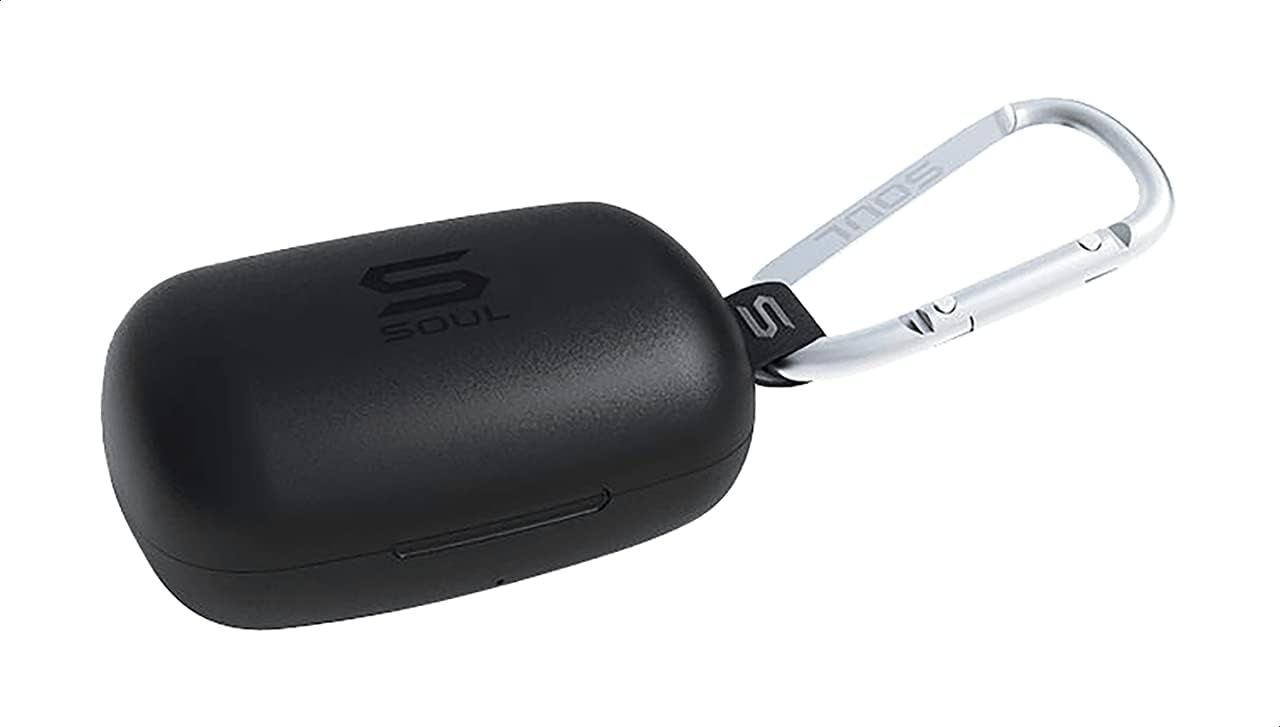
Şəkil 1: The Soul S-GEAR charging case in black, with the Soul logo visible. A carabiner clip is attached for portability.
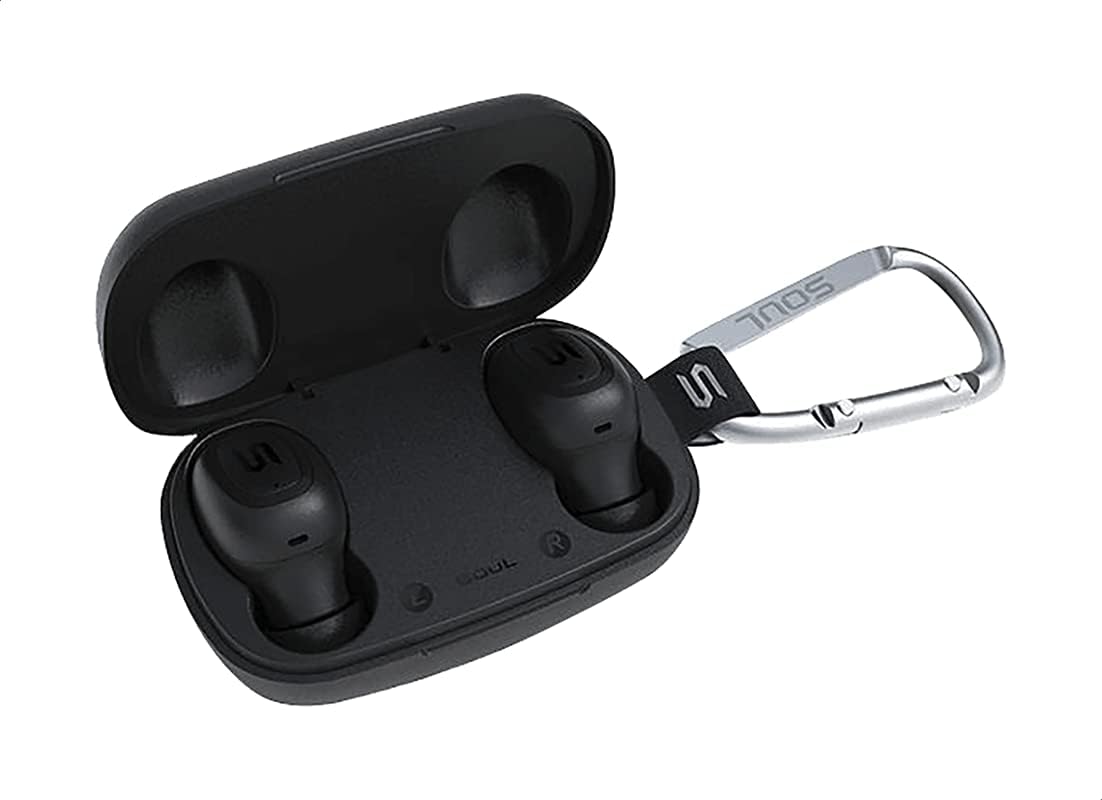
Şəkil 2: The Soul S-GEAR charging case opened, revealing the two black earbuds securely placed inside their charging slots. The carabiner clip is also visible.
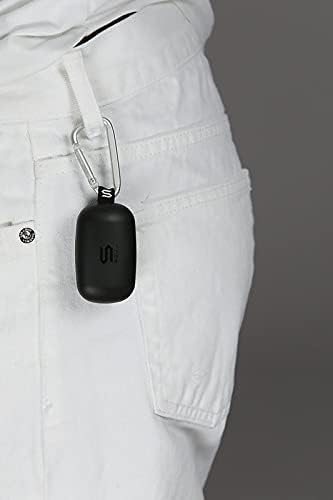
Şəkil 3: The Soul S-GEAR charging case, with its carabiner clip, attached to the belt loop of white pants, demonstrating its portability.
Quraşdırma
1. Qulaqlıqların və qutunun doldurulması
- Place the earbuds into the charging case. Ensure they are correctly seated in their respective L/R slots.
- USB-C şarj kabelini korpusdakı şarj portuna qoşun və digər ucunu USB enerji mənbəyinə (məsələn, divar adapteri, kompüter USB portu) qoşun.
- The indicator lights on the case will show the charging status. Allow approximately 1-2 hours for a full charge.
- Tam doldurulduqdan sonra şarj kabelini ayırın.
2. Cihazla İlkin Cütləşmə
- Open the charging case. The earbuds will automatically power on and enter pairing mode. The indicator lights on the earbuds will flash, indicating they are ready to pair.
- Cihazınızda (smartfon, planşet və s.) Bluetooth-u aktivləşdirin və mövcud cihazları axtarın.
- Select "Soul S-GEAR" from the list of found devices.
- Once connected, you will hear an audible confirmation, and the earbud indicator lights will stop flashing.
- The earbuds feature automatic pairing. After the initial setup, they will automatically connect to the last paired device when removed from the case.
Əməliyyat Təlimatları
The Soul S-GEAR earbuds feature touch controls for easy management of audio and calls.
Gücü yandırın/söndürün
- Güc Aktivdir: Open the charging case, or press and hold the touch sensor on both earbuds for 3 seconds.
- Söndürmək: Place the earbuds back into the charging case and close the lid, or press and hold the touch sensor on both earbuds for 5 seconds.
Musiqi çalma
- Oynat/Pauza: Qulaqlıqlardan hər ikisindəki toxunma sensoruna bir dəfə toxunun.
- Növbəti trek: Sağ qulaqlıqdakı toxunma sensoruna iki dəfə toxunun.
- Əvvəlki Track: Sol qulaqlıqdakı toxunma sensoruna iki dəfə toxunun.
Zəng İdarəetmə
- Zəngə Cavab Vermək/Bitirmək: Qulaqlıqlardan hər ikisindəki toxunma sensoruna bir dəfə toxunun.
- Zəngi rədd edin: Qulaqlıqlardan hər hansı birinin toxunma sensorunu 2 saniyə basıb saxlayın.
Aktiv Səs Ləğvi (ANC)
- ANC-ni aktivləşdirin/deaktiv edin: Triple-tap the touch sensor on the left earbud to cycle through ANC On, Ambient Mode, and ANC Off.
Səsli köməkçi
- Səs köməkçisini aktivləşdirin: Triple-tap the touch sensor on the right earbud.
Doldurulur
The Soul S-GEAR earbuds and charging case provide up to 24 hours of total playtime. The case supports USB-C fast charging.
- Qulaqcıqların doldurulması: Place earbuds into the charging case. They will charge automatically.
- İşin doldurulması: Connect the USB-C cable to the case and a power source. The LED indicator on the case will show charging status.
- A full charge for the case typically takes 1.5-2 hours.
Baxım
- Təmizləmə: Qulaqcıqları və şarj qutusunu mütəmadi olaraq yumşaq, quru və tüksüz bir parça ilə təmizləyin. Sərt kimyəvi maddələrdən və ya aşındırıcı materiallardan istifadə etməyin.
- Qulaq məsləhətləri: Qulaq uclarını çıxarın və zəruri hallarda su və yumşaq sabunla təmizləyin. Yenidən taxmazdan əvvəl tamamilə quru olduğundan əmin olun.
- Suya davamlılıq: The earbuds are IPX4 rated, meaning they are resistant to splashing water from any direction. They are not designed for submersion in water. Do not expose them to heavy rain or immerse them. Ensure earbuds are dry before placing them back in the charging case.
- Yaddaş: Qulaqlıqları qorumaq və doldurulmuş vəziyyətdə saxlamaq üçün istifadə edilmədikdə onları doldurma qutusunda saxlayın. Həddindən artıq temperaturdan çəkinin.
Problemlərin aradan qaldırılması
| Məsələ | Həll |
|---|---|
| Qulaqlıqlar birləşdirilmir |
|
| Bir qulaqcıqdan səs gəlmir |
|
| Doldurma qutusu doldurulmur |
|
| Aktiv Səs-küyün Ləğvi işləmir |
|
Spesifikasiyalar
| Xüsusiyyət | Detal |
|---|---|
| Brend | Ruh |
| Model Adı | S-GEAR (Soul S Gemar) |
| Model nömrəsi | SS56BK |
| Bağlantı texnologiyası | Simsiz (Bluetooth 5.0) |
| Qulaqlıq Forma Faktoru | Qulaqda |
| Səs-küyə Nəzarət | Aktiv səs-küyün ləğvi |
| Mikrofon | İnteqrasiya edilmiş |
| Nəzarət metodu | Toxun |
| Su və Toz Müqaviməti | IPX4 |
| Oyun vaxtı | 24 saata qədər (şarj qutusu ilə) |
| Doldurma Portu | USB-C (Sürətli Doldurma) |
| Uyğun Cihazlar | Multiple Bluetooth-enabled devices |
| Material | plastik |
| Rəng | Qara |
| Paket Ölçüləri | 11.8 x 9.8 x 4.2 sm |
| Maddə Çəkisi | 152 qram |
Təhlükəsizlik Məlumatı
- Məhsulu sökməyin, təmir etməyin və ya dəyişdirməyin.
- Məhsulu atəşə və ya yüksək temperatura məruz qoymayın.
- Eşitmə orqanlarının zədələnməsinin qarşısını almaq üçün qulaqcıqları uzun müddət həddindən artıq yüksək səslə istifadə etməkdən çəkinin.
- Məhsulu uşaqlardan və ev heyvanlarından uzaq saxlayın.
- Yalnız təqdim edilmiş və ya sertifikatlaşdırılmış şarj kabellərindən və adapterlərindən istifadə edin.
- Məhsulu yerli qaydalara uyğun olaraq məsuliyyətlə atın.
Zəmanət və Dəstək
The Soul S-GEAR Wireless Bluetooth Earbuds come with a standard manufacturer's warranty. For detailed warranty terms and conditions, please refer to the warranty card included in your package or visit the official Soul websayt.
For technical support, troubleshooting assistance, or any inquiries regarding your product, please contact Soul customer service through their official websayt və ya məhsulun qablaşdırmasında göstərilən əlaqə məlumatı.