
1. Giriş və yuxarıview
The Hbada W203 Gaming Chair is designed to provide ergonomic support and comfort for extended periods of sitting, whether for gaming or office work. It features a robust construction, adjustable components, and a design focused on user well-being.
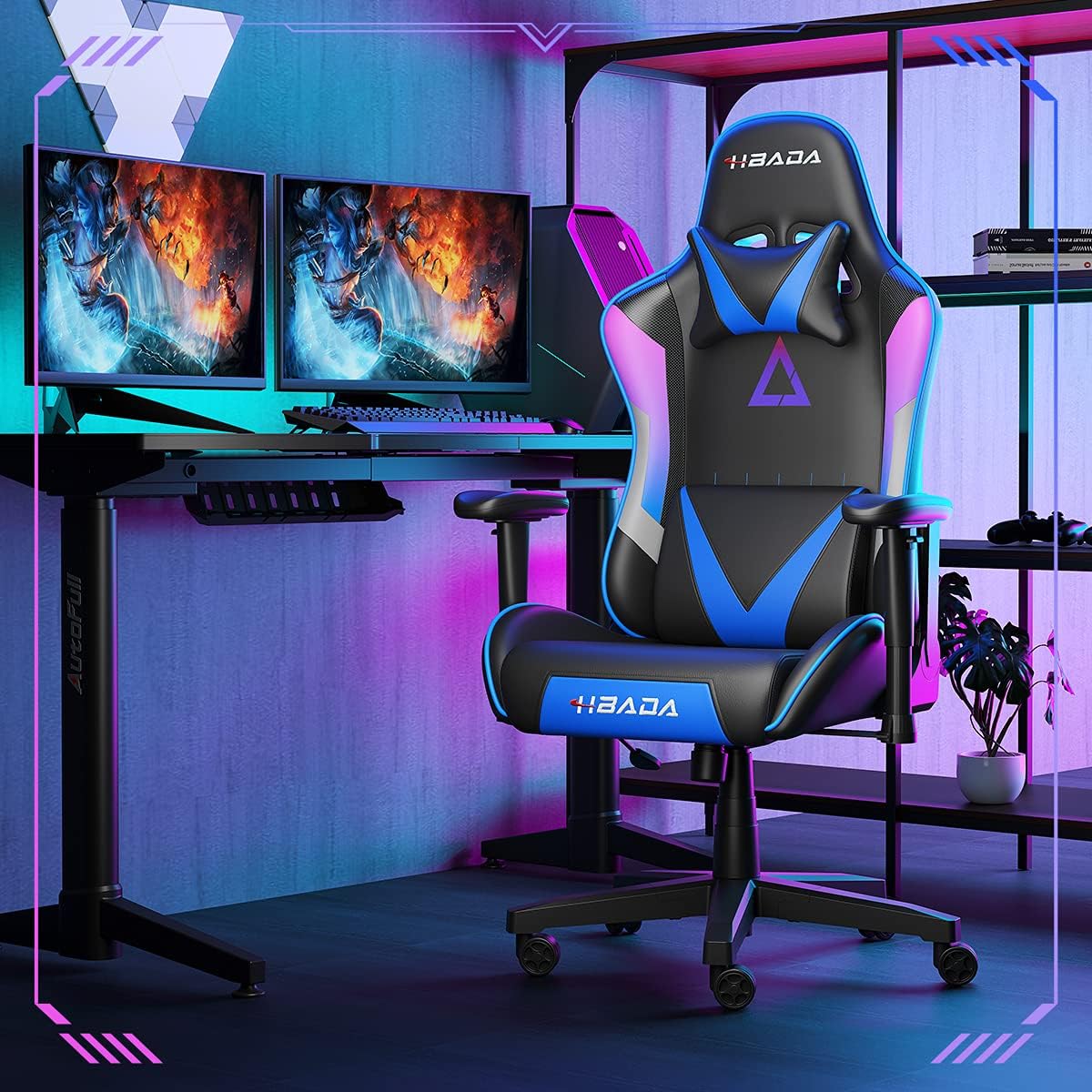
Image 1.1: The Hbada W203 Gaming Chair in a typical gaming environment, showcasing its design and presence.
2. Təhlükəsizlik Məlumatı
- Maksimum çəki tutumunu 150 kq (330.7 funt) aşmayın.
- Ensure all bolts and screws are securely tightened before use and periodically check for looseness.
- Kresloda dayanmaqdan və ya onu pilləkən kimi istifadə etməkdən çəkinin.
- Tənzimləmə zamanı əlləri və barmaqları hərəkət edən hissələrdən uzaq tutun.
- Çökməməsi üçün stulu düz, sabit bir səthdə istifadə edin.
3. Paketin məzmunu
Yığmağa başlamazdan əvvəl bütün komponentlərin mövcudluğunu yoxlayın. Hər hansı bir hissə itkin düşərsə və ya zədələnərsə, müştəri xidmətləri ilə əlaqə saxlayın.
- arkalık
- Oturacaq yastığı
- Qol dayaqları (2)
- Ulduz bazası
- Təkərlər (5)
- Qaz qaldırıcı silindr
- Qaz Lift Qapağı
- Mexanizm lövhəsi
- Başlıq Yastığı
- Bel Dəstəyi Yastığı
- Avadanlıq dəsti (vintlər, şaybalar, Allen açar)
- Təlimat kitabçası
4. Montaj Təlimatları
Assembly typically requires two people due to the weight of some components. Follow these steps carefully.
- Təkərləri bazaya bərkidin: Insert each of the five casters into the holes at the end of each leg of the star base until they click into place.
- Qaz Liftini Taxın: Place the gas lift cylinder into the center hole of the star base. Cover it with the gas lift cover.
- Mexanizm lövhəsini oturacağa bərkidin: Align the mechanism plate with the screw holes on the underside of the seat cushion. Secure it with the provided screws and Allen wrench. Ensure the front of the mechanism faces the front of the seat.
- Qol dayaqlarını oturacağa bərkidin: Secure the armrests to the sides of the seat cushion using the designated screws. Do not overtighten initially to allow for minor adjustments.
- Arxa dayağı oturacağa bərkidin: Align the backrest with the mounting brackets on the seat cushion. Secure it with screws.
- Oturacaq Dəstini Bazaya Qoşun: Carefully place the assembled seat onto the gas lift cylinder, ensuring it is centered. Apply downward pressure to secure it.
- Attach Headrest and Lumbar Support: Position the headrest pillow and lumbar support pillow as desired. They are typically secured with straps.
- Son sıxma: Once fully assembled, go back and tighten all screws firmly.

Şəkil 4.1: Bitdiview of chair features, including lift function, height-adjustable armrests, 155-degree recline, silent casters, 360-degree rotation, and durable base.
5. Əməliyyat Təlimatları
5.1. Chair Height Adjustment
To adjust the chair height, locate the lever on the right side, beneath the seat. While seated, pull the lever up to lower the chair. To raise the chair, stand up slightly and pull the lever up. Release the lever at the desired height.
5.2. Uzanma funksiyası
The chair offers a recline angle of up to 155 degrees with a 17-degree locking feature. To recline, pull the recline lever (typically on the left side) upwards and lean back. Release the lever to lock the backrest in position. To return to an upright position, pull the lever and lean forward.

Image 5.1: The chair's backrest can recline up to 155 degrees, allowing for various comfortable positions.
5.3. Qoltuqaltının tənzimlənməsi
The armrests can be lifted to adjust their height. Locate the button or lever on the side of each armrest. Press or lift it and move the armrest up or down to your preferred height. Release the button/lever to lock it.
5.4. Lumbar Support and Headrest
The chair includes removable and adjustable headrest and lumbar support pillows. Adjust their position by sliding them along the backrest straps to provide optimal support for your head, neck, and lower back.
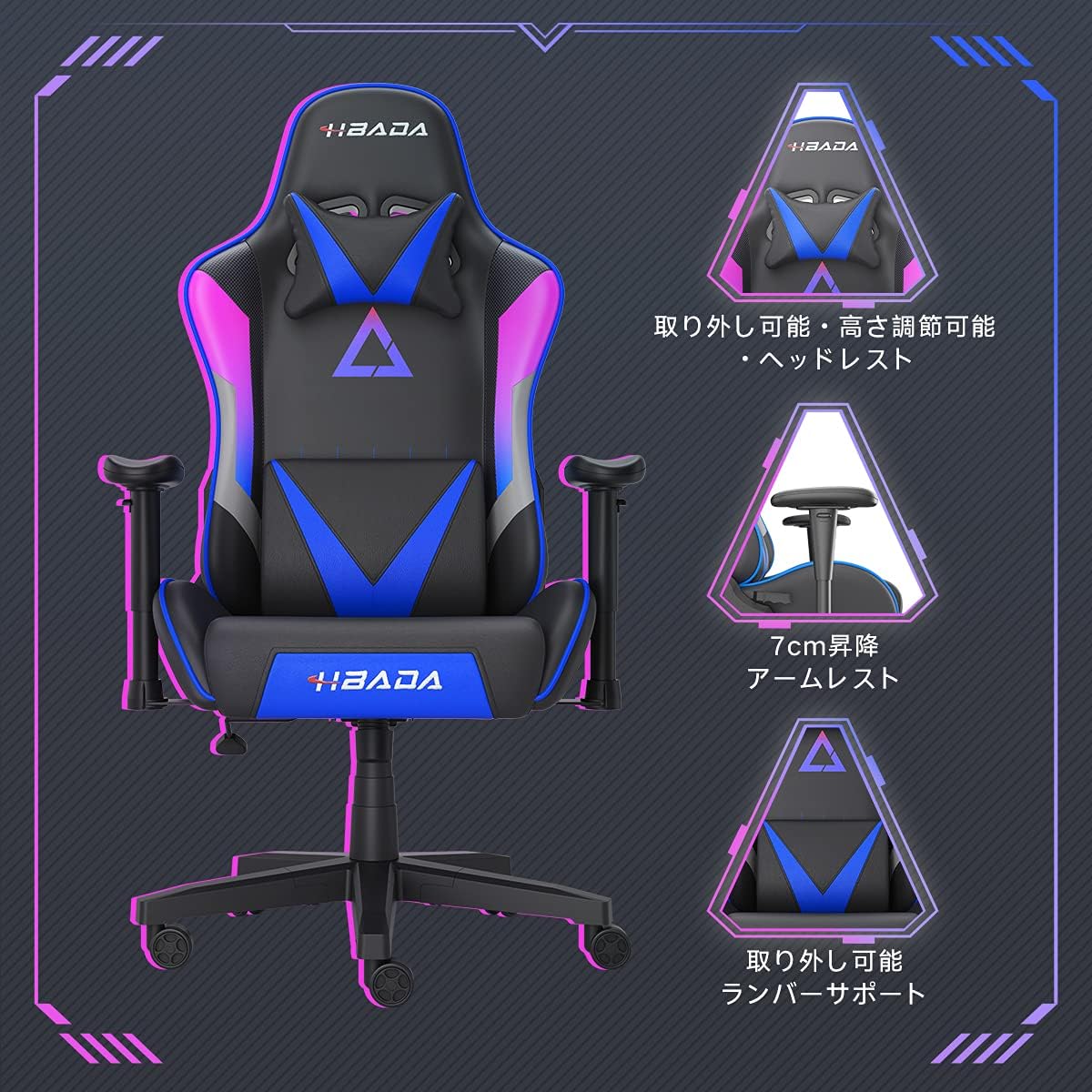
Şəkil 5.2: Ətraflı view of the adjustable headrest, lifting armrests, and removable lumbar support.
5.5. Dönmə funksiyası
Kreslo 360 dərəcə fırlanma funksiyasına malikdir və bu da bazanı tərpətmədən asanlıqla fırlanmağa imkan verir.
6. Baxım
- Təmizləmə: The chair's synthetic leather (PU) material can be wiped clean with a damp parça. Sərt kimyəvi maddələrdən və ya aşındırıcı təmizləyicilərdən çəkinin.
- Bağlayıcılar: Periodically check all screws and bolts to ensure they remain tight. Retighten as necessary to maintain stability and prevent squeaking.
- Kasterlər: Rahat hərəkəti təmin etmək üçün təkərləri tük və zibildən təmiz saxlayın.
7. Giderme
- Kreslo cığıltısı: Check and tighten all assembly screws. Applying a small amount of lubricant to moving metal parts (like the mechanism plate) may help.
- Hündürlük Tənzimlənməsi İşləmir: Ensure the gas lift lever is fully engaged. If the issue persists, the gas lift cylinder may need replacement. Contact customer service.
- Kreslo qeyri-sabit hiss edir: Verify that the star base is correctly assembled and all casters are fully inserted. Ensure all screws are tightened.
- Təkərlər rəvan yuvarlanmır: Clean any debris (hair, dust) from the caster wheels.
For issues not listed here or persistent problems, please contact Hbada customer service.
8. Spesifikasiyalar

Image 8.1: Key dimensions of the Hbada W203 Gaming Chair.
| Xüsusiyyət | Detal |
|---|---|
| Model Adı | Hbada W203 |
| Məhsulun Ölçüləri (D x G x Y) | 70 x 70 x 128 sm (27.6 x 27.6 x 50.4 düym) |
| Tənzimlənən oturacaq hündürlüyü | 40 - 48 sm (15.7 - 18.9 düym) |
| Maddə Çəkisi | 22.5 kq (49.6 funt) |
| Maksimum Yük Tutumu | 150 kq (330.7 funt) |
| Material | Synthetic leather (PU upholstery), Metal (frame), Reinforced Nylon Resin (base), High-density Urethane Foam (cushion), Silent PU Nylon Casters |
| Yatma Bucağı | Up to 155 degrees with 17-degree locking |
| Kol dayama tənzimlənməsi | Lifting (approx. 7 cm range) |
| Xüsusi Xüsusiyyətlər | Adjustable Lumbar Support, Ergonomic Design |

Image 8.2: Internal construction details, showing high-density foam and a robust metal frame.
9. Zəmanət və Dəstək
The Hbada W203 Gaming Chair comes with a 1 illik zəmanət xidməti. This warranty covers initial defects and manufacturing faults.
If you encounter any initial defects, malfunctions, or have any concerns regarding your product, please contact our customer service center. Our support team aims to respond within 24 hours and will assist with free exchanges or repairs as applicable.
For customer service inquiries, please refer to the contact information provided on your purchase receipt or the official Hbada websayt.