
1. Giriş
This manual provides essential information for setting up, operating, and maintaining your TECLAST T60Pro 12-inch 2K Tablet. The T60Pro features a 12-inch 2K IPS display, powered by a MediaTek Helio G99 Octa-Core processor, running Android 15. It includes 20GB RAM (8GB physical + 12GB virtual expansion) and 128GB internal storage, expandable up to 1TB via Micro SD. The tablet is equipped with four stereo speakers, a 13MP rear camera, an 8MP front camera, and an 8000mAh battery with 18W fast charging.

The TECLAST T60Pro features a slim 7.9mm metal body, weighing 553g, designed for portability and comfortable handling.
2. Qutuda nə var
Bütün əşyaların paketdə olduğunu yoxlayın:
- TECLAST T60Pro Tablet (x1)
- Şarj cihazı (x1)
- USB-C Kabel (x1)
- SIM Ejector Tool (x1)
- İstifadəçi Təlimatı (x1)
This video demonstrates the unboxing process of the TECLAST T60Pro tablet and its included accessories.
3. Quraşdırma
3.1 Cihaz düzeni
The image displays the side profile of the tablet, highlighting the SIM/TF Card slot, speaker grilles, and the Type-C port for charging and data transfer.
3.2 Planşetin doldurulması
Before first use, fully charge the tablet using the provided USB-C cable and charger. Connect the USB-C cable to the tablet's Type-C port and the charger to a power outlet. The battery indicator on the screen will show charging status.
3.3 Yandırma/Söndürmə
- To power on: Press and hold the Power button until the TECLAST logo appears.
- Söndürmək üçün: Güc düyməsini basıb saxlayın, sonra ekrandakı seçimlərdən "Söndür" seçin.
- To restart: Press and hold the Power button, then select 'Restart' from the options.
3.4 SIM/TF Card Installation
To install a SIM card for cellular connectivity or a TF (Micro SD) card for expanded storage:
- Locate the SIM/TF card tray on the side of the tablet.
- Verilən SIM çıxarıcı alətini qabın yanındakı kiçik dəliyə daxil edin və qab çıxana qədər yavaşca basın.
- Place your Nano-SIM card(s) and/or Micro SD card into the designated slots on the tray, ensuring correct orientation.
- Tabağı planşetin içinə, səs çıxana qədər diqqətlə itələyin.

The tablet supports up to 1TB Micro SD card expansion for additional storage.
3.5 İlkin Android Quraşdırma
Upon first power-on, follow the on-screen prompts to complete the initial setup, which includes selecting your language, connecting to Wi-Fi, setting up your Google account, and configuring security options.
4. Əməliyyat Təlimatları
4.1 Ekran və vizuallar
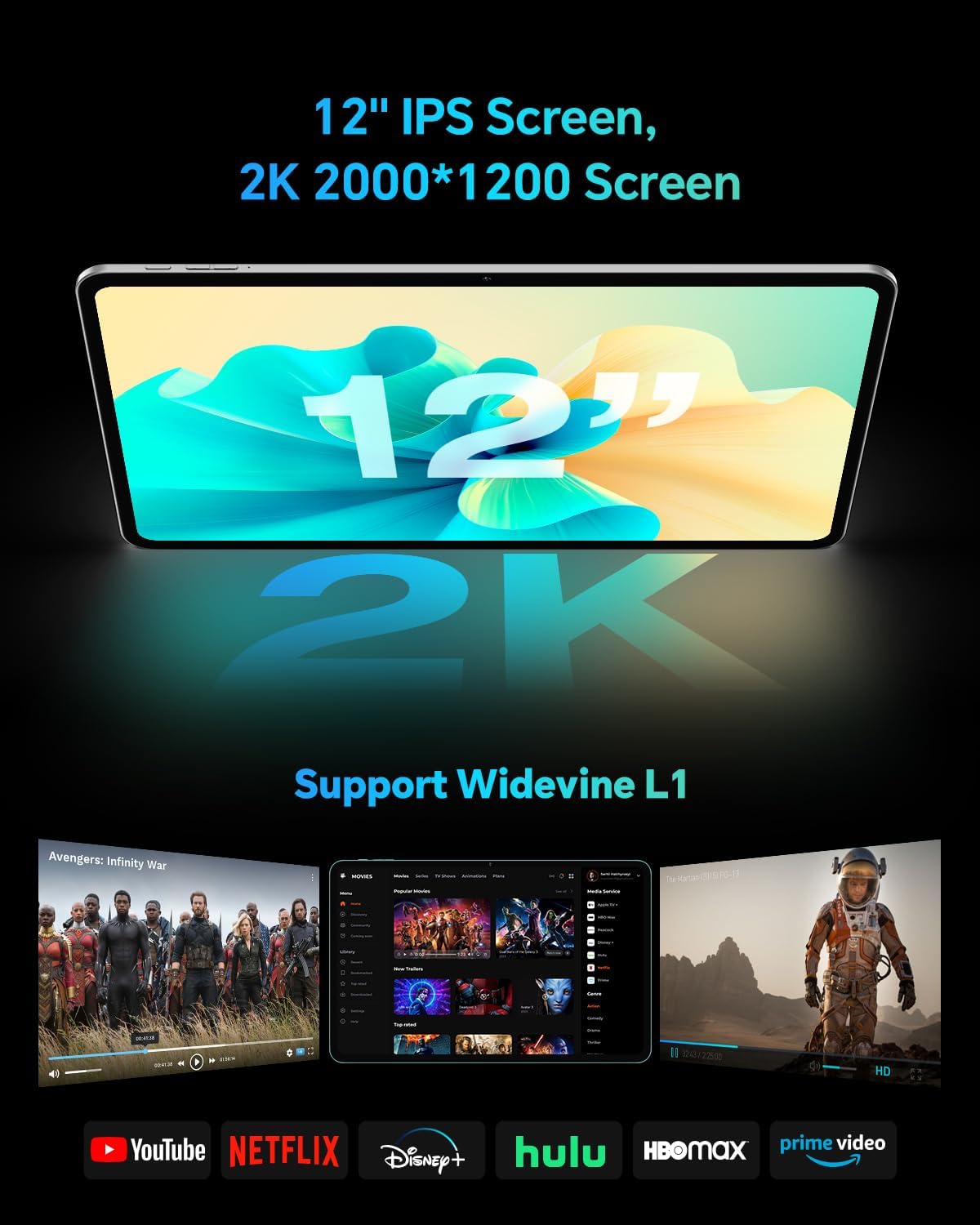
The TECLAST T60Pro features a 12-inch 2K (2000x1200) IPS TDDI full-lamination screen. It includes built-in blue light filtering for eye protection. The display supports Widevine L1 for high-definition streaming content.

Experience crisp visuals and support for HD streaming with the 12-inch 2K IPS display and Widevine L1 certification.
4.2 Səs
The tablet is equipped with four high-fidelity stereo speakers, providing an immersive audio experience for media consumption and video calls.
4.3 Kamera Funksiyaları
The T60Pro includes a 13MP rear camera and an 8MP front camera. The rear camera is designed for clear shooting, even in low-light conditions. Utilize the camera for photos, videos, and video calls.

The tablet features a 13MP rear camera and an 8MP front camera, supporting features like Google Lens and Face Recognition.
4.4 Bağlantı
- Wi-Fi: Supports 2.4/5GHz dual-band Wi-Fi (802.11a/b/g/n/ac) for stable internet connection.
- Bluetooth: Features Bluetooth 5.2 for connecting wireless accessories.
- Mobil: Supports 4G cellular connectivity with a compatible SIM card.
- GPS: Integrated A-GPS/GPS/BeiDou/GLONASS/Galileo multi-navigation system for accurate location services.

The tablet includes built-in GPS with support for multiple satellite positioning systems for reliable navigation.
4.5 Saxlamanın idarə edilməsi
The tablet comes with 128GB of internal storage. This can be expanded up to 1TB using a Micro SD card (sold separately).
4.6 Üzün tanınması
For convenient and secure unlocking, the tablet supports face recognition. Simply hold your face in front of the front camera. If face recognition fails, use your registered password or adjust ambient lighting for better recognition.

Unlock your tablet quickly and securely using the face recognition feature.
4.7 Simsiz Proyeksiya
Mirror your tablet's display to a larger screen, such as a TV, for an enhanced viewing experience. Refer to your TV's manual for specific wireless projection setup instructions.
4.8 Parental Controls and Kids Mode
The Android 15 system includes built-in parental controls to manage screen time and app access for children. Utilize these features to create a safe and controlled environment for younger users.
5. Baxım
5.1 Cihazın təmizlənməsi
Use a soft, lint-free cloth to clean the tablet's screen and body. Avoid using harsh chemicals or abrasive materials that could damage the surfaces.
5.2 Batareya Baxımı
Batareya ömrünü uzatmaq üçün:
- Həddindən artıq temperaturdan çəkinin.
- Tez-tez batareyanın tamamilə boşalmasına icazə verməyin.
- Use the provided charger for optimal charging.
5.3 Proqram Yeniləmələri
Regularly check for and install system updates to ensure optimal performance, security, and access to the latest features. Navigate to Parametrlər > Sistem > Sistem yeniləməsi mövcud yeniləmələri yoxlamaq üçün.
5.4 Ekranın qorunması
The tablet comes with a pre-applied tempered glass screen protector. A protective film for shipping is also applied, which should be removed after opening the package.

The tablet includes a pre-applied screen protector for immediate use and protection.
6. Giderme
6.1 Cihaz işə düşmür
- Ensure the battery is charged. Connect the tablet to the charger for at least 30 minutes before attempting to power on.
- Məcburi yenidən işə salmaq üçün Güc düyməsini 10-15 saniyə basıb saxlayın.
6.2 Bağlantı Problemləri (Wi-Fi/Bluetooth)
- Toggle Wi-Fi or Bluetooth off and on in the Settings menu.
- Restart your router or Bluetooth device.
- Şəbəkəni/cihazı unudun və yenidən qoşun.
6.3 Low Audio Volume
- Adjust the volume using the physical Volume buttons on the tablet.
- Check media volume settings in Parametrlər > Səs və vibrasiya.
- Ensure no external audio devices are connected via Bluetooth or Type-C that might be overriding the internal speakers.
6.4 Tətbiqlərin sıradan çıxması və ya donması
- Proqramı bağlayın və yenidən açın.
- Proqramın önbelleğini və məlumatlarını təmizləyin Parametrlər > Proqramlar > [Tətbiq Adı] > Yaddaş > Keşi sil/Məlumatı təmizləyin.
- Tətbiqin Google Play Store-dan ən son versiyasına yeniləndiyinə əmin olun.
7. Spesifikasiyalar
| Xüsusiyyət | Spesifikasiya |
|---|---|
| Brend | TECLAST |
| Model Adı | T60pro |
| Əməliyyat sistemi | Android 15 |
| Ekran Ölçüsü | 12 düym |
| Ekran Çözünürlüğü | 2000x1200 Piksel (2K) |
| Prosessor | MediaTek Helio G99 Octa-Core (2.2 GHz) |
| RAM Yaddaş | 20 GB (8GB fiziki + 12GB virtual) |
| Saxlama Tutumu | 128 GB |
| Genişləndirilə bilən yaddaş | 1 TB-a qədər (Micro SD) |
| Qrafik koprosessor | Mali-G57 MC2 |
| Batareya Tutumu | 8000 mAh |
| Doldurulur | 18W USB-PD Fast Charging |
| Arxa Kamera | 13 MP |
| Ön kamera | 8 MP |
| Simsiz Texnologiya | Wi-Fi (2.4/5GHz), Bluetooth 5.2, 4G Cellular |
| GPS funksionallığı | GPS/BEIDOU/GLONASS/GALILEO |
| Qulaqlıq yuvası | Tip-C |
| Ölçülər (U x E x T) | 10.97" x 6.85" x 0.31" |
| Rəng | Tünd Boz |
8. Zəmanət və Dəstək
8.1 İstehsalçı zəmanəti
The TECLAST T60Pro tablet comes with a 1 illik istehsalçı zəmanəti. Bu zəmanət normal istifadə zamanı material və işlənmə qüsurlarını əhatə edir. Zəmanət iddiaları üçün satınalma sübutunuzu özündə saxlayın.
8.2 Müştəri dəstəyi
For technical assistance, troubleshooting, or warranty inquiries, please contact TECLAST customer support. Most questions are answered within 24 hours. Refer to the official TECLAST website or your purchase platform for specific contact details.
Online resources and FAQs may also be available on the TECLAST support page.