
Giriş
Thank you for choosing the Varmilo Minilo VXB67 65% Bluetooth Mechanical Keyboard. This manual provides detailed instructions for setting up, operating, and maintaining your new keyboard. The VXB67 offers a compact 65% layout, dual-mode connectivity (wired USB-C and Bluetooth), and a comfortable typing experience with Varmilo EC Daisy V2 switches and durable ABS double-shot keycaps. It also features a Type-Cool sound dampening structure for a clear typing sound.

Image: The Varmilo Minilo VXB67 keyboard, showcasing its compact design and color scheme.
Paketin məzmunu
Bütün maddələrin mövcud olduğundan əmin olmaq üçün paketin məzmununu yoxlayın:
- Varmilo Minilo VXB67 Mechanical Keyboard
- USB-C kabeli
- Düymə qapağı çəkicisi
- Çəkici
- Toz örtüyü
- İstifadəçi Təlimatı (bu sənəd)

Image: The Varmilo Minilo VXB67 keyboard alongside its USB-C cable, keycap puller, switch puller, and a clear dust cover.
Quraşdırma
1. Simli Bağlantı
- Klaviaturada USB-C portunu tapın.
- Təqdim olunan USB-C kabelinin bir ucunu klaviaturaya qoşun.
- USB-C kabelinin digər ucunu kompüterinizdə mövcud USB portuna qoşun.
- Klaviatura əməliyyat sisteminiz tərəfindən avtomatik olaraq tanınacaq.
2. Bluetooth bağlantısı
The VXB67 keyboard can connect to up to 3 devices via Bluetooth.
- Klaviaturanın doldurulduğundan və ya USB-C vasitəsilə qoşulduğundan əmin olun.
- Turn on Bluetooth on your device (computer, tablet, or smartphone).
- Klaviaturada düyməni basıb saxlayın Fn key and one of the Bluetooth keys (Q, W, və ya E) for 3-5 seconds to enter pairing mode. The indicator light will flash.
- On your device, search for Bluetooth devices and select "Varmilo VXB67" (or similar) from the list.
- Cütləşdirildikdən sonra klaviaturadakı göstərici işığı yanıb-sönməyi dayandıracaq və sabit qalacaq.
- Repeat for up to two additional devices using the other Bluetooth keys.
3. Adjusting Keyboard Angle
The keyboard features 3-level adjustable kickstands on the bottom to customize your typing angle for comfort.

Image: The underside of the keyboard, highlighting the foldable kickstands for ergonomic adjustment.
Video: Demonstrates the features of the Varmilo Minilo Eucalyptus keyboard, including the adjustable kickstands and multi-device connectivity.
Əməliyyat Təlimatları
1. Klaviatura və açarın dəyişdirilməsi
The VXB67 features hot-swappable switches, allowing you to change switches without soldering. Use the provided keycap and switch pullers for this process.
- Klaviatura qapaqlarının çıxarılması: Use the keycap puller to gently grip the keycap and pull upwards.
- Açarların çıxarılması: Use the switch puller to carefully grip the top and bottom clips of the switch and pull upwards.
- Açarların quraşdırılması: Yeni açarın sancaqlarını PCB-dəki deliklərlə hizalayın. Düymə yerinə oturana qədər möhkəm basın. Sancaqların əyilmədiyinə əmin olun.
- Keycaps quraşdırılması: Açar qapağını açar sapının üzərinə qoyun və bərkidilənə qədər yumşaq bir şəkildə basın.
Video: Demonstrates the process of changing switches and keycaps on the Varmilo Minilo 67 keyboard.
2. Arka İşıq Nəzarəti
The keyboard features white LED backlighting. Use the following key combinations to control the backlight:
- Fn + \ |: Cycle through backlight effects.
- Fn + ↑: Arxa işıq parlaqlığını artırın.
- Fn + ↓: Arxa işığın parlaqlığını azaldın.
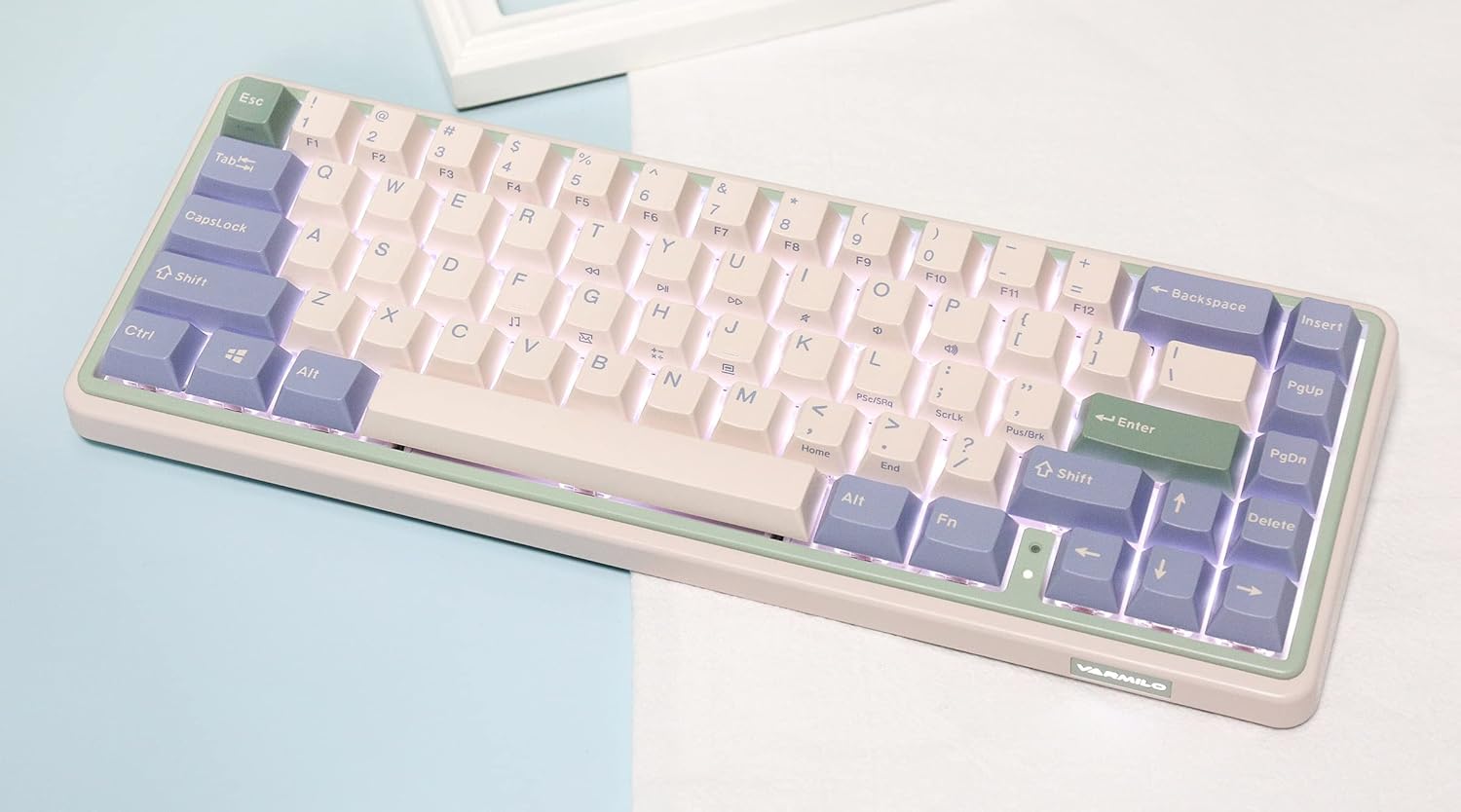
Image: The Varmilo Minilo VXB67 keyboard illuminated by its white LED backlighting.
3. Çox Cihazlı Kommutasiya
To switch between paired Bluetooth devices:
- basın Fn + Q to switch to Bluetooth Device 1.
- basın Fn + W to switch to Bluetooth Device 2.
- basın Fn + E to switch to Bluetooth Device 3.
The keyboard will quickly connect to the selected device.
Baxım
- Təmizləmə: Use a soft, dry cloth to wipe the keyboard surface. For deeper cleaning, remove keycaps using the provided keycap puller and use compressed air to clear debris.
- Batareyanın doldurulması: Connect the keyboard via the USB-C cable to a power source (computer USB port or USB wall adapter). The Escape key will light up while charging and flash when the battery is low.
- Yaddaş: When not in use, store the keyboard in a cool, dry place. Use the provided dust cover to protect it from dust and spills.
Problemlərin aradan qaldırılması
- Klaviatura cavab vermir (simli):
- USB-C kabelinin həm klaviaturaya, həm də kompüterə etibarlı şəkildə qoşulduğundan əmin olun.
- Kompüterinizdə fərqli USB portunu sınayın.
- Fərqli USB-C kabelini sınayın.
- Keyboard not responding (Bluetooth):
- Cihazınızda Bluetooth-un aktiv olduğundan əmin olun.
- Klaviaturanın doldurulduğuna əmin olun.
- Re-enter pairing mode (Fn + Q/W/E) and attempt to re-pair with your device.
- Forget the device on your computer/tablet/phone and try pairing again.
- Qeydiyyatdan keçməyən açarlar:
- Ensure the keycap and switch are properly seated. Remove and re-install if necessary.
- If using hot-swappable switches, ensure the switch pins are not bent.
- Arxa işıq işləmir:
- Check backlight brightness settings (Fn + ↑/↓).
- Ensure the keyboard is not in a low power state.
Spesifikasiyalar
| Model | VXB67 |
| Layout | 65% (67 açar) |
| Bağlantı | Bluetooth 5.0, USB-C Simli |
| Keçidlər | Varmilo EC Daisy V2 (Hot-swappable) |
| Düymələr | 1.5mm thick ABS Double Shot |
| Arxa işıq | Ağ LED |
| Batareya Tutumu | 3400 mAh |
| Uyğun Cihazlar | PC (and other Bluetooth-enabled devices) |
| Material | Akrilonitril Butadien Stirol (ABS) |
| Ölçülər | Approx. 15 x 7 x 2.5 inches (based on package dimensions) |
| Çəki | 3.21 funt sterlinq |
Zəmanət və Dəstək
For warranty information and technical support, please refer to the official Varmilo websayta daxil olun və ya satıcınızla əlaqə saxlayın. Zəmanət iddiaları üçün satınalma sübutunuzu saxlayın.
Varmilo Rəsmi Websayt: www.varmilo.com