
1. Giriş
The SIIG Thunderbolt 4 Docking Station (Model: JU-DK0U11-S1) is designed to expand the connectivity of your laptop, providing a comprehensive workstation solution. This docking station offers 15 ports, enabling connections for multiple displays, peripherals, network, and power through a single Thunderbolt 4 cable. It supports high-speed data transfer and versatile display configurations for both Mac and Windows systems.

Image 1.1: SIIG Thunderbolt 4 Docking Station (JU-DK0U11-S1) overview.
2. Paketin məzmunu
Bütün əşyaların paketinizdə olduğunu yoxlayın:
- SIIG Thunderbolt 4 Docking Station (JU-DK0U11-S1)
- 150W güc adapteri
- Thunderbolt 4 kabeli
- İstifadəçi təlimatı

Image 2.1: Contents included in the SIIG Thunderbolt 4 Docking Station package.
3. Məhsul bitdiview
3.1 Front Panel Ports
- 3.5mm Stereo Out: Qulaqlıqlar və ya xarici dinamiklər üçün.
- SD 3.0 Card Slot: Supports SD 3.0 UHS-1 memory cards up to 2TB.
- USB-A 3.2 Gen 1 (5Gbps) Ports (x2): For connecting USB-A peripherals, supporting 5V/0.9A charging.
- Thunderbolt 4 Port: For connecting Thunderbolt 4 devices or displays.
- Güc düyməsi: To turn the docking station on or off.

Şəkil 3.1: Ətraflı view of the front panel ports.
3.2 Arxa Panel Portları
- DC Power Jack (20V/7.5A): Daxil edilmiş 150W güc adapterinə qoşulur.
- Thunderbolt 4 Port (Host PD 60W): Connects to your laptop via the Thunderbolt 4 cable, providing up to 60W power delivery.
- 3.5mm Mic In: Xarici mikrofonu qoşmaq üçün.
- Micro SD (TF) 3.0 Card Slot: Supports Micro SD (TF) 3.0 UHS-1 memory cards up to 2TB.
- USB-A 2.0 (480Mbps) Ports (x2): For connecting USB-A peripherals, supporting 5V/1.5A charging.
- Gigabit Ethernet Portu: Simli şəbəkə bağlantısı üçün.
- DisplayPort Çıxışı: Xarici ekranı birləşdirmək üçün.
- HDMI Çıxış: Xarici ekranı birləşdirmək üçün.
- Thunderbolt 4 Ports (x2): For connecting additional Thunderbolt 4 devices or displays, providing 45W power delivery.

Şəkil 3.2: Ətraflı view of the rear panel ports.
4. Quraşdırma Təlimatları
- Güc bağlayın: Plug the included 150W power adapter into the DC Power Jack on the rear of the docking station, then connect it to a power outlet.
- Host Laptopa qoşulun: Use the provided Thunderbolt 4 cable to connect the Thunderbolt 4 Host port (60W PD) on the rear of the docking station to your laptop's Thunderbolt 4 or USB-C port.
- Güc Aktivdir: Press the power button on the front panel of the docking station. The power indicator LED should illuminate.
- Ekranları birləşdirin: Connect your monitors to the available DisplayPort, HDMI, and Thunderbolt 4 output ports on the docking station. Refer to the 'Display Configuration' section for supported setups.
- Periferiyaları birləşdirin: Connect your USB devices, Ethernet cable, and audio devices to the corresponding ports on the docking station.
5. Əməliyyat Təlimatları
5.1 Ekranın konfiqurasiyası
The docking station supports various display setups, including single 8K or quad 4K displays, utilizing Thunderbolt 4 and DisplayLink technology. Ensure DisplayLink drivers are installed for optimal performance, especially for additional displays beyond native Thunderbolt outputs.
- Single Display Output: Supports up to 8K resolution.
- İkili Ekran Çıxışı: Supports up to 2x 4K resolution via two Thunderbolt 4 ports.
- Quad Display Output: Achieved by combining two Thunderbolt 4 ports with the DisplayPort and HDMI ports, enabling four 4K displays.

Şəkil 5.1: Məsample of a quad display setup using the docking station.

Image 5.2: Display compatibility and resolution matrix for Windows and Mac M1/M2 systems.
5.2 Enerji Çatdırılması
The docking station provides power to your connected devices:
- Noutbukun doldurulması: Up to 60W Power Delivery (PD) to the host laptop via the Thunderbolt 4 host port.
- Thunderbolt 4 Portları: Each of the three downstream Thunderbolt 4 ports provides up to 45W of power.
- USB-A Fast Charging: Two USB-A 5Gbps ports support 5V/0.9A charging, and two USB-A 2.0 ports support 5V/1.5A charging.

Image 5.3: Power delivery capabilities of the docking station.
5.3 Məlumatların ötürülməsi
Experience high-speed data transfer for efficient workflow:
- İldırım 4: Up to 40Gbps data transfer speed, 8 times faster than USB 3.0.
- USB-A 3.2 Gen 1: Up to 5Gbps data transfer speed.
- Memory Card Reader: Supports SD 3.0 UHS-1 and Micro SD (TF) 3.0 UHS-1 with data transfer rates up to 104MB/s.
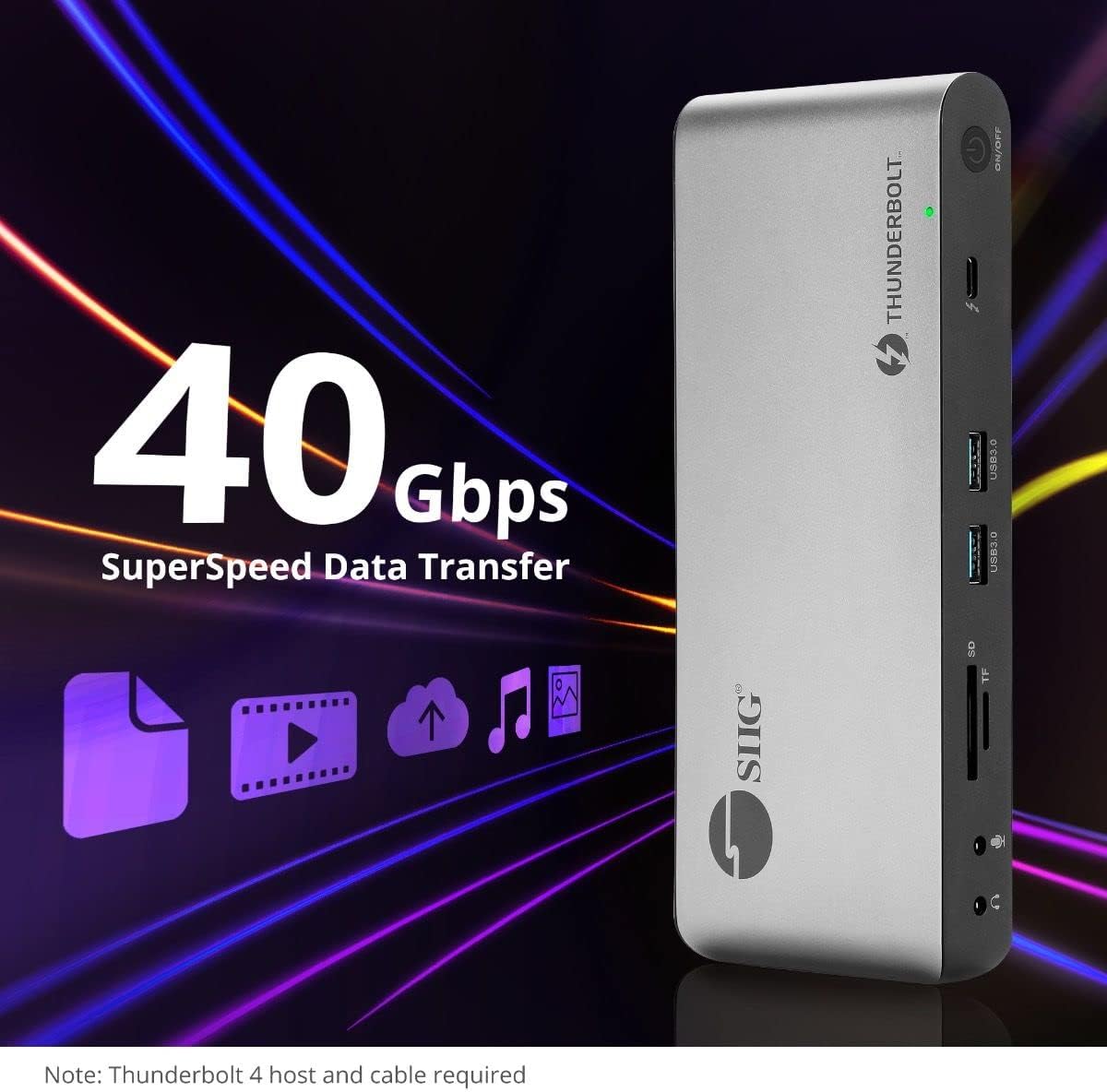
Şəkil 5.4: Yüksək sürətli məlumat ötürmə imkanları.
6. Uyğunluq
The SIIG Thunderbolt 4 Docking Station is broadly compatible with various systems:
- Əməliyyat Sistemləri: Mac M1/M2/M3 Pro & Max, Intel chip Macs, Windows PCs (Intel/AMD/Snapdragon), and Chromebooks.
- Geri Uyğunluq: Fully compatible with Thunderbolt 3, USB4, and USB-C equipped computers.
7. Baxım
Dok stansiyanızın uzunömürlülüyünü və optimal işləməsini təmin etmək üçün bu texniki xidmət qaydalarına əməl edin:
- Təmizləmə: Cihazın xarici hissəsini təmizləmək üçün yumşaq, quru bir parça istifadə edin. Maye təmizləyicilərdən və ya həlledicilərdən çəkinin.
- Havalandırma: Ensure the docking station is placed in a well-ventilated area to prevent overheating. Do not block any ventilation openings.
- Yaddaş: Cihazı birbaşa günəş işığından və həddindən artıq temperaturdan uzaq sərin, quru yerdə saxlayın.
- İdarəetmə: Cihazı yerə atmaqdan və ya güclü zərbələrə məruz qoymaqdan çəkinin.
8. Giderme
If you encounter issues with your SIIG Thunderbolt 4 Docking Station, refer to the following common problems and solutions:
- Güc yoxdur:
- Ensure the power adapter is securely connected to both the docking station and a working power outlet.
- Verify the power button on the docking station is pressed and the power indicator LED is on.
- Display Issues (No Signal/Incorrect Resolution):
- Check all display cables (HDMI, DisplayPort, Thunderbolt) are securely connected to both the docking station and the monitors.
- Ensure your laptop's display settings are configured correctly to detect and extend/mirror displays.
- For multi-display setups, especially beyond two monitors, ensure DisplayLink drivers are installed and up to date on your operating system.
- Verify your monitors support the selected resolution and refresh rate.
- Peripherals Not Detected:
- Ensure USB devices are properly connected to the docking station's USB ports.
- Try connecting the peripheral directly to your laptop to confirm it is functional.
- Dok stansiyasını və dizüstü kompüterinizi yenidən başladın.
- Həddindən artıq istiləşmə:
- Ensure the docking station is placed in an area with adequate airflow and not covered.
- Reduce the number of high-power devices connected if possible, or consider using a cooling pad if persistent.
- Yavaş məlumat ötürülməsi:
- Ensure you are using Thunderbolt 4 certified cables for Thunderbolt connections.
- Verify the connected device supports the expected transfer speeds.
9. Spesifikasiyalar
| Xüsusiyyət | Detal |
|---|---|
| Model nömrəsi | JU-DK0U11-S1 |
| Məhsul Ölçüləri | 3.27 x 7.8 x 1.14 düym |
| Maddə Çəkisi | 15.4 unsiya (0.96 funt) |
| Ümumi Portlar | 15 (including 7 USB ports) |
| Host bağlantısı | Thunderbolt 4 (USB-C) |
| Video Çıxışları | 1x HDMI, 1x DisplayPort, 3x Thunderbolt 4 (USB-C) |
| Max Display Resolution | Single 8K@30Hz, Quad 4K@60Hz |
| Enerji Çatdırılması (Ev Sahibi) | 60 Vt-a qədər |
| Power Delivery (Downstream TB4) | Port başına 45 Vt-a qədər |
| Məlumat ötürmə sürəti | Thunderbolt 4: 40Gbps, USB-A 5Gbps: 5Gbps |
| Ethernet | Gigabit Ethernet |
| Kart oxuyucusu | SD 3.0 UHS-1, Micro SD (TF) 3.0 UHS-1 (up to 2TB) |
| Audio Portlar | 3.5mm Stereo Out, 3.5mm Mic In |
| Uyğun OS | Mac M1/M2/M3 Pro & Max, Intel Macs, Windows, Chromebooks |
| Rəng | Qara |
| UPC | 662774045689 |
10. Zəmanət və Dəstək
SIIG products are designed for reliability and performance. For warranty information and technical support, please refer to the documentation included with your product or visit the official SIIG webSayt. Zəmanət iddiaları üçün alış qəbzini saxlayın.