
1. Giriş
Welcome to the user manual for your Havit Gaming Mouse MS1032. This document provides essential information for setting up, operating, maintaining, and troubleshooting your device. Please read it carefully to ensure optimal performance and longevity of your mouse.
The Havit MS1032 is a gaming mouse featuring six adjustable DPI settings, a comfortable ergonomic design, and a non-slip surface. It is engineered for smooth and quiet operation, aiming to reduce fatigue during extended use.
2. Quraşdırma
2.1 Paketin məzmunu
- Havit Gaming Mouse MS1032
- İstifadəçi təlimatı
2.2 Sistem Tələbləri
- Operating System: Windows XP, Windows 7, Linux
- Mövcud USB port
2.3 Siçanın qoşulması
- Unpack the Havit Gaming Mouse MS1032 from its packaging.
- Kompüterinizdə mövcud USB portunu tapın.
- Siçanın USB konnektorunu USB portuna daxil edin.
- Əməliyyat sisteminiz lazımi sürücüləri avtomatik aşkar edib quraşdırmalıdır. Bu proses bir neçə dəqiqə çəkə bilər.
- Quraşdırma tamamlandıqdan sonra siçan istifadəyə hazırdır.
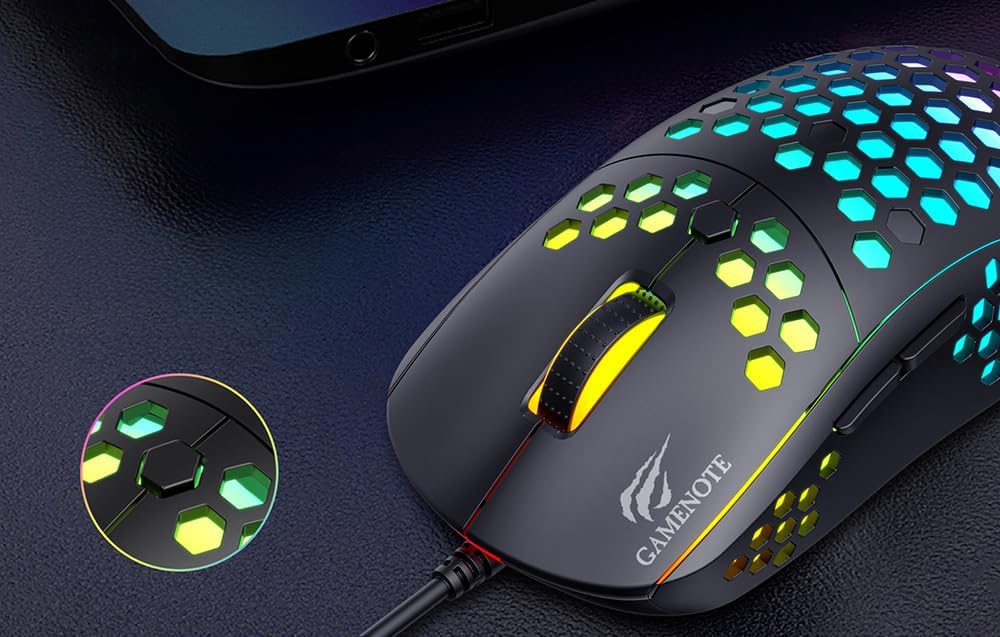
Figure 1: Havit MS1032 Gaming Mouse connected via USB.
3. Əməliyyat Təlimatları
3.1 Əsas funksiyalar
- Sol Klik: Primary action, selection, activation.
- Sağ klikləyin: Opens context menus, performs secondary actions.
- Sürüşmə çarxı: Scrolls up/down documents or web pages. Can also be pressed for middle-click functionality.
- Yan Düymələr: Adətən irəli/geri naviqasiya üçün istifadə olunur web browsers or custom functions in games.
3.2 DPI Tənzimlənməsi
The Havit MS1032 features six adjustable DPI (Dots Per Inch) settings, allowing you to change the mouse sensitivity on the fly. This is useful for adapting to different tasks, such as precise aiming in games or fast navigation across multiple monitors.
To adjust the DPI, locate the DPI button, typically positioned behind the scroll wheel. Press this button to cycle through the available DPI settings. The LED lighting on the mouse may change to indicate the current DPI level, providing visual feedback for your selection.
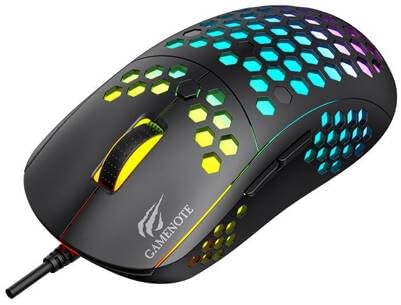
Figure 2: Location of the DPI button (behind the scroll wheel).
4. Baxım
4.1 Təmizləmə
Optimal performansı və görünüşü qorumaq üçün siçanınızı mütəmadi olaraq təmizləyin:
- Təmizləmədən əvvəl siçanı kompüterinizdən ayırın.
- Bir az yumşaq, tüysüz parça istifadə edin dampsu və ya yumşaq, aşındırıcı olmayan təmizləyici məhlul ilə tamamlanır.
- Gently wipe the surface of the mouse.
- For crevices and the optical sensor, use a cotton swab or compressed air to remove dust and debris.
- Avoid using harsh chemicals, abrasive cleaners, or excessive moisture, as these can damage the mouse's finish or internal components.
4.2 Saxlama
When not in use, store the mouse in a clean, dry environment away from direct sunlight and extreme temperatures to prevent damage.
4.3 Ümumi qulluq
- Siçanı yerə salmaqdan və ya güclü zərbələrə məruz qoymaqdan çəkinin.
- Do not attempt to disassemble the mouse, as this will void the warranty and may cause irreparable damage.
- Keep the mouse away from liquids to prevent electrical damage.
5. Giderme
If you encounter issues with your Havit Gaming Mouse MS1032, please refer to the following common solutions:
5.1 Siçan Cavab Vermir
- USB bağlantısını yoxlayın: USB kabelinin kompüterinizdəki işləyən USB portuna etibarlı şəkildə qoşulduğundan əmin olun. Başqa bir USB portu sınayın.
- Kompüteri yenidən başladın: Sometimes a simple computer restart can resolve connectivity issues.
- Başqa bir kompüterdə test edin: If possible, test the mouse on another computer to determine if the issue is with the mouse or your computer's setup.
5.2 Cursor Movement is Erratic or Jumpy
- Təmiz Sensor: Siçanın altındakı optik sensorun təmiz və toz və ya zibildən azad olduğundan əmin olun.
- Səthi yoxlayın: Siçanı təmiz, əks etdirməyən və vahid səthdə (məsələn, siçan yastığı) istifadə edin. Şüşə və ya yüksək əks etdirən səthlərdən çəkinin.
- DPI-ni tənzimləyin: If the cursor is too fast or too slow, adjust the DPI setting using the DPI button.
5.3 Düymələr İşləmir
- Maneələri yoxlayın: Düymələrin altında heç bir zibil qalmadığından əmin olun.
- Proqram təminatı ziddiyyəti: If you have custom mouse software installed, try uninstalling it temporarily to see if it resolves the issue.
5.4 LED İşıqları İşləmir
- Bağlantını yoxlayın: Ensure the mouse is properly connected to the computer.
- Güc dövrü: Disconnect and reconnect the mouse to reset its power.
6. Spesifikasiyalar

Figure 3: Havit MS1032 Gaming Mouse design overview.
| Xüsusiyyət | Detal |
|---|---|
| Model | MS1032 |
| Brend | Havit |
| Ölçülər | 15 x 8 x 5.2 sm |
| Çəki | 200 q |
| DPI parametrləri | 6 tənzimlənən səviyyə |
| Əməliyyat Sistemləri | Linux, Windows 7, Windows XP |
| Bağlantı | Simli USB |
| Batareyalar Tələb olunur | yox |
7. Zəmanət və Dəstək
For detailed warranty information and technical support, please refer to the official Havit website or contact your local retailer where the product was purchased. It is recommended to keep your purchase receipt as proof of purchase for any warranty claims.
İstehsalçı: Havit
Model nömrəsi: MS1032