
TEYES CC3 2K
TEYES CC3 2K Car Radio Multimedia System User Manual
Model: CC3 2K
Giriş
This manual provides comprehensive instructions for the installation, operation, and maintenance of your TEYES CC3 2K Car Radio Multimedia Video Player Navigation Stereo GPS Headunit. Please read this manual thoroughly before using the device to ensure proper functionality and safety.
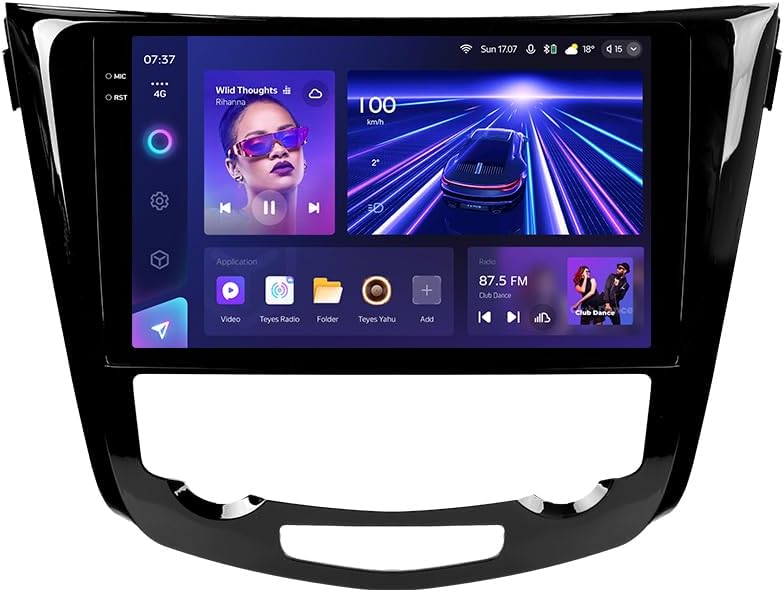
Şəkil: Ön view of the TEYES CC3 2K Car Radio Multimedia System, showcasing böyük ekranı və zərif dizaynı ilə.
Paketin məzmunu
Aşağıda sadalanan bütün elementlərin paketinizə daxil olduğunu yoxlayın. Hər hansı bir element əskik və ya zədələnmişsə, müştəri dəstəyi ilə əlaqə saxlayın.
- 1x TEYES CC3 2K Head Unit
- 1x OEM Panel (Frame)
- 1x Elektrik kabeli
- 1x USB kabel
- 1x GPS antenası
- 1x AUX Kabeli
- 1x 4G WiFi Antenna
- 1x AHD 1080p Rear Camera
- 1x E-book (Digital Manual)
- 1x Wiring Diagram
- 1x Təmizləyici parça
Quraşdırma və Quraşdırma
Professional installation is recommended for this device. Ensure the vehicle's battery is disconnected before beginning installation.
Uyğunluq
This unit is designed for Nissan X-Trail 3 (T32) 2013-2022 and Qashqai 2 (J11) models. Please verify your vehicle's compatibility before installation.
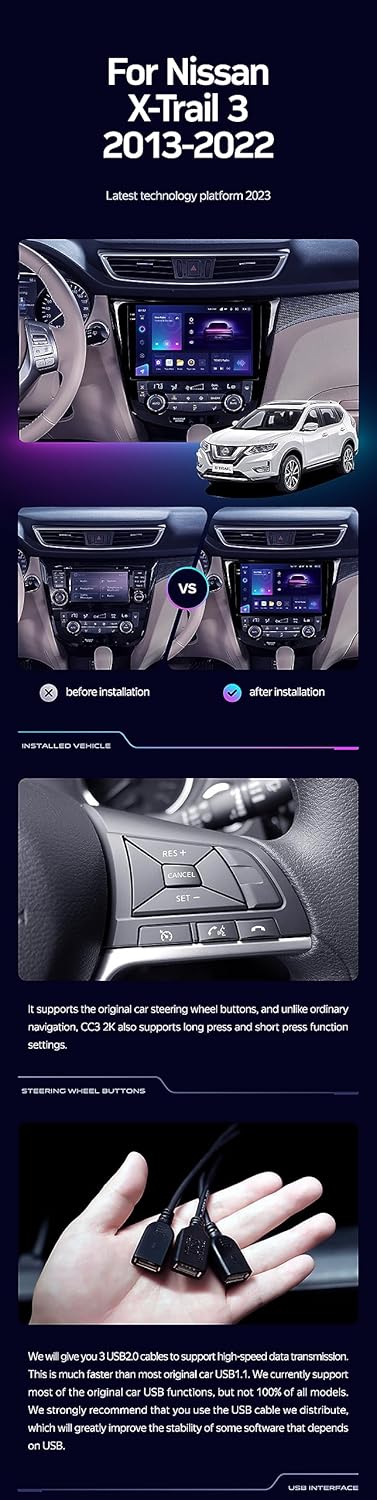
Image: A side-by-side comparison showing a car's dashboard before and after the installation of the TEYES CC3 2K unit, highlighting the integrated look.
Quraşdırma Addımları (Ümumi)
- Batareyanı ayırın: İşə başlamazdan əvvəl, elektrik qısaqapanmasının qarşısını almaq üçün avtomobilinizin akkumulyatorunun mənfi terminalını ayırın.
- Remove Old Head Unit: Carefully remove the existing car radio and trim panels. Refer to your vehicle's service manual for specific instructions.
- Naqilləri birləşdirin: Connect the provided power cable, USB cable, GPS antenna, AUX cable, and 4G WiFi antenna to the TEYES CC3 2K head unit. Ensure all connections are secure.
- Arxa Kameranı Quraşdırın: If installing the AHD 1080p rear camera, route its cable to the desired mounting location (typically near the license plate) and connect it to the head unit.
- Başlıq bölməsini quraşdırın: Secure the TEYES CC3 2K head unit into the dashboard using the provided OEM panel (frame) and mounting hardware.
- Batareyanı yenidən qoşun: Once all connections are made and the unit is securely mounted, reconnect the vehicle's battery.
- Test funksionallığı: Turn on the vehicle and test all functions of the new head unit, including audio, navigation, camera, and connectivity.
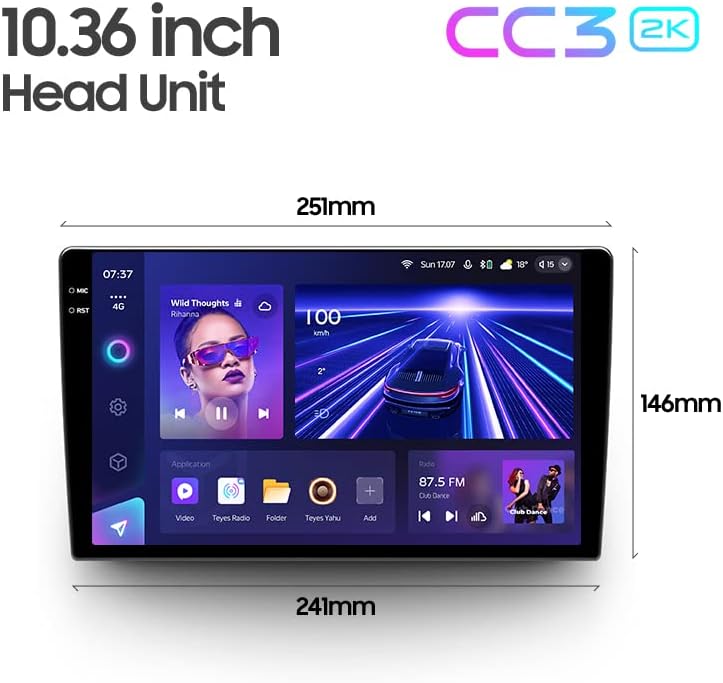
Image: The OEM panel (frame) included with the TEYES CC3 2K, designed for seamless integration into compatible vehicle dashboards.
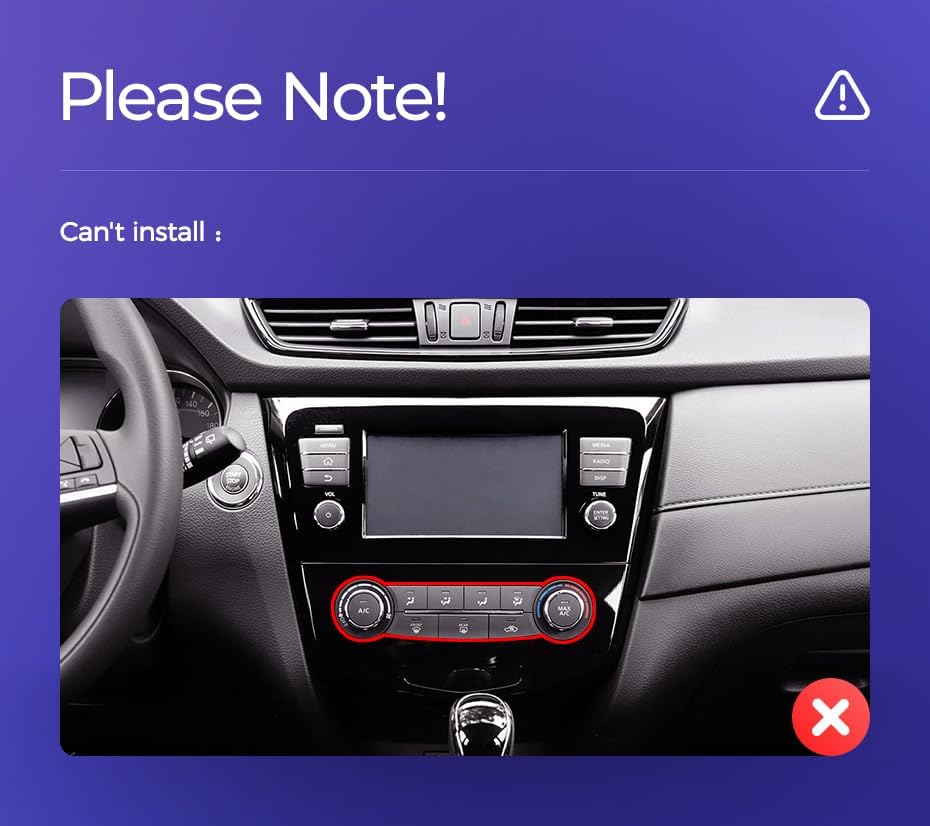
Image: Technical drawing showing the dimensions of the TEYES CC3 2K head unit, including its 10.36-inch screen size.
Vacib Quraşdırma Qeydi
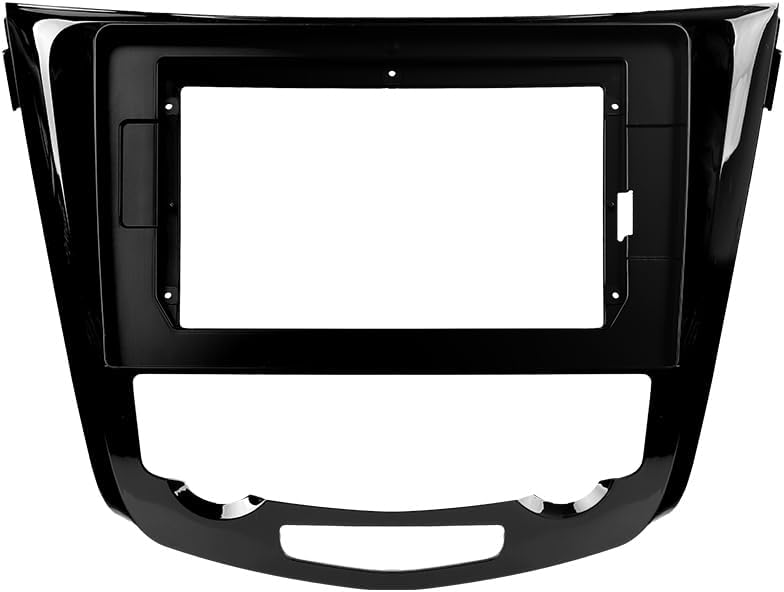
Image: Three USB output cables provided with the TEYES CC3 2K for data transfer and connectivity.
The unit provides multiple USB outputs for data transfer. While designed for broad compatibility, some original car USB functions may not be fully supported across all vehicle models. An included USB adapter cable can be used to ensure compatibility where needed.
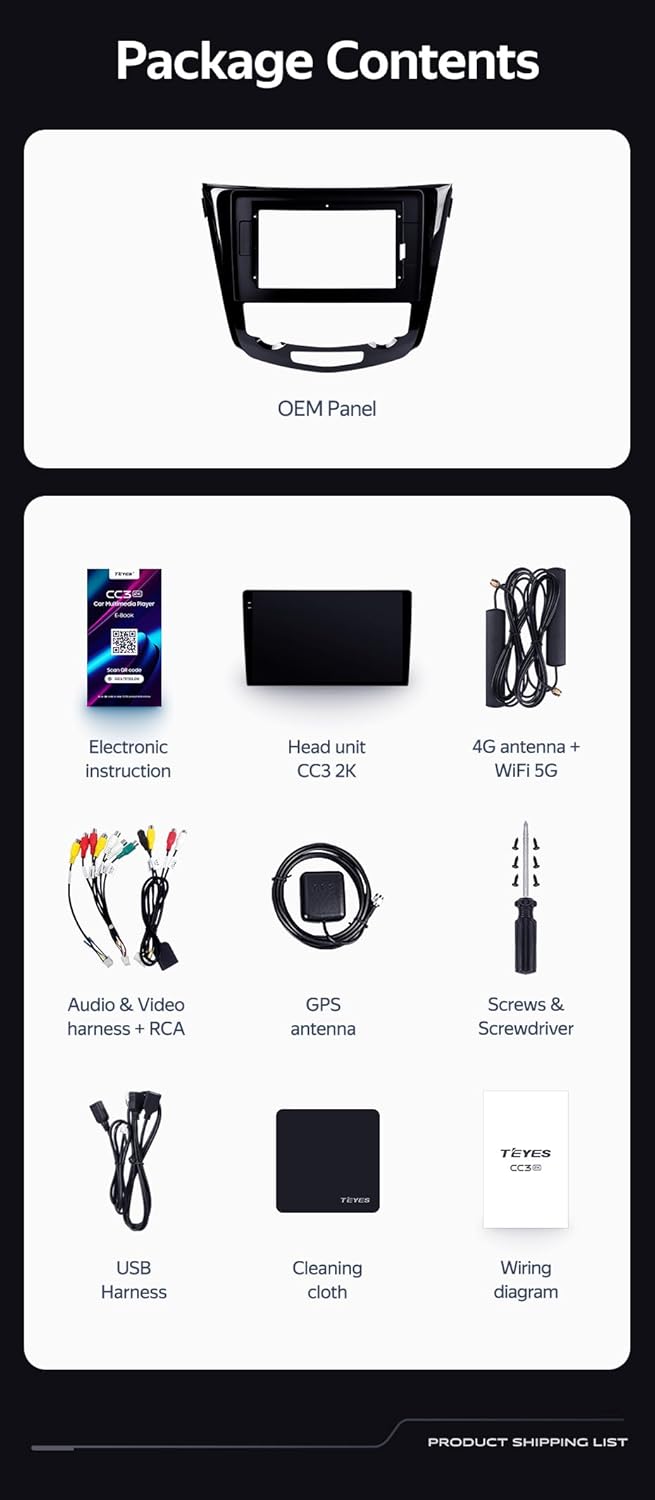
Image: A close-up of a car's steering wheel with controls, indicating support for steering wheel button integration with the TEYES CC3 2K.
The unit supports original car steering wheel buttons. Basic functions like volume and track control are supported. Advanced functions may require additional configuration or may not be fully compatible with all vehicle models.
Əməliyyat Təlimatları
Ekran və interfeys
The TEYES CC3 2K features a 10.36-inch 2K In-cell display, offering vivid colors and accurate touch response. The Android 10 operating system provides a user-friendly interface.
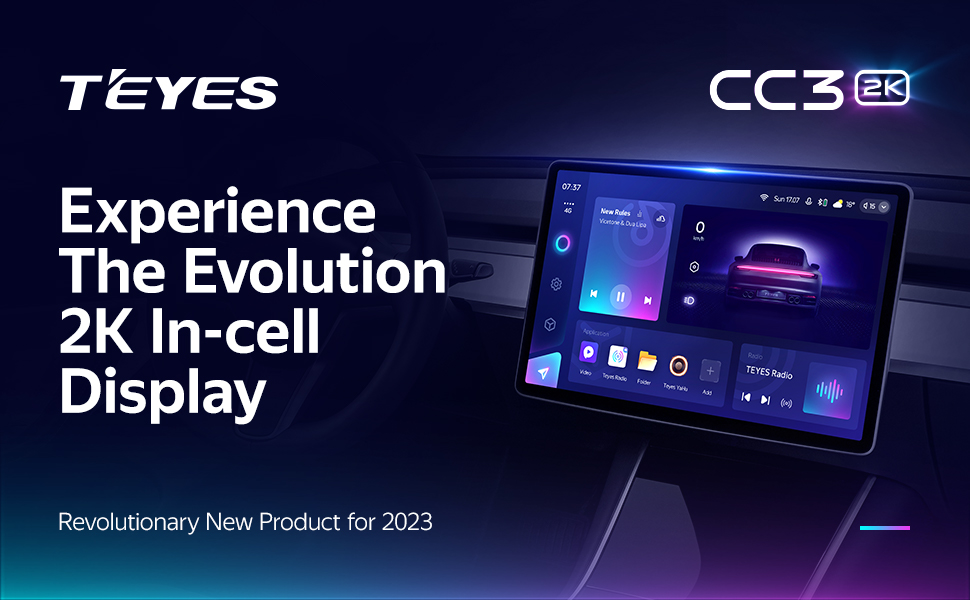
Image: A promotional image highlighting the TEYES CC3 2K's 2K In-cell display, showing a vibrant user interface.
Bağlantı
- Bluetooth: Connect your smartphone via the upgraded Qualcomm QCC3031QFN Bluetooth module for hands-free calling and audio streaming.
- Wi-Fi/4G Internet: The unit supports 4G internet connectivity (SIM card not included) and Wi-Fi for online navigation, app downloads, and streaming.
- USB: Use the USB ports for media playback, data transfer, and connecting external devices.
Naviqasiya və multimedia
- GPS: Built-in GPS with North America map type support for accurate navigation.
- CarPlay və Android Auto: Enjoy seamless integration with your smartphone via built-in wireless Apple CarPlay and Android Auto.
- Radio: Access local radio stations with the premium local radio feature.
- Bölünmüş ekran rejimi: Utilize the freestyle combination split screen mode to run two applications simultaneously, such as navigation and media playback.

Image: The TEYES CC3 2K display showing split-screen functionality, with navigation on one side and video playback on the other.

Image: The TEYES CC3 2K display showing the premium local radio interface with various station icons.
Audio Xüsusiyyətlər
The unit is equipped with dual DSP (ADAU1701 + ROHM32107) for enhanced audio processing, offering optical and coaxial digital audio output.
- 27-Segment EQ: Fine-tune your audio experience with the comprehensive 27-segment equalizer.
- Sound Filtering: Advanced sound filtering options are available to optimize audio output.

Image: The TEYES CC3 2K display showing the DSP audio settings interface, indicating dual DSP processors.
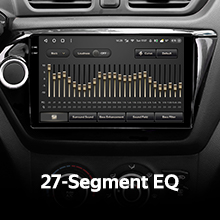
Image: The TEYES CC3 2K display showing the 27-segment equalizer interface for detailed audio customization.

Image: The TEYES CC3 2K display showing audio output settings, indicating support for optical and coaxial digital audio output.
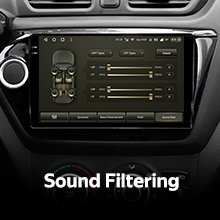
Image: The TEYES CC3 2K display showing sound filtering options, allowing users to refine audio quality.
Camera and Recording
The unit supports real-time viewing of the vehicle's rear view and video recording with the included AHD 1080p rear camera.

Image: The TEYES CC3 2K display showing the real-time feed from the rear view camera, with recording options.
Baxım
- Ekranın təmizlənməsi: Use the provided cleaning cloth or a soft, lint-free cloth to gently wipe the screen. Avoid abrasive cleaners or solvents.
- Proqram təminatı yeniləmələri: Periodically check for software updates from TEYES to ensure optimal performance and access to new features.
- Ekoloji Şərtlər: Cihazı həddindən artıq temperatura, uzun müddət birbaşa günəş işığına və ya həddindən artıq nəmə məruz qoymaqdan çəkinin.
Problemlərin aradan qaldırılması
If you encounter issues with your TEYES CC3 2K, refer to the following common problems and solutions:
| Problem | Mümkün Səbəb | Həll |
|---|---|---|
| Cihaz işə düşmür. | Boş elektrik bağlantısı, yanmış qoruyucu, avtomobilin akkumulyatoru problemi. | Elektrik kabellərinin birləşmələrini yoxlayın. Avtomobilin qoruyucularını yoxlayın. Avtomobilin akkumulyatorunun doldurulduğundan əmin olun. |
| Audio çıxış yoxdur. | Volume too low, incorrect audio source selected, speaker wiring issue. | Səsi artırın. Düzgün səs mənbəyini seçin. Dinamik bağlantılarını yoxlayın. |
| GPS siqnalı itdi və ya qeyri-dəqiq. | GPS antenası tıxanmış və ya düzgün quraşdırılmamışdır. | GPS antenasının təmiz olduğundan əmin olun view səmanın və etibarlı şəkildə bağlıdır. |
| Toxunma ekranı cavab vermir. | Temporary software glitch, screen protector interference. | Restart the unit. Remove any screen protectors to test. |
| Bluetooth bağlantısı problemləri. | Device not in pairing mode, interference, outdated firmware. | Ensure device is in pairing mode. Move closer to the unit. Check for firmware updates. |

Image: An icon representing Frequently Asked Questions, indicating further support resources.
Spesifikasiyalar
| Xüsusiyyət | Detal |
|---|---|
| Model nömrəsi | CC3 2K |
| Əməliyyat sistemi | Android 10 |
| Prosessor | 8 nüvə 2.0 GHz |
| RAM | 6 GB |
| ROM | 128 GB |
| Ekran Ölçüsü | 10.36 düym |
| Ekran növü | 2K In-cell Display |
| Bağlantı | Bluetooth (QCC3031QFN Qualcomm), USB, Wi-Fi, Hotspot, 4G Internet |
| Səs Çıxış Modu | Stereo |
| DSP | 2*DSP ADAU1701 + ROHM32107 |
| Audio Çıxış | Optical and Coaxial Digital Audio Output |
| Naviqasiya | Built-in GPS, North America Map Type |
| Xüsusi Xüsusiyyətlər | Touchscreen, Bluetooth, Wireless CarPlay, Android Auto, RDS, Real-time Rear View, Video Recording, TEYES Vision & TEYES Yahu software. |
| Avtomobilin Xidmət Növü | Avtomobil |
Zəmanət və Dəstək
The TEYES CC3 2K comes with a 1 il zəmanət satın alındığı tarixdən. Bu zəmanət normal istifadə zamanı istehsal qüsurlarını və nasazlıqları əhatə edir.
For technical support, troubleshooting assistance, or warranty claims, please contact TEYES customer service through the official TEYES store on Amazon or their official websayt.
ziyarət edin TEYES Store on Amazon əlavə məlumat və dəstək resursları üçün.
Ask a question about this manual
Ask about setup, troubleshooting, compatibility, parts, safety, or missing instructions. Manuals+ will review the question and use this page’s manual context to help answer it.