
1. Quraşdırma
1.1 Paketin məzmunu
Bütün əşyaların paketdə olduğunu yoxlayın:
- Keyboard Case
- USB kabel
- İstifadəçi təlimatı
1.2 Tablet Compatibility
This keyboard case is compatible with the following Samsung Galaxy Tab models:
- Samsung Galaxy Tab S8 Plus 12.4 inch (2022 release, Models SM-X800/X806/X808)
- Samsung Galaxy Tab S7 FE 5G 12.4 inch (2021 release, Models SM-T730/T733/T735/T736/T738)
- Samsung Galaxy Tab S7+ / S7 Plus 12.4 inch (2020 Release, Models SM-T970/T975/T976/T978)

Image: Compatibility chart for Nillkin keyboard case, detailing compatible Samsung Galaxy Tab S8 Plus, S7 FE, and S7 Plus 12.4-inch models with their respective model numbers.
1.3 Korpusun quraşdırılması
To install your tablet into the Nillkin Bumper Combo Keyboard Case:
- Separate the keyboard from the case. The keyboard is detachable for flexible use.
- Tilt the corner of your tablet with the camera into the case first.
- Gently press the other corners to secure the tablet firmly in place. Ensure all edges are fitted securely.
Video: Nillkin Bumper Combo Keyboard Case Installation Guide. This video demonstrates the step-by-step process of installing the tablet into the protective case.
1.4 Bluetooth Qoşulması
To connect the keyboard to your tablet via Bluetooth:
- Güc açarından istifadə edərək klaviaturanı yandırın.
- Press the "Fn" and "C" keys on the keyboard simultaneously. The indicator light will flash, indicating it's in pairing mode.
- On your Samsung Galaxy Tab, go to Parametrlər > Əlaqələr > Bluetooth və Bluetooth-u yandırın.
- Select "Bluetooth Keyboard" from the list of available devices.
- Confirm the pairing request on your tablet. Once connected, the indicator light on the keyboard will stop flashing.
Video: Quick Setup Guide for Nillkin Bumper Combo Keyboard Case. This video illustrates the Bluetooth pairing process and initial setup steps.
2. Əməliyyat Təlimatları
2.1 Klaviatura funksiyaları
The keyboard features a standard QWERTY layout with scissor-structured keys for comfortable typing. It includes a full row of AndroidOS function keys for quick control of your tablet.

Image: Detachable laptop-like keyboard with backlit keys, highlighting scissor structure keys and AndroidOS function keys.
Arxa İşığa Nəzarət:
The keyboard features 7 colors and 3 levels of adjustable backlit brightness. To adjust:
- düyməsini basın Arxa işıq açarı (usually F3 or F4 with a lightbulb icon) to cycle through brightness levels.
- basın Fn + Backlight Key arxa işığın rəngini dəyişdirmək üçün.
Trackpad Usage:
The sensitive trackpad supports Multi-Touch gestures for navigation, editing, and browsing. It includes palm rejection technology to prevent accidental inputs while typing.
- Tək barmaqla toxunma: Sol klikləyin.
- Two-finger tap: Sağ klikləyin.
- İki barmaq ilə sürüşdürün: Yuxarı/aşağı və ya sola/sağa sürüşdürün.
- Böyütmək üçün sıxın: Məzmunu böyüt/kiçilt.

Image: Enhanced trackpad demonstrating multi-touch gesture capabilities and precision.
Video: Nillkin Bumper Combo Keyboard Case Function Introduction. This video provides an overview of the keyboard and trackpad functionalities.
2.2 Adjustable Stand and Multi-Mode Use
The integrated kickstand allows for angle adjustments from 0° to 180°, supporting both landscape and portrait orientations. The keyboard can be easily detached for tablet-only use, ideal for drawing or gaming.

Image: Keyboard case demonstrating adjustable stand angles and multi-mode usage (laptop, reading, drawing).

Image: Multiple usage scenarios for the Nillkin keyboard case, including typing, reading, and drawing.
2.3 S Pen Holder and Charging
The case features precise cutouts to ensure the S Pen can be charged properly when attached to the tablet. Additionally, an extra easy-access holder securely stores the S Pen, making it convenient to take out and use.
2.4 Sliding Camera Cover
A unique sliding camera cover is integrated into the case design to protect the tablet's camera lens and ensure user privacy.

Image: Close-up of the case highlighting military-grade protection and the unique sliding camera cover.
3. Baxım
3.1 Təmizləmə
To clean the keyboard case, use a soft, damp parça. Səthə zərər verə biləcək sərt kimyəvi maddələrdən və ya aşındırıcı materiallardan istifadə etməyin.
3.2 Batareyanın doldurulması
The keyboard is equipped with a 500mAh battery and uses a Type-C charging port. A full charge provides up to 100 hours of use or 180 days of standby time. The keyboard features auto sleep/wake functionality to conserve battery life.
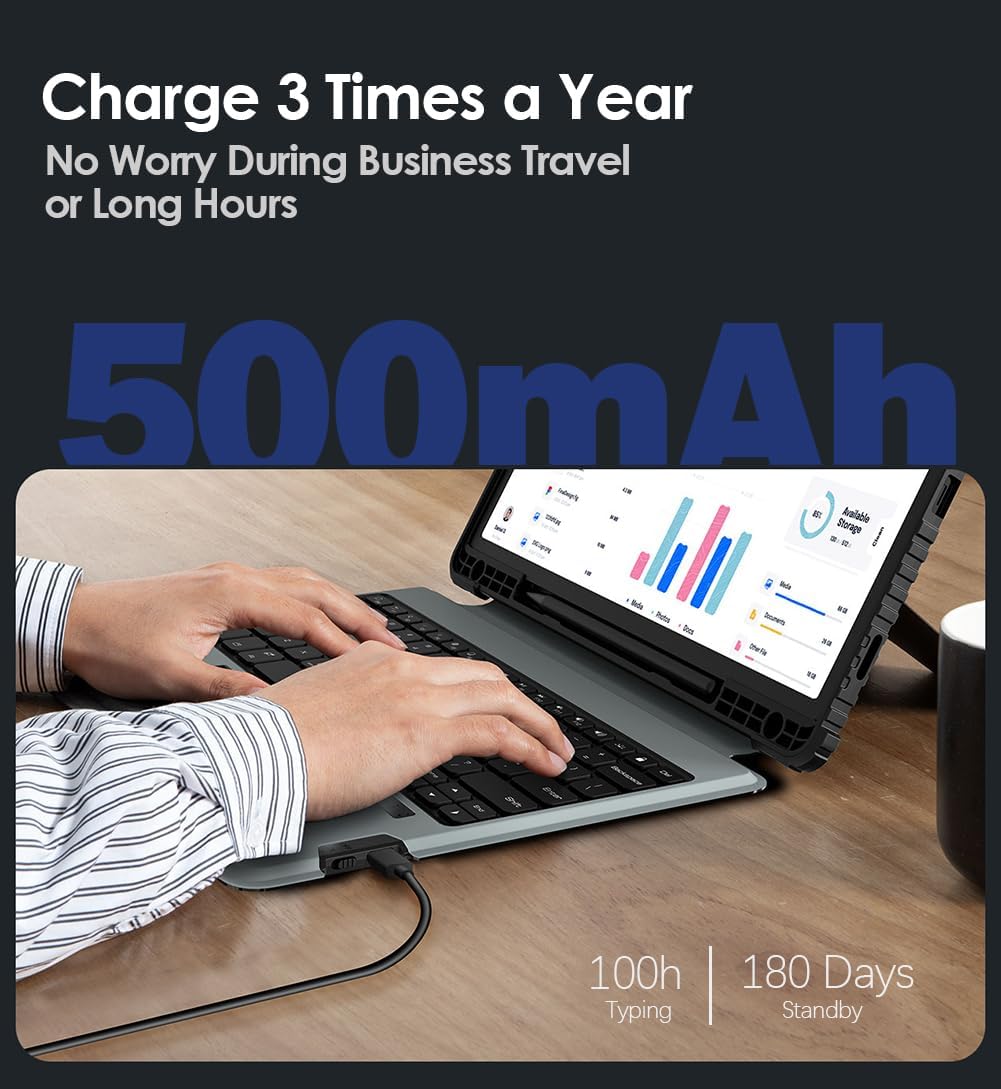
Image: Battery life details, showing 100 hours of typing and 180 days of standby time for the 500mAh battery.
4. Giderme
4.1 Klaviatura Qoşulmur
- Klaviaturanın işə salındığından və tam doldurulduğundan əmin olun.
- Verify Bluetooth is enabled on your tablet and the keyboard is in pairing mode (indicator light flashing).
- Forget the device in your tablet's Bluetooth settings and attempt to re-pair.
- Restart both the tablet and the keyboard.
4.2 Trackpad Problemləri
- Ensure the trackpad is enabled. Some keyboards have a function key combination to enable/disable the trackpad.
- Hər hansı bir kir və ya zibil təmizləmək üçün trackpad səthini təmizləyin.
- Check tablet settings for mouse and trackpad sensitivity and adjust as needed.
4.3 Arxa işıq işləmir
- Press the backlight key to cycle through brightness levels.
- Klaviatura batareyasının həddindən artıq aşağı olmadığından əmin olun.
5. Spesifikasiyalar
| Xüsusiyyət | Detal |
|---|---|
| Brend | Nillkin |
| Uyğun Cihazlar | Samsung Galaxy Tab S7 FE, Samsung Galaxy Tab S7 Plus, Samsung Galaxy Tab S8 Plus |
| Bağlantı texnologiyası | Bluetooth |
| Klaviatura Təsviri | Çox funksionaldır |
| Tövsiyə olunan istifadələr | Business, Education, Everyday Use, Multimedia, Personal, Student |
| Xüsusi Xüsusiyyətlər | Adjustable Stand, Backlit, Camera Cover, Heavy Duty Protection, Shockproof |
| Rəng | Qara |
| Klaviatura arxa işıqlandırma rəng dəstəyi | RGB (7 rəng) |
| Material | Metal, Polycarbonate, Thermoplastic Polyurethanes |
| Açarların sayı | 83 |
| Klaviatura düzümü | QWERTY |
| Güc mənbəyi | Batareya ilə işləyir |
| Batareya Tutumu | 500 mAh |
| Battery Life (Typing) | 100 saata qədər |
| Gözləmə vaxtı | 180 günə qədər |
| Suya davamlılıq səviyyəsi | Suya davamlı deyil |
6. Zəmanət və dəstək
6.1 Məhsul Zəmanəti
This Nillkin product comes with a 1 illik istehsalçı zəmanəti. Bu zəmanət normal istifadə zamanı material və işlənmə qüsurlarını əhatə edir. Zəmanət iddiaları üçün satınalma sübutunuzu özündə saxlayın.
6.2 Müştəri dəstəyi
Nillkin provides 7x24 customer service və ömür boyu texniki dəstək for its products. If you have any questions, require assistance, or encounter issues with your keyboard case, please contact Nillkin customer service through the listing page or your order page. We are committed to providing satisfactory support and ensuring a positive product experience.