
Giriş
Thank you for choosing the DYONDER Mini Wireless Controller. This compact gamepad is designed for enhanced gaming experiences across multiple platforms, including PlayStation 4 (PS4, PS4 Pro, PS4 Slim) and PC (Windows 10/8/7). It features dual vibration, a 6-axis sensor, and an audio function for immersive gameplay. Please read this manual carefully to ensure proper setup and operation.
Məhsul Bitdiview

Ön view of the DYONDER Mini Wireless Controller, showcasing onun kompakt dizaynı.

Dimensions of the controller: 145mm (5.7 inches) length, 75mm (3 inches) height, 45mm (1.5 inches) width.
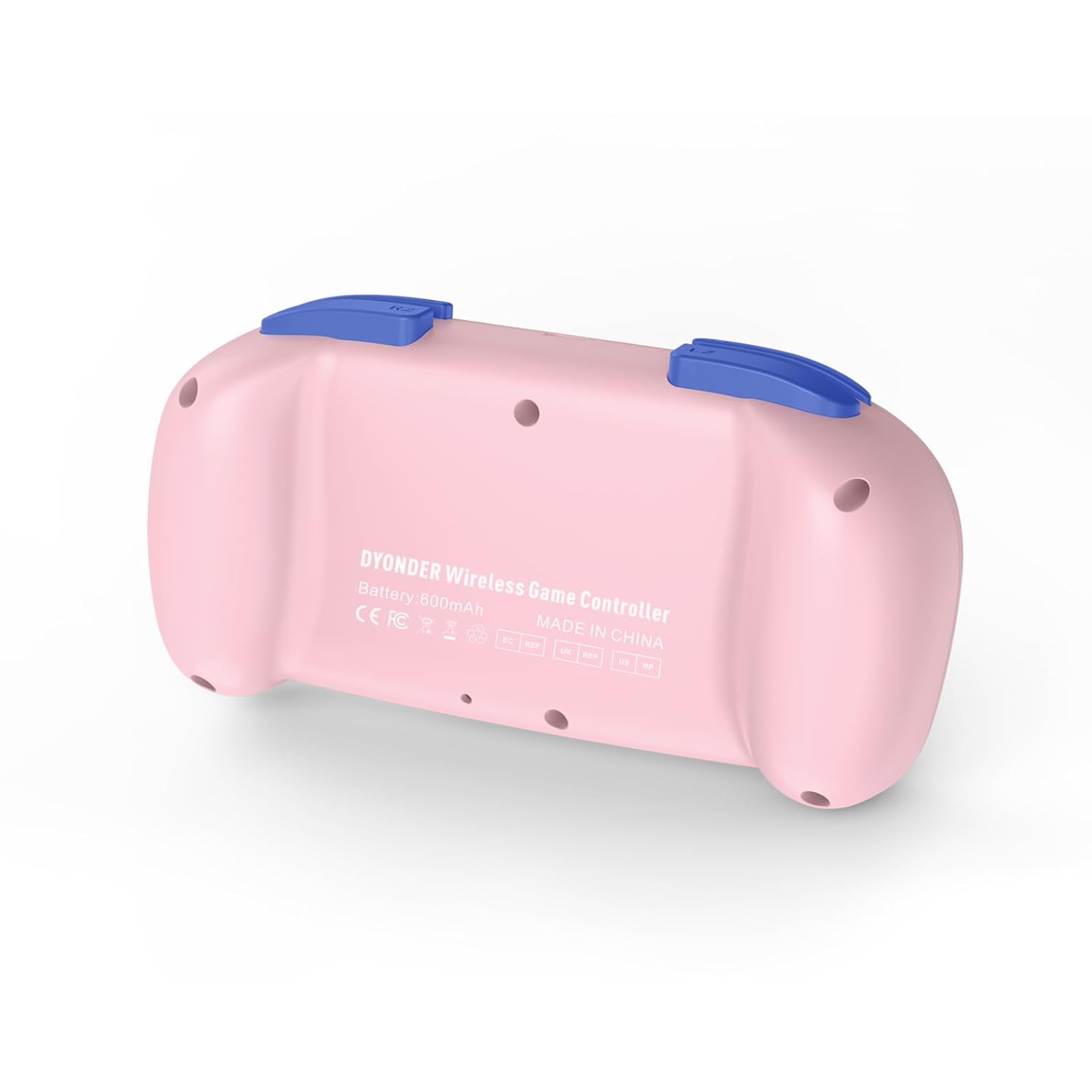
Geri view of the controller, showing the model information and regulatory marks.

Detailed layout of the controller buttons, including Multi-touch Pad, Share Button, Options Button, D-Pad, Left Stick, Right Stick, Home Button, R1/R2, L1/L2, and Charging Port.
Əsas Xüsusiyyətlər:
- Dual Vibration: Experience immersive feedback with dual vibration motors.
- 6 Oxlu Hərəkət Sensoru: Enhance dynamic feeling and control in compatible games.
- Quraşdırılmış 600 mAh Batareya: Provides 10-12 hours of playing time on a 2-hour charge.
- Multi-platform Support: Compatible with PS4/Pro/Slim, PC (Windows 10/8/7), iOS, and Android.
- Mini Design: Compact and easy to handle, especially suitable for smaller hands.
- Audio funksiyası: Includes a 3.5mm headphone jack for audio output.
Official product video demonstrating the DYONDER wireless controller for PS4, highlighting its features and design.
Quraşdırma və Bağlantı
Connecting to PlayStation 4 (PS4/Pro/Slim):
- PS4 konsolunuzun işə salındığından əmin olun.
- Connect the controller to the PS4 console using the provided USB cable.
- Press the Home button on the controller. The light bar will flash, indicating it's pairing.
- Once the light bar turns solid, the controller is successfully connected and ready for use.
- After initial pairing, you can disconnect the USB cable and use the controller wirelessly.
Connecting to PC (Windows 10/8/7):
- Simli Bağlantı: Connect the controller to your PC using a USB cable. The PC should automatically detect and install the necessary drivers.
- Bluetooth bağlantısı:
- Ensure your PC has Bluetooth enabled.
- On the controller, press and hold the Share button and the Home button simultaneously until the light bar starts flashing rapidly.
- On your PC, go to Bluetooth settings and search for new devices.
- Select the controller from the list of available devices to pair.
Connecting to iOS/Android Devices:
- Mobil cihazınızda Bluetooth-un aktiv olduğundan əmin olun.
- On the controller, press and hold the Share button and the Home button simultaneously until the light bar starts flashing rapidly.
- On your mobile device, go to Bluetooth settings and search for new devices.
- Select the controller from the list of available devices to pair.
Əməliyyat Təlimatları
Yandırma/Söndürmə:
- Güc Aktivdir: Press the Home button once.
- Söndürmək: Press and hold the Home button for approximately 10 seconds until the light bar turns off. The controller will also automatically power off after a period of inactivity.
Nəzarətçinin doldurulması:

The controller features a built-in 600mAh battery, providing 10-12 hours of playtime after a 2-hour charge.
- Connect the provided USB cable to the charging port on the controller and the other end to a USB power source (e.g., PS4 console, PC, or USB wall adapter).
- The light bar will slowly flash while charging and turn off when fully charged.
- A full charge typically takes about 2 hours and provides 10-12 hours of gameplay.
Using the Audio Function:
- Plug a 3.5mm compatible headset into the audio jack located on the bottom of the controller.
- Audio output will be routed through the headset.
Baxım
- Keep the controller clean by wiping it with a soft, dry cloth. Avoid using harsh chemicals or abrasive materials.
- Kontrolleri birbaşa günəş işığından və həddindən artıq temperaturdan uzaq sərin, quru yerdə saxlayın.
- Nəzarətçini yerə salmaqdan və ya güclü zərbələrə məruz qoymaqdan çəkinin.
- Do not attempt to disassemble or modify the controller, as this will void the warranty.
Problemlərin aradan qaldırılması
Nəzarətçi qoşulmur:
- Nəzarətçinin tam doldurulduğundan əmin olun.
- For PS4, try connecting via USB cable first to establish the initial pairing.
- Reset the controller: Locate the small reset button on the back of the controller (often inside a small hole). Use a thin object (like a paperclip) to press and hold the button for 3-5 seconds. Then, attempt to re-pair.
- Başqa Bluetooth cihazlarının bağlantıya mane olmadığından əmin olun.
Input Lag or Unresponsive Buttons/Sticks:
- Ensure the controller is within range of the console/device.
- Check for any physical obstructions between the controller and the console/device.
- If using a wired connection, try a different USB port or cable.
- Reset the controller as described above.
Batareya doldurulmur:
- Ensure you are using a reliable USB cable and power source.
- Problem davam edərsə, müştəri dəstəyi ilə əlaqə saxlayın.
Spesifikasiyalar
| Xüsusiyyət | Detal |
|---|---|
| Brend | DYONDER |
| Model nömrəsi (ASIN) | B0CFQ8816Z |
| Uyğun Cihazlar | PlayStation 4 (PS4/Pro/Slim), PC (Windows 10/8/7), iOS, Android |
| Nəzarətçi növü | Gamepad |
| Düymə Miqdarı | 15 |
| Avadanlıq Platforması | Gaming Console, PC, Mobile |
| Güc mənbəyi | Battery Powered (Built-in 600mAh) |
| Doldurma vaxtı | təqribən. 2 saat |
| Oynama vaxtı | təqribən. 10-12 saat |
| Rəng | Çəhrayı |
Zəmanət və Dəstək
For warranty information or technical support, please refer to the product packaging or contact DYONDER customer service directly. Keep your purchase receipt for any warranty claims.