
Giriş
Aldığınız üçün təşəkkür edirikasing the SNAKEBYTE GAMEPAD RGB X SB922312 wired controller. This manual provides essential information for setting up, operating, and maintaining your new gaming controller. Please read this manual thoroughly before use to ensure optimal performance and longevity of your device.

Ön view of the SNAKEBYTE GAMEPAD RGB X SB922312 wired controller, showcasing onun erqonomik dizaynı və düymə düzümü.
Paketin məzmunu
Bütün əşyaların paketdə olduğunu yoxlayın:
- SNAKEBYTE GAMEPAD RGB X SB922312 Wired Controller
- USB-C Cable (3 meters)
- İstifadəçi Təlimatı (bu sənəd)
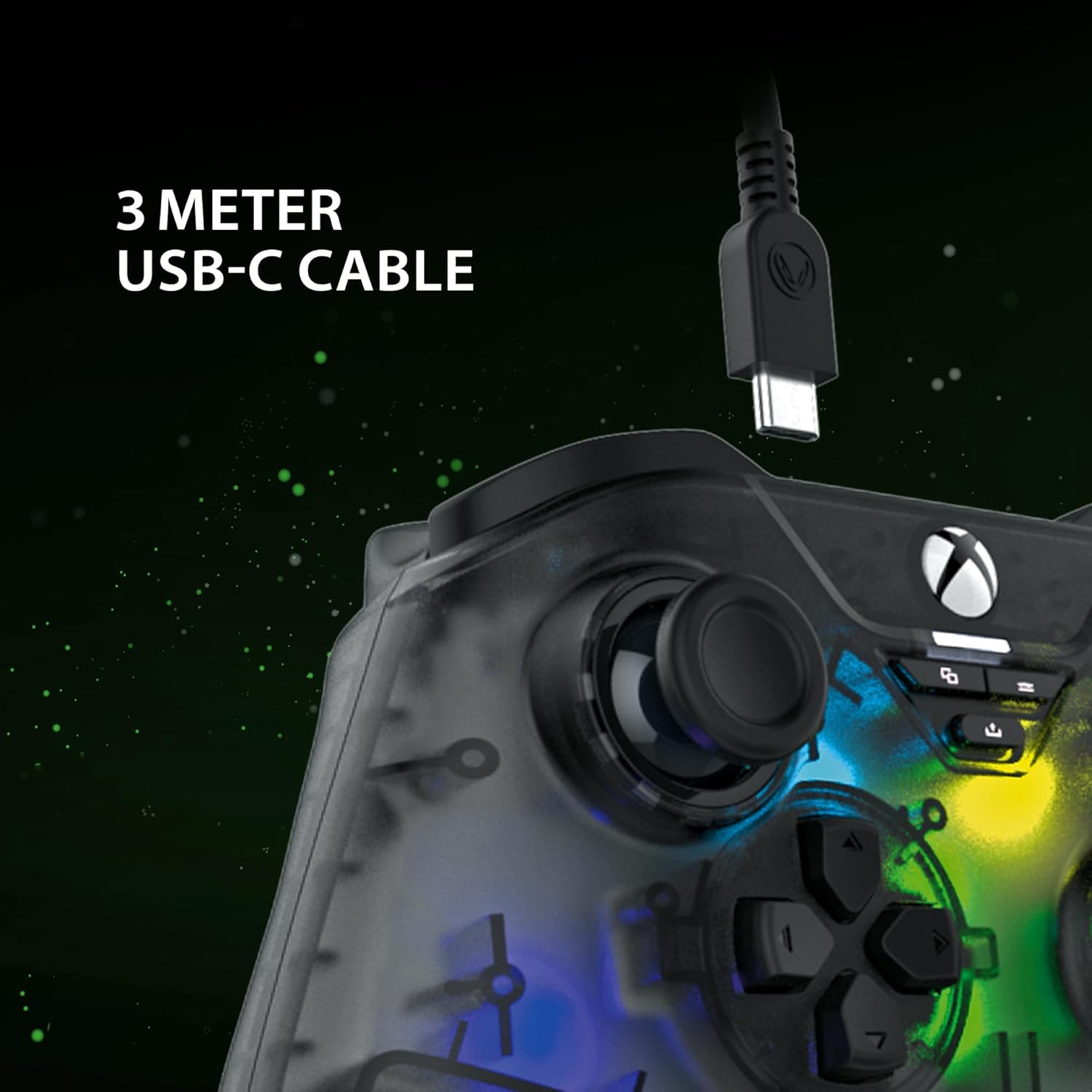
The included 3-meter USB-C cable for connecting the controller to your device.
Quraşdırma Təlimatları
- Connect to Xbox Series X:
- Plug the USB-C end of the cable into the controller.
- Plug the USB-A end of the cable into an available USB port on your Xbox Series X console.
- The controller will automatically connect and be ready for use.
- PC-yə qoşulun:
- Plug the USB-C end of the cable into the controller.
- Plug the USB-A end of the cable into an available USB port on your PC.
- Your PC should automatically detect and install the necessary drivers. If not, please visit the SNAKEBYTE support webSürücüləri yükləmək üçün sayt.
- The controller is compatible with Windows operating systems.
Əməliyyat Təlimatları
Düymələrin düzülüşü və funksiyaları
The controller features a standard Xbox-style button layout. Familiarize yourself with the following components:
- Analoq çubuqlar: Two clickable analog sticks for precise movement and camera control.
- D-Pad: Directional pad for menu navigation and specific game inputs.
- Fəaliyyət Düymələri (A, B, X, Y): Standard action buttons for in-game commands.
- Shoulder Buttons (LB, RB): Located on the top edge for quick actions.
- Triggers (LT, RT): Analog triggers for variable input, such as acceleration or aiming.
- View Düymə: Access in-game maps or menus.
- Menyu düyməsi: Access game menus or system options.
- Xbox düyməsi: Power on/off the console or access the Xbox Guide.
- Paylaş düyməsi: Capture screenshots or record game clips.
- 3.5 mm qulaqlıq yuvası: Connect a compatible headset for audio and chat.

The 3.5mm headset jack located at the bottom of the controller for audio connectivity.
RGB İşıqlandırma Nəzarəti
The controller features customizable RGB lighting. Specific buttons or combinations of buttons can be used to cycle through different static and dynamic color modes. Refer to the controller's dedicated RGB control button (if present) or the manufacturer's software for detailed customization options.

The controller displaying its customizable RGB lighting effects.
Əsas Xüsusiyyətlər
- Hall Effect Sensors: The analog sticks and triggers utilize Hall Effect sensors, which provide precise input and reduce wear, minimizing stick drift over time.
- Fərdiləşdirilə bilən RGB İşıqlandırma: Personalize your gaming experience with multiple static and dynamic RGB color modes.
- Simli Bağlantı: Ensures a stable, low-latency connection for competitive gaming.
- 3.5 mm qulaqlıq yuvası: Conveniently connect your gaming headset directly to the controller.
- High Polling Rate (PC): Offers a 1000 Hz polling rate on PC for ultra-responsive input.

An illustration of the Hall Effect sensor technology used in the analog sticks for enhanced precision and durability.

The Hall Effect triggers, designed for responsive and accurate input.
Baxım
Proper maintenance ensures the longevity of your controller:
- Təmizləmə: Kontrolleri silmək üçün yumşaq, quru parça istifadə edin. İnadkar kirlər üçün bir az dampsu ilə parça. Sərt kimyəvi maddələrdən və ya aşındırıcı materiallardan çəkinin.
- Yaddaş: Kontrolleri birbaşa günəş işığından və həddindən artıq temperaturdan uzaq sərin, quru yerdə saxlayın.
- Kabel Baxımı: Avoid bending or twisting the USB-C cable excessively. Always grasp the plug, not the cable, when disconnecting.
Problemlərin aradan qaldırılması
| Problem | Həll |
|---|---|
| Controller not recognized by Xbox/PC. |
|
| Düymələr və ya analoq çubuqlar cavab vermir. |
|
| Headset audio not working. |
|
Spesifikasiyalar
| Xüsusiyyət | Detal |
|---|---|
| Model nömrəsi | SB922312 |
| Bağlantı | Wired USB (USB-C to USB-A cable) |
| Kabel uzunluğu | 3 metr |
| Uyğunluq | Xbox Series X, PC (Windows) |
| Xüsusi Xüsusiyyətlər | RGB Lighting, Hall Effect Sensors (sticks & triggers), 3.5mm Headset Jack |
| Polling Rate (PC) | 1000 Hz |
| Düymələrin sayı | 17 |
| Ölçülər | 10 x 5 x 1.27 sm |
| Çəki | 250 q |
| Material növü | Akril |
Rəsmi Məhsul Videosu
Bu video 360 dərəcəlik görüntü təqdim edir view of the SNAKEBYTE GAMEPAD RGB X SB922312 controller, showcasing dizaynını hər tərəfdən.
Zəmanət və Dəstək
For warranty information, technical support, or further assistance, please visit the official SNAKEBYTE websaytına daxil olun və ya müştəri xidmətləri ilə əlaqə saxlayın. Zəmanət iddiaları üçün satınalma sübutunuzu saxlayın.
İstehsalçı: SNAKEBYTE
Websayt: www.snakebyte.com (Misamplink, faktiki link fərqli ola bilər)