
OSALO OS 991ES PLUS II
OSALO Scientific Calculator OS 991ES PLUS II User Manual
Model: OS 991ES PLUS II
Giriş
This manual provides detailed instructions for the proper use and maintenance of your OSALO Scientific Calculator OS 991ES PLUS II. This calculator is designed for efficient and accurate calculations, featuring 417 essential functions and a textbook-like written display. It is suitable for students and professionals across various academic disciplines.

Şəkil: Ön view of the OSALO Scientific Calculator OS 991ES PLUS II, displaying a complex integral calculation.
Parts of the Calculator
Familiarize yourself with the various components and keys of your calculator for optimal use.

Image: Diagram illustrating the key components of the OSALO Scientific Calculator, including the solar panel, extra large display, control keys, SHIFT key, Mode key, Power on/off, function keys, Delete key, and Last answer key.
- Günəş paneli: Provides power in well-lit environments.
- Əlavə Böyük Ekran: Shows calculations and results in a clear, textbook-like format.
- İdarəetmə düymələri: Navigation and selection buttons.
- SHIFT düyməsi: Accesses secondary functions printed above keys.
- ALPHA Key: Accesses alpha characters and variables.
- MODE/SETUP Key: Changes calculator modes and settings.
- ON Key: Kalkulyatoru işə salır.
- Funksiya düymələri: Dedicated keys for mathematical operations (e.g., sin, cos, tan, log, ln, square root, power).
- DEL Key: Deletes the last entered character.
- AC açarı: Clears all calculations and resets the display.
- ANS Key: Recalls the last answer.
Quraşdırma
Battery Installation and Power Source
The OSALO Scientific Calculator OS 991ES PLUS II operates on both solar power and a single LR44 battery (included). The solar panel provides power in sufficient light, while the battery ensures operation in low-light conditions or when solar power is insufficient.
- Kalkulyatorun söndürüldüyünə əmin olun.
- Kalkulyatorun arxasındakı batareya bölməsini tapın.
- Open the battery cover using a small screwdriver if necessary.
- Insert the LR44 battery, ensuring the correct polarity (+/-).
- Batareyanın qapağını etibarlı şəkildə bağlayın.
The calculator will automatically switch between solar and battery power as needed. For optimal performance, use the calculator in a well-lit environment.
Əməliyyat Təlimatları
This section details the various functions and modes of your OSALO Scientific Calculator.
Gücü yandırın/söndürün
- Yandırmaq üçün: düyməsini basın ON açar.
- Söndürmək üçün: Basın SHIFT sonra AC (KAPALI).
Basic Calculations (COMP Mode)
The default mode for general arithmetic operations. To enter COMP mode, press MODE/SETUP and select 1:COMP.
- Addition, Subtraction, Multiplication, Division: Enter numbers and operators as you would write them. Press = nəticə üçün.
- Fraksiyalar: istifadə edin ab/c key to input fractions. To convert between fractions and decimals, press S<=>D.
- Güclər və Köklər: istifadə edin x², x³, x^, √, ³√ açarlar.
Textbook-Like Written Display
The calculator features a natural input and output display, mimicking how expressions appear in textbooks. This enhances readability and simplifies complex equation entry.

Image: The calculator's display showing mathematical expressions in a natural, textbook-like format, including fractions and square roots.
Kontrast tənzimlənməsi
Adjust the screen contrast to relieve visual fatigue and ensure clear visibility in various lighting conditions.
- basın SHIFT sonra MODE/SETUP SETUP menyusuna daxil olmaq üçün.
- Navigate to "Contrast" (usually option 8 or 9).
- Use the left and right arrow keys to adjust the display contrast.
- basın AC quraşdırma menyusundan çıxmaq üçün.
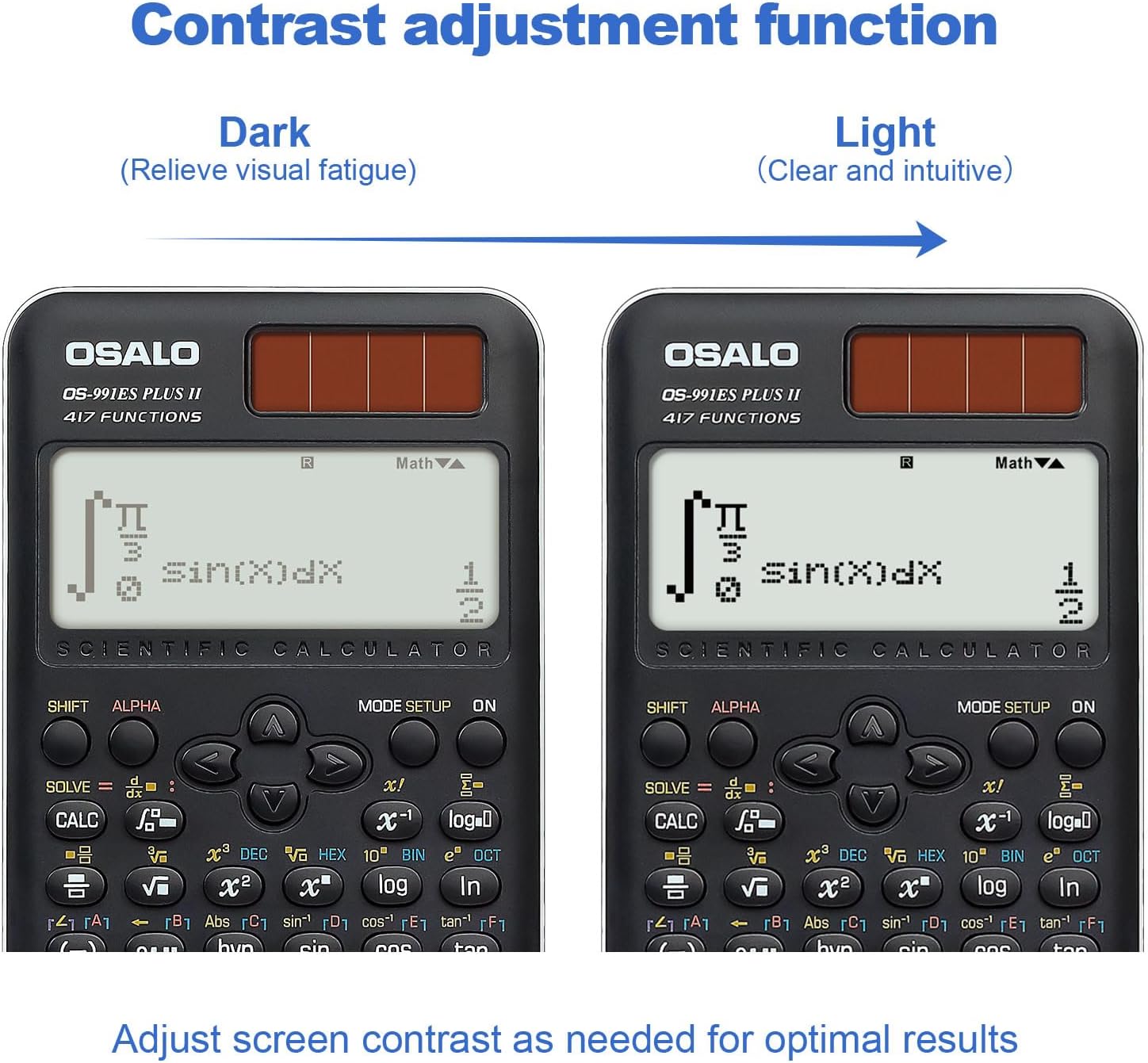
Şəkil: İki views of the calculator display, demonstrating the contrast adjustment function from dark (to relieve visual fatigue) to light (clear and intuitive).
Advanced Functions and Modes (417 Functions)
The calculator offers 8 primary calculation modes and 417 functions to handle a wide range of mathematical problems.

Image: The calculator alongside a list of its 8 calculation modes: COMP (General calculations), CMPLX (Complex numbers), STAT (Statistics), BASE-N, Equation solution, Matrix Calculations, TABLE, and VECTOR.
- COMP (Ümumi Hesablamalar): Standard arithmetic, fractions, powers, roots, logarithms, trigonometric functions.
- CMPLX (Kompleks Nömrə Hesablamaları): Perform operations with complex numbers. Press MODE/SETUP and select 2:CMPLX.
- STAT (Statistics): Calculate mean, standard deviation, regression analysis. Press MODE/SETUP and select 3:STAT.
- BASE-N: Convert and calculate in different number bases (binary, octal, decimal, hexadecimal). Press MODE/SETUP and select 4:BASE-N.
- Equation Solving: Solve linear equations, quadratic equations, and cubic equations. Press MODE/SETUP and select 5:EQN.
- Matrix Operations: Perform matrix addition, subtraction, multiplication, determinants, and transpositions. Press MODE/SETUP and select 6:MATRIX.
- CƏDVƏL: Generate a table of values for a given function. Press MODE/SETUP and select 7:TABLE.
- Vektor: Perform vector calculations. Press MODE/SETUP and select 8:VECTOR.
- Triqonometriya: Sine, Cosine, Tangent, and their inverses. Ensure correct angle unit (Degrees, Radians, Gradians) is set via SHIFT MODE/SETUP (DRG).
- Integration and Differentiation: Use the dedicated integral (∫dx) and differential (d/dx) keys for calculus operations.
- Function Analysis: Advanced functions for analyzing mathematical expressions.
Smart History and Quick Recall
The calculator stores previous calculations, allowing for quick retrieval, reuse, or editing of formulas. Use the ▲ və ▼ arrow keys to scroll through calculation history.
Baxım
- Təmizləmə: Kalkulyatoru yumşaq, quru parça ilə silin. Aşındırıcı təmizləyicilərdən və ya həlledicilərdən istifadə etməyin.
- Yaddaş: Kalkulyatoru birbaşa günəş işığından və həddindən artıq temperaturdan uzaq sərin, quru yerdə saxlayın.
- Batareyanın dəyişdirilməsi: If the display becomes dim or the calculator functions erratically, replace the LR44 battery.
- Damlalardan çəkinin: Protect the calculator from impacts and drops, which can damage internal components or the display.
Problemlərin aradan qaldırılması
| Problem | Mümkün Səbəb | Həll |
|---|---|---|
| Kalkulyator açılmır. | Insufficient light for solar power, dead battery, or internal issue. | Move to a brighter area. Replace the LR44 battery. If problem persists, contact support. |
| Ekran tutqun və ya oxunmur. | Low battery, insufficient light, or contrast setting. | Replace battery. Ensure adequate lighting. Adjust display contrast (see Operating Instructions). |
| Yanlış hesablama nəticələri. | Incorrect mode selected, syntax error, or input error. | Verify the correct mode (e.g., COMP, STAT). Check your input for syntax errors. Refer to the specific function section in this manual. |
| Açarlar cavab vermir. | Dust/debris under keys, or internal malfunction. | Düymələrin ətrafını ehtiyatla təmizləyin. Problem davam edərsə, dəstək xidməti ilə əlaqə saxlayın. |
Spesifikasiyalar
- Model: OS 991ES PLUS II
- Funksiyalar: 417
- Ekran: 2-line, 10+2 digits, Textbook-Like Written Display
- Güc mənbəyi: Solar and Battery (1 x LR44 included)
- Ölçülər: 6.4 x 3.15 x 0.1 düym (164 x 80 x 17 mm)
- Maddə çəkisi: 5.3 unsiya (145 q)
- Rəng: Qara
- Kalkulyator növü: Mühəndislik/Elmi
- ASIN: B0CJJ15LVC
- İstehsalçı: OSALO
- Mənşə ölkəsi: Çin

Image: Diagram showing the dimensions (length, width, thickness) and net weight of the OSALO Scientific Calculator.
Zəmanət və Dəstək
OSALO products are manufactured to high-quality standards. For warranty information or technical support, please refer to the warranty card included with your product or visit the official OSALO websayt. Satınalma qəbzini alışın sübutu olaraq saxlayın.
For further assistance, you may contact the seller directly through the platform where the product was purchased.
Ask a question about this manual
Ask about setup, troubleshooting, compatibility, parts, safety, or missing instructions. Manuals+ will review the question and use this page’s manual context to help answer it.