
Giriş
Aldığınız üçün təşəkkür edirikasing the Emerson EPD-1001 Portable 10-inch DVD Player. This manual provides essential information for setting up, operating, and maintaining your device. Please read these instructions carefully before use to ensure proper functionality and to maximize your viewtəcrübə.
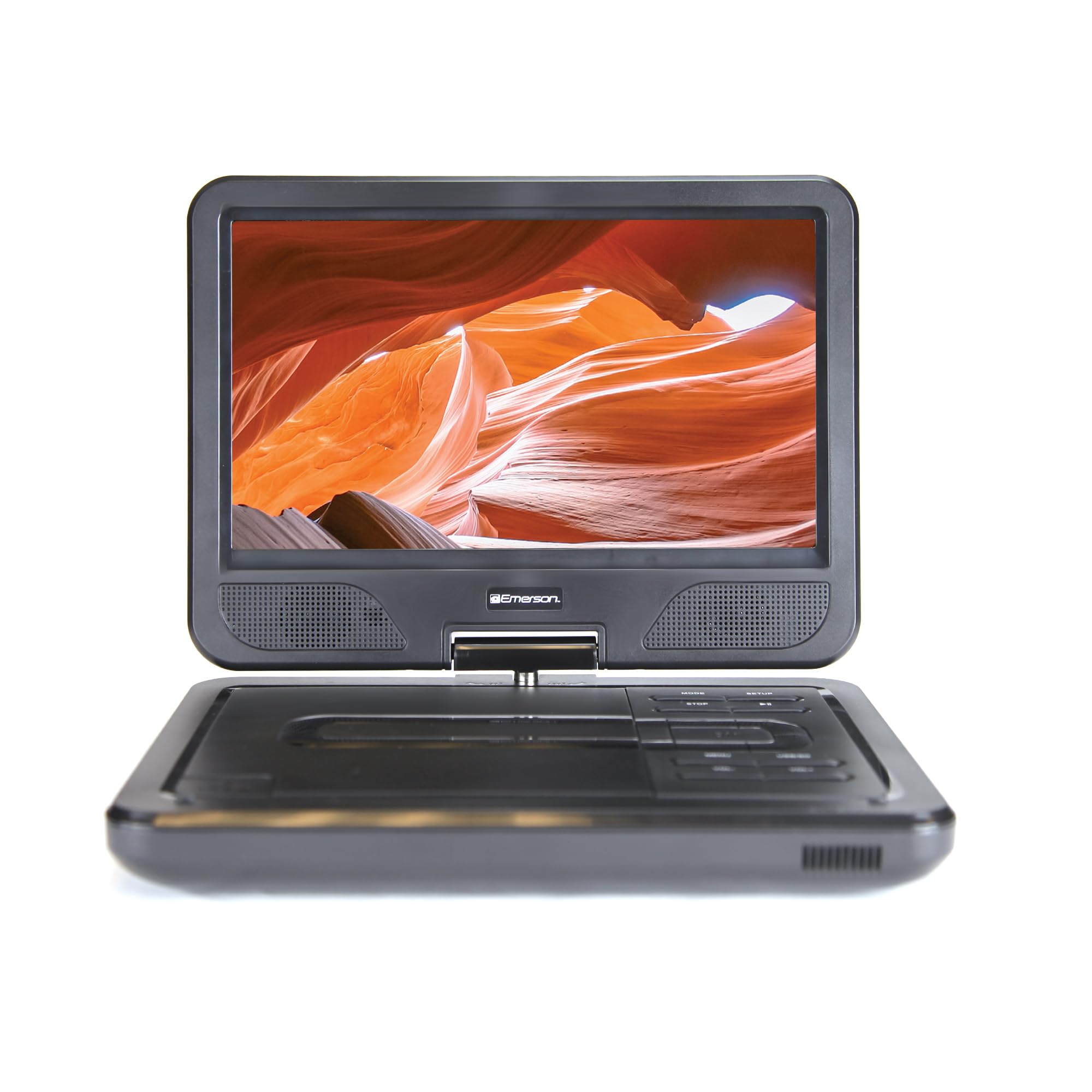
Image: The Emerson EPD-1001 Portable 10-inch DVD Player shown with its screen open, displaying a vibrant image.
Qutuda nə var
Bütün əşyaların qablaşdırmada olduğunu yoxlayın:
- Emerson EPD-1001 Portable 10-inch DVD Player
- Uzaqdan İdarəetmə
- AC Güc Adapteri
- DC Car Cord
- AV Cable
- İstifadəçi Təlimatı (bu sənəd)
- Zəmanət kartı

Image: The Emerson EPD-1001 Portable 10-inch DVD Player displayed alongside its remote control.
Məhsul Xüsusiyyətləri
- 10-inch Swivel Screen: The large 10-inch screen swivels 180 degrees, allowing for flexible viewbucaqlar.
- Quraşdırılmış Dinamik: Integrated speaker provides clear audio for an immersive experience.
- Yenidən doldurulan batareya: Enjoy portable viewing with the built-in rechargeable battery, offering hours of playback.
- Uzaqdan İdarəetmə: Navigate menus and control playback effortlessly with the included remote.
- Kompakt dizayn: Lightweight and compact for easy transport during travel.
- Multi-Format Compatibility: Supports a wide range of DVD formats, as well as media from USB flash drives and SD cards.
Video: A 360-degree product overview of the Emerson EPD-1001 Portable DVD Player, showcasing its design and features from various angles.
Quraşdırma
- Qablaşdırma: Bütün komponentləri qablaşdırmadan diqqətlə çıxarın. Gələcək saxlama və ya göndərmə üçün qablaşdırmanı saxlayın.
- Batareyanın doldurulması: Before first use, fully charge the internal rechargeable battery. Connect the AC power adapter to the DC IN 9-12V port on the DVD player and plug it into a standard wall outlet. The charging indicator light will illuminate. A full charge typically takes several hours.
- Car Power (Optional): For in-car use, connect the DC car cord to the DC IN 9-12V port and plug the other end into your vehicle's 12V accessory socket.
- External Display Connection (Optional): To connect to an external display (e.g., TV), use the provided AV cable. Connect the AV OUT port on the DVD player to the corresponding AV IN ports on your television.

Image: A hand plugging a 12V car adapter into a vehicle's power outlet, demonstrating how to power the DVD player on the go.
Əməliyyat Təlimatları
Yandırılır/Söndürülür
- Yandırmaq üçün düyməsini basıb saxlayın GÜC ekran işıqlanana qədər düyməsini basın.
- Söndürmək üçün düyməsini basıb saxlayın GÜC Ekran sönənə qədər düyməni yenidən basın.
Inserting and Playing a DVD
- Open the disc cover by gently lifting the AÇIQ mandal.
- Place a DVD disc onto the spindle with the label side facing up. Gently press the center of the disc to secure it.
- Disk qapağını bağlayın.
- The player will automatically detect the disc and begin playback. If not, press the OYNA/FASIL EDİN düyməsi.
Using the Swivel Screen
The screen can be rotated up to 180 degrees. Gently swivel the screen to your desired viewing angle. You can also fold the screen flat against the base for a tablet-like viewtəcrübə.

Image: A woman using the Emerson EPD-1001 Portable DVD Player, demonstrating the swivel screen feature for comfortable viewing.
Media Playback (USB/SD Card)
- USB flash sürücüsünü daxil edin USB port və ya SD kartı daxil edin SD kart yuva.
- istifadə edin MODE button on the player or remote to select the appropriate input (USB or SD).
- Navigate through your media fileOx düymələrindən istifadə edərək basın ENTER oynamaq.

Image: A hand inserting a USB flash drive into the side port of the portable DVD player, illustrating media playback from external storage.
Uzaqdan İdarəetmədən istifadə
Point the remote control directly at the infrared sensor on the DVD player. The remote allows access to functions such as Play, Pause, Stop, Fast Forward, Rewind, Chapter Skip, Volume Control, Menu Navigation, and Input Selection.
Audio Çıxış
- Quraşdırılmış Dinamiklər: Audio will play automatically through the integrated speakers. Adjust volume using the VOL+ və həcmdə düymələri.
- Qulaqlıq Jack: For private listening, plug standard 3.5mm headphones into the QULAQLIQ jack. This will mute the built-in speakers.
Baxım
- Təmizləmə: Use a soft, dry cloth to clean the exterior of the DVD player. For the screen, use a soft, lint-free cloth specifically designed for electronics screens. Do not use liquid cleaners or abrasive materials.
- Disk Baxımı: Handle discs by their edges. Keep discs clean and free of scratches. Use a soft, lint-free cloth to wipe discs from the center outwards if cleaning is necessary.
- Batareyaya qulluq: To prolong battery life, avoid fully discharging the battery frequently. If storing the device for an extended period, charge the battery to approximately 50% and store in a cool, dry place. Recharge every few months to prevent deep discharge.
- Yaddaş: Store the DVD player in a cool, dry environment away from direct sunlight, extreme temperatures, and excessive dust.
Problemlərin aradan qaldırılması
| Problem | Mümkün Səbəb | Həll |
|---|---|---|
| Pleyer işə düşmür. | Batareya tükənib və ya enerji adapteri qoşulmayıb. | Connect the AC power adapter and allow the battery to charge. Ensure the power button is pressed and held. |
| Ekranda şəkil yoxdur. | Disc is dirty/scratched, incorrect input selected, or screen is folded incorrectly. | Clean the disc. Ensure the screen is properly opened and swiveled. If connected to an external display, verify AV cable connections and TV input selection. |
| Səs yoxdur. | Volume is too low, headphones are connected, or disc has no audio track. | Increase the volume. Disconnect headphones if using built-in speakers. Check disc for audio content. |
| Disk oxudulmur və ya səssiz qalır. | Disk çirklidir, cızılıb və ya formata uyğun gəlmir. | Clean the disc thoroughly. Try a different disc. Ensure the disc format is supported by the player. |
| Pult işləmir. | Batteries are dead or remote is not pointed at sensor. | Replace remote control batteries. Ensure direct line of sight to the player's IR sensor. |
Spesifikasiyalar
| Xüsusiyyət | Detal |
|---|---|
| Brend | Emerson |
| Model nömrəsi | EPD-1001 |
| Ekran Ölçüsü | 10 düym |
| Ekran növü | LCD |
| Doğma Qətnamə | 1280x720 |
| Bağlantı texnologiyası | USB |
| Uyğun Cihazlar | Mobile Phone, Television (via AV out) |
| Media növü | DVD, CD, MP3, USB, SD Card |
| Element Ölçüləri (U x G x Y) | 10"U x 1.8"W x 7.35"H |
| Maddə Çəkisi | 2.2 funt sterlinq |
| Rəng | Qara |
| Güc Seçimləri | Built-in rechargeable battery, AC adapter, 12V car adapter |

Image: A diagram illustrating the dimensions (length, width, height) and weight of the Emerson EPD-1001 Portable DVD Player.
Zəmanət və Dəstək
The Emerson EPD-1001 Portable 10-inch DVD Player comes with a warranty covering 1 Year for Parts və 90 Days for Labor satın alındığı tarixdən.
For technical support, warranty claims, or service inquiries, please contact the manufacturer, Naxa Electronics, Inc. Refer to the warranty card included in your product packaging for specific contact details and procedures.
Zəmanətin yoxlanılması üçün satınalma sübutunuzu saxlayın.