
1. Giriş
This manual provides detailed instructions for the Varmilo VA Series V2 Aurora Bluetooth White LED Mechanical Keyboard. It covers setup, operation, maintenance, and troubleshooting to ensure optimal performance and user experience. The VA Series V2 features an upgraded design with a standard USB-C cable, a double-section kickstand for enhanced adjustability, North-facing LEDs, and sound-proof silicone pads for a quieter typing experience. Indicator lights are positioned on the top right to minimize distractions.
2. Paketin məzmunu
Qutunu açarkən paketin içindəkiləri yoxlayın. Hər hansı bir əşya itkin düşərsə və ya zədələnərsə, müştəri dəstəyi ilə əlaqə saxlayın.
- Varmilo VA Series V2 Aurora Mechanical Keyboard
- USB-C kabeli
- İstifadəçi Təlimatı (bu sənəd)
3. Quraşdırma
3.1 Fiziki Quraşdırma
- Klaviaturanı paketdən çıxarın: Klaviaturanı və bütün aksesuarları qablaşdırmadan ehtiyatla çıxarın.
- Stendləri tənzimləyin: The keyboard features two-stage height adjustable feet. Flip out the desired kickstands on the underside of the keyboard to achieve your preferred typing angle.

Image: The underside of the keyboard, highlighting the two-stage adjustable kickstand for ergonomic positioning.
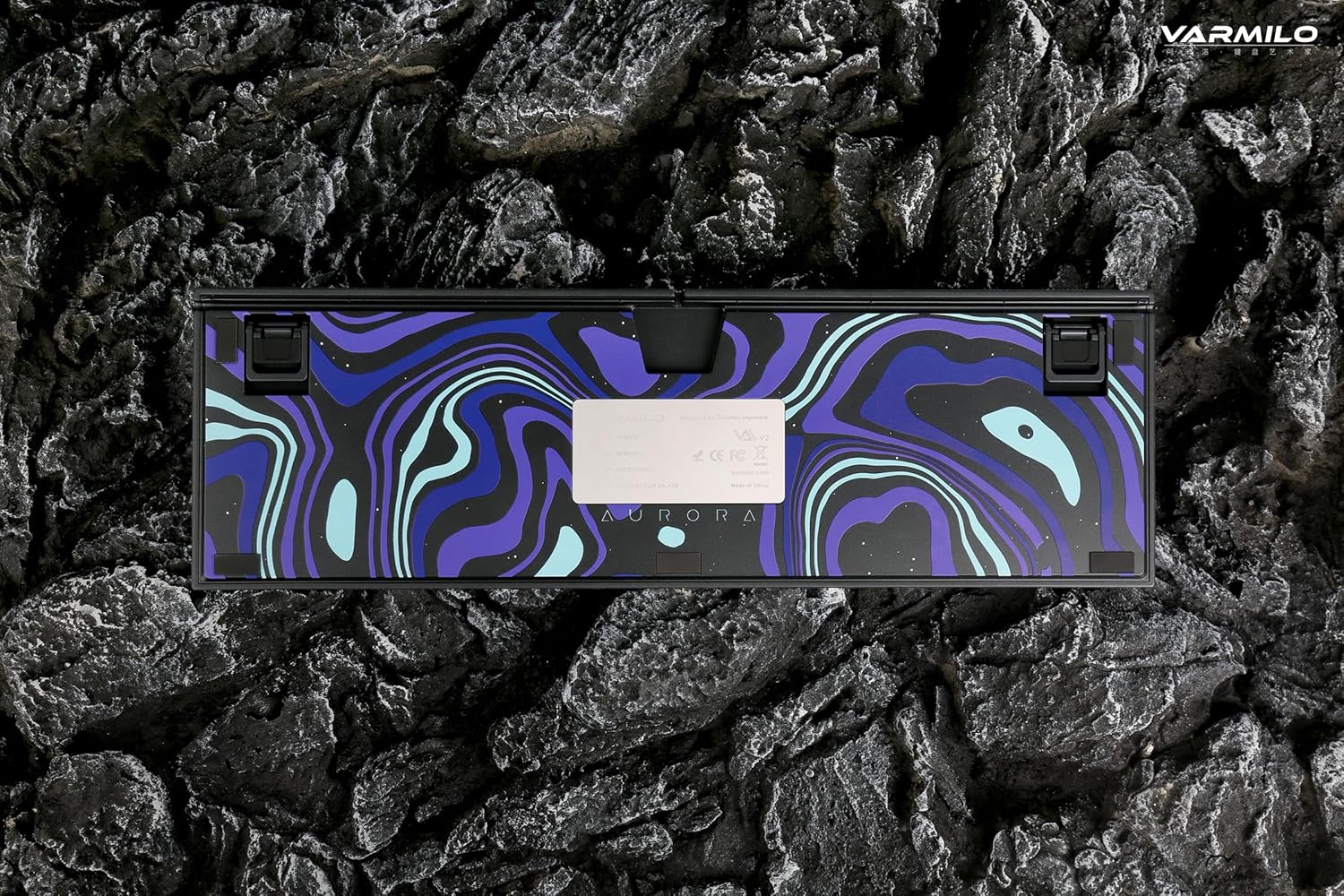
Image: The bottom of the keyboard, illustrating the cable grooves that allow the USB-C cable to exit from the left, right, or middle.
3.2 Qoşulma üsulları
3.2.1 Wired Connection (USB-C)
- Klaviaturanın arxasındakı USB-C portunu tapın.
- Connect the provided USB-C cable to the keyboard and the other end to an available USB port on your computer or device.
- The keyboard will be automatically recognized by your operating system. The indicator light will show charging status if the battery is low.
3.2.2 Bluetooth Simsiz Bağlantısı
The Varmilo VA Series V2 Aurora keyboard supports connecting up to 3 devices wirelessly via Bluetooth.
- Bluetooth rejiminə keçin: Locate the mode switch on the keyboard (usually on the back or side) and set it to Bluetooth mode.
- Cütləşmə rejiminə daxil olun: Basın və saxlayın Fn + Daxil edin (for Bluetooth device 1), Fn + Ev (for Bluetooth device 2), or Fn + Səhifə Yuxarı (for Bluetooth device 3) for 3-5 seconds until the indicator light flashes rapidly, indicating pairing mode.
- Cihazınızda Bluetooth-u aktivləşdirin: On your computer, smartphone, or tablet, go to Bluetooth settings and turn on Bluetooth.
- Klaviaturanı seçin: Look for "Varmilo VA2" or a similar name in the list of available devices and select it to pair.
- Qoşulmanı təsdiqləyin: Once paired, the indicator light on the keyboard will stop flashing and remain solid for a few seconds, then turn off or show battery status.
- Pair Additional Devices: Repeat steps 2-5 using a different Fn key combination (Fn + Home or Fn + Page Up) to pair up to two more devices.
4. Əməliyyat Təlimatları
4.1 Cihazlar Arasında Keçid
- To switch to Bluetooth device 1: Press Fn + Daxil edin.
- To switch to Bluetooth device 2: Press Fn + Ev.
- To switch to Bluetooth device 3: Press Fn + Səhifə Yuxarı.
- To switch to Wired mode: Set the mode switch on the keyboard to Wired mode.
4.2 LED Backlight Control
The keyboard features a White LED backlight. Use the following key combinations to control the backlight:
- Fn + < (Left Arrow): Arxa işığın parlaqlığını azaldın.
- Fn + > (Right Arrow): Arxa işığın parlaqlığını artırın.
- Fn + Yuxarı Ox: Change backlight mode/effect.
- Fn + Aşağı Ok: Change backlight mode/effect (reverse direction).
- Fn + Z: Turn backlight on/off.
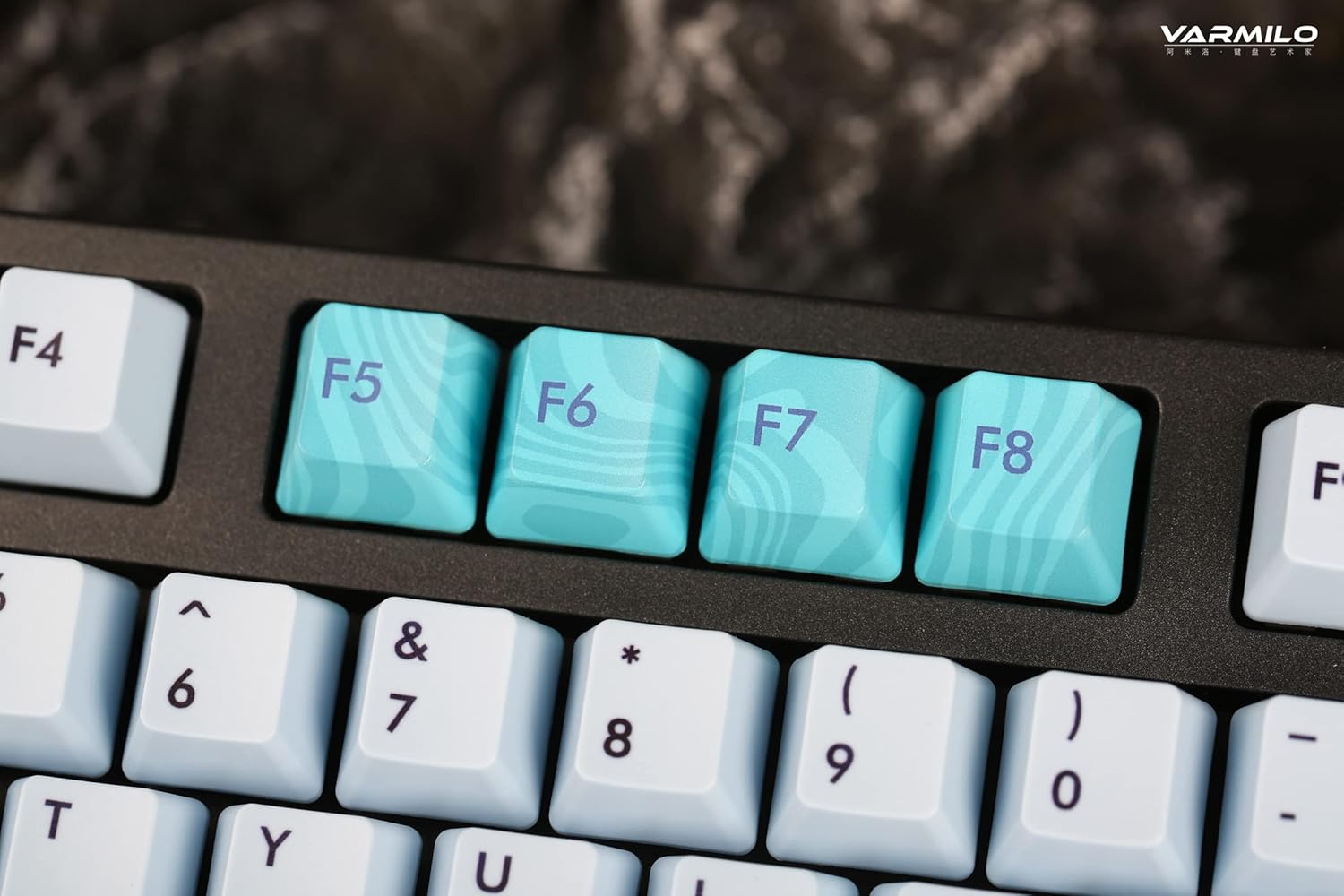
Image: Close-up of the arrow keys, which are used in combination with the Fn key to control backlight brightness and modes.
4.3 Function Keys and Multimedia Controls
The keyboard features a full-size (104 + 4) layout with dedicated function keys and multimedia controls accessible via the Fn açar.
- Fn + F1-F12: Access various system functions (e.g., media playback, volume control, screen brightness). Refer to your operating system's settings for specific mappings or common keyboard shortcuts.
- Fn + Windows Key: Oyun zamanı təsadüfi basılmaların qarşısını almaq üçün Windows düyməsini kilidləyin/açın.
- Fn + Right Ctrl: Switch between Mac/Windows layout (if applicable, check specific model features).

Şəkil: Yaxın plan view of the F5-F8 keys, showcasing their unique design and potential secondary functions.
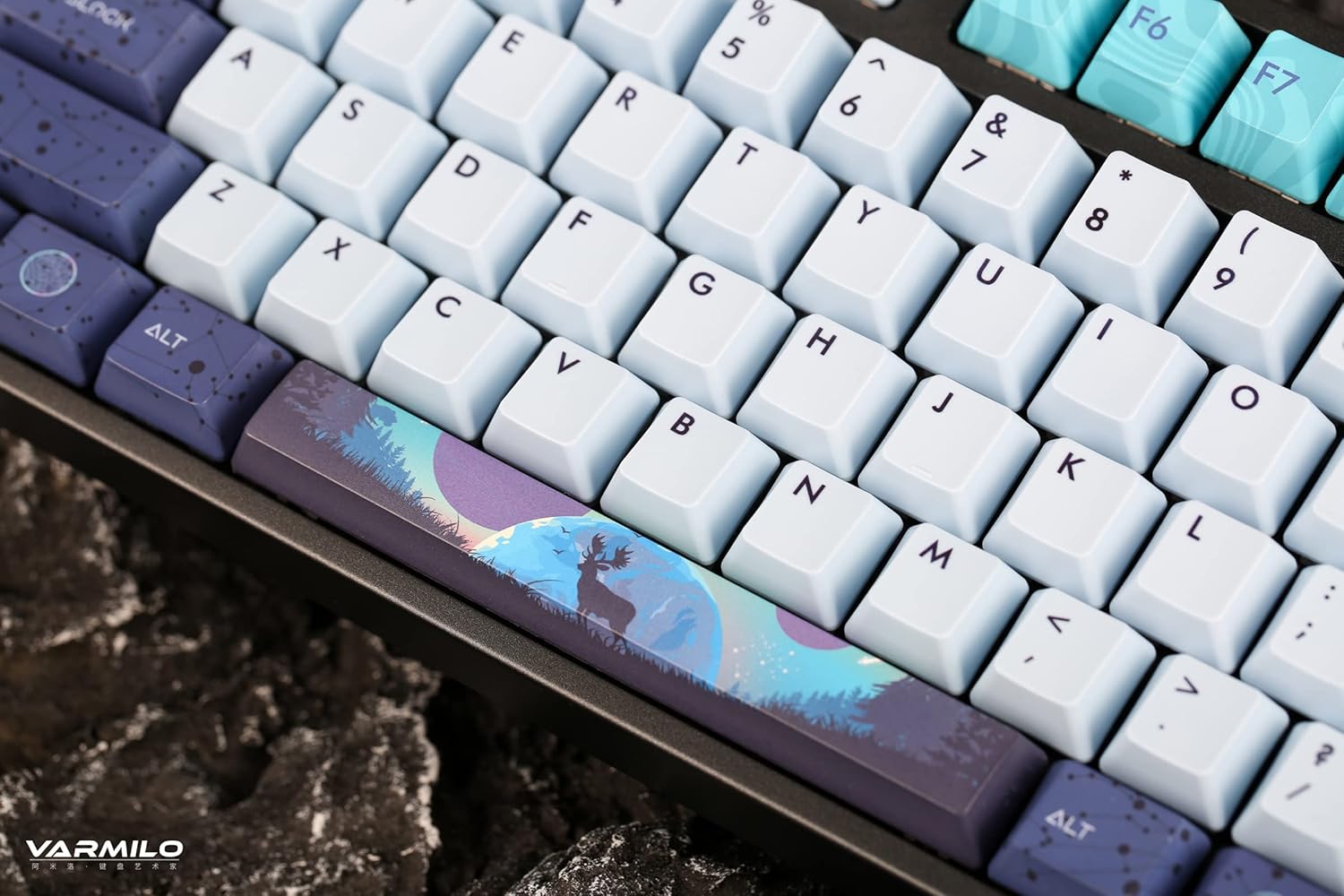
Şəkil: ətraflı view of the keyboard's keycaps, including a custom-designed spacebar, highlighting the thick Dye Sub PBT keycaps.
5. Baxım
Proper maintenance ensures the longevity and performance of your Varmilo keyboard.
- Təmizləmə: Use a soft brush or compressed air to remove dust and debris from between the keycaps. For stubborn dirt, gently wipe the keycaps with a damp cloth and mild soap solution, ensuring no liquid enters the keyboard.
- Klaviaturanın çıxarılması: If you need to clean under the keycaps or replace them, use a keycap puller. Gently pull the keycap straight up to avoid damaging the switch. The keyboard features durable Dye Sub PBT keycaps.
- Yaddaş: Uzun müddət istifadə edilmədikdə, klaviaturanı quru, tozsuz bir mühitdə saxlayın.
- Mayelərdən çəkinin: Do not expose the keyboard to liquids. Spills can cause permanent damage.
6. Giderme
| Problem | Mümkün Səbəb | Həll |
|---|---|---|
| Klaviatura cavab vermir (simli) | Loose USB-C cable connection; faulty USB port; incorrect mode. |
|
| Klaviatura cavab vermir (Bluetooth) | Not paired; out of range; low battery; incorrect Bluetooth channel selected. |
|
| Arxa işıq işləmir | Backlight turned off; brightness set to minimum; low battery. |
|
| Açarlar qeydiyyatdan keçmir və ya ikiqat yazılmır | Dust/debris under keycap; switch malfunction; software issue. |
|
7. Spesifikasiyalar
| Xüsusiyyət | Detal |
|---|---|
| Brend | Varmilo |
| Model | VA Series V2 Aurora |
| Klaviatura növü | Mexanik |
| Keçid Tipi | Kailh Prestige Red |
| Bağlantı | USB-C (Wired), Bluetooth (Wireless) |
| Simsiz Cihazlar | Connects up to 3 devices wirelessly |
| Düymələr | Thick Dye Sub PBT |
| Arxa işıq | White LED, North-facing |
| Layout | Full-size (104 + 4 keys) |
| Uyğun Cihazlar | Noutbuk, kompüter, smartfon, planşet |
| Xüsusi Xüsusiyyətlər | İki-stage height adjustable feet, Sound-proof silicone pads, Cable grooves |
| Material | Silicone (internal sound dampening) |
8. Zəmanət və Dəstək
Varmilo products are designed for quality and durability. For warranty information, technical support, or service inquiries, please refer to the official Varmilo websayta daxil olun və ya satıcınızla əlaqə saxlayın.
You can visit the official Varmilo Store for more information: Varmilo Store on Amazon.