
1. Giriş
Thank you for choosing the ZIPRO Nitro RS Home Exercise Bike. This manual provides essential information for the safe assembly, operation, and maintenance of your new fitness equipment. Please read all instructions carefully before use to ensure optimal performance and safety.

Image: The ZIPRO Nitro RS Home Exercise Bike, showcasinzərif dizaynı və əsas xüsusiyyətləri ilə seçilir.
2. Əhəmiyyətli Təhlükəsizlik Məlumatı
Before beginning any exercise program, consult with your physician. Failure to follow these safety instructions could result in injury or damage to the equipment.
- Hər istifadədən əvvəl bütün hissələrin etibarlı şəkildə bərkidilməsini təmin edin.
- Əməliyyat zamanı uşaqları və ev heyvanlarını avadanlıqdan uzaq tutun.
- İdman velosipedini düz, sabit bir səthə qoyun.
- Müvafiq idman geyimi və ayaqqabı geyin.
- Maksimum istifadəçi çəkisi: 150 kq.
- Maximum user height: 200 cm.
3. Paketin məzmunu
Verify that all components are present before assembly. Refer to the included assembly guide for a detailed list and diagrams.
- Əsas çərçivə komponentləri
- Gidon yığımı
- Oturacaq dirəyi və yəhər
- Pedallar
- Stabilizator çubuqları
- Computer console
- Su şüşəsi tutacağı
- Quraşdırma alətləri və aparatları
4. Montaj Təlimatları
Assembly typically requires two people. Follow the step-by-step instructions provided in the separate assembly manual for detailed diagrams and hardware identification. A general overview aşağıda təqdim olunur:
- Stabilizator çubuqlarını əlavə edin: Verilən boltlar və şaybalardan istifadə edərək ön və arxa stabilizator çubuqlarını əsas çərçivəyə bərkidin.
- Pedalları quraşdırın: Attach the left and right pedals to the crank arms. Note that pedals are typically threaded differently (left pedal is reverse-threaded).
- Oturacaq dirəyi və yəhərin quraşdırılması: Oturacaq dirəyini əsas çərçivəyə yerləşdirin və istədiyiniz hündürlükdə bərkidin. Yəhəri oturacaq dirəyinə bərkidin.
- Sükanı yığın: Connect the handlebar post to the main frame. Attach the handlebar to the post.
- Install Computer Console: Connect the sensor cables from the main frame to the computer console. Mount the console onto the handlebar post.
- Aksesuarları əlavə edin: Install the water bottle holder.
- Son yoxlama: Ensure all bolts and nuts are securely tightened. Adjust the leveling feet on the stabilizer bars to ensure the bike is stable on your floor.

Image: The sturdy base and adjustable stabilizer feet of the ZIPRO Nitro RS, ensuring stability during workouts.
5. Əməliyyat Təlimatları
5.1 Müqavimətin tənzimlənməsi
The ZIPRO Nitro RS features 8 levels of magnetic resistance. To adjust the resistance, turn the resistance knob located on the main frame. Turn clockwise to increase resistance and counter-clockwise to decrease it.
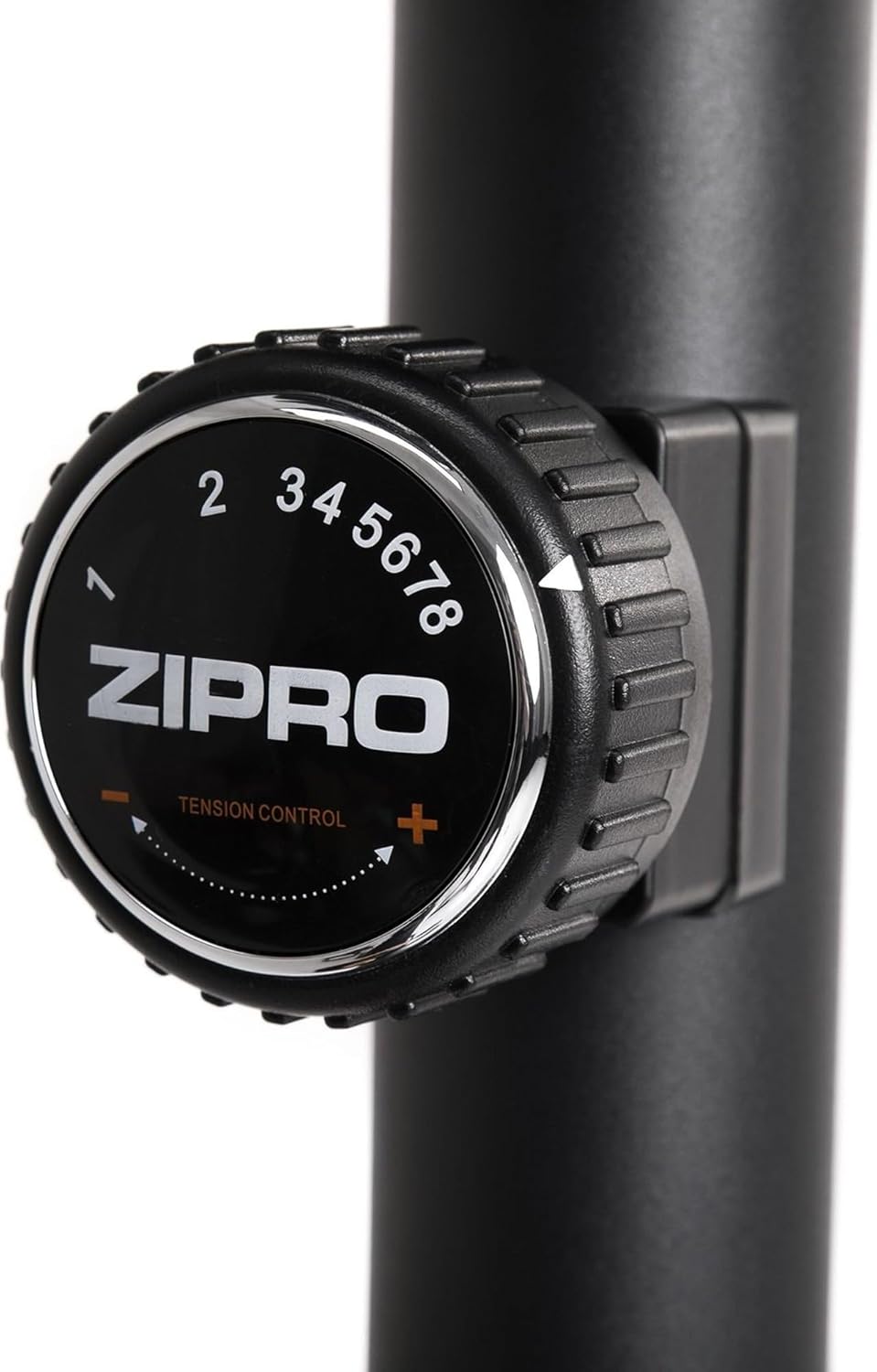
Image: Close-up of the resistance adjustment knob with levels 1-8 clearly marked.
5.2 Computer Console Functions
The advanced computer console displays key workout metrics. Insert batteries (included) into the console before first use.

Image: The computer console displaying workout data and control buttons.
- SCAN: Bütün ekran funksiyaları avtomatik olaraq dövr edir.
- VAXT: Məşqinizin müddətini göstərir.
- SÜRƏT: Cari velosiped sürmə sürətinizi göstərir.
- Məsafə: Tracks the distance covered during your session.
- KALORİYALAR: Yandırılan kaloriləri hesablayır.
- Nəbz: Displays your heart rate when holding the pulse sensors on the handlebars.
- ÜMUMİ DIST: Accumulates total distance over multiple workouts.
istifadə edin MODE button to select a specific display function, RESET to clear current workout data, and SET to configure target values (if applicable).
5.3 Oturacaq və Sükan Tənzimlənməsi
Proper adjustment of the seat and handlebar ensures comfort and effective training.
- Oturacaq Hündürlüyü: Loosen the adjustment knob on the seat post, raise or lower the seat to the desired height, and re-tighten securely.
- Seat Horizontal Position: Loosen the knob beneath the saddle, slide the seat forward or backward, and re-tighten.
- Sükan bucağı: Loosen the adjustment knob on the handlebar post, tilt the handlebar to a comfortable angle, and re-tighten.
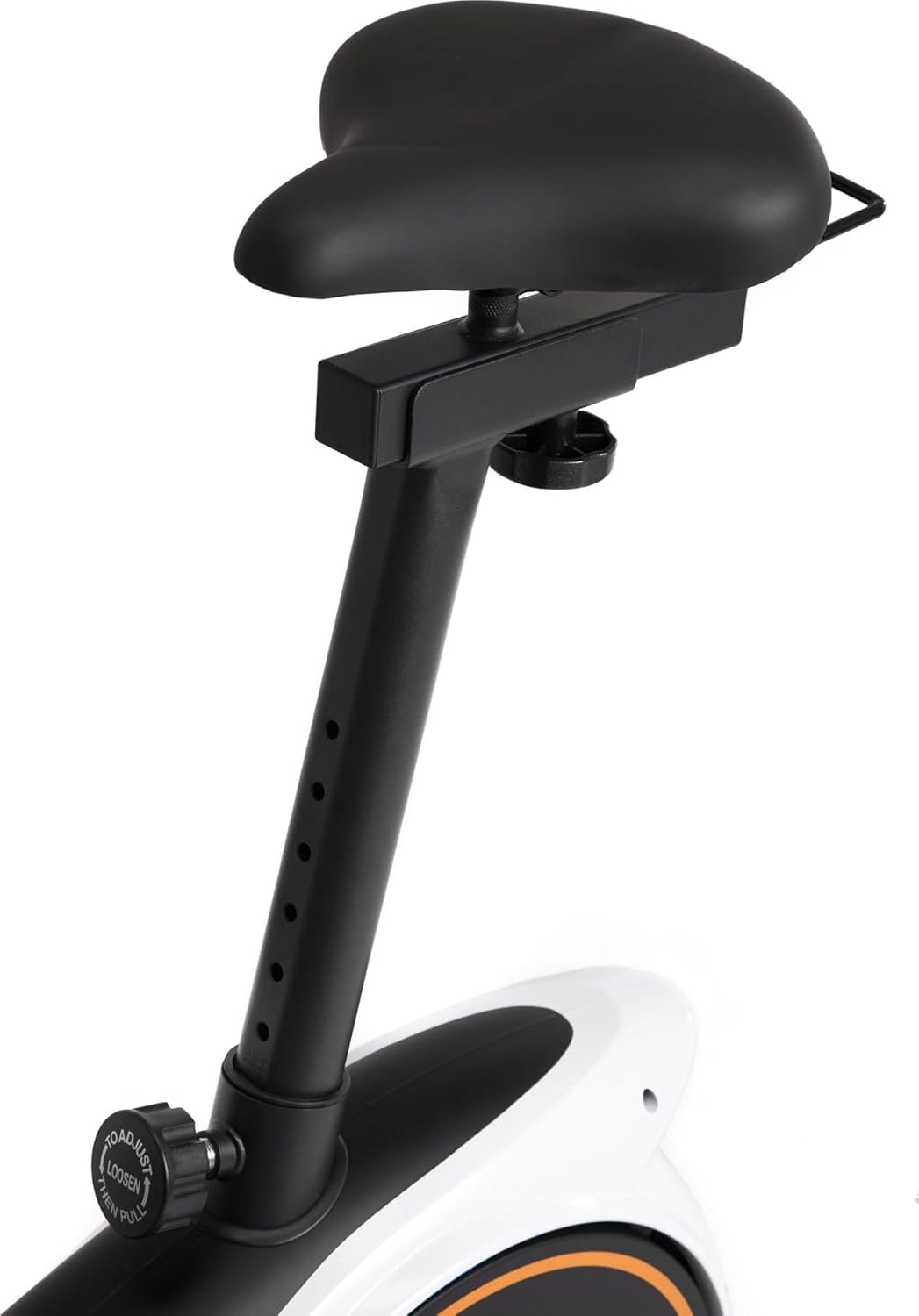
Image: Seat height adjustment mechanism.

Image: Seat horizontal adjustment mechanism.
5.4 Cihaz Tutucusundan İstifadə
The console features a convenient holder for your smartphone or tablet, allowing you to enjoy entertainment or follow guided workouts during your session.

Image: A smartphone placed in the console's device holder.

Image: A tablet placed in the console's device holder.
6. Baxım
Daimi texniki qulluq idman velosipedinizin uzunömürlülüyünü və təhlükəsiz işləməsini təmin edir.
- Təmizləmə: Velosipedi reklamla silinamp hər istifadədən sonra tər və tozu təmizləmək üçün parça. Aşındırıcı təmizləyicilərdən çəkinin.
- Yoxlama: Bütün boltların, qaykaların və hərəkət edən hissələrin möhkəmliyini və aşınmasını vaxtaşırı yoxlayın. Boşalmış bərkidiciləri sıxın.
- Yağlama: The magnetic resistance system is generally maintenance-free. Refer to the full manual for any specific lubrication requirements for other moving parts.
- Yaddaş: Velosipedi quru, sərin yerdə, birbaşa günəş işığından və həddindən artıq temperaturdan uzaq saxlayın.
7. Giderme
| Problem | Mümkün Səbəb | Həll |
|---|---|---|
| Velosiped qeyri-sabitdir və ya yellənir | Qeyri-bərabər döşəmə; boş stabilizator boltları | Adjust the leveling feet on the stabilizer bars. Ensure all stabilizer bolts are tight. |
| Computer display not working | Dead batteries; loose sensor connection | Replace batteries. Check that all sensor cables are securely connected to the console. |
| Müqavimət dəyişmir | Müqavimət kabeli kəsilmiş və ya zədələnmişdir | Inspect the resistance cable connection to the knob and the flywheel mechanism. Contact customer support if damaged. |
| Əməliyyat zamanı qeyri-adi səs-küy | Loose parts; friction | Check all bolts and nuts for tightness. Ensure no parts are rubbing. |
8. Məhsulun Spesifikasiyası
| Xüsusiyyət | Detal |
|---|---|
| Brend | ZIPRO |
| Model | Nitro RS |
| Rəng | Qara |
| Müqavimət Mexanizmi | Maqnit |
| Müqavimət Səviyyələri | 8 |
| Sürücü Sistemi | Kəmər |
| Material | plastik |
| Maksimum İstifadəçi Çəkisi | 150 kq |
| Maksimum İstifadəçi Boyu | 200 sm |
| Məhsulun Ölçüləri (U x G x Y) | 92 x 60 x 143 sm (təxminən) |
| Maddə Çəkisi | 28.6 kq |
| Enerji mənbəyi (Konsol) | Batareya ilə işləyir |
| Model nömrəsi | 5304090 |

Image: Dimensions of the ZIPRO Nitro RS Home Exercise Bike (115 cm length, 59 cm width, 145 cm height).
9. Zəmanət və Dəstək
Your ZIPRO Nitro RS Home Exercise Bike comes with a manufacturer's warranty. Please refer to the warranty card included with your purchase for specific terms and conditions. For technical support, spare parts, or warranty claims, please contact ZIPRO customer service through their official webməhsulu aldığınız sayt və ya pərakəndə satıcı.
For additional information and support, visit the official ZIPRO websayt: www.zipro.pl