
Giriş
Thank you for choosing the LIORQUE S7509 Projection Alarm Clock. This manual provides detailed instructions for setting up and operating your new device. Please read it carefully to ensure proper use and to fully utilize all features.
Paketin məzmunu
Qablaşdırmanı açarkən, aşağıdakı bütün əşyaların mövcud olduğundan əmin olun:
- LIORQUE S7509 Projection Alarm Clock
- Güc adapteri
- USB Güc Kabeli
- İstifadəçi təlimatı

Image: The LIORQUE S7509 Projection Alarm Clock, its power adapter, USB cable, and user manual are displayed next to the product box. Product dimensions are indicated as 18cm (7.1in) width, 9.8cm (3.9in) height, and 5cm (2in) depth.
Məhsul Xüsusiyyətləri Bitdiview
The LIORQUE S7509 Projection Alarm Clock is designed to enhance your daily routine with its versatile features:
- 180° Rotatable Projection: Project the time onto your ceiling or wall with adjustable brightness.
- Böyük LED Ekran: Clear time display with 4 adjustable brightness levels.
- İkili Siqnallar: Set two separate alarms for different schedules.
- FM Radiosu: Enjoy your favorite radio stations with 15 preset memory slots and 15 adjustable volume levels.
- Mürgüləmə funksiyası: Provides an extra 9 minutes of sleep.
- Yuxu Taymeri: Automatically turns off the radio after a set duration (5-90 minutes).
- 12/24 Saat Format: Easily switch between time formats.
- Quraşdırılmış Batareya: u zamanı ehtiyat güc üçüntages.

Image: The LIORQUE S7509 Projection Alarm Clock is shown with its digital display set to 22:30. Surrounding icons highlight key features including 12/24 hour time, adjustable brightness, FM radio, snooze function, dual alarms, time projection, built-in battery, and a sleep timer.
Quraşdırma Təlimatları
1. Güc Bağlantısı
Connect the provided USB power cable to the alarm clock and plug the adapter into a standard wall outlet. The display will light up, indicating the device is powered on.

Image: The LIORQUE S7509 Projection Alarm Clock is shown on a bedside table, connected to a wall outlet via its power adapter. The clock displays 8:30, illustrating its readiness for use after power connection.
2. İlkin Vaxt Parametri
- basın və saxlayın ZAMAN AYARI button (usually labeled with a clock icon) for 3 seconds to enter time setting mode.
- istifadə edin HOUR və DƏQİQƏ buttons (often labeled with '+' and '-' or arrows) to adjust the current time.
- basın ZAMAN AYARI təsdiq etmək və çıxmaq üçün yenidən.
3. 12/24 Saat Format
While in time setting mode, or by a dedicated button (refer to specific button labels on your device), you can toggle between 12-hour (with AM/PM indicator) and 24-hour formats.
Əməliyyat Təlimatları
1. Siqnalların qurulması
The clock supports two independent alarms (Alarm 1 and Alarm 2).
- basın və saxlayın Siqnal 1 or Siqnal 2 button for 3 seconds. The alarm time will flash.
- istifadə edin HOUR və DƏQİQƏ istədiyiniz həyəcan vaxtını təyin etmək üçün düymələr.
- düyməsini basın ALARM Vaxtı təsdiqləmək üçün düyməni yenidən basın.
- You can then select the alarm sound (buzzer or FM radio) and alarm volume.
- düyməsini basın ALARM button one more time to save settings and activate the alarm. An alarm icon will appear on the display.

Image: Two LIORQUE S7509 Projection Alarm Clocks are displayed side-by-side. One shows an alarm set for 8:30, labeled 'Workday', and the other shows 10:00, labeled 'Weekend', demonstrating the dual alarm capability.
2. Projection Function
The projector allows you to display the time on your ceiling or wall.
- Aktivləşdirin/deaktiv edin: düyməsini basın PROKEKSİYA button (often labeled with a projection icon) to turn the projection on or off.
- Parlaqlığı tənzimləyin: təkrar-təkrar basın PROKEKSİYA button to cycle through 3 brightness levels (Low, Medium, High) or turn it off.
- Proyeksiyanı fırladın: The projector lens can be physically rotated 180° to adjust the angle of the projected time.

Image: The LIORQUE S7509 Projection Alarm Clock is shown in a bedroom, projecting the time '22:30' onto the ceiling. Below, three smaller images illustrate the three adjustable brightness levels for the projection.

Image: The LIORQUE S7509 Projection Alarm Clock is depicted with its projection arm extended, casting the time '12:45' onto a nearby surface. This image demonstrates the adjustable angle and direction of the projection feature.
3. Parlaqlığı göstərin
Adjust the main display brightness to your preference.
- düyməsini basın DİMMER button (or similar, often labeled with a sun icon) to cycle through 4 levels of display brightness.
- The levels typically range from brightest to off, allowing for comfortable viewgündüz və ya gecə.

Image: The LIORQUE S7509 Projection Alarm Clock shows the time 22:30. Below, four distinct panels illustrate the four adjustable levels of screen brightness, ranging from completely off to maximum illumination, allowing users to select the appropriate brightness for night vision.
4. FM Radio
Listen to your favorite FM radio stations.
- Yandırın/Söndürün: düyməsini basın RADİO button to turn the FM radio on or off.
- Avtomatik Skan: basın və saxlayın RADİO button for 3 seconds to automatically scan and save up to 15 FM stations.
- Dəyişmə Stansiyaları: istifadə edin ÖNCƏ/NÖVBƏTİ buttons (or '+' and '-') to switch between saved stations.
- Səs səviyyəsini tənzimləyin: istifadə edin HƏCM +/- buttons to adjust the radio volume through 15 levels.

Image: The LIORQUE S7509 Projection Alarm Clock displays 'FM 7.84' on its screen, surrounded by graphic representations of radio waves indicating different FM frequencies (e.g., FM90.2, FM95.6, FM96.8, FM97.5, FM98.5). The image also highlights that the device can store 15 favorite radio stations and has 15 adjustable volume levels.
5. Mürgülə funksiyası
Siqnal səsləndikdə, böyük düyməsini basın SNOOZE / LIGHT button on top of the clock. The alarm will pause for 9 minutes and then sound again.
6. Yuxu Taymeri
Yuxu taymeri avtomatik olaraq sönməzdən əvvəl radionun müəyyən müddət ərzində çalmasına imkan verir.
- Radio çalınarkən düyməsini basın YUXU düymə (və ya oxşar).
- təkrar-təkrar basın YUXU button to cycle through preset sleep times (e.g., 5, 10, 15, 30, 60, 90 minutes).
- Seçilmiş vaxtdan sonra radio avtomatik olaraq sönəcək.
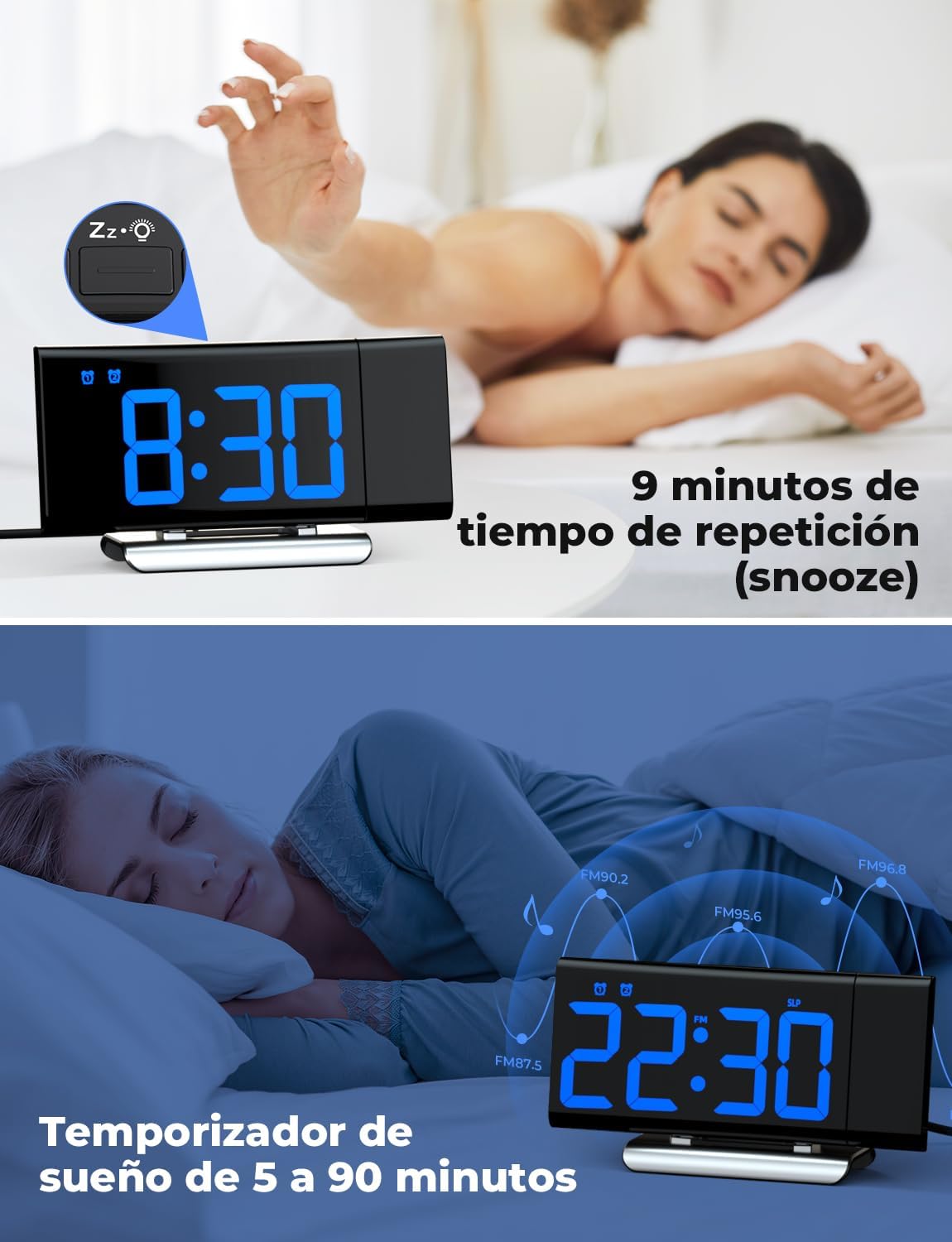
Image: The top section shows a person reaching for the snooze button on the LIORQUE S7509 Projection Alarm Clock, which displays 8:30, indicating a 9-minute snooze period. The bottom section features the clock displaying 22:30 with radio waves, illustrating the sleep timer function which can be set from 5 to 90 minutes, with a person sleeping peacefully in the background.
Baxım
To ensure the longevity and optimal performance of your LIORQUE S7509 Projection Alarm Clock, follow these simple maintenance guidelines:
- Təmizləmə: Use a soft, dry cloth to wipe the surface of the clock. Do not use abrasive cleaners, solvents, or chemical sprays, as these can damage the finish and electronic components.
- Toz Təmizləmə: Gently wipe the projector lens with a soft, lint-free cloth to maintain clear projection quality.
- Yerləşdirmə: Saatı birbaşa günəş işığından, istilik mənbələrindən və həddindən artıq nəmdən uzaq, sabit, düz bir səthə qoyun.
- Güc: Always use the provided power adapter. If the clock is not used for an extended period, you may unplug it. The built-in battery will retain settings for a short duration.
Problemlərin aradan qaldırılması
If you encounter any issues with your alarm clock, please refer to the following common problems and solutions:
| Problem | Mümkün Səbəb | Həll |
|---|---|---|
| Saat ekranı boşdur. | Nə güc, nə də güctage. | Ensure the power adapter is securely plugged into the clock and a working outlet. Check if the display brightness is set to 'off'. |
| Proyeksiya bulanıq və ya qeyri-müəyyəndir. | Incorrect focus or distance. | Adjust the distance of the clock from the projection surface. Ensure the projector lens is clean. |
| Siqnal səslənmir. | Siqnal aktivləşdirilməyib və ya səs çox aşağıdır. | Verify that the alarm icon is displayed on the screen. Check the alarm volume setting. Ensure the alarm time is correctly set. |
| Zəif FM radio qəbulu. | Zəif siqnal və ya anten mövqeyi. | Extend the FM antenna fully. Reposition the clock to improve reception. |
| Düymələr cavab vermir. | Müvəqqəti proqram xətası. | Unplug the power adapter for a few seconds, then plug it back in to reset the device. |
Spesifikasiyalar
| Xüsusiyyət | Detal |
|---|---|
| Məhsul Ölçüləri | 10.5 x 3.81 x 6.2 sm; 340 q |
| Model nömrəsi | S7509 |
| Brend | LIORQUE |
| Rəng | Mavi |
| Ekran növü | Rəqəmsal |
| Güc mənbəyi | Both: Battery and AC power (with adapter) |
| Forma | Düzbucaqlı |
| İstifadəsi | Daxili |
| Çərçivə materialı | Metal |
| Batareyalar Daxildir | Bəli |
| Montaj növü | Stolüstü |
| Zəngli saat | Bəli |
| Maddələrin sayı | 1 |
Zəmanət və Dəstək
The LIORQUE S7509 Projection Alarm Clock comes with a manufacturer's warranty. For specific details regarding warranty coverage and duration, please refer to the warranty card included in your package or contact LIORQUE customer support.
If you require further assistance, have questions, or encounter issues not covered in this manual, please contact LIORQUE customer support. Contact information can typically be found on the product packaging, the official LIORQUE websaytı və ya satıcınız vasitəsilə.