
Docooler 14 Inch 2-in-1 Touchscreen Laptop
Docooler 14 Inch 2-in-1 Touchscreen Laptop User Manual
Model: 14 Inch 2-in-1 Touchscreen Laptop
1. Məhsul bitdiview
The Docooler 14 Inch 2-in-1 Touchscreen Laptop is a versatile computing device designed for both productivity and entertainment. Featuring a 4K UHD IPS display and a 360-degree convertible design, it adapts to various usage scenarios, from traditional laptop mode to tablet mode. Powered by an Intel N95 processor, it offers efficient performance for daily tasks.

Image: The Docooler 14 Inch 2-in-1 Touchscreen Laptop in its tent configuration, showcasing its flexible design and vibrant display.
2. Paketin məzmunu
Zəhmət olmasa, paketdə bütün əşyaların olduğunu yoxlayın:
- Docooler 14 Inch 2-in-1 Touchscreen Laptop
- Doldurma kabeli
- İstifadəçi təlimatı
3. Başlanğıc
3.1 İlkin Quraşdırma
- Noutbuku doldurun: Before first use, connect the charging cable to the laptop's USB-C port and plug it into a power outlet. Allow the battery to charge fully.
- Güc Aktivdir: Press and hold the power button located on the side of the laptop until the screen illuminates.
- Windows Quraşdırma: Follow the on-screen prompts to complete the Windows 11 initial setup, including language selection, network connection, and user account creation.
4. Understanding Your Laptop
4.1 Əsas Xüsusiyyətlər
- Ekran: 14-inch 4K UHD (3840x2160) IPS touchscreen with 500 Nits brightness for a clear visual experience.
- Prosessor: Equipped with the 12th Gen Intel N95 CPU (4-core, 4-thread, up to 3.4GHz) for efficient performance.
- Yaddaş və Saxlama: 12GB LPDDR5 4800MHz high-frequency memory and 512GB/1TB NVMe SSD for fast operation and ampanbar.
- Konvertasiya edilə bilən dizayn: 360-degree flip-and-fold design allows for multiple modes of use.
- Sensorlu ekran: 10-level multi-touch screen with gravity sensing for intuitive interaction.
- Təhlükəsizlik: Fingerprint unlock for quick and secure access.
- Klaviatura: Backlit keyboard for comfortable typing in various lighting conditions.
- Bağlantı: Dual-band Wi-Fi (2.4G/5.0G Hz 802.11ac) and Bluetooth for stable wireless connections.

Image: Visual representation of the laptop's 4K UHD display capabilities, highlighting its high resolution and brightness.

Image: Illustration of the Intel N95 12th Generation processor, emphasizing its role in the laptop's performance.
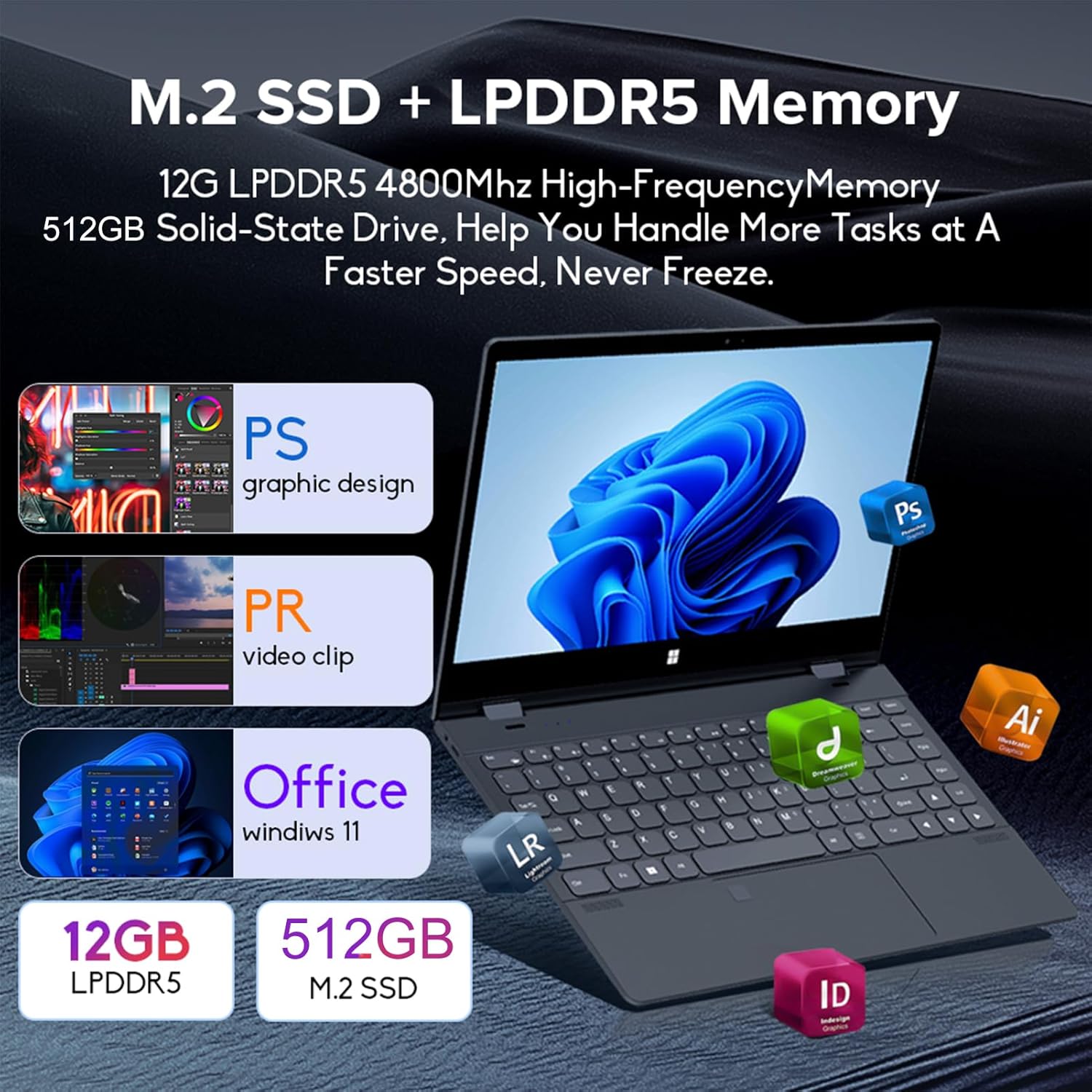
Image: Depiction of the laptop's memory and storage, showing 12GB LPDDR5 RAM and 512GB/1TB M.2 SSD, suitable for various applications.
4.2 Portlar və Bağlayıcılar
Familiarize yourself with the available ports on your laptop:
- USB-C (Full-featured): Supports audio, video, data transmission, and PD2.0 fast charging.
- USB 3.0: USB cihazlarını birləşdirmək üçün.
- Audio Giriş: Qulaqlıqlar və ya xarici dinamiklər üçün.
- DC Giriş: Power input (if applicable, though USB-C is primary charging).
- TF kart oxuyucusu: For memory cards.

Şəkil: ətraflı view of the laptop's side ports, including USB-C, USB 3.0, audio jack, and TF card slot.
4.3 Convertible Modes
The 360-degree hinge allows the laptop to transform into four distinct modes:
- Notebook Mode: Traditional laptop experience for typing and productivity.
- Planşet rejimi: Fold the screen back completely for a tablet experience, ideal for touch-based applications and gaming.
- Viewing Mode (Tent Mode): Stand the laptop in a tent shape for watching videos or presentations.
- Conference Mode (Stand Mode): Flip the keyboard under the screen to share content easily in a group setting.

Image: Visual guide demonstrating the four convertible modes of the laptop: Notebook, Tablet, Viewing, and Conference.
5. Əməliyyat
5.1 Toxunma ekranından istifadə
The 10-point multi-touch screen allows for intuitive navigation. Use gestures similar to a smartphone or tablet. The gravity sensing feature enhances the experience, especially in tablet mode.

Image: Demonstrates the ease of touchscreen operation and the benefit of gravity sensing for gaming.
5.2 Using the Backlit Keyboard and Fingerprint Unlock
- Arxa işıqlı klaviatura: Press the Function (Fn) key combined with the appropriate F-key (usually F3 or F4, check keyboard icons) to toggle the keyboard backlight on/off or adjust its brightness.
- Barmaq izi ilə kiliddən çıxarma: Set up your fingerprint in Windows Settings > Accounts > Sign-in options. Once configured, you can unlock your laptop quickly by placing your registered finger on the fingerprint sensor.
5.3 Wi-Fi və Bluetooth-a qoşulma
The laptop supports dual-band Wi-Fi (2.4G/5.0G Hz 802.11ac) and Bluetooth for wireless connectivity.
- Wi-Fi: Click the Wi-Fi icon in the taskbar, select your desired network, enter the password if prompted, and click Connect.
- Bluetooth: Go to Windows Settings > Bluetooth & devices. Ensure Bluetooth is turned on, then click 'Add device' to pair with Bluetooth peripherals like headphones or mice.

Image: Visual representation of the laptop's dual-band Wi-Fi and Bluetooth connectivity features.
6. Baxım və qulluq
- Təmizləmə: Bir az yumşaq, tüysüz parça istifadə edin dampEkranı təmizləmək üçün su və ya ekran təmizləyicisi ilə yuyun. Klaviatura və korpus üçün quru, yumşaq parça istifadə edin. Sərt kimyəvi maddələrdən çəkinin.
- Batareyaya qulluq: Batareyanın ömrünü uzatmaq üçün batareyanı tez-tez tam boşaltmaqdan çəkinin. Noutbuku uzun müddət istifadə edilmədikdə sərin və quru yerdə saxlayın.
- Havalandırma: Ensure the laptop's ventilation openings are not blocked to prevent overheating. Use the laptop on a hard, flat surface.
- Proqram təminatı yeniləmələri: Regularly update your operating system and drivers to ensure optimal performance and security.
7. Giderme
| Problem | Mümkün Həll |
|---|---|
| Noutbuk açılmır. | Ensure the charging cable is securely connected and the power outlet is functional. Allow the laptop to charge for at least 30 minutes before attempting to power on again. |
| Wi-Fi bağlantısı problemləri. | Restart your router and modem. On the laptop, disable and re-enable Wi-Fi. Ensure you are within range of the Wi-Fi signal. |
| Sensor ekran cavab vermir. | Restart the laptop. Check for any physical obstructions on the screen. Ensure Windows updates are current. |
| Klaviatura arxa işığı işləmir. | Press Fn + F-key (check keyboard icon) to toggle or adjust backlight brightness. Ensure drivers are up to date. |
| Noutbuk yavaş işləyir. | Close unnecessary applications. Check for background processes. Ensure sufficient free storage space. Run a system scan for malware. |
8. Texniki spesifikasiyalar
| Xüsusiyyət | Spesifikasiya |
|---|---|
| Ekran Ölçüsü | 14 düym |
| Qətnamə | 3840 x 2160 piksel (4K UHD) |
| Prosessor | Intel N95 (up to 3.4GHz) |
| Quraşdırılmış RAM Yaddaş Ölçüsü | 12 GB LPDDR5 |
| Hard Disk Təsviri | 512GB/1TB NVMe SSD |
| Əməliyyat sistemi | Windows 11 Home |
| Qrafik koprosessor | Intel UHD Qrafika (İnteqrasiya olunmuş) |
| Simsiz Bağlantı | 2.4G/5.0G Hz 802.11ac Wi-Fi, Bluetooth |
| Ümumi USB Portları | 2 (including 1 full-featured USB-C) |
| Rəng | Gümüş boz |
| Maddə Çəkisi | 3.46 funt (1570 qram) |
| Paket Ölçüləri | 15.35 x 9.84 x 3.35 düym |
| Mənşə ölkəsi | Çin |
9. Zəmanət və Dəstək
For warranty information and technical support, please refer to the documentation provided with your purchase or visit the official Docooler websayt. Zəmanət iddiaları üçün satınalma sübutunuzu saxlayın.
Docooler is committed to providing quality products and customer satisfaction. For further assistance, please contact Docooler customer service.
Note: Protection plans may be available for extended coverage. Please check with your retailer for details.
Ask a question about this manual
Ask about setup, troubleshooting, compatibility, parts, safety, or missing instructions. Manuals+ will review the question and use this page’s manual context to help answer it.