
1. Giriş
Thank you for choosing the OSALO OS-8812T Desktop Calculator. This manual provides detailed instructions for setting up, operating, maintaining, and troubleshooting your calculator. Designed for home and office use, this 12-digit calculator features a large display, comfortable buttons, and essential functions including VAT tax calculation. Please read this manual thoroughly to ensure optimal performance and longevity of your device.

Figure 1.1: OSALO OS-8812T Desktop Calculator
2. Məhsul bitdiview
Familiarize yourself with the calculator's layout and key functions.

Figure 2.1: Key Functions Diagram
- 1. Operation Symbol Display: Shows the current operation symbol (e.g., +, -, ×, ÷).
- 2. GT (Grand Total): Displays the grand total of all calculations performed since the last GT clear.
- 3. M+, M- (Memory Plus/Minus): Adds/subtracts the displayed value to/from the memory.
- MRC (Yaddaşın Geri Çağırılması/Təmizlənməsi): Press once to recall memory, press twice to clear memory.
- 4. Back Space (◀): Daxil edilmiş son rəqəmi silir.
- 5. AC (All Clear): Yaddaş da daxil olmaqla bütün girişləri və hesablamaları təmizləyir.
- C/CE (Aydın Giriş/Aydın): Clears the last entry. Press twice to clear the current calculation.
- 6. TAX+, TAX- (Tax Rate Settings): Used for tax calculations. TAX+ adds tax, TAX- subtracts tax.
- QİYMƏT: Used to set the tax rate.
- 7. MU (Mark-Up): Used for profit margin calculations.
- 8. √ (Root): Göstərilən ədədin kvadrat kökünü hesablayır.
The calculator features a 5-inch large LCD display capable of showing up to 12 digits, ensuring clear visibility. The display is tilted at 15 degrees for enhanced viewrahatlıq.

Figure 2.2: Calculator Dimensions and 15-degree Display Tilt
The keys are ergonomically designed with a concave shape for comfortable and accurate input.
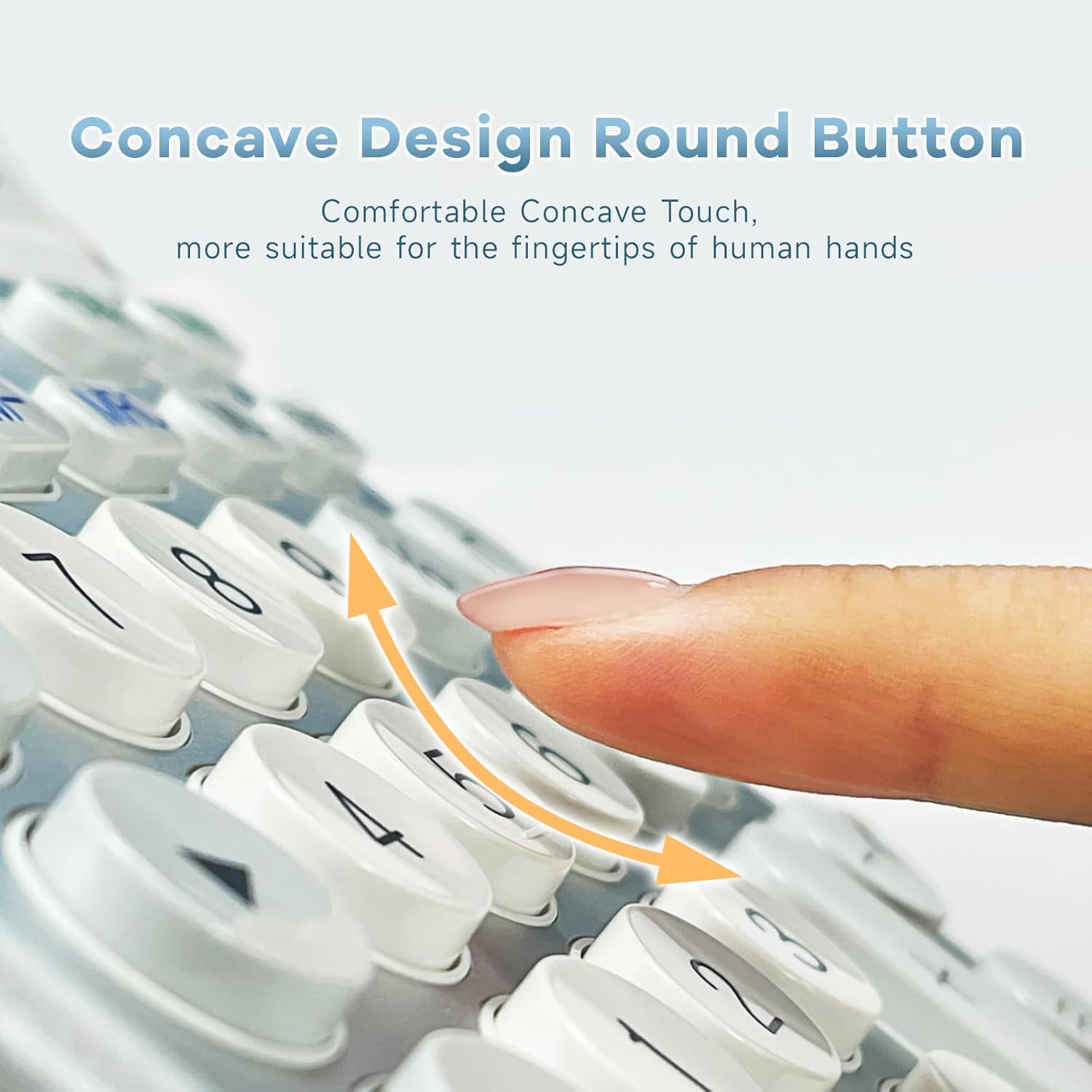
Figure 2.3: Concave Design Round Buttons
3. Quraşdırma
The OSALO OS-8812T calculator operates on dual power: solar energy and a single LR44 battery (included). The battery provides power in low-light conditions, while the solar panel powers the calculator in sufficient light, extending battery life.
3.1. Batareyanın quraşdırılması
The calculator comes with an LR44 battery pre-installed. If replacement is needed:
- Turn the calculator over.
- Batareya bölməsinin qapağını tapın.
- Remove the cover and insert one LR44 battery, ensuring correct polarity (+/-).
- Batareya bölməsinin qapağını etibarlı şəkildə dəyişdirin.

Figure 3.1: Battery Compartment and Anti-Slip Mat Location
3.2. Gücü yandırın/söndürün
The calculator automatically powers on when a key is pressed. It will automatically power off after approximately 8-10 minutes of inactivity to conserve energy.
4. Əməliyyat Təlimatları
4.1. Əsas Hesablamalar
- Əlavə (+): Enter first number, press +, enter second number, press =.
- Çıxarma (-): Enter first number, press -, enter second number, press =.
- Vurma (×): Enter first number, press ×, enter second number, press =.
- Bölmə (÷): Enter first number, press ÷, enter second number, press =.
- Faiztage (%): Enter number, press ×, enter percentage value, press %. (e.g., 100 × 10 % = 10)
- Kvadrat Kök (√): Enter number, press √.
4.2. Tax Function (VAT)
The calculator features a built-in tax function for quick VAT calculations. You can set a custom tax rate.

Figure 4.1: Tax Function Operation Examples
| Məqsəd | Əməliyyat | Nəticə |
|---|---|---|
| Tax Rate Setting (e.g., 8%) | AC → RATE → 8 → RATE | 8. |
| Total Amount 200, Tax Rate 8%, Total Amount After Tax | AC → 200 → TAX+ | 216. (Total) 16. (Tax Amount) |
| Total Amount 216, Tax Rate 8%, Total Amount Before Tax | AC → 216 → TAX- | 200. (Total) 16. (Tax Amount) |
| Tax Rate Check | AC → RATE → TAX- (RECALL) | 8. |
4.3. Yaddaş Funksiyaları
- M+: Göstərilən dəyəri yaddaşa əlavə edir.
- M-: Göstərilən dəyəri yaddaşdan çıxarır.
- MRC: Press once to recall the value stored in memory. Press twice to clear the memory (M).
- GT (Ümumi Cəmi): Accumulates the results of all calculations. Press GT to display the grand total. The grand total is cleared when AC is pressed.
5. Baxım
- Clean the calculator with a soft, dry cloth. Do not use abrasive cleaners or solvents.
- Avoid exposing the calculator to extreme temperatures, humidity, or direct sunlight for prolonged periods.
- Do not drop or subject the calculator to strong impacts.
- Kalkulyator uzun müddət istifadə olunmayacaqsa, sızmanın qarşısını almaq üçün batareyanı çıxarmaq tövsiyə olunur.
6. Giderme
- Ekran boşdur: Ensure there is sufficient light for the solar panel or check if the LR44 battery needs replacement.
- Incorrect calculations: Press the AC button to clear all previous entries and calculations before starting a new one. Ensure correct operation sequence.
- Açarlar cavab vermir: Clean around the keys to remove any debris. If the issue persists, the battery might be low.
- Ekranda səhv mesajı: Press AC to clear the error and re-enter the calculation. This usually occurs due to overflow or invalid operations.
7. Spesifikasiyalar
| Xüsusiyyət | Spesifikasiya |
|---|---|
| Model | OS-8812T(Extra Large) |
| Rəqəmləri göstərin | 12 Rəqəm |
| Ekran Ölçüsü | 5 düym |
| Güc mənbəyi | Solar & Battery Powered (1 x LR44 included) |
| Kalkulyator növü | Standard Function, Desktop |
| Məhsul Ölçüləri | 7.44 x 5.51 x 0.1 düym |
| Maddə Çəkisi | 8.6 unsiya |
| Rəng | Ağ və Gümüş |
| İstehsalçı | osalo co., ltd. |
| Mənşə ölkəsi | Çin |
8. Zəmanət və Dəstək
OSALO products are manufactured with high-quality materials and undergo strict quality control. For any questions, technical support, or warranty claims, please contact OSALO customer service through the retailer where the product was purchased. Please retain your proof of purchase for warranty purposes.