
1. Giriş
Thank you for choosing the OSALO Desktop Calculator OS-8812T. This 12-digit desktop calculator is designed for both home and office use, offering a large display, comfortable keys, and essential functions including a tax calculation feature. This manual provides detailed instructions for setup, operation, maintenance, and troubleshooting to ensure optimal performance and longevity of your device.
2. Əsas Xüsusiyyətlər
- Tax Rate Calculator Function: Simplifies tax calculations with integrated tax rate adjustments (TAX+, TAX-).
- Böyük 12 rəqəmli LCD displey: High-resolution display for clear and easy readability, tilted at 15 degrees for improved viewrahatlıq.
- Ergonomic Concave Round Buttons: Designed for comfortable and accurate input, adapting to your fingertips.
- Həssas Düymələr: Ensures quick and precise typing.
- İkili güc mənbəyi: Operates on solar energy and a single LR44 battery (included), providing reliable power and energy efficiency.
- Sürüşməyə qarşı dizayn: Features anti-slip mats for stability during use.
3. Məhsul bitdiview və ölçülər
Familiarize yourself with the calculator's layout and physical specifications.

Şəkil: Ön və yan view of the OSALO Desktop Calculator OS-8812T, illustrating its dimensions (189mm length, 140mm width, 31mm height, 15-degree display tilt).

Şəkil: Ətraflı view of the OSALO Desktop Calculator OS-8812T with key functions labeled, including Operation Symbol Display, Grand Total (GT), Memory Plus/Minus (M+, M-), Back Space, All Clear (AC), Tax Rate Settings (TAX+, TAX-), Memory Load/Clear (MRC), and Root (√).
4. Quraşdırma
4.1 Enerji Mənbəyi
The OSALO OS-8812T calculator operates using a dual power system: solar energy and a single LR44 battery. The calculator will automatically switch to battery power in low light conditions.
Batareyanın quraşdırılması/dəyişdirilməsi:
- Kalkulyatorun söndürüldüyünə əmin olun.
- Kalkulyatorun arxasındakı batareya bölməsini tapın.
- Use a small screwdriver to open the battery cover.
- Insert one LR44 battery, ensuring the correct polarity (+/-).
- Batareya qapağını dəyişdirin və möhkəmləndirin.

Image: The underside of the OSALO Desktop Calculator, highlighting the battery compartment and the anti-slip mats at each corner.
4.2 İlkin İstifadə
düyməsini basın AC (All Clear) button to clear any previous calculations and ensure the display shows '0'. The calculator is now ready for use.
5. Əməliyyat Təlimatları
5.1 Əsas arifmetik əməliyyatlar
Perform addition, subtraction, multiplication, and division using the respective keys (+, -, ×, ÷) and the equals (=) key.
5.2 Tax Calculation Function
The calculator features dedicated keys for tax calculations (TAX+, TAX-). This function simplifies adding or subtracting a predefined tax rate.
Setting the Tax Rate:
- basın AC ekranı təmizləmək üçün.
- düyməsini basın RATE düyməsi.
- Enter the desired tax rate (e.g., 8 for 8%).
- basın RATE again to save the tax rate. The display will show the set rate.
Using Tax Functions:
- TAX+: To add tax to an amount, enter the amount, then press VERGİ+. The display will show the amount including tax.
- TAX-: To subtract tax from an amount, enter the amount, then press VERGİ-. The display will show the amount excluding tax.
- QAYDIRMAQ: To check the currently set tax rate, press QAYDIRMA.

Image: A table demonstrating the purpose, operation, and result for various tax functions, including setting an 8% tax rate, calculating total amount after tax, and total amount before tax.
5.3 Yaddaş Funksiyaları
- M+: Göstərilən dəyəri yaddaşa əlavə edir.
- M-: Göstərilən dəyəri yaddaşdan çıxarır.
- MRC: Recalls the memory content. Pressing it twice clears the memory.
- GT (Ümumi Cəmi): Accumulates the results of all calculations. Pressing it twice clears the grand total.
5.4 Digər funksiyalar
- %: Faiztage key.
- √: Square root key.
- Arxa Məkan (►): Deletes the last entered digit.
- C/CE: Clear Entry. Clears the last entry without clearing the entire calculation.
5.5 Erqonomik Dizayn
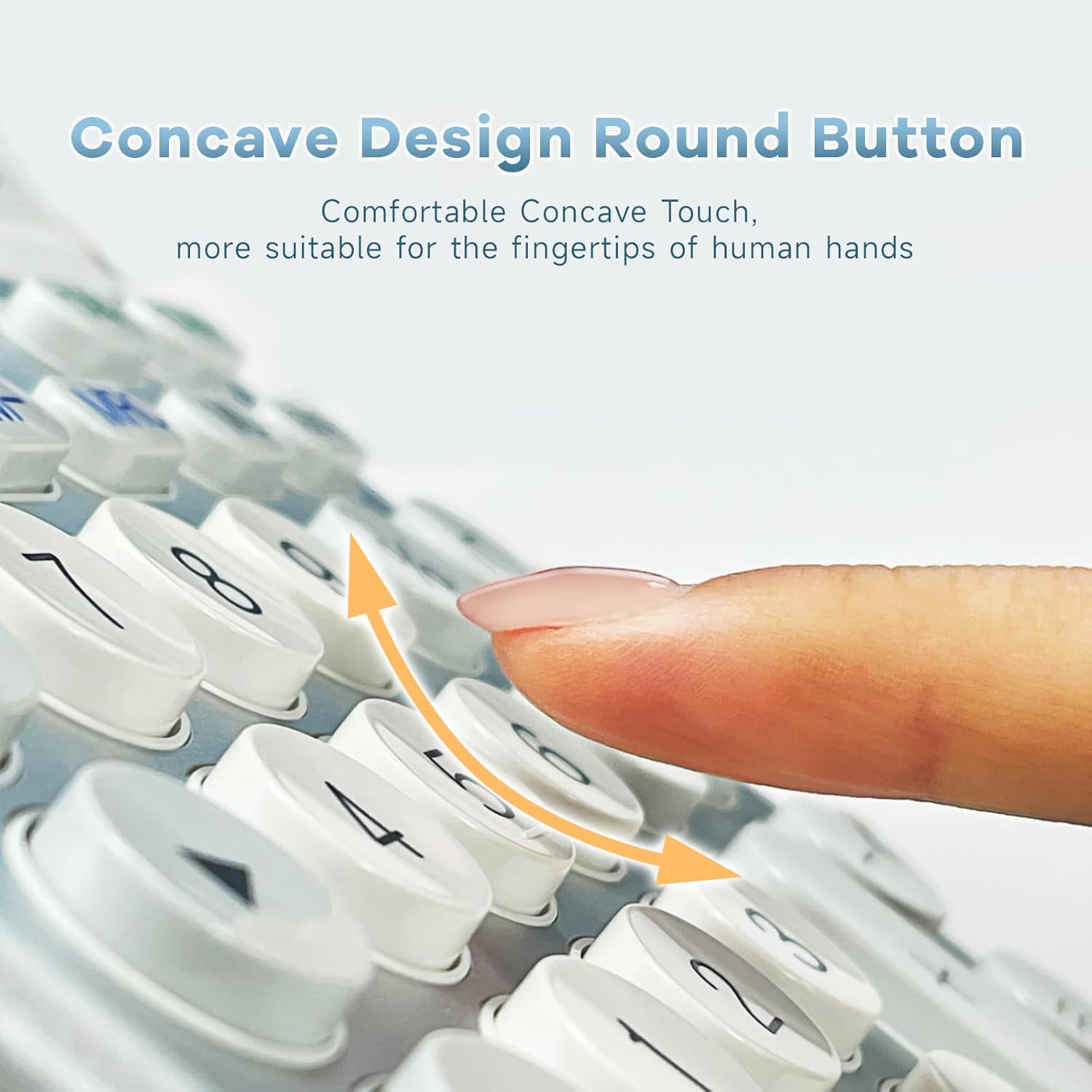
Şəkil: Yaxın plan view of the calculator's concave round buttons, designed for comfortable and precise finger placement during operation.

Image: A diagram illustrating the 30-degree ergonomic tilt of the calculator, showing how it provides an optimal viewing angle for users at a desk.
5.6 Təlimat Videoları
Video: This video demonstrates the OSALO Desktop Calculator's large display, comfortable buttons, and solar power feature, showcasing its quick response and suitability for office and financial tasks.
Video: This video highlights the OSALO Calculator's large display, large buttons, and solar power capabilities, emphasizing its ease of use for various calculations.
6. Baxım
6.1 Təmizləmə
To clean the calculator, gently wipe the surface with a soft, dry cloth. For stubborn dirt, slightly dampen the cloth with water and mild soap, then wipe dry immediately. Avoid using abrasive cleaners, solvents, or spraying liquids directly onto the calculator.
6.2 Batareya Baxımı
If the calculator will not be used for an extended period, it is recommended to remove the LR44 battery to prevent leakage and potential damage to the device.
6.3 Saxlama
Store the calculator in a cool, dry place away from direct sunlight, extreme temperatures, and high humidity. Keep it away from strong magnetic fields.
7. Giderme
- Ekran boş və ya tutqundur:
- Ensure sufficient light for solar power.
- Check if the LR44 battery is correctly installed and not depleted. Replace if necessary.
- basın AC sıfırlamaq.
- Incorrect calculations:
- basın AC to clear all previous operations and memory.
- Verify the input sequence and numbers.
- Check if any memory functions (M+, M-, GT) are active and affecting the result.
- Açarlar cavab vermir:
- Ensure the calculator is powered on.
- Hər hansı bir zibil çıxarmaq üçün düymələrin ətrafını təmizləyin.
- If the issue persists, try replacing the battery.
8. Spesifikasiyalar
| Xüsusiyyət | Spesifikasiya |
|---|---|
| Brend | OSALO |
| Model Adı | OS 8812T |
| Ekran növü | LCD |
| Ekran Ölçüsü | 12 Centimeter (approx. 4.7 inches) |
| Rəqəmlərin sayı | 12 |
| Güc mənbəyi | Günəş və Batareya |
| Batareya növü | 1 x LR44 (daxildir) |
| Material növü | Metal, Plastik |
| Məhsul Ölçüləri | 18.9 x 14 x 0.1 sm (7.44 x 5.5 x 0.04 düym) |
| Çəki | 240 q |
| Rəng | Ağ və Gümüş |
9. Təhlükəsizlik Məlumatı
- Kalkulyatoru sökməyə və ya dəyişdirməyə çalışmayın.
- Keep the calculator away from water and other liquids to prevent damage.
- Avoid dropping the calculator or subjecting it to strong impacts.
- Batareyaları uşaqların əli çatmayan yerdə saxlayın. Udulduqda dərhal həkimə müraciət edin.
10. Zəmanət və Dəstək
For warranty information and customer support, please refer to the documentation provided with your purchase or contact OSALO customer service directly. Keep your proof of purchase for any warranty claims.


