
1. Giriş
This manual provides detailed instructions for the safe and effective use of your iJoy Disney Winnie The Pooh Wireless Bluetooth Speaker. Please read this manual thoroughly before operating the device and retain it for future reference.
2. Qutuda nə var
Carefully unpack your speaker and ensure all items are present:
- iJoy Disney Winnie The Pooh Wireless Bluetooth Speaker
- USB şarj kabeli
- Backup AUX Cable
- Sahibkarların Təlimatı (bu sənəd)

Image: The speaker shown next to its retail packaging, illustrating the product and its box.
3. Məhsul bitdiview
3.1 İdarəetmə düymələri
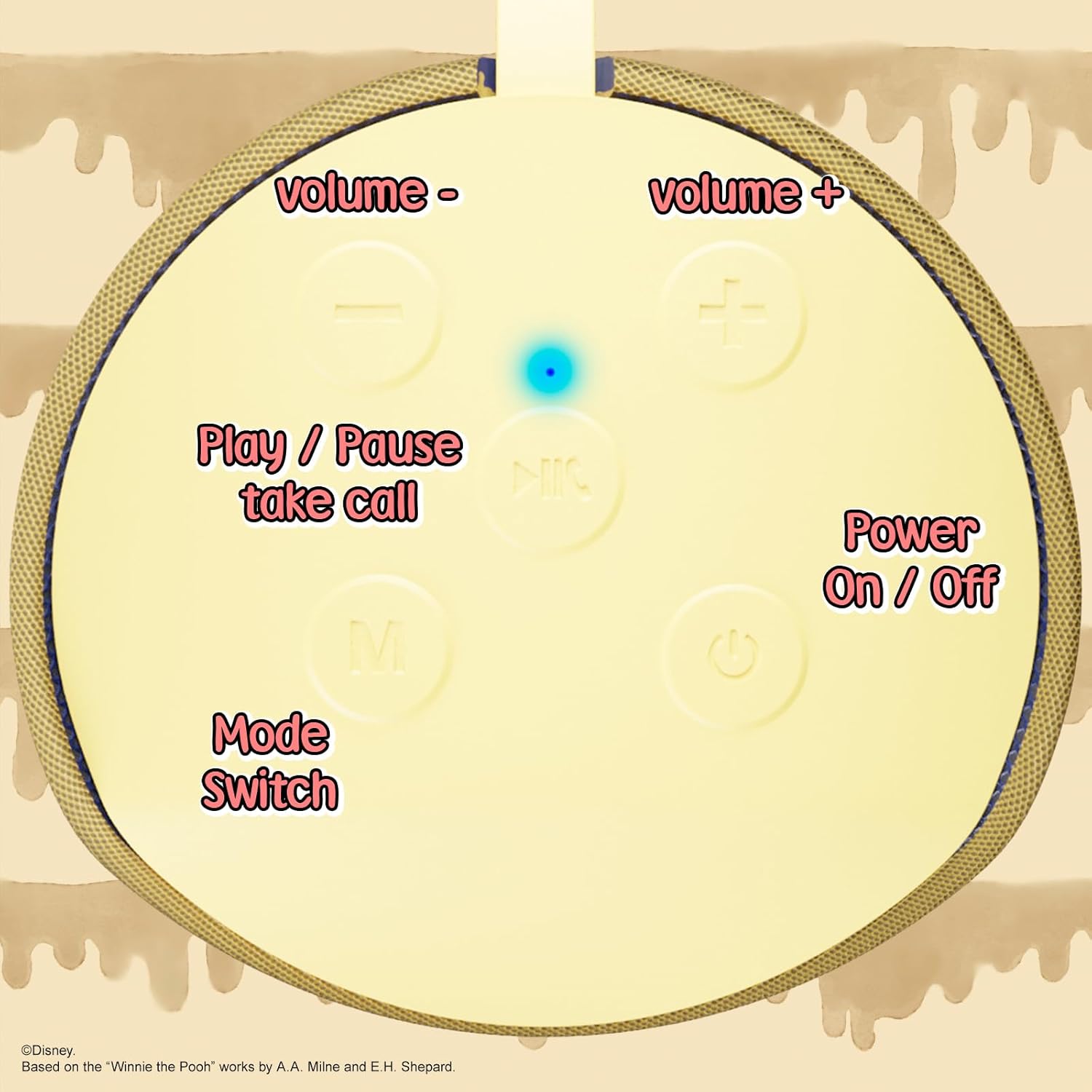
Image: A close-up of the speaker's top panel, displaying the control buttons.
- Açma / Söndürmə Düyməsi: Dinamiki yandırmaq və ya söndürmək üçün basıb saxlayın.
- Oynat/Pauza düyməsi: Press to play or pause audio. Also used to answer or end phone calls.
- Səs artırma (+) düyməsi: Səsi artırmaq üçün basın. Növbəti treki keçmək üçün basıb saxlayın.
- Səs Azaltma (-) Düyməsi: Press to decrease volume. Press and hold to go to the previous track.
- Mode Switch (M) Button: Press to switch between Bluetooth, FM Radio, SD Card, and USB modes.
3.2 Portlar və Göstəricilər

Şəkil: ətraflı view of the speaker's rear panel, highlighting the AUX port, SD card slot, USB port, and Micro USB charging port.
- AUX limanı: For connecting external audio devices via the provided 3.5mm AUX cable.
- SD Kart Yuvası: Insert a microSD card for direct audio playback.
- USB Port: Birbaşa səs oxutması üçün USB flash sürücüsünü daxil edin.
- Mikro USB Şarj Portu: Dinamiki doldurmaq üçün USB şarj kabelini buraya qoşun.
- LED göstərici işığı: Şarj vəziyyətini və Bluetooth qoşulma vəziyyətini göstərir.
4. Quraşdırma
4.1 Dinamikin doldurulması
- Şarj kabelinin Micro USB ucunu dinamikin Micro USB şarj portuna qoşun.
- Kabelin standart USB ucunu USB enerji adapterinə (daxil deyil) və ya kompüterin USB portuna qoşun.
- The LED indicator light will illuminate during charging and turn off once fully charged.
- Tam doldurulması adətən təxminən 2 saat çəkir.
4.2 Bluetooth Qoşulması
- Dinamikin tam doldurulduğundan əmin olun.
- Press and hold the Power On/Off button to turn on the speaker. You will hear an audible prompt, and the LED indicator will flash, indicating it's in pairing mode.
- Mobil cihazınızda (smartfon, planşet və s.) Bluetooth-u aktivləşdirin.
- axtarın available Bluetooth devices. The speaker will appear as "iJoy Winnie The Pooh Speaker" or similar.
- Select the speaker from the list to pair. Once successfully paired, you will hear a confirmation sound, and the LED indicator will stop flashing and remain solid.
- Cihazın Bluetooth aktivdirsə və əhatə dairəsindədirsə, dinamik işə salındıqda avtomatik olaraq sonuncu qoşalaşmış cihaza yenidən qoşulacaq.
5. Əməliyyat Təlimatları
5.1 Bluetooth rejimi
After successful pairing, you can stream audio wirelessly from your device to the speaker. Use your device's controls or the speaker's Play/Pause, Volume Up/Down buttons to manage playback.
5.2 FM Radio Rejimi
- FM Radio rejiminə keçmək üçün Rejim (M) düyməsini basın.
- Mövcud FM stansiyalarını avtomatik olaraq skan etmək və saxlamaq üçün Oxutma/Pauza düyməsini basın.
- Yadda saxlanmış stansiyalar arasında hərəkət etmək üçün Səs Artırma (+) və Səsi azaltma (-) düymələrindən (qısa basın) istifadə edin.
5.3 SD Card / USB Playback
- Insert a microSD card into the SD card slot or a USB flash drive into the USB port.
- Dinamik avtomatik olaraq müvafiq rejimə keçəcək və səsi səsləndirməyə başlayacaq files. If not, press the Mode (M) button to select the correct mode.
- Use the speaker's Play/Pause, Volume Up/Down buttons to control playback.
5.4 AUX rejimi
- Connect one end of the provided 3.5mm AUX cable to the speaker's AUX port.
- Digər ucunu səs cihazınızın qulaqlıq yuvasına qoşun.
- The speaker will automatically switch to AUX mode. If not, press the Mode (M) button.
- Control playback and volume primarily from your connected audio device.
5.5 Əllər Sərbəst Zəng
Bluetooth vasitəsilə smartfona qoşulduqda:
- Zəngə cavab: Play/Pause düyməsini bir dəfə basın.
- Zəngi bitir: Zəng zamanı Play/Pause düyməsini bir dəfə basın.
- Zəngi rədd edin: Play/Pause düyməsini sıxıb saxlayın.
6. Baxım
- Dinamiki yumşaq, quru parça ilə təmizləyin. Aşındırıcı təmizləyicilərdən və ya həlledicilərdən istifadə etməyin.
- The speaker is IPX4 splashproof, meaning it can withstand splashes of water. Do not submerge it in water.
- İstifadə edilmədikdə dinamiki sərin, quru yerdə saxlayın.
- Dinamiki həddindən artıq temperatur, birbaşa günəş işığı və ya yüksək rütubətə məruz qoymaqdan çəkinin.
7. Giderme
| Problem | Mümkün Səbəb | Həll |
|---|---|---|
| Dinamik açılmır | Aşağı batareya | Dinamiki tam doldurun. |
| Bluetooth vasitəsilə cütləşdirmək mümkün deyil | Dinamik qoşalaşma rejimində deyil / Cihazın Bluetooth-u söndürülüb / Cihazdan çox uzaqdadır | Ensure speaker is in pairing mode (flashing LED). Turn on Bluetooth on your device. Move speaker closer to device (within 30 feet). |
| Səs yoxdur | Volume too low / Incorrect mode / Device not playing audio | Increase speaker and device volume. Press 'M' button to select correct mode. Ensure audio is playing on your connected device. |
| FM radio qəbulu zəifdir | Weak signal / Interference | Move the speaker to a different location. The AUX cable can act as an antenna; try connecting it. |
8. Spesifikasiyalar
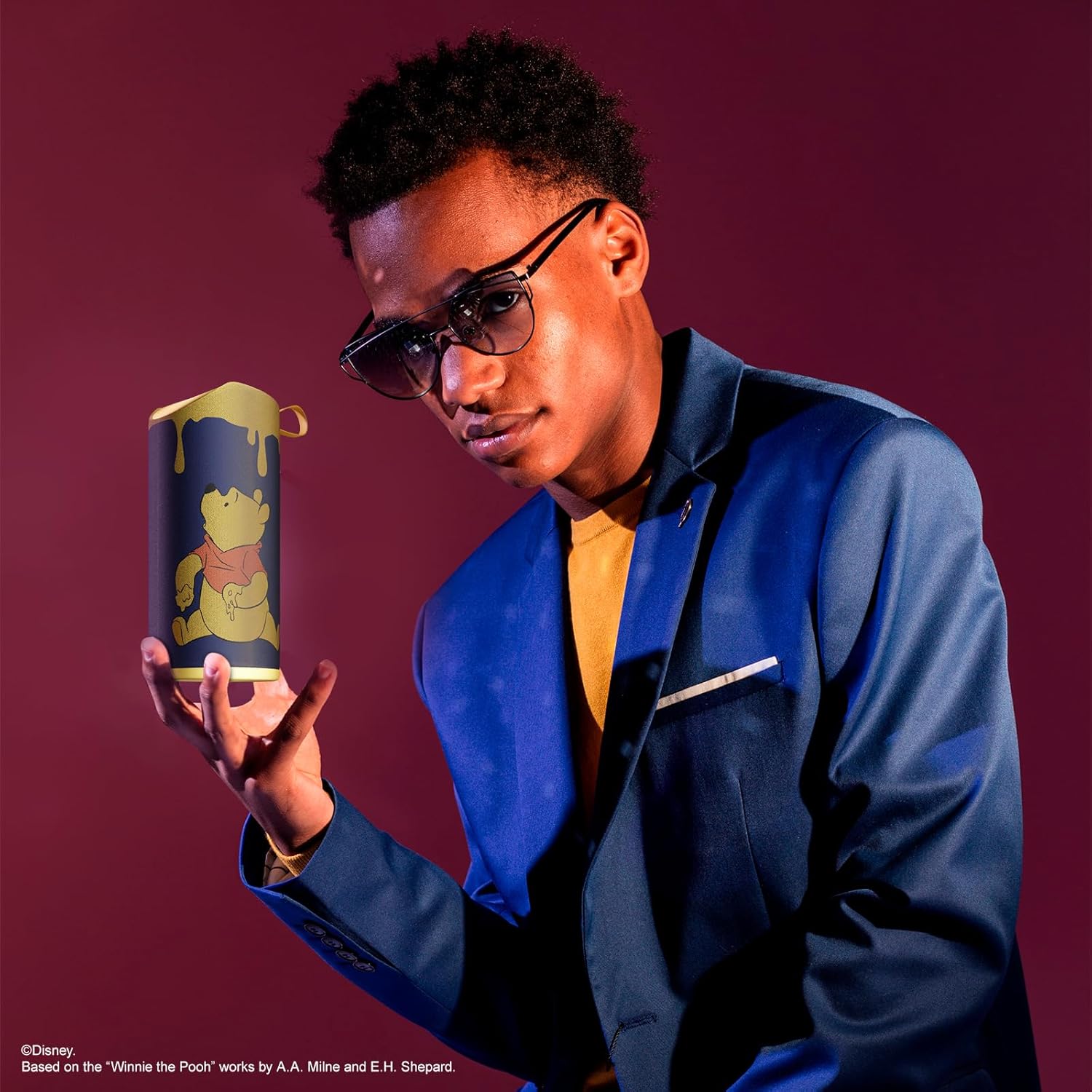
Image: The speaker with visual indicators showing its height of 6.3 inches and width of 2.9 inches.
| Xüsusiyyət | Detal |
|---|---|
| Model nömrəsi | SS-KH7C-FS4O |
| Bağlantı texnologiyası | Bluetooth |
| Simsiz rabitə diapazonu | 30 fut (10 metr) qədər |
| Dinamik növü | qala |
| Dinamikin Maksimum Çıxış Gücü | 20 Vt |
| Səs Çıxış Modu | Mono |
| Batareya Tutumu | 800 milyonamp Saat |
| Doldurma vaxtı | Təxminən 2 saat |
| Oyun vaxtı | Up to 3 Hours (depending on volume and usage) |
| Suya davamlılıq səviyyəsi | IPX4 (sıçramaya davamlı) |
| Məhsul Ölçüləri | 3"D x 3"W x 6"H (7.62 sm D x 7.62 sm E x 15.24 sm H) |
| Maddə Çəkisi | 8 unsiya (226.8 qram) |
| Daxil olan komponentlər | Bluetooth Speaker, USB Charging Cable, Backup AUX Cable, Owners Manual |
| Xüsusi Xüsusiyyətlər | Built-in Microphone, LED Indicator Lights, Portable, SD Card Slot, USB Port, FM Radio |
9. Zəmanət və Dəstək
9.1 Zəmanət Məlumatı
This iJoy Disney Winnie The Pooh Wireless Bluetooth Speaker comes with a 90-day manufacturer's warranty from the date of purchase. This warranty covers manufacturing defects and workmanship under normal use. It does not cover damage caused by misuse, accidents, unauthorized modifications, or normal wear and tear.
9.2 Müştəri dəstəyi
For technical assistance, warranty claims, or further inquiries, please contact iJoy customer support through their official website or the retailer where the product was purchased. Please have your model number (SS-KH7C-FS4O) and proof of purchase ready.