
1. Məhsul bitdiview
The Docooler IPX7 Waterproof Bluetooth Portable Shower Speaker is designed for audio playback in various environments, including wet conditions. It features Bluetooth 5.0 connectivity, an LED display, FM radio, and a light show function. The speaker is equipped with a removable suction cup for versatile placement.

Image: Docooler IPX7 Waterproof Bluetooth Portable Shower Speaker, showcasing onun dizaynı və xüsusiyyətləri.
2. Paketin məzmunu
Bütün əşyaların paketdə olduğunu yoxlayın:
- Docooler IPX7 Waterproof Bluetooth Portable Shower Speaker
- USB-C şarj kabeli
- Removable Suction Cup
- İstifadəçi təlimatı
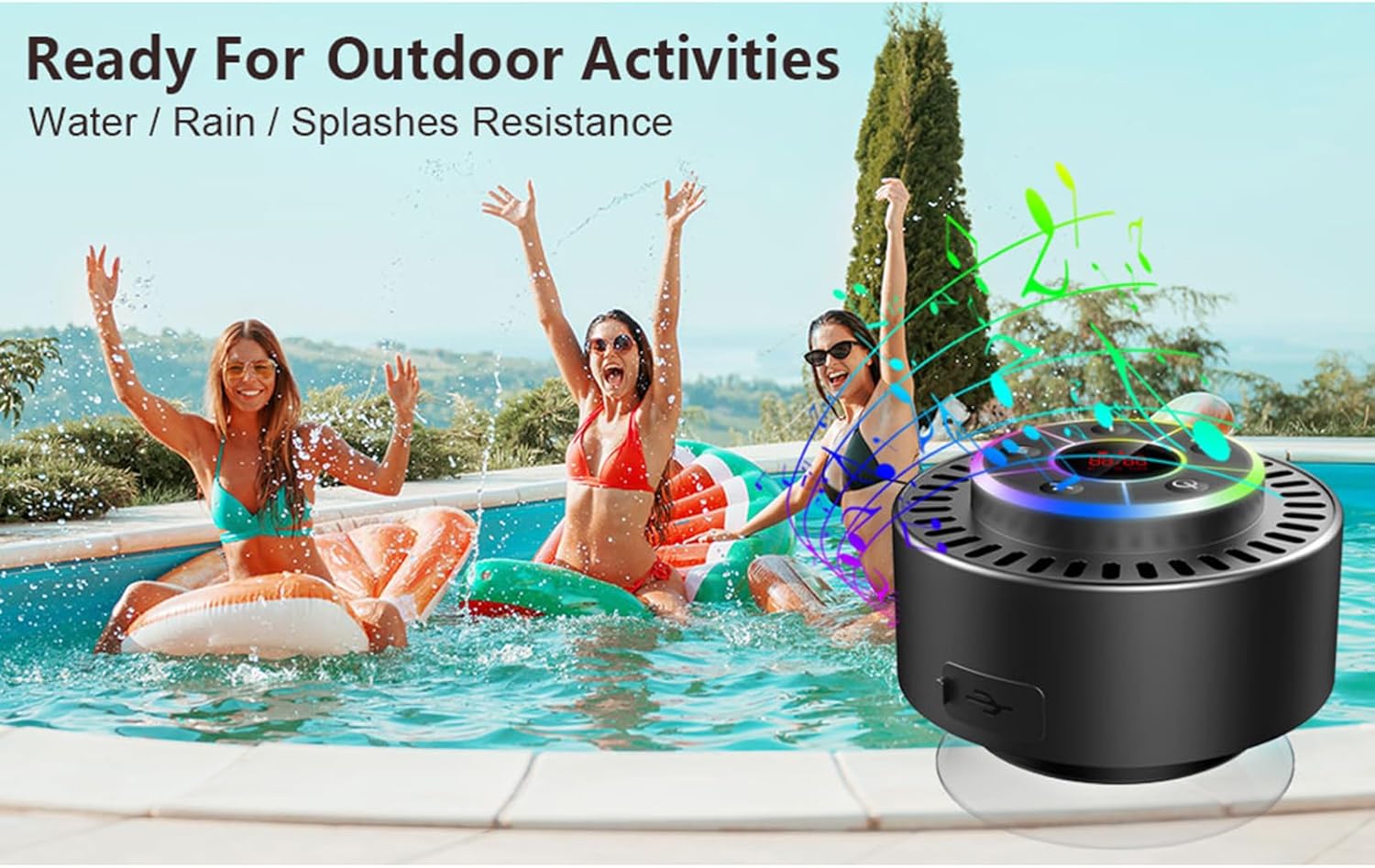
Image: The speaker, USB-C charging cable, and user manual as included in the package.
3. Quraşdırma
3.1 Dinamikin doldurulması
Before initial use, fully charge the speaker. Connect the provided USB-C charging cable to the speaker's charging port and the other end to a USB power adapter (not included) or a computer's USB port. The LED display will indicate charging status.
3.2 Sorma stəkanının bərkidilməsi
To attach the suction cup, ensure both the speaker's back surface and the desired mounting surface are clean and dry. Press the suction cup firmly against the surface until it adheres securely. For best results, slightly moisten the suction cup before application.
3.3 Yandırma/Söndürmə
- Yandırmaq üçün: basın və saxlayın Güc düyməsi (
 ) for approximately 3 seconds until the LED display illuminates.
 - Söndürmək üçün: basın və saxlayın Güc düyməsi for approximately 3 seconds until the LED display turns off.
4. Əməliyyat Təlimatları
4.1 Düymə funksiyaları
Şəkil: Ətraflı view of the speaker's control panel, indicating the function of each button.
| Düymə | Funksiya (Qısa Basma) | Funksiya (Uzun Basma) |
|---|---|---|
| Güc düyməsi () | Toggle LED light show modes | Gücü yandırın/söndürün |
| M düyməsi | Switch between Bluetooth and FM Radio modes | Yoxdur |
| Oynat/Pause düyməsi () | Play/Pause music; Answer/End calls; Auto-scan in FM mode | Daxil olan zəngi rədd edin |
| Previous Song / Volume Down (-) | Previous song (Bluetooth); Previous station (FM) | Həcmi azaldın |
| Next Song / Volume Up (+) | Next song (Bluetooth); Next station (FM) | Həcmi artırın |
4.2 Bluetooth Qoşulması
When powered on, the speaker automatically enters Bluetooth pairing mode. The LED display will show 'BT'.
- Cihazınızda (smartfon, planşet, noutbuk) Bluetooth-un aktiv olduğundan əmin olun.
- axtarın available Bluetooth devices and select "Docooler Speaker" from the list.
- Once connected, the speaker will emit an audible confirmation, and the 'BT' indicator on the LED display will stabilize.

Image: The speaker demonstrating connectivity with a phone, tablet, and computer via Bluetooth.
4.3 True Wireless Stereo (TWS) Qoşulması
To achieve 3D stereo sound, two Docooler speakers can be paired together.
- Hər iki dinamikin işə salındığından və başqa Bluetooth cihazına qoşulmadığından əmin olun.
- Bir dinamikdə (bu, əsas dinamik olacaq) düyməni basıb saxlayın Oynat/Pause düyməsi for 2-3 seconds until you hear a pairing tone.
- İki dinamik avtomatik olaraq bir-birinə qoşulacaq.
- Once paired, connect your device to the primary speaker via Bluetooth as described in section 4.2. Audio will now play through both speakers in stereo.

Image: Two Docooler speakers wirelessly connected to a computer, illustrating the True Wireless Stereo (TWS) feature.
4.4 FM Radio Rejimi
To switch to FM Radio mode:
- düyməsini basın M düyməsini basın to cycle through modes until 'FM' appears on the LED display.
- Avtomatik tarama: FM rejimində qısa basın Oynat/Pause düyməsi to automatically scan and save available radio stations.
- Dəyişmə Stansiyası: istifadə edin Previous Song / Volume Down (-) və Next Song / Volume Up (+) xilas edilmiş stansiyalarda gezinmek üçün düymələr.
- Səs səviyyəsini tənzimləyin: uzun basın Previous Song / Volume Down (-) or Next Song / Volume Up (+) səs səviyyəsini tənzimləmək üçün düymələr.
4.5 LED İşıq Şousu
The speaker features a beat-driven LED light show with seven colors.
- İşıq rejimini dəyişdirin: qısa basın Güc düyməsi to cycle through different light show patterns or to lock a single color.
- İşıqları söndürün: Düyməsini basmağa davam edin Güc düyməsi until the lights turn off.
4.6 Əllərsiz zəng
When connected via Bluetooth, the built-in microphone allows for hands-free calls.
- Zəngə cavab: qısa basın Oynat/Pause düyməsi.
- Zəngi bitir: qısa basın Oynat/Pause düyməsi zəng zamanı.
- Zəngi rədd edin: uzun basın Oynat/Pause düyməsi.
4.7 LED Display Information
The LED display shows the current time and battery level in Bluetooth mode. In FM radio mode, it displays the frequency.
5. Baxım
5.1 Suya davamlılıq (IPX7)
The speaker is IPX7 waterproof, meaning it can be submerged in up to 1 meter (3 feet) of water for up to 30 minutes. Ensure the charging port cover is securely closed before exposing the speaker to water. After exposure to water, wipe the speaker dry with a soft cloth.
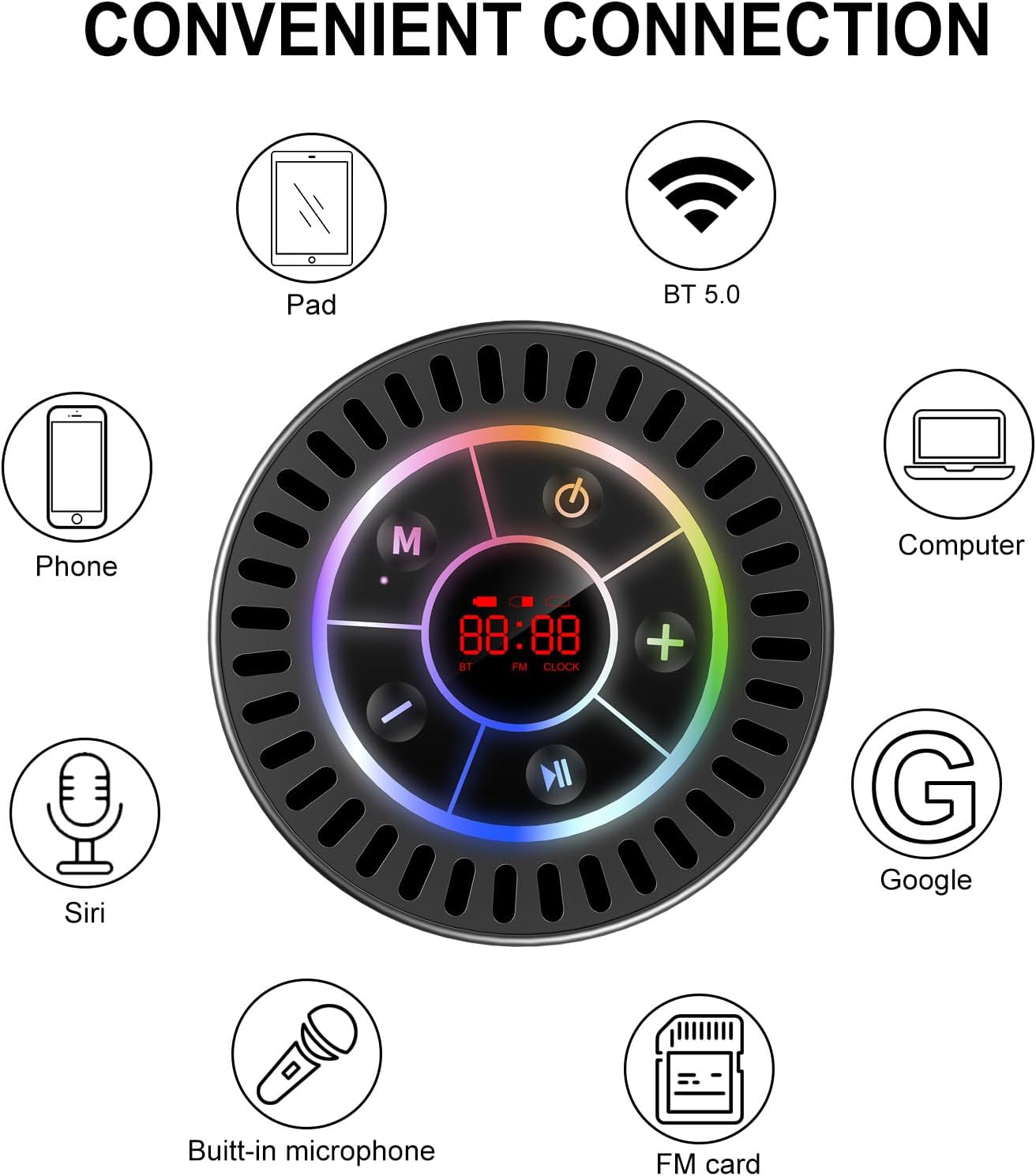
Image: The Docooler speaker attached to a shower wall, demonstrating its waterproof capability.
5.2 Təmizləmə
Dinamiki yumşaq bir vasitə ilə təmizləyin, damp parça. Aşındırıcı təmizləyicilər, spirt və ya kimyəvi həlledicilərdən istifadə etməyin, çünki bunlar səthə və ya daxili komponentlərə zərər verə bilər.
5.3 Saxlama
Dinamiki sərin, quru yerdə, birbaşa günəş işığından və həddindən artıq temperaturdan uzaq saxlayın. Uzun müddət saxlayarkən, batareyanın ömrünü qorumaq üçün onu vaxtaşırı doldurun.
6. Giderme
- Dinamik açılmır: Ensure the battery is charged. Connect the speaker to a power source using the USB-C cable and try again.
- Bluetooth vasitəsilə qoşula bilmir:
- Ensure the speaker is in Bluetooth pairing mode ('BT' flashing on display).
- Make sure Bluetooth is enabled on your device and it is within 15 meters of the speaker.
- Əvvəllər qoşalaşdırılıbsa, cihazı telefonunuzda unudub yenidən qoşalaşdırmağa çalışın.
- Həm dinamiki, həm də Bluetooth cihazınızı yenidən başladın.
- Zəif FM radio qəbulu: FM radio reception can be affected by location and environmental factors. Try repositioning the speaker or using it in an open area. The charging cable can sometimes act as an antenna to enhance signal.
- Səs yoxdur və ya aşağı səs:
- Həm dinamikdə, həm də qoşulmuş cihazda səs səviyyəsini yoxlayın.
- Ensure the speaker is properly paired and not connected to another device.
- TWS istifadə edirsinizsə, hər iki dinamikin bir-birinə və sonra cihazınıza düzgün qoşalandığından əmin olun.
- Speaker starts at full volume: Some units may default to a high volume upon power-on. Immediately adjust the volume using the '-' button to a comfortable level after turning the speaker on.
- Suction cup does not hold: Ensure the mounting surface is clean, smooth, and dry. Slightly moisten the suction cup before pressing it firmly onto the surface. Avoid porous or textured surfaces.
7. Spesifikasiyalar

Şəkil: partladı view showing the internal components of the Docooler speaker, highlighting its sound technology.
| Xüsusiyyət | Detal |
|---|---|
| Brend | Docooler |
| Model nömrəsi | SMT4782513347516YX |
| Bağlantı texnologiyası | Bluetooth 5.0 |
| Bluetooth diapazonu | 15 metrə qədər |
| Suya davamlılıq səviyyəsi | IPX7 (Suya davamlı) |
| Dinamikin Maksimum Çıxış Gücü | 5 Vt |
| Tezliyə cavab | 100 Hz |
| Səs Çıxış Modu | Stereo, Surround (with TWS) |
| Siqnal-to-küy nisbəti | 95 dB |
| Mikrofonların sayı | 1 (Daxili) |
| Güc mənbəyi | Batareya ilə işləyir |
| Nəzarət metodu | Düymə |
| Maddə Çəkisi | 300 qram |
| Uyğun Cihazlar | Noutbuk, MP3 pleyer, Smartfon, Planşet, Televizor |
8. Zəmanət və Dəstək
8.1 Zəmanət Məlumatı
This Docooler speaker comes with a limited warranty. For specific terms and conditions, please refer to the warranty card included in your package or contact Docooler customer support.
8.2 Müştəri dəstəyi
For further assistance, technical support, or warranty claims, please visit the official Docooler websaytına daxil olun və ya müştəri xidmətləri şöbəsi ilə əlaqə saxlayın. Əlaqə məlumatlarını adətən məhsulun qablaşdırmasında və ya brendin onlayn mağazasında tapa bilərsiniz.