
1. Giriş
Thank you for choosing the EasySMX T37 Wireless Switch Pro Controller. This manual provides detailed instructions for setting up, operating, maintaining, and troubleshooting your controller. Please read this manual carefully before use to ensure optimal performance and longevity of your device. This controller is compatible with Nintendo Switch, Switch Lite, and Switch OLED consoles.
2. Məhsul bitdiview
The EasySMX T37 is a wireless gamepad designed for an enhanced gaming experience on Nintendo Switch systems. It features an ergonomic design, dual turbo vibration, and 6-axis gyro motion control.

Şəkil 2.1: Ön view of the EasySMX T37 Wireless Switch Pro Controller, showcasing its ergonomic shape and button layout.
3. Quraşdırma
3.1 Pairing with Nintendo Switch
- Nintendo Switch konsolunuzu yandırın.
- HOME Menyusundan seçin Nəzarətçilər > Tutma / Sifarişi dəyişdirin.
- On the EasySMX T37 controller, press and hold the SYNC düyməsi (located on the top edge of the controller) for 3 seconds until the LED indicators start flashing rapidly.
- Once the controller is successfully paired, the player LED(s) on the bottom of the controller will light up solid.
3.2 Nəzarətçinin doldurulması
Connect the provided USB-C charging cable to the USB-C port on the controller and the other end to a USB power source (e.g., Switch dock, USB wall adapter, computer USB port). The LED indicators will show charging status and turn off when fully charged.
4. Əməliyyat Təlimatları
4.1 Əsas idarəetmə vasitələri
The controller features standard button layouts for Nintendo Switch compatibility:
- A/B/X/Y Düymələri: Fəaliyyət düymələri.
- D-Pad: İstiqamətli giriş.
- Sol/Sağ Analoq Çubuqlar: Hərəkət və kamera nəzarəti.
- L/R/ZL/ZR Buttons: Çiyin və tətik düymələri.
- HOME düyməsi: Returns to the Switch HOME Menu.
- ÇƏKİLMƏ Düyməsi: Ekran görüntüləri çəkir.
- PLUS (+) / MINUS (-) Düymələri: Start/Select functions.

Image 4.1: A user holding the EasySMX T37 controller, demonstrating the comfortable grip and accessible button placement during gameplay.
4.2 Turbo funksiyası
The Turbo function allows for rapid, automatic pressing of a button, useful in action or arcade games.
- Activate Turbo: Press and hold the desired action button (A/B/X/Y/L/R/ZL/ZR), then press the Turbo düyməsini basın (T button). The button will now auto-fire.
- Turbo sürətini tənzimləyin: tutarkən Turbo düyməsini basın, hərəkət edin Right Analog Stick Up or Down to cycle through three speeds: 5 shots/s, 12 shots/s, and 20 shots/s.
- Deactivate Turbo: Repeat the activation step (hold the action button, then press the Turbo button) or press and hold the Turbo düyməsini basın for 5 seconds to clear all Turbo settings.
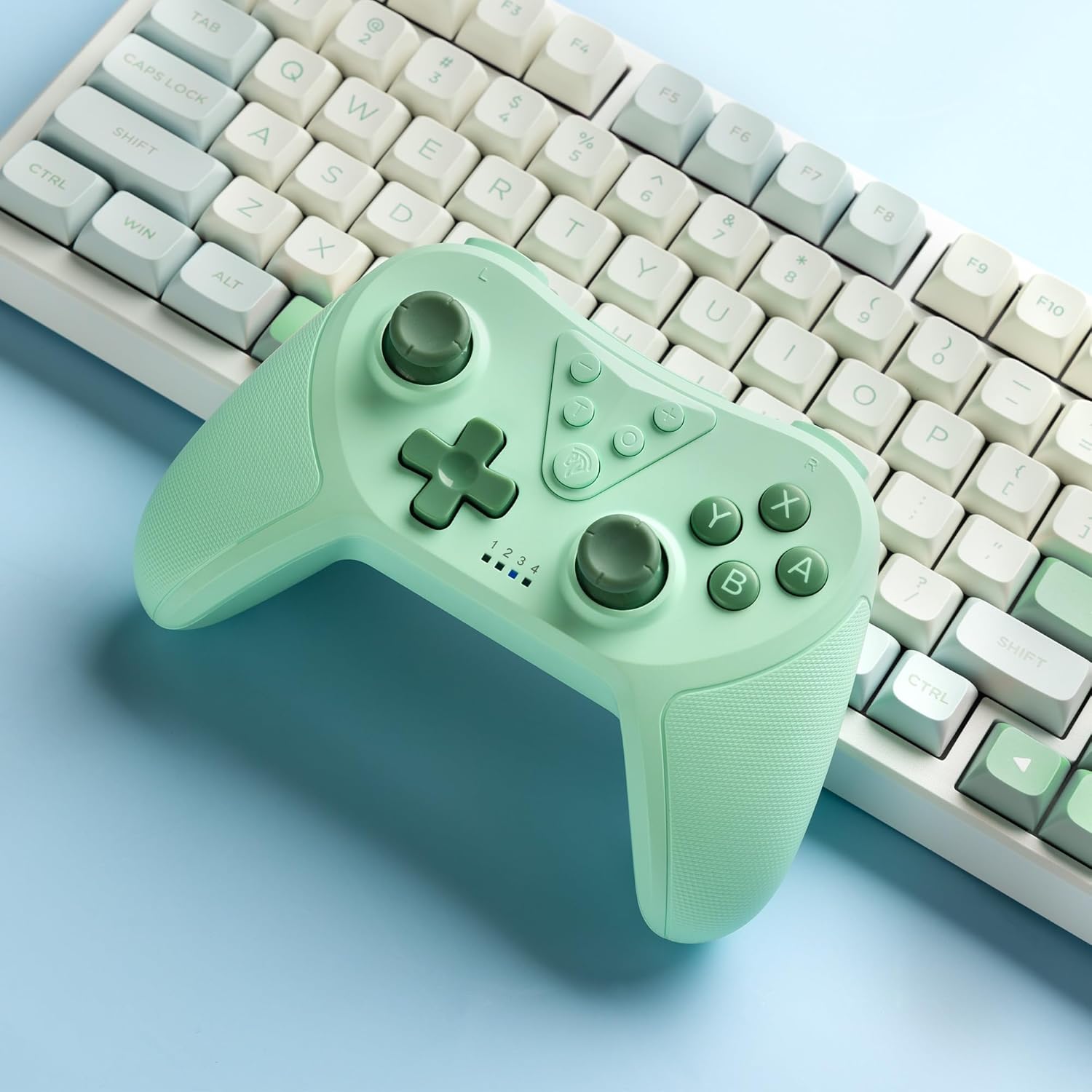
Image 4.2: Illustration of the Turbo function on the EasySMX T37 controller, showing the three adjustable speeds: 5, 12, and 20 shots per second.
4.3 Vibrasiyanın tənzimlənməsi
The controller features dual motors for adjustable vibration feedback, enhancing immersion in games.
- Vibrasiya intensivliyini tənzimləyin: basın və saxlayın Turbo düyməsini basın, sonra hərəkət edin Left Analog Stick Up or Down to cycle through four vibration levels: 0% (off), 30%, 70%, and 100%.

Image 4.3: Visual representation of the Dual Vibration feature on the EasySMX T37 controller, indicating four intensity levels from 0% to 100%.
4.4 6-Axis Gyro Motion Control
The built-in 6-axis gyroscope provides precise motion sensing, allowing for intuitive control in games that support motion input.

Image 4.4: Illustration depicting the 6-Axis Gyro Motion Control feature of the EasySMX T37 controller, showing how it interacts with a game on the Nintendo Switch screen.
5. Baxım
- Təmizləmə: Kontrolleri təmizləmək üçün yumşaq, quru parça istifadə edin. Sərt kimyəvi maddələrdən və ya aşındırıcı materiallardan istifadə etməkdən çəkinin.
- Yaddaş: Kontrolleri birbaşa günəş işığından və həddindən artıq temperaturdan uzaq sərin, quru yerdə saxlayın.
- Batareyaya qulluq: Batareyanın ömrünü uzatmaq üçün kontrolleri tez-tez tam boşaltmaqdan çəkinin. Uzun müddət istifadə edilməsə belə, onu müntəzəm olaraq doldurun.
- Damlalardan çəkinin: Kontrolleri daxili komponentlərə zərər verə biləcək düşmələrdən və zərbələrdən qoruyun.
6. Giderme
6.1 Nəzarətçi Qoşulmamır
- Nəzarətçinin yükləndiyinə əmin olun.
- Verify the Switch console is updated to the latest system version.
- Try re-pairing the controller by following the steps in Section 3.1.
- If issues persist, try resetting the controller by inserting a thin object into the small reset hole (if present, usually on the back) for a few seconds.
6.2 Buttons Unresponsive or Lagging
- Nəzarətçinin tam doldurulduğundan əmin olun.
- Move closer to the Switch console to ensure a strong wireless connection.
- Düymələrin ətrafında hər hansı fiziki maneə və ya zibil olub olmadığını yoxlayın.
- Re-pair the controller.
6.3 Controller Not Charging
- Ensure the USB-C cable is securely connected to both the controller and the power source.
- Fərqli USB-C kabelindən və ya güc adapterindən istifadə etməyə çalışın.
- Enerji mənbəyinin işlək olduğundan əmin olun.
7. Spesifikasiyalar
- Model: T37
- Bağlantı: Simsiz (Bluetooth)
- Uyğunluq: Nintendo Switch, Switch Lite, Switch OLED
- Xüsusiyyətlər: Dual Turbo Function, Adjustable Vibration, 6-Axis Gyro Motion Control, Ergonomic Design
- Product Identifier (ASIN): B0CTTWN84L
8. Zəmanət və Dəstək
For warranty information, technical support, or further assistance, please refer to the official EasySMX websaytına daxil olun və ya birbaşa müştəri dəstəyi ilə əlaqə saxlayın. Zəmanət iddiaları üçün alış qəbzini saxlayın.