
Giriş
This manual provides detailed instructions for setting up and operating your Majority Frameo Snap10 WiFi Digital Picture Frame. This 10.1-inch digital frame allows you to display photos and videos shared via the Frameo app, offering a convenient way to share memories with family and friends. It features a touchscreen, 32GB of internal storage, auto-rotate functionality, and a motion sensor for efficient use.

The Majority Frameo Snap10 Digital Picture Frame, showcasing a family photo on its 10.1-inch screen.
Qutuda nə var
Bütün maddələrin mövcud olduğundan əmin olmaq üçün paketin məzmununu yoxlayın:
- Majority Frameo Snap10 Digital Picture Frame
- Kickstand
- Güc adapteri
- Uzaqdan İdarəetmə
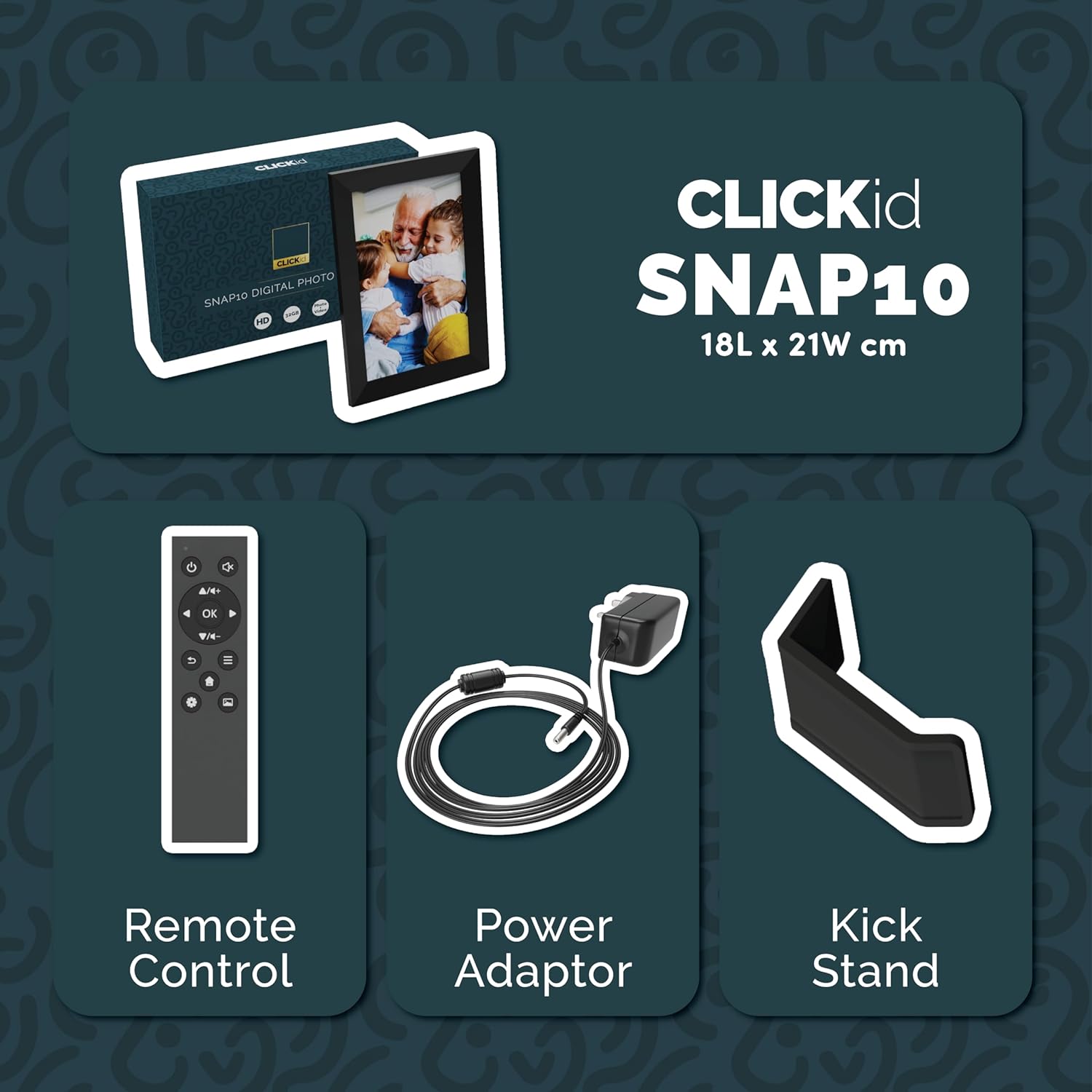
Included accessories: Remote Control, Power Adapter, and Kickstand.
Quraşdırma Bələdçisi
- Unpack the Frame: Carefully remove the digital picture frame and all accessories from the packaging.
- Attach the Kickstand: Insert the kickstand into the designated slot on the back of the frame. The frame supports both horizontal and vertical orientations.
- Güc bağlayın: Plug the power adapter into the DC port on the back of the frame, then connect it to a power outlet. The frame will automatically power on.
- İlkin Quraşdırma: Follow the on-screen instructions to select your language, time zone, and connect to a Wi-Fi network.
- Install Frameo App: Download the "Frameo" app from your smartphone's app store (available for iOS and Android).
- Connect Frame to App: Open the Frameo app and create an account. On your digital frame, tap "Add Friend" to get a unique code. Enter this code into the Frameo app on your smartphone to link the devices.

The back of the frame features essential ports for power, USB, and Micro SD card.
Əməliyyat Təlimatları
Foto və Videoların Göndərilməsi
Once your frame is connected to the Frameo app, you can easily send photos and short videos from your smartphone.
- Smartfonunuzda Frameo proqramını açın.
- Göndərmək istədiyiniz foto və ya videoları seçin.
- Choose the connected digital frame as the recipient.
- Add a caption if desired, then tap "Send."

The Frameo app simplifies photo and video uploads from your smartphone.
Toxunma ekranından istifadə
The 10.1-inch LCD touchscreen allows for intuitive navigation. Swipe left or right to browse photos, tap to view options, and pinch to zoom.
Uzaqdan İdarəetmə Funksiyaları
The included remote control provides convenient access to various frame functions from a distance.
- Naviqasiya: Use arrow keys to move through menus and photos.
- OK/Daxil edin: Seçimləri təsdiq edin.
- Geri: Əvvəlki ekrana qayıdın.
- Oynat/Pauza: Control slideshows or video playback.
- Həcmi: Adjust audio for videos.

The included remote control for convenient operation.
Hərəkət Sensoru
The integrated motion sensor can be enabled to automatically turn the display on when movement is detected and off when the area is vacant, conserving energy. This setting can be adjusted in the frame's system settings.
Avtomatik Döndürmə funksiyası
The frame automatically adjusts the photo orientation (portrait or landscape) based on how the frame is positioned. Ensure the auto-rotate feature is enabled in the settings for optimal display.

The auto-rotate feature adjusts display based on frame orientation.
Xüsusiyyətlər bitdiview
- 10.1 düymlük LCD sensor ekran: Provides a clear display and interactive control.
- 32 GB Daxili Yaddaş: Ample space to store thousands of photos and videos.
- Wi-Fi Bağlantısı: Enables seamless photo and video sharing from anywhere via the Frameo app.
- Frameo App Integration: Manage your frame, send media, and invite friends/family to share their moments.
- Hərəkət Sensoru: Automatically turns the screen on/off to save energy.
- Avtomatik Döndürmə: Adjusts photo orientation automatically.
- Weather and Calendar Display: Integrated widgets provide current weather and calendar information.
- Yaddaş Kartı Yuvası: Supports Micro SD cards for additional storage or direct media import.
Baxım
- Təmizləmə: Use a soft, dry cloth to clean the screen and frame. Avoid abrasive cleaners or sprays directly on the screen.
- Proqram təminatı yeniləmələri: The frame may receive automatic software updates via Wi-Fi. Ensure your frame is connected to the internet to receive the latest features and improvements.
- Saxlama İdarəetmə: Vaxtaşırı yenidənview your stored photos and videos. You can delete unwanted media directly from the frame or through the Frameo app to free up space.
Problemlərin aradan qaldırılması
- Çərçivə yanmır:
- Güc adapterinin həm çərçivəyə, həm də işləyən elektrik rozetkasına etibarlı şəkildə qoşulduğundan əmin olun.
- Wi-Fi-a qoşulmaq mümkün deyil:
- Verify your Wi-Fi password. Ensure the frame is within range of your Wi-Fi router. Try restarting your router and the frame.
- Photos not appearing on the frame:
- Confirm that the frame is connected to Wi-Fi and linked to your Frameo app account. Check the Frameo app to ensure photos were successfully sent. Allow some time for photos to download, especially large batches.
- Frame is stuck on a white screen with a loading bar:
- This may indicate a software issue. Try performing a soft reset by disconnecting the power for 30 seconds and then reconnecting. If the issue persists, a factory reset might be necessary (refer to the frame's settings for this option, noting it will erase all data).
- Pult işləmir:
- Check if the batteries in the remote control need replacement. Ensure there are no obstructions between the remote and the frame's IR receiver.
Spesifikasiyalar
| Brend | Əksəriyyət |
| Model nömrəsi | Snap10 |
| Rəng | Qara |
| Ekran Ölçüsü | 10.1 düym |
| Qətnamə | 800*1280 |
| Aspekt nisbəti | 2.10:1 |
| Yaddaş Saxlama Tutumu | 32 GB |
| Bağlantı texnologiyası | Wi-Fi |
| Nəzarət metodu | App, Touchscreen, Remote |
| Güc mənbəyi | Kabelli Elektrik |
| Maddə Çəkisi | 491 qram |
| Element Ölçüləri (U x W) | 7.08"U x 8.26"W |
Zəmanət və Dəstək
The Majority Frameo Snap10 Digital Picture Frame comes with a 2 illik genişləndirilmiş zəmanət. Registration is required to activate the extended warranty. Please refer to the product packaging or the manufacturer's website for details on how to register your product.
For technical support, troubleshooting assistance, or warranty claims, please contact Majority customer service through their official websayt və ya məhsul sənədlərinizdə göstərilən əlaqə məlumatı.
Məhsul Videosu
This video demonstrates the ease of sharing photos and videos with the Frameo app and viewing them on the digital picture frame, highlighting its use for connecting family members.