
Giriş
This manual provides comprehensive instructions for the ASWEE P4 Smart Watch, a versatile fitness tracker with call capabilities, a 1.85" TFT display, and various health monitoring features. Please read this manual thoroughly before using your device.
Qutuda nə var
- ASWEE P4 Smart Watch
- Doldurma kabeli
- İstifadəçi təlimatı
Məhsul Bitdiview
The ASWEE P4 Smart Watch features a rectangular 1.85-inch TFT-LCD display with a 240x280 resolution. It includes a physical button on the side for navigation and interaction. The watch is designed for comfortable wear and easy access to its functions.
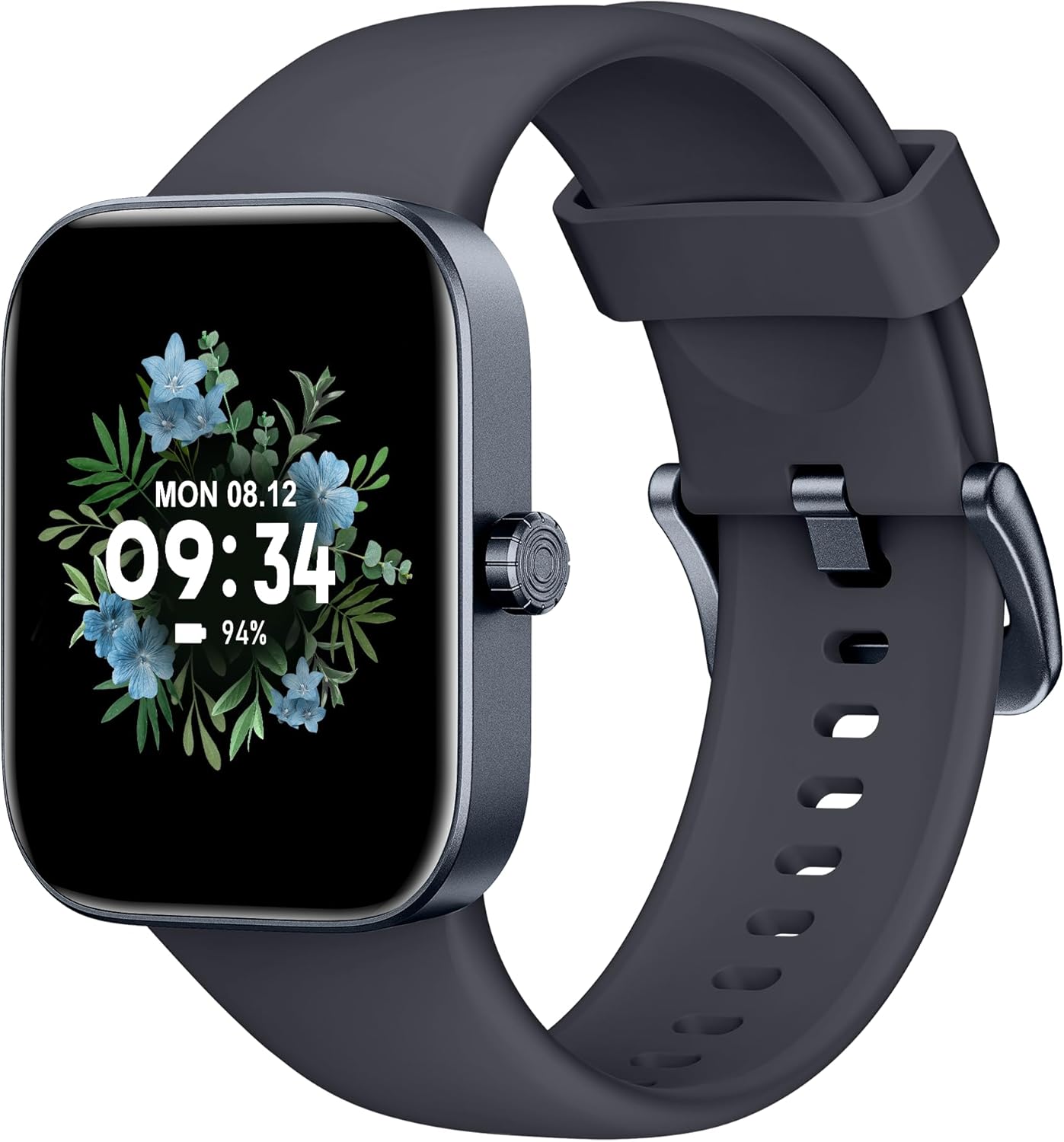
Ön view of the ASWEE P4 Smart Watch, displaying time and date with a floral background.
Quraşdırma
Cihazın doldurulması
The ASWEE P4 Smart Watch comes with a magnetic charging cable. Align the magnetic end of the cable with the charging contacts on the back of the watch. The watch will indicate when it is charging. A full charge typically takes approximately 2 hours and provides up to 7 days of active use or 15 days on standby.

Illustration showing the magnetic charging cable connected to the back of the ASWEE P4 Smart Watch, highlighting battery life indicators.
Tətbiqin Quraşdırılması və Qoşulması
To utilize all features of your ASWEE P4 Smart Watch, you need to download and install the "FitPro" application on your smartphone. Scan the QR code provided in the watch's packaging or search for "FitPro" in your device's app store.
iPhone ilə cütləşmə
Follow these steps to pair your watch with an iPhone:
- iPhone-da Bluetooth-un aktiv olduğundan əmin olun.
- Open the "FitPro" app.
- Navigate to "Setting" and then "Bind device".
- Select your watch (e.g., KM13Pro) from the scan results.
- Confirm the pairing request by clicking "Pair" and then "Allow" for notifications.
- Go to your iPhone's Bluetooth settings and connect to "KM13Pro Audio" for call functionality.
Video tutorial demonstrating how to bind the ASWEE P4 Smart Watch to an iPhone and how to unbind it.
Pairing with Android Phone
Follow these steps to pair your watch with an Android phone:
- Android telefonunuzda Bluetooth-un aktiv olduğundan əmin olun.
- Open the "FitPro" app.
- Navigate to "Set" and then "Bind device".
- Select your watch (e.g., KM13Pro) from the scan results.
- Confirm the pairing request by clicking "Pair".
Video tutorial demonstrating how to bind the ASWEE P4 Smart Watch to an Android phone and how to unbind it.
Əməliyyat Təlimatları
Əsas Naviqasiya
The watch features a touch-sensitive screen for navigation. Swipe left/right or up/down to access different functions and menus. The side button typically serves as a home or back button.
Call and Text Functionality
With its built-in speaker and microphone, the ASWEE P4 allows you to answer/dial calls directly from your wrist when connected via Bluetooth. You can also receive SMS text and SNS messages (Facebook, Twitter, WhatsApp, etc.) with vibration alerts.

Image showing the ASWEE P4 Smart Watch on a wrist, with notification icons for various messaging apps, indicating Bluetooth 5.0 connectivity for calls and texts.
Sağlamlığın İzlənməsi
The watch provides comprehensive health monitoring:
- Ürək dərəcəsi: 24-hour tracking with a high-precision PPG sensor. Stores 7 days of resting heart rate data.
- Qan oksigen: Measures SpO2 levels using a reflective-light based sensor.
- Yuxu Monitorinqi: Tracks sleep quality through Awake, Light, and Deep sleep stages, helping to improve sleep duration and quality.
- Stress Monitorinqi: Stress səviyyələri haqqında məlumat verir.

Image illustrating the ASWEE P4 Smart Watch's 24-hour data tracking capabilities, including heart rate, stress level, and blood oxygen monitoring.

Image depicting the ASWEE P4 Smart Watch's sleep health assistant feature, showing sleep duration and patterns.
Fitnes Rejimləri
The ASWEE P4 supports multiple workout modes, including running, bike riding, basketball, and tennis. It accurately monitors data points like heart rate, time, and calories burned to enhance workout efficiency.

Şəkil nümayişiasing the ASWEE P4 Smart Watch's various sports modes, including running, bike riding, basketball, and jumping jack, with activity data like steps, distance, and calories.
Fərdiləşdirmə
Choose from over 100 stylish watch faces or create your own using photos from your phone gallery.
Baxım
Təmizləmə
Saatınızı və qayışınızı mütəmadi olaraq yumşaq bir parça ilə təmizləyin, damp parça. Sərt kimyəvi maddələrdən və ya aşındırıcı materiallardan istifadə etməyin.
Saxlama
İstifadə edilmədikdə saatı sərin, quru yerdə saxlayın.
Problemlərin aradan qaldırılması
Saat Yanmır
- Saatın tam doldurulduğundan əmin olun. Onu ən azı 30 dəqiqə şarj kabelinə və enerji mənbəyinə qoşun.
Cütləşmə Məsələləri
- Telefonunuzda Bluetooth-un aktiv olduğundan və saatınızın əhatə dairəsində olduğundan əmin olun.
- Həm telefonu, həm də saatı yenidən başladın.
- If previously paired, try "forgetting" the device in your phone's Bluetooth settings and re-pairing through the FitPro app.
- Ensure the FitPro app has necessary permissions (Bluetooth, location).
Səhiyyə ilə bağlı qeyri-dəqiq məlumatlar
- Saatın biləyinizə möhkəm taxıldığından, çox sıx və ya çox boş olmadığından əmin olun.
- Saatın arxasındakı sensoru təmizləyin.
- Ətraf mühit amilləri və fərdi fiziologiya göstəricilərə təsir göstərə bilər.
Bildirişlər Görünmür
- Check app permissions for FitPro to ensure it can access notifications.
- Verify that notification push settings are enabled within the FitPro app for desired applications.
- Saatın Bluetooth vasitəsilə telefonunuza qoşulduğundan əmin olun.
Spesifikasiyalar
| Xüsusiyyət | Detal |
|---|---|
| Model Adı | P4 |
| Brend | ASWEE |
| Ekran Ölçüsü | 1.85 düym |
| Ekran Texnologiyası | TFT-LCD |
| Qətnamə | 240 x 280 PPI |
| Əməliyyat sistemi | Wear OS |
| Bağlantı | Bluetooth 5.3 |
| Suya davamlılıq | IP68, 5 ATM |
| Batareya Ömrü (Tipik İstifadə) | 7 günə qədər |
| Gözləmə vaxtı | 15 günə qədər |
| Doldurma vaxtı | təqribən. 2 saat |
| Xüsusi Xüsusiyyətlər | Fitness Tracker, Sleep Monitor, Reminders, Multimedia control, Answer/Dial Call, Heart Rate Monitor, Blood Oxygen Monitor, Stress Monitor |
| Maddə Çəkisi | 2.89 unsiya |
Qeyd: Spesifikasiyalar əvvəlcədən xəbərdarlıq edilmədən dəyişdirilə bilər.
Zəmanət və Dəstək
For warranty information and technical support, please refer to the official ASWEE websaytına daxil olun və ya müştəri xidmətləri ilə əlaqə saxlayın. Satınalma qəbzini alışın sübutu olaraq saxlayın.