
1. Giriş
This manual provides instructions for the Varmilo Koi 73 JIS Keyboard with Sakura Switches (Model: VMMA73A039SAKURA). This keyboard features a unique design inspired by traditional Chinese Koi fish and water elements, combined with a modern aesthetic. It is a compact 65% size keyboard with a Japanese Industrial Standard (JIS) layout, designed for both functionality and portability. The keyboard is equipped with Cherry-style stabilizers for a stable typing experience.
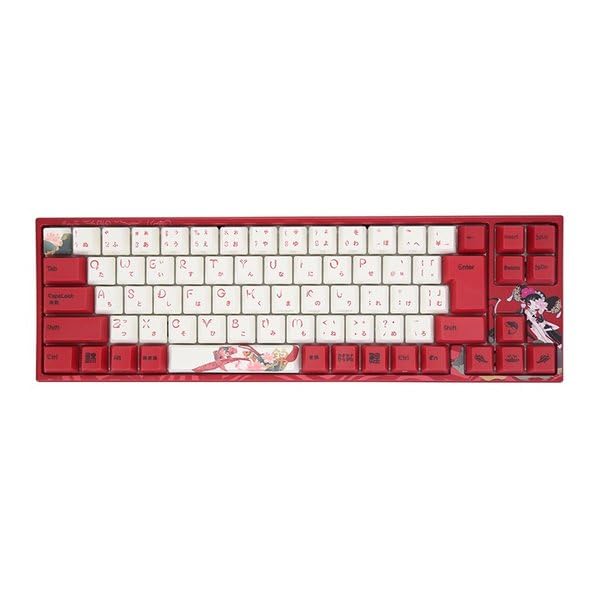
Image: Varmilo Koi 73 JIS Keyboard overview.
2. Əsas Xüsusiyyətlər
- Unique Koi Design: Features vibrant koi fish illustrations and a red aesthetic, developed in collaboration with illustrator Li Huan.
- JIS Layout: 73-key Japanese Industrial Standard layout for specific regional input needs.
- Compact 65% Size: Optimizes desk space while retaining essential function and arrow keys.
- Customizable Switches: Offers a choice of Varmilo mechanical electrostatic capacity switches to suit individual typing preferences.
- Cherry-Style Stabilizers: Ensures consistent and stable key presses, especially for larger keys.
- USB Bağlantısı: Reliable wired connection for stable performance.
3. Quraşdırma Bələdçisi
3.1 Paketin məzmunu
Başlamazdan əvvəl, bütün elementlərin paketdə olduğundan əmin olun:
- Varmilo Koi 73 JIS Keyboard
- USB kabel
- İstifadəçi Təlimatı (bu sənəd)
3.2 Klaviaturanın qoşulması
To connect your Varmilo Koi 73 keyboard to your computer, follow these steps:
- Klaviaturanın arxasındakı USB-C portunu tapın.
- Connect one end of the provided USB cable to the keyboard's USB-C port.
- USB kabelin digər ucunu kompüterinizdə mövcud olan USB portuna qoşun.
- Klaviatura əməliyyat sisteminiz tərəfindən avtomatik olaraq tanınmalıdır.
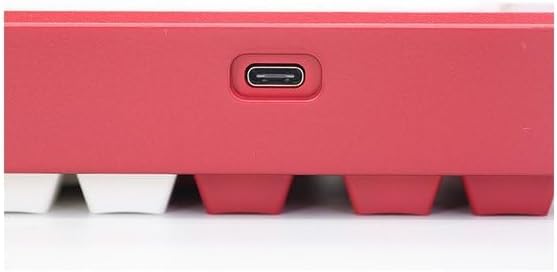
Image: USB-C port for keyboard connection.
3.3 Sürücünün quraşdırılması (İstəyə görə)
For advanced customization and optimal performance, it is recommended to install the Varmilo driver software. This software allows you to remap keys, adjust performance settings, and customize lighting effects.
Video: This video demonstrates the driver installation process and software usage for Varmilo keyboards. While it features the Muse65 model, the steps for driver installation and basic software navigation are generally applicable to other Varmilo keyboards like the Koi 73.
Please visit the official Varmilo website for the latest driver downloads specific to your keyboard model. Follow the on-screen instructions during installation.
4. Əməliyyat Təlimatları
4.1 Əsas əsas funksiyalar
The Varmilo Koi 73 keyboard features a standard JIS layout. Most keys function as labeled. For special functions, refer to the combination keys below.
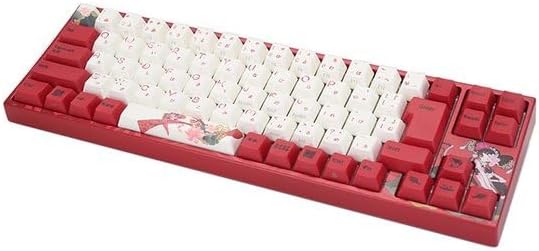
Şəkil: Bitdiview of the Varmilo Koi 73 JIS Keyboard layout.
4.2 Funksiya (Fn) Düymə Kombinasiyaları
Since this is a 73-key layout, some functions are accessed via the Fn key. Hold down the Fn key and press the corresponding key to activate its secondary function. Common Fn combinations include:
- Fn + F1-F12: Multimedia controls (e.g., volume, play/pause).
- Fn + Ok düymələri: Page Up/Down, Home/End (specific to model, refer to keycap legends).
- Fn + Win Key: Locks/unlocks the Windows key.

Image: Left side keys, often used with Fn for additional functions.
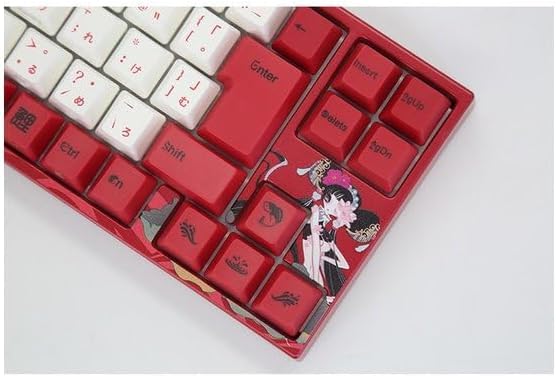
Image: Right side keys, including navigation and utility keys.
4.3 İşıqlandırma effektləri
The Varmilo Koi 73 keyboard supports various RGB lighting effects. You can cycle through different modes and adjust brightness using specific key combinations. Refer to your keyboard's specific keycap legends or the driver software for detailed lighting controls.
Video: This video showcases various RGB lighting effects on a Varmilo keyboard. While the model shown is Muse65, it provides a general idea of the dynamic lighting capabilities available on Varmilo keyboards, including the Koi 73.
5. Baxım və qulluq
Proper maintenance ensures the longevity and optimal performance of your Varmilo Koi 73 keyboard.
- Klaviatura qapaqlarının təmizlənməsi: Gently remove keycaps using a keycap puller. Clean the keycaps with a soft cloth dampyumşaq sabun və su ilə tamamlandı. Yenidən bağlamadan əvvəl onların tamamilə quruduğundan əmin olun.
- Klaviatura korpusunun təmizlənməsi: Use a soft, dry cloth to wipe down the keyboard body. For stubborn dirt, a slightly damp cloth with a small amount of isopropyl alcohol can be used. Avoid excessive moisture.
- Toz Təmizləmə: Düymələr arasındakı toz və zibilləri təmizləmək üçün sıxılmış havadan istifadə edin.
- Mayelərdən çəkinin: Keep liquids away from the keyboard to prevent damage.
- Kabel Baxımı: Do not bend or crimp the USB cable excessively.
6. Giderme
If you encounter issues with your Varmilo Koi 73 keyboard, try the following solutions:
- Klaviatura cavab vermir:
- USB kabelin həm klaviaturaya, həm də kompüterə etibarlı şəkildə qoşulduğundan əmin olun.
- Klaviaturanı kompüterinizdəki başqa USB portuna qoşmağa cəhd edin.
- Kompüterinizi yenidən başladın.
- USB hub istifadə edirsinizsə, birbaşa kompüterə qoşulmağa cəhd edin.
- Qeydiyyatdan Keçməyən Açarlar:
- Check for any debris or foreign objects under the keycaps.
- If specific keys are not working, consider reinstalling the keyboard driver.
- İşıqlandırma Problemləri:
- Ensure the keyboard driver is installed and up to date.
- Use the Fn key combinations or driver software to adjust lighting modes and brightness.
- Windows Key Locked:
- basın Fn + Win düyməsi Windows düymə kilidini dəyişdirmək üçün.
If the problem persists, please contact Varmilo customer support for further assistance.
7. Spesifikasiyalar
| Brend | Varmilo |
| Model nömrəsi | VMMA73A039SAKURA |
| Klaviatura düzümü | 73-key JIS (Japanese Industrial Standard) |
| Bağlantı | USB kabelli |
| Keçid Tipi | Mechanical (Linear) |
| Uyğun Cihazlar | Noutbuk |
| Məhsul Ölçüləri | 34.2 sm (L) x 34.2 sm (W) x 5.1 sm (H) |
| Daxil olan komponentlər | USB kabel |
8. Zəmanət və Dəstək
Varmilo products typically come with a manufacturer's warranty. Please refer to the warranty card included with your product or visit the official Varmilo webətraflı zəmanət şərtləri üçün sayt.
For technical support, driver downloads, or further inquiries, please visit the official Varmilo support page or contact their customer service.
Official Varmilo Websayt: www.varmilo.com