
1. Məhsul bitdiview
The FUNLAB Firefly Wireless Pro Controller is designed to enhance your gaming experience on Nintendo Switch, Switch OLED, and Switch Lite consoles. It features Hall Effect joysticks for precise control, customizable RGB LED lighting, programmable back paddle buttons, and motion control capabilities.
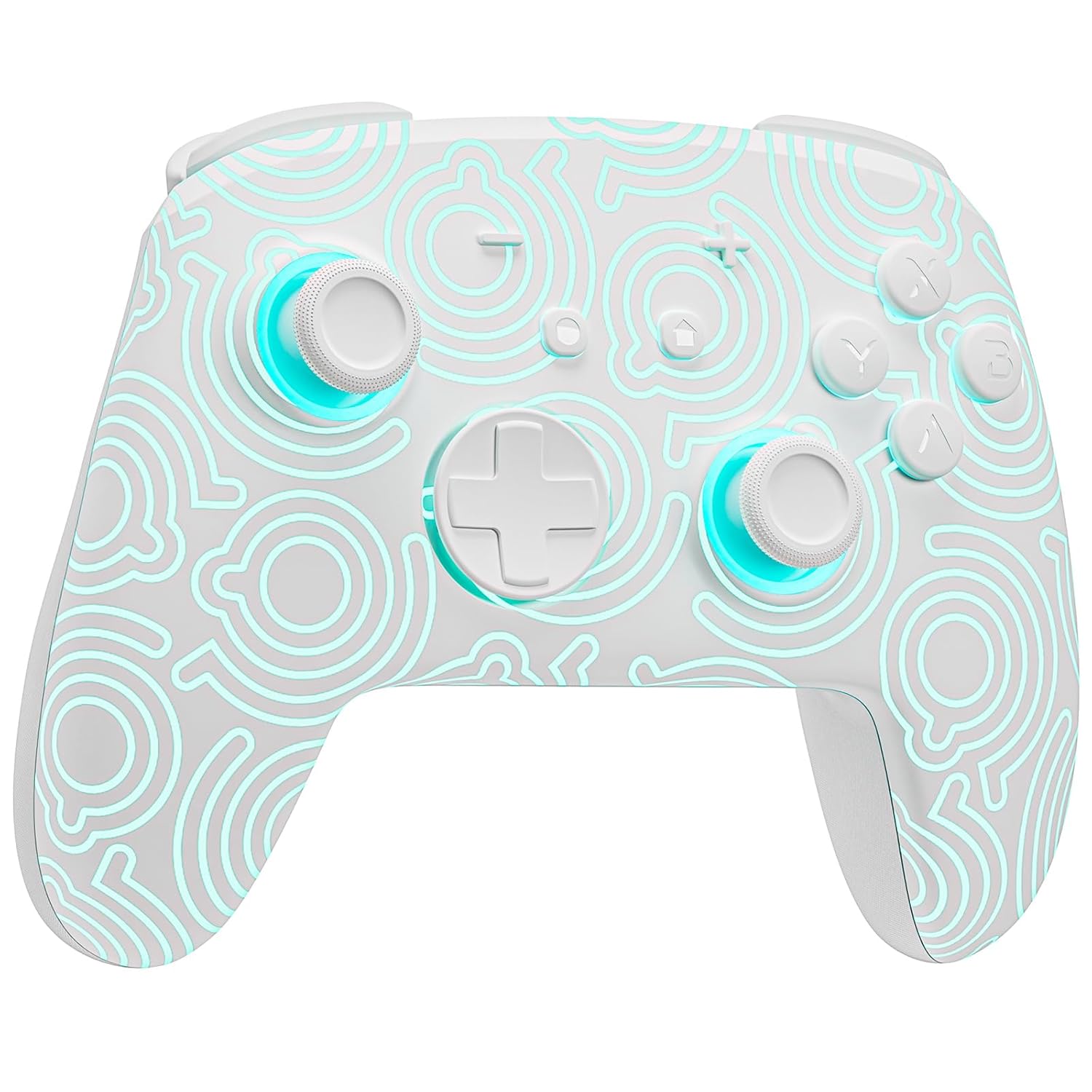
Şəkil 1.1: Ön view of the FUNLAB Firefly Wireless Pro Controller, showcasing its white design with illuminated patterns.
2. Paketin məzmunu
- FUNLAB Firefly Wireless Pro Controller
- USB-C şarj kabeli
- Təlimat kitabçası
3. Quraşdırma və Bağlantı
3.1 Initial Pairing with Nintendo Switch
- Nintendo Switch konsolunuzun işə salındığından və ən son sistem proqram təminatına yeniləndiyindən əmin olun.
- For the first-time connection, connect the controller to the Switch console using the provided USB-C charging cable. This wired activation is required to enable the one-touch wake-up function.
- Once connected, the controller will automatically pair with the console.
- After initial wired pairing, you can disconnect the cable. The controller can now be connected wirelessly.
3.2 Wireless Connection and Wake-Up Function
- To connect wirelessly, press the EV button on the controller. The controller will attempt to connect to the last paired console.
- The controller supports a one-key wake-up function. Pressing the EV button will wake up a sleeping Nintendo Switch, Switch OLED, or Switch Lite console instantly, provided it has been previously paired via wired connection.
3.3 Nəzarətçinin doldurulması
- Connect the controller to a USB power source (e.g., Switch dock, computer, USB wall adapter) using the USB-C charging cable.
- The controller features a built-in 3.7V/950mAH Lithium battery.
- A full charge provides approximately 12.5 hours of playtime (with LED lights off). Charging indicators will typically show the charging status.

Image 3.1: Illustration of the controller's battery life, indicating 12 hours playing time and 950mAh capacity.
3.4 Multi-Device Compatibility
The controller is compatible with multiple devices beyond the Nintendo Switch, including Android, iOS, Steam Deck, and PC systems. Refer to the specific pairing instructions for each device in the included manual or online resources.
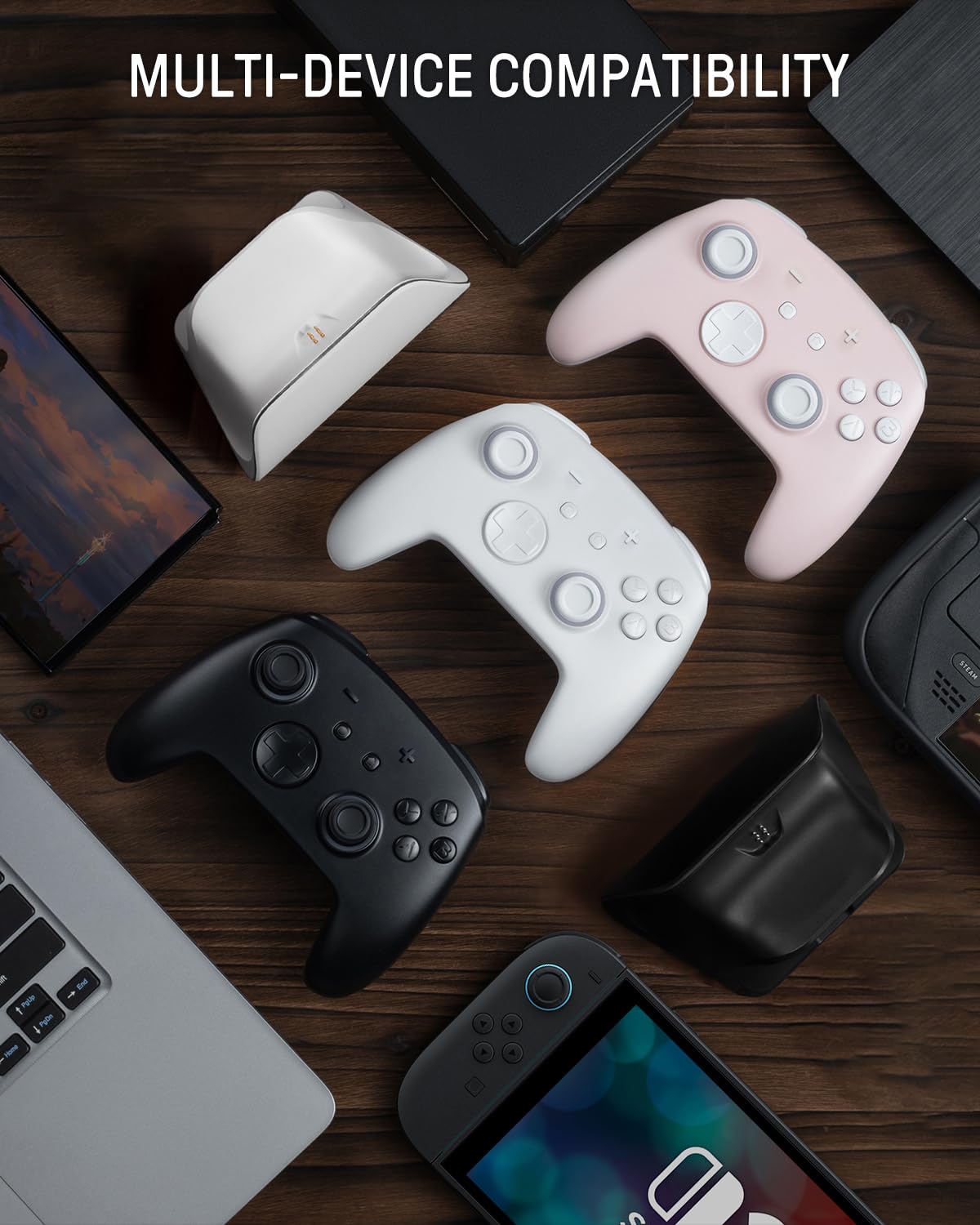
Image 3.2: The controller shown alongside various compatible devices such as laptops, smartphones, and handheld gaming consoles.
4. Əməliyyat Təlimatları
4.1 Hidden-til-lit Display and LED Lighting
The controller features a unique hidden-til-lit display. When the LED is inactive, the controller appears as a solid white unit. Upon activation, a hidden pattern illuminates, enhancing the visual experience.
- düyməsini basın İşıq düyməsi (located on the back or front, depending on model variant) to cycle through 7 LED colors.
- The controller offers 4 lighting modes: breathing light mode, quick flash mode, vibration lighting mode, and always-on mode.
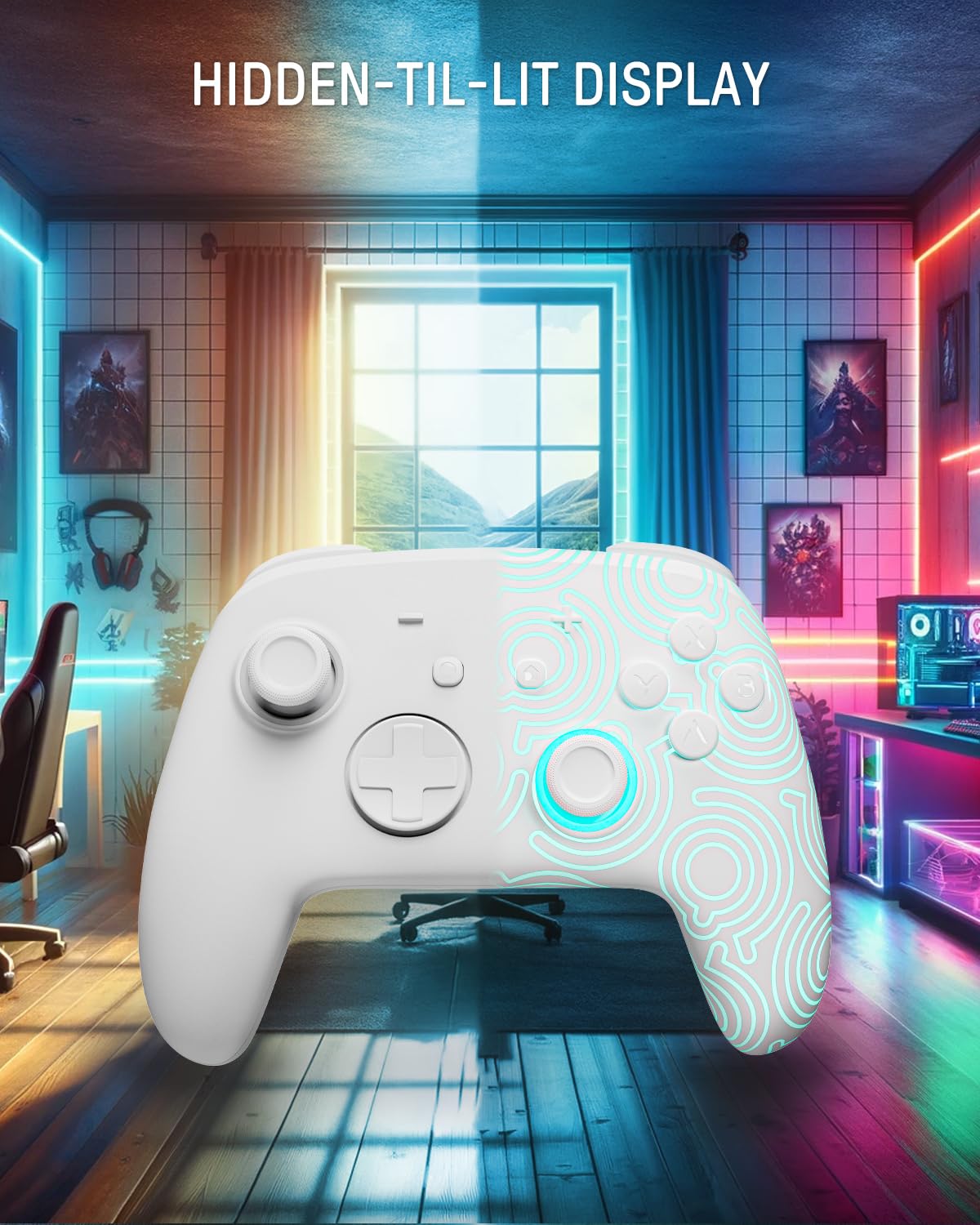
Image 4.1: The controller demonstrating its hidden-til-lit display, with one side illuminated and the other unlit.
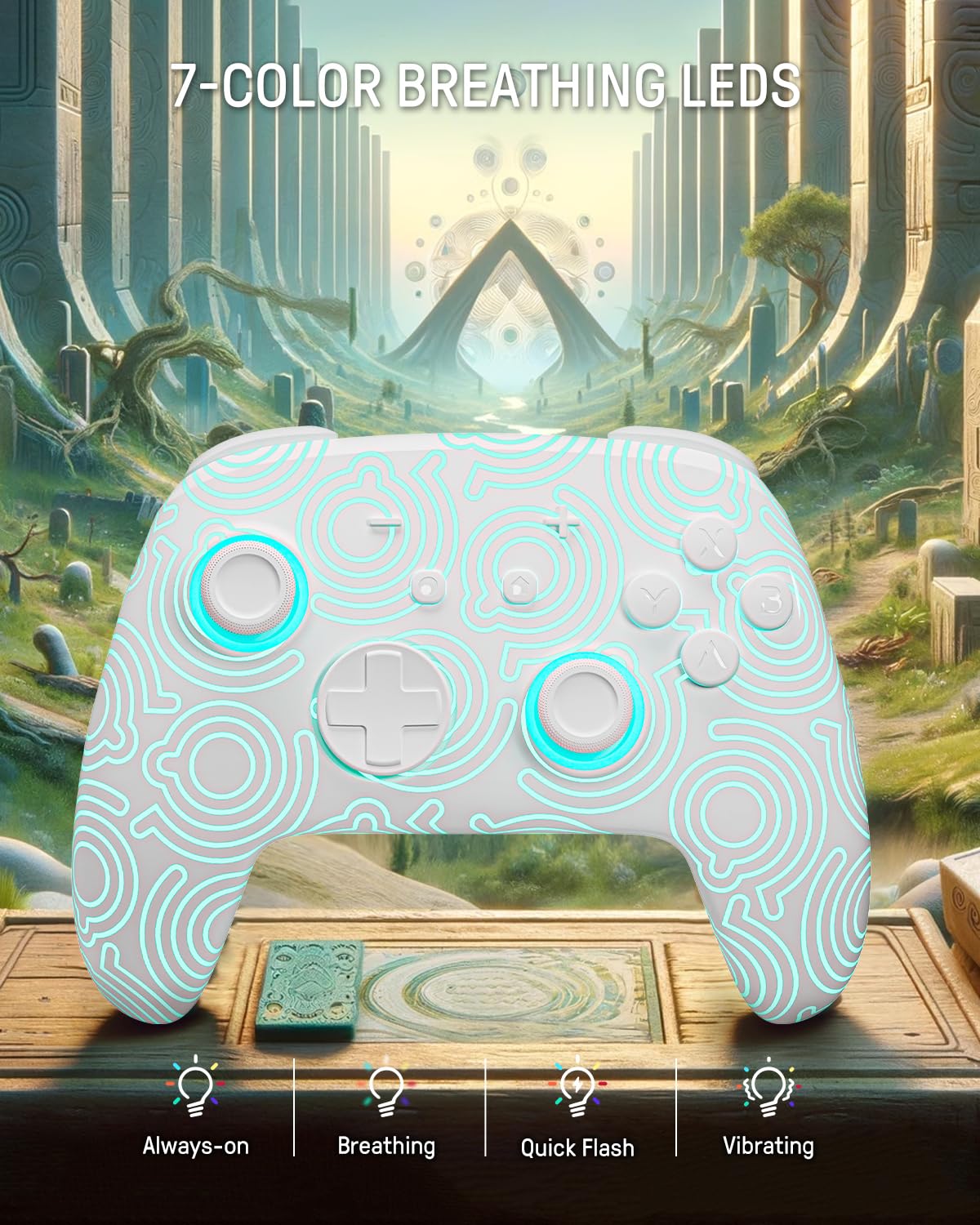
Image 4.2: The controller displaying its 7-color breathing LED feature, with various lighting modes indicated.
4.2 Hall Effect Joysticks
The controller is equipped with Hall Effect joysticks, which utilize magnetic sensors instead of physical contacts. This design provides precise and sensitive control, ensuring accurate and smooth gameplay while offering a longer lifespan and stable performance with reduced mechanical wear and stick drift.

Image 4.3: A detailed diagram illustrating the internal components and magnetic sensing principle of a Hall Effect joystick.
4.3 Back Paddle Buttons
The controller includes programmable back paddle buttons. These buttons can be assigned to replicate other controller inputs, allowing for enhanced gameplay and customized control setups to suit individual playstyles.

Şəkil 4.4: Arxa view of the controller, highlighting the two programmable back paddle buttons.
4.4 Turbo Function and Motion Control
- The controller features a Turbo funksiyası, which supports continuous input for rapid button presses. This is beneficial for games requiring quick, repeated actions, such as shooting games.
- Dəqiq motion control is integrated, allowing for immersive gameplay in titles that utilize gyroscope or accelerometer input.
4.5 Vibrasiya funksiyası
The controller provides immersive vibration feedback, bringing in-game actions to life. The intensity of the vibration can often be adjusted or toggled off via console settings or dedicated controller buttons, if available.

Image 4.5: An illustration depicting the vibration function of the controller, with intensity levels indicated.
5. Baxım
- Təmizləmə: Use a soft, dry cloth to clean the controller. For stubborn dirt, slightly dampsu ilə parça. Sərt kimyəvi maddələrdən və ya aşındırıcı materiallardan istifadə etməyin.
- Yaddaş: Kontrolleri birbaşa günəş işığından və həddindən artıq temperaturdan uzaq sərin, quru yerdə saxlayın.
- Batareyaya qulluq: Batareyanın ömrünü uzatmaq üçün kontrolleri tez-tez tam boşaltmaqdan çəkinin. Uzun müddət istifadə edilməsə belə, onu müntəzəm olaraq doldurun.
6. Giderme
6.1 Nəzarətçi Qoşulmamır
- Nəzarətçinin yükləndiyinə əmin olun.
- Perform the initial wired pairing as described in Section 3.1.
- Check the console's Bluetooth settings to ensure it is enabled and searching for devices.
- Try resetting the controller (a small reset button may be present on the back, often requiring a pin to press).
6.2 Giriş Gecikməsi və ya Cavab Verməyən Düymələr
- Ensure the controller is fully charged. Low battery can affect performance.
- Move closer to the console to minimize wireless interference.
- Başqa simsiz cihazların müdaxilə yaratmadığından əmin olun.
- Restart both the controller and the console.
6.3 LED işıqları işləmir
- Press the Light button repeatedly to cycle through modes and colors.
- Ensure the controller has sufficient battery charge.
7. Spesifikasiyalar
| Xüsusiyyət | Detal |
|---|---|
| Model | FUNLAB Firefly Wireless Pro Controller |
| ASIN | B0D2LCBVYD |
| Məhsul Ölçüləri | 5.91 x 2.36 x 4.33 düym |
| Maddə Çəkisi | 8.8 unsiya |
| İstehsalçı | FUNLAB |
| Batareya növü | 1 litium-ion batareya (daxildir) |
| Batareya Tutumu | 950mAH |
| Təxmini Oyun Vaxtı | Up to 12.5 hours (lights off) |
| Bağlantı | Wireless (Bluetooth), USB-C (wired) |
| Uyğunluq | Nintendo Switch, Switch OLED, Switch Lite, Android, iOS, Steam Deck, PC |
| Xüsusi Xüsusiyyətlər | Hall Effect Joysticks, RGB 7 LED Colors, Back Paddle Buttons, Turbo Function, Motion Control, Wake-Up Function |
8. Zəmanət və Dəstək
For warranty information and customer support, please refer to the documentation included with your product or visit the official FUNLAB website. You may also contact the seller directly through the platform where the product was purchased for assistance.
İstehsalçı: FUNLAB
İlk mövcud tarix: 24 aprel 2024-ci il