
1. Məhsul bitdiview
This manual provides essential instructions for the safe and efficient use of your HUAWEI MatePad SE 11" Tablet. Please read this manual thoroughly before using the device and retain it for future reference.

Şəkil: arxa view of the HUAWEI MatePad SE 11" tablet, highlighting its lightweight (475g) and slim (6.9mm) design. The tablet features a premium metal unibody construction.
The HUAWEI MatePad SE 11" is designed for an immersive visual and audio experience, featuring an 11-inch FullView Eye Comfort screen and a powerful quad-speaker system. Its lightweight and slim design make it highly portable.
2. İlkin Quraşdırma
2.1. Qutudan Çıxarma və Paket İçindəkilər
Carefully unpack your HUAWEI MatePad SE 11" tablet. Ensure all items listed below are present:
- HUAWEI MatePad SE 11" Tablet (6GB+128GB)
- Şarj cihazı
- Type-C Kabel
- Tez Başlanğıc Bələdçisi
- Zəmanət kartı
2.2. Planşetin doldurulması
Before first use, fully charge the tablet. Connect the Type-C cable to the tablet's USB-C port and the charger, then plug the charger into a power outlet. The tablet supports 22.5W fast charging.
2.3. Açma / Söndürmə
- Yandırmaq üçün: Press and hold the Power button until the HUAWEI logo appears.
- Söndürmək üçün: Güc düyməsini basıb saxlayın, sonra seçimlərdən "Söndür" seçin.
- Yenidən Başlamaq üçün: Güc düyməsini basıb saxlayın, sonra seçimlərdən "Yenidən başladın" seçin.
2.4. İlkin Konfiqurasiya
Follow the on-screen instructions to complete the initial setup, including:
- Dil seçimi
- Wi-Fi şəbəkə bağlantısı
- HUAWEI ID login (or create a new one)
- Security settings (PIN, password, pattern, or facial recognition)
3. Planşetinizi idarə etmək
3.1. Ekran Xüsusiyyətləri

Image: The HUAWEI MatePad SE 11" screen, showcasing its 11-inch FHD+ Eye Comfort display. Key features include an 85% screen-to-body ratio, 1920x1200 resolution, and 400 Nits brightness for a clear visual experience.
The 11-inch FHD+ Eye Comfort display provides an immersive visual experience. It features:
- Qətnamə: 1920 x 1200 piksel
- Göz Rahatlığı: TÜV Rheinland certified for low blue light and flicker-free viewing, reducing eye strain during prolonged use.
- Parlaqlıq: 400 Nits, with 4096-level brightness adjustment.
- E-Book Mode: A dedicated mode for a paper-like reading experience.
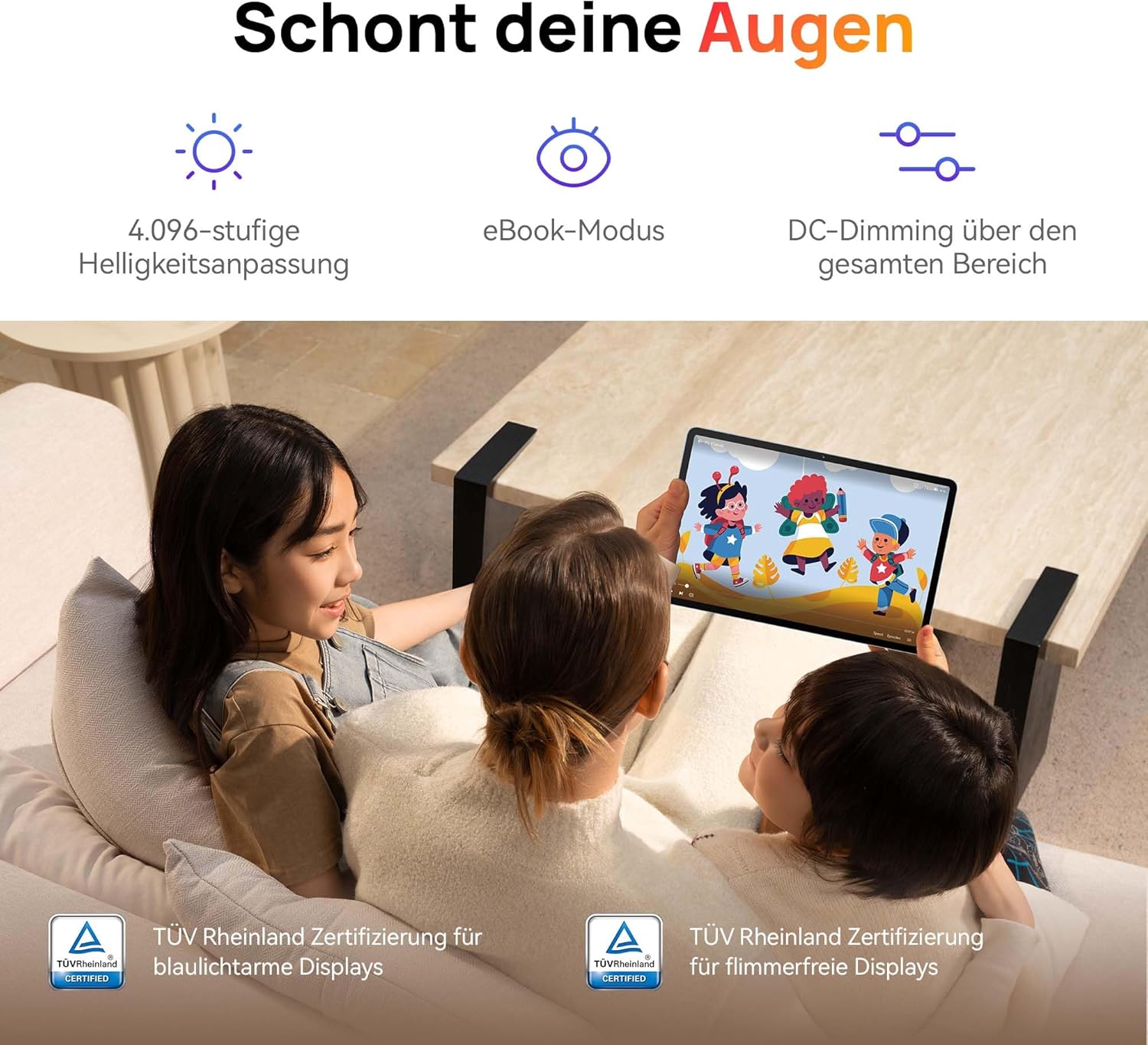
Image: Children using the tablet, illustrating the eye protection features. The display is TÜV Rheinland certified for low blue light and flicker-free operation, ensuring a comfortable viewtəcrübə.
3.2. Səs Sistemi

Image: A user enjoying music on the tablet, demonstrating the immersive quad-speaker system. This system is optimized by HUAWEI Histen 9.0 technology for high-quality audio.
The tablet features a symmetrical quad-speaker system optimized by HUAWEI Histen 9.0 technology, providing cinematic sound quality for various applications.
3.3. Kids Corner

Image: The Kids Corner interface on the tablet, designed as a safe and engaging environment for children. Features include posture warnings, a blue light filter, and an eBook mode, along with content from BabyBus.
Kids Corner provides a safe and dedicated environment for children to learn and play. Parents can manage:
- Time limits for usage.
- Allowed applications and content.
- Features like posture warnings and blue light filters to promote healthy digital habits.
It also includes content from BabyBus, offering games, stories, and nursery rhymes.
3.4. M-Pen Lite (Optional Accessory)

Image: The HUAWEI M-Pen Lite stylus, an optional accessory that enhances interaction with the tablet for drawing, writing, and note-taking. It is supported by the HUAWEI MatePad SE 11" Stylus Set.
If you have the HUAWEI M-Pen Lite, it can be used for enhanced interaction, drawing, and note-taking. Ensure your tablet supports the M-Pen Lite stylus set.
The tablet also supports applications like GoPaint for professional and easy-to-use digital art, and HUAWEI Note for organized note-taking.

Image: GoPaint application on the tablet, illustrating its interface for digital art creation.

Image: HUAWEI Note application on the tablet, showing its capabilities for detailed note-taking.
3.5. Bağlantı
- Wi-Fi: Connect to available Wi-Fi networks for internet access. Supports 802.11ac.
- Bluetooth: Qulaqlıqlar, dinamiklər və ya klaviaturalar kimi Bluetooth cihazları ilə qoşun.
- USB-C portu: Used for charging, data transfer, and connecting compatible accessories.
3.6. Multi-Window and Multi-Device Collaboration
The tablet supports multi-window functionality for enhanced multitasking and multi-device screen sharing for seamless integration with other HUAWEI devices.
4. Baxım və qulluq
- Təmizləmə: Ekranı və bədəni təmizləmək üçün yumşaq, tüysüz parça istifadə edin. Aşındırıcı materiallardan və ya sərt kimyəvi maddələrdən çəkinin.
- Batareyaya qulluq: To prolong battery life, avoid extreme temperatures. Do not allow the battery to fully discharge frequently.
- Proqram təminatı yeniləmələri: Optimal performans və təhlükəsizliyi təmin etmək üçün proqram yeniləmələrini mütəmadi olaraq yoxlayın və quraşdırın.
- Yaddaş: Keep the tablet in a cool, dry place away from direct sunlight and moisture.
5. Giderme
| Problem | Mümkün Həll |
|---|---|
| Planşet işə düşmür. | Batareyanın doldurulduğundan əmin olun. Şarj cihazını qoşun və yenidən yandırmağa cəhd etməzdən əvvəl bir neçə dəqiqə gözləyin. |
| Ekran cavab vermir. | Restart the tablet by holding the Power button for approximately 10 seconds. If unresponsive, ensure the screen is clean and dry. |
| Wi-Fi bağlantısı problemləri. | Check if Wi-Fi is enabled. Restart your router and the tablet. Ensure you are within range of the Wi-Fi signal. |
| Apps are not downloading from Play Store. | The HUAWEI MatePad SE 11" runs on HarmonyOS and uses HUAWEI AppGallery. Google Play Store services are not natively supported. Use Petal Search to find and install apps or access web versions of services. |
| Yavaş performans. | Close unnecessary background applications. Clear cache and temporary files. Ensure sufficient storage space is available. Restart the tablet. |
6. Texniki spesifikasiyalar
| Xüsusiyyət | Detal |
|---|---|
| Model Adı | MatePad SE 11" |
| Model nömrəsi | 53014FHK |
| Ölçülər (U x G x Y) | 26.23 x 16.38 x 0.69 sm |
| Çəki | 475 qram |
| Ekran Ölçüsü | 11 düym |
| Ekran növü | LCD |
| Ekran Çözünürlüğü | 1920 x 1200 piksel (FHD+) |
| Aspekt nisbəti | 16:9 |
| Əməliyyat sistemi | HarmonyOS |
| Prosessor | Huawei Processor (Agassi6-W09C) |
| RAM | 6 GB |
| Saxlama Tutumu | 128 GB |
| Batareya növü | Litium-polimer |
| Batareya Tutumu | 7700 mAh |
| Doldurulur | 22.5W Fast Charging (via USB Type-C) |
| Arxa Kamera Çözünürlüğü | 8 meqapiksel |
| Dinamiklər | 4 speakers with HUAWEI Histen 9.0 |
| Simsiz Texnologiya | Wi-Fi (802.11ac), Bluetooth |
| USB Portları | 1 (USB Type-C) |
| Xüsusi Xüsusiyyətlər | 11-inch Eye Comfort Screen, Kids Corner, Multi-window, Multi-device screen sharing |
| Qutuya daxildir | Tablet, Charger, Type-C Cable, Quick Start Guide, Warranty Card |
7. Zəmanət və Dəstək
7.1. Zəmanət Məlumatı
Your HUAWEI MatePad SE 11" Tablet comes with a manufacturer's warranty. Please refer to the included Warranty Card for specific terms and conditions. Spare parts availability is guaranteed for 24 months.
7.2. Müştəri dəstəyi
For technical assistance, troubleshooting beyond this manual, or warranty claims, please contact HUAWEI customer support. Visit the official HUAWEI webəlaqə məlumatı və dəstək resursları üçün sayt.
Onlayn Resurslar: HUAWEI Support Websayt


