
Anker A3959H11
Anker Soundcore R50i NC True Wireless Earbuds User Manual
Model: A3959H11
Giriş
Thank you for choosing the Anker Soundcore R50i NC True Wireless Earbuds. These earbuds are designed to provide a superior audio experience with features like 10mm drivers for big bass, Bluetooth 5.3 for stable connectivity, up to 45 hours of playtime with the charging case, IP54-Sweatguard M waterproof rating, AI Clear Calls with 4 microphones, and 22 preset EQs via the Soundcore app. This manual will guide you through the setup, operation, and maintenance of your new earbuds.
Quraşdırma
1. Qutuda nə var
- Soundcore R50i NC True Wireless Earbuds
- Doldurma qutusu
- Qulaq ucları (müxtəlif ölçülərdə)
- USB-C şarj kabeli
- Tez Başlanğıc Bələdçisi
2. Qulaqcıqlarınızı və qutunuzu doldurun
Before first use, fully charge the earbuds and the charging case. Place the earbuds into the charging case and close the lid. Connect the USB-C charging cable to the charging port on the case and to a power source. The LED indicator on the case will show the charging status.
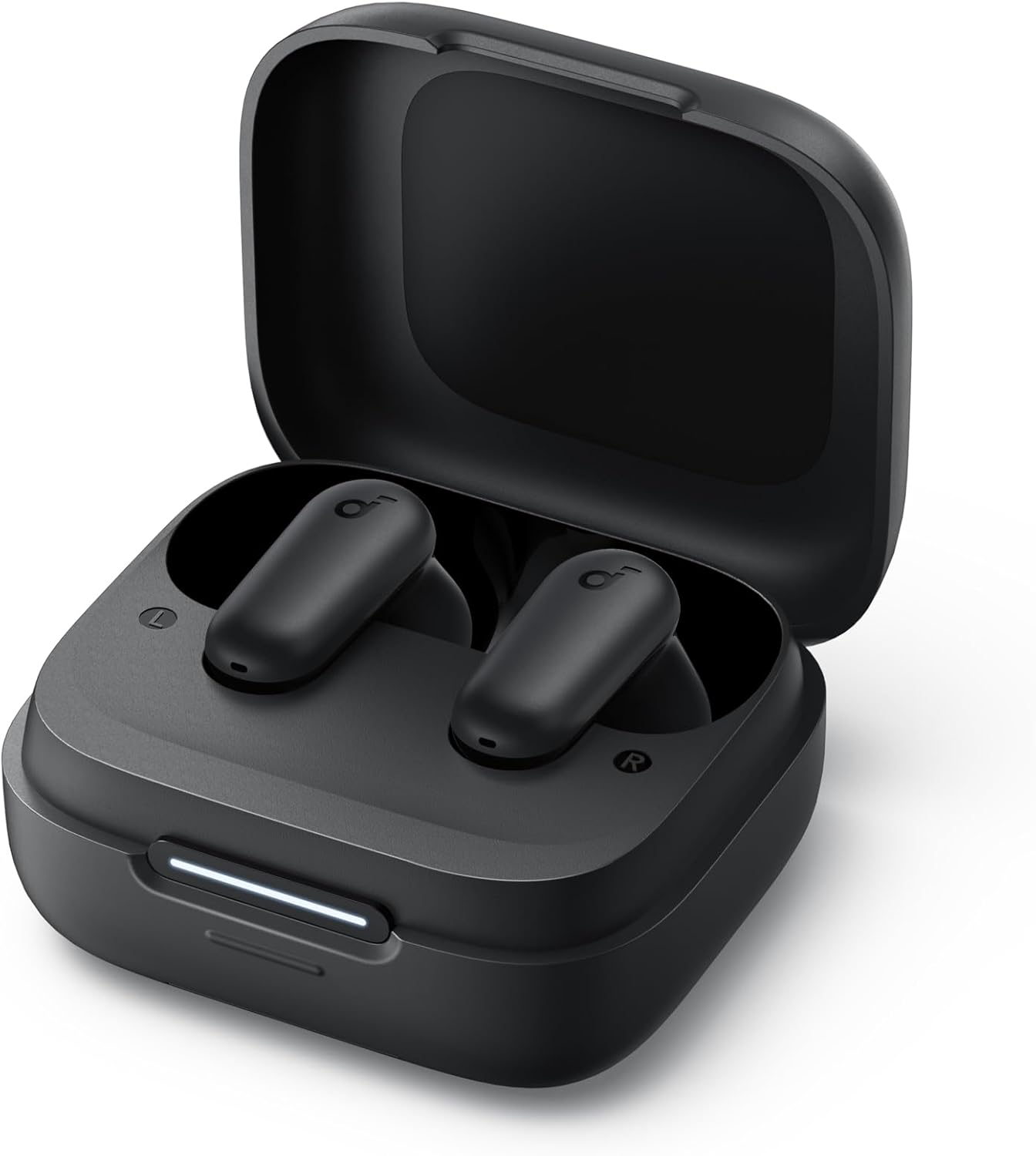
Image: The Anker Soundcore R50i NC True Wireless Earbuds resting inside their open black charging case. A white LED indicator bar is visible on the front of the case, indicating charging status.
- A full charge provides up to 10 hours of playtime for the earbuds and up to 45 hours with the charging case.
- Qulaqlıqlardakı və qutunun içindəki doldurma kontaktlarının təmiz və quru olduğundan əmin olun.
3. Yandırma və Cütləşdirmə
The earbuds will automatically power on when removed from the charging case. To pair with a new device:
- Open the charging case. The earbuds will enter pairing mode, and the LED indicator on the case will flash white.
- On your device, enable Bluetooth and search for "Soundcore R50i NC" in the list of available devices.
- Select "Soundcore R50i NC" to connect. Once connected, the LED indicator on the case will turn solid white for 3 seconds before turning off.
If already paired, the earbuds will automatically connect to the last paired device when removed from the case.
4. Soundcore Tətbiqinin Quraşdırılması
Download the Soundcore app from the App Store (iOS) or Google Play Store (Android) to unlock additional features, customize EQ settings, and update firmware.
Qulaqcıqlarınızı İşlətmək
1. Qulaqcıqların taxılması
Choose the ear tips that provide the best fit and seal for optimal sound quality and noise cancellation. Insert the earbuds into your ear canals and twist gently until they fit securely and comfortably.

Image: A young man wearing the black Anker Soundcore R50i NC earbuds in his ears, looking to the side with a slight smile, indicating comfortable and secure fit.
2. Nəzarətlər
The Soundcore R50i NC earbuds feature touch controls on each earbud. The default controls are:
| Fəaliyyət | Sol Qulaqlıq | Sağ Qulaq |
|---|---|---|
| Oynat/Pause | İki dəfə toxunun | İki dəfə toxunun |
| Növbəti Track | Yoxdur | Üç dəfə toxunun |
| Əvvəlki Track | Üç dəfə toxunun | Yoxdur |
| Zəngə Cavab Vermək/Bitirmək | İki dəfə toxunun | İki dəfə toxunun |
| Zəngi rədd et | 2s basıb saxlayın | 2s basıb saxlayın |
| Switch Noise Cancellation Mode | 2s basıb saxlayın | 2s basıb saxlayın |
| Səsli köməkçini aktivləşdirin | Yoxdur | Press and hold 2s (customizable) |
Note: Controls can be customized via the Soundcore app.
3. Noise Cancellation (NC) and Transparency Modes
The Soundcore R50i NC earbuds feature Adaptive ANC (Active Noise Cancellation) with up to 42dB noise reduction depth. You can switch between ANC, Normal, and Transparency modes by pressing and holding the touch control area on either earbud for 2 seconds (default setting).
- ANC rejimi: İmmersiv dinləmə təcrübəsi üçün ətrafdakı səs-küyü azaldır.
- Şəffaflıq rejimi: Səsinizdən zövq alarkən ətrafınızı eşitməyə imkan verir, bu da məlumatlılıq üçün faydalıdır.
- Normal rejim: Səs-küyün ləğvi və ya şəffaflıq olmadan standart audio səsləndirmə.
4. Hidden Cell Phone Holder
The charging case features a hidden mobile phone holder, allowing you to prop up your smartphone for convenient hands-free viewing of videos or browsing.

Image: The black Anker Soundcore R50i NC charging case is shown with a smartphone propped up on its integrated stand, demonstrating its dual functionality as a charging case and phone holder.
Baxım
1. Cleaning Your Earbuds
Müntəzəm təmizlik səs keyfiyyətini və gigiyenanı qorumağa kömək edir.
- Qulaqlıqları və şarj qutusunu yumşaq, quru, tüysüz parça ilə yumşaq bir şəkildə silin.
- Qulaq ucları üçün onları qulaqlıqlardan çıxarın və reklamla təmizləyinamp zəruri hallarda parça və yumşaq sabun istifadə edin. Yaxşıca yuyun və yenidən bərkitməzdən əvvəl tamamilə quru olduğundan əmin olun.
- Use a dry cotton swab to clean the charging contacts on both the earbuds and inside the case.
- Aşındırıcı təmizləyicilərdən və ya həlledicilərdən istifadə etməyin.
2. Saxlama
İstifadə edilmədikdə, qulaqcıqları qorumaq və doldurulmuş vəziyyətdə saxlamaq üçün onları həmişə şarj qutusunda saxlayın.
3. Batareyaya qulluq
- Charge the earbuds and case regularly, even if not used frequently, to prolong battery life.
- Qulaqcıqları həddindən artıq temperaturlara (isti və ya soyuq) məruz qoymaqdan çəkinin.
- Do not fully drain the battery for extended periods.
Problemlərin aradan qaldırılması
1. Earbuds Not Pairing or Connecting
- Ensure Bluetooth is enabled on your device and the earbuds are in pairing mode.
- Place the earbuds back into the charging case, close the lid, wait 5 seconds, then open the lid again to re-enter pairing mode.
- Forget "Soundcore R50i NC" from your device's Bluetooth list and try pairing again.
- Ensure the earbuds and case are sufficiently charged.
2. Səs yoxdur və ya aşağı səs
- Həm cihazınızda, həm də qulaqcıqlarda səs səviyyəsini tənzimləyin.
- Qulaqcıqların qulaqlarınıza düzgün oturduğundan və qulaq uclarının yaxşı bir möhür təmin etdiyindən əmin olun.
- Qulaqcıq burunlarından hər hansı bir zibili təmizləyin.
- Başqa bir tətbiqdən və ya cihazdan səs oxutmağa çalışın.
3. Zəng keyfiyyətinin aşağı olması
- Mikrofonlara mane olmadığından əmin olun.
- Siqnal müdaxiləsinin qarşısını almaq üçün qoşulmuş cihazınıza daha yaxınlaşın.
- Try making a call in a quieter environment.
4. Resetting the Earbuds
If you experience persistent issues, you can reset the earbuds:
- Qulaqcıqları doldurma qutusuna qoyun və qapağı açıq qoyun.
- Hər iki qulaqlıqdakı LED göstəriciləri 10 dəfə qırmızı yanıb-sönənə qədər şarj qutusundakı düyməni 3 saniyə basıb saxlayın.
- The earbuds have been reset and are ready for pairing.
Spesifikasiyalar
| Xüsusiyyət | Detal |
|---|---|
| Model Adı | Anker Soundcore R50i NC |
| Element Model nömrəsi | A3959H11 |
| Bağlantı texnologiyası | Simsiz (Bluetooth 5.3) |
| Sürücülər | 10 mm |
| Səs-küyə Nəzarət | Active Noise Cancellation (42dB depth) |
| Mikrofonlar | 4 (AI Clear Calls) |
| Oyun vaxtı (Qulaqcıqlar) | 10 saata qədər (tək şarj) |
| Ümumi oynatma müddəti (Kütlə ilə) | 45 saata qədər |
| Suya davamlı reytinq | IP54 (Sweatguard M) |
| Empedans | 120 Ohm |
| Batareyalar | 3 Litium-ion batareyalar (daxildir) |
| Paket Ölçüləri | 11.5 x 10.9 x 3.6 sm |
| Çəki | 25 q |
| İstehsalçı | Anker |
| Mənşə ölkəsi | Çin |
Zəmanət və Dəstək
Anker provides a warranty for its products. Please refer to the warranty card included in your product packaging for specific terms and conditions. For technical support, FAQs, or to register your product, please visit the official Soundcore website or contact Soundcore customer service.
You can also find more information and support through the Soundcore app.