
1. Quraşdırma və Quraşdırma
The DYONDER Wired PC Game Controller is designed for easy setup across multiple platforms. Follow these steps to get started:
1.1 Geniş Uyğunluq
This controller is compatible with a variety of systems, including:
- Windows (Vista, 7, 8, 10, 11)
- PlayStation 3 (PS3)
- Android TV Box (Android 4.0 or higher with OTG function)
- Tesla
1.2 Plug & Play System
The controller features a simple Plug & Play system. No drivers are typically required for most compatible devices. Simply connect the controller to your device's USB port.
The integrated USB cable is 2 meters long, allowing for comfortable gaming from a distance.

Image: The controller supports multiple platforms, including Android and Windows 10/8/7.
2. Əməliyyat Təlimatları
Familiarize yourself with the controller's features and functions for an optimal gaming experience.
2.1 Nəzarətçinin tərtibatı
The DYONDER controller features a standard layout with clearly labeled buttons and joysticks.
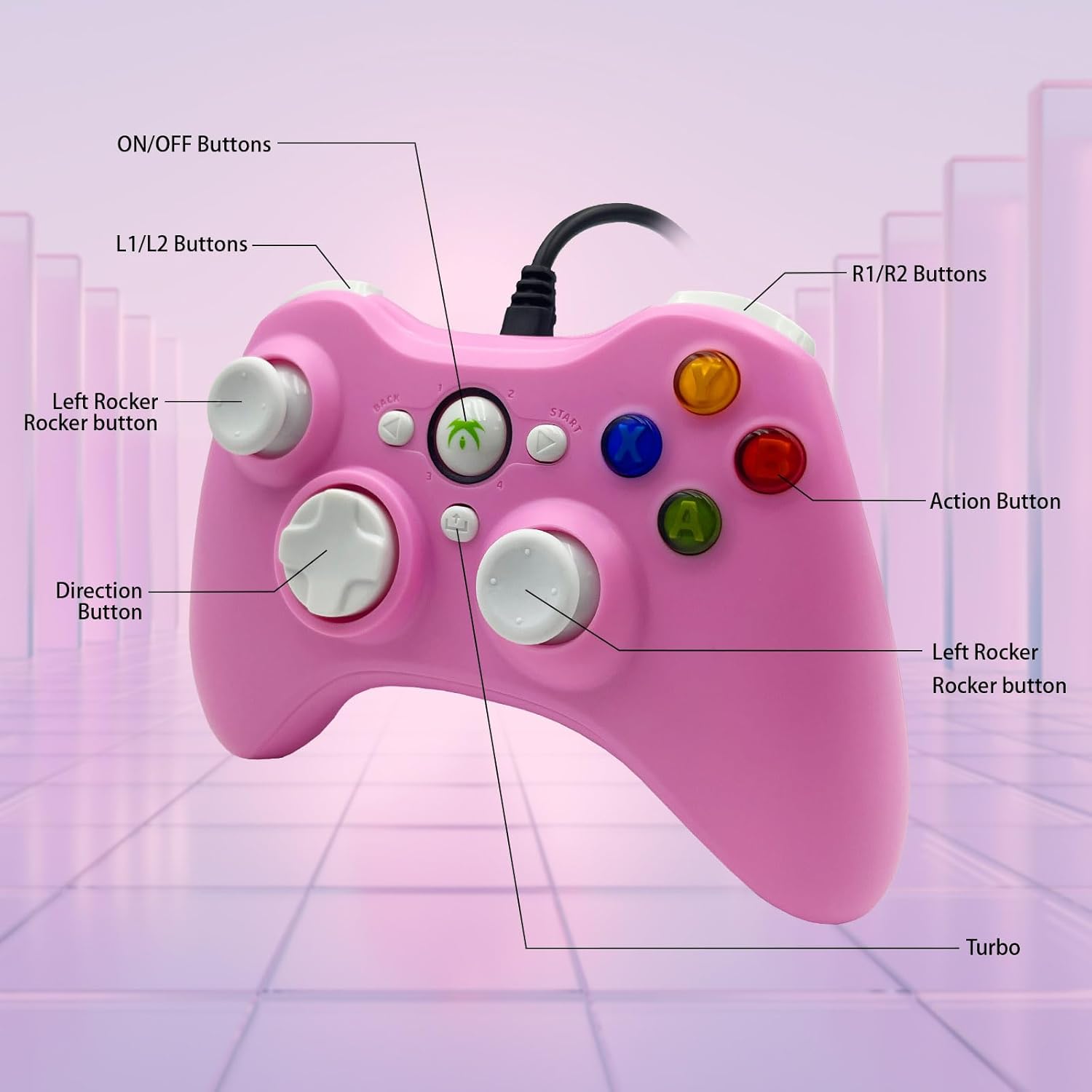
Image: Detailed diagram illustrating the various buttons and their labels on the controller, including ON/OFF, L1/L2, R1/R2, Left Rocker, Direction Button, Action Buttons, and Turbo button.
2.2 Turbo funksiyası
The Turbo function allows for rapid-fire input of a designated button, reducing repetitive presses and giving you an advantage sürətli templi oyunlarda.
- Turbo-nu aktivləşdirmək üçün: Basıb saxlayın Turbo button, then press the desired action button (e.g., A, B, X, Y). The button will now rapidly fire when held.
- Turbo-nu deaktiv etmək üçün: Basıb saxlayın Turbo button again, then press the same action button.

Image: The Turbo button is highlighted, indicating its function for rapid-fire input.
2.3 Immersive Vibration Feedback
The controller is equipped with two vibrating motors located in the side grips. These motors provide clear feedback, enhancing the immersion and realism of your gaming experience by reacting to in-game events.
2.4 Ergonomic Design and Joysticks
The asymmetrical joystick design is ergonomically crafted for the most comfortable thumb position, ensuring an optimal feel during extended gaming sessions.
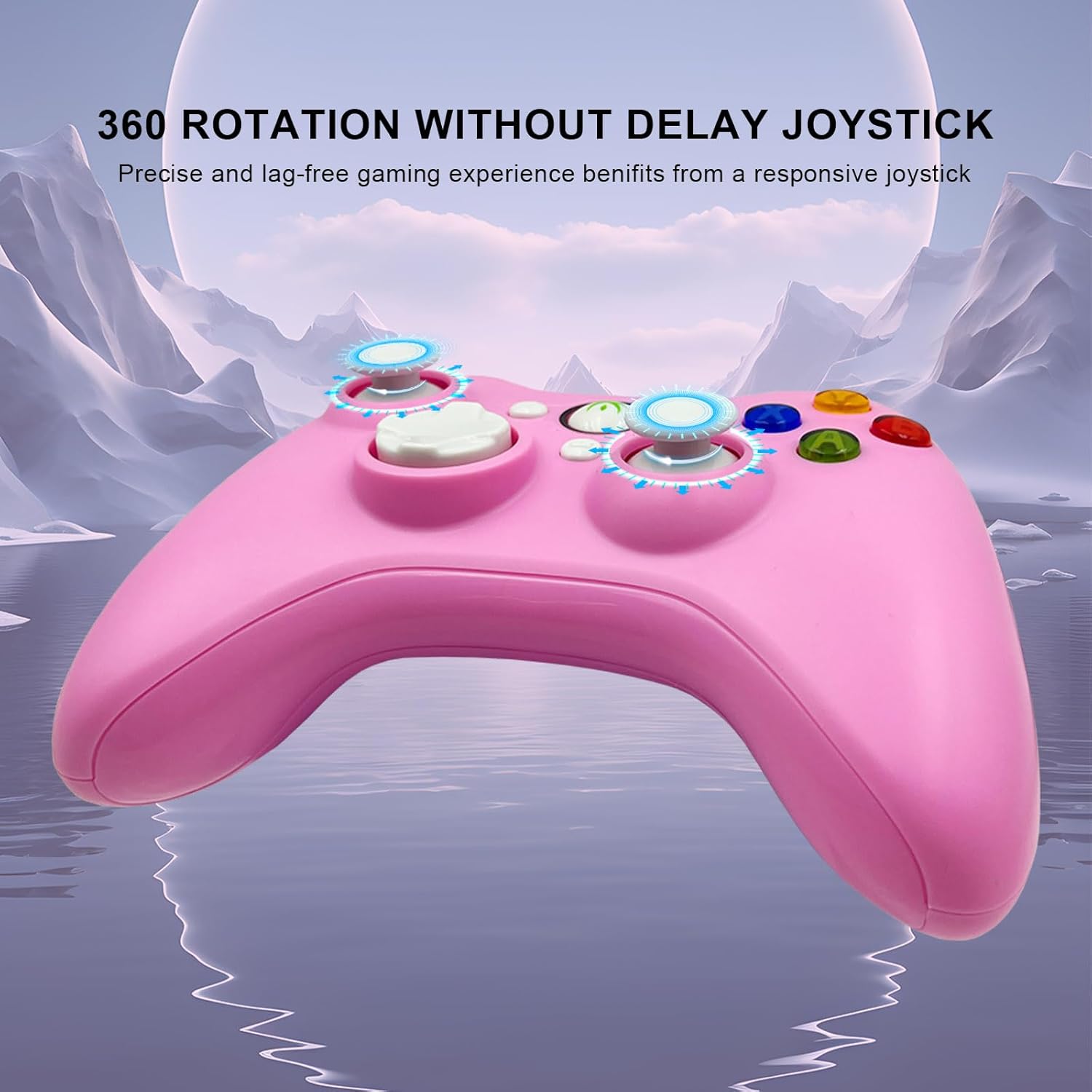
Image: The joysticks are designed for 360-degree rotation without delay, providing precise and lag-free gaming.
2.5 Hall Linear Triggers
The Hall linear triggers provide precise and responsive input, particularly beneficial for racing games where nuanced acceleration and braking are crucial.

Image: The Hall linear triggers are shown, emphasizing their benefit for racing games.
3. Baxım
Proper care and maintenance will extend the lifespan of your DYONDER Wired PC Game Controller.
- Təmizləmə: Kontrolleri silmək üçün yumşaq, quru bir parça istifadə edin. İnadkar çirk üçün bir azampsu ilə parça. Sərt kimyəvi maddələrdən və ya aşındırıcı təmizləyicilərdən istifadə etməyin.
- Yaddaş: Kontrolleri birbaşa günəş işığından və həddindən artıq temperaturdan uzaq sərin, quru yerdə saxlayın. Zərər verməmək üçün kabeli çox sıx bağlamaqdan çəkinin.
- İdarəetmə: Do not drop the controller or expose it to excessive force, as this can damage internal components.
4. Giderme
If you encounter issues with your controller, refer to the following common solutions:
- Nəzarətçi Tanınmır:
- Ensure the USB cable is securely plugged into both the controller and the device.
- Try plugging the controller into a different USB port on your device.
- Kompüterinizi və ya oyun konsolunuzu yenidən başladın.
- For Android devices, ensure OTG functionality is enabled and your device supports it.
- Düymələr və ya joystiklər cavab vermir:
- Proqram təminatı ilə bağlı problemləri istisna etmək üçün nəzarətçini fərqli bir oyunda və ya tətbiqdə sınaqdan keçirin.
- Ensure no debris is lodged around the buttons or joysticks.
- If using on PC, check your game's controller settings to ensure it's properly configured.
- Vibrasiya İşləmir:
- Oynadığınız oyunun vibrasiya geribildirimini dəstəklədiyini yoxlayın.
- Vibrasiyanın aktiv olduğundan əmin olmaq üçün oyun daxili parametrləri yoxlayın.
- Some older systems or emulators may not fully support vibration features.
Əhəmiyyətli: If you encounter any persistent problems, please contact the seller for assistance before attempting to return the item.
5. Spesifikasiyalar
| Xüsusiyyət | Detal |
|---|---|
| Model nömrəsi | B0DD613G32 |
| Bağlantı | Simli USB |
| Kabel uzunluğu | 2 metr |
| Vibrasiya Əlaqəsi | İkiqat mühərriklər |
| Xüsusi Xüsusiyyətlər | Turbo Function, Hall Linear Triggers, Ergonomic Design |
| Uyğunluq | Windows, PS3, Android TV Box (OTG), Tesla |
| İlk Tarix Amazon.com.be saytında mövcuddur | 8 aprel 2024-ci il |
| Ehtiyat hissələrinin mövcudluğu | Məlumat mövcud deyil |
6. Dəstək
For any questions, technical support, or issues not covered in this manual, please contact DYONDER customer support or the seller directly through your purchase platform. Providing your model number (B0DD613G32) will help expedite the support process.