
Giriş
Thank you for choosing the Raddy RF320 Shortwave Radio. This manual provides essential information for the safe and efficient operation of your device. Please read it thoroughly before use and retain it for future reference. The RF320 is a versatile portable radio offering comprehensive reception across AIR, FM, VHF, MW, SW, and WB bands, along with Bluetooth 5.0 connectivity, TF card playback, and emergency features like a flashlight and SOS function.
Təhlükəsizlik Məlumatı
- Radionu həddindən artıq temperatura, birbaşa günəş işığına və ya yüksək rütubətə məruz qoymayın.
- Cihazı yerə atmaqdan və ya güclü zərbələrə məruz qoymaqdan çəkinin.
- Keep the radio away from water and other liquids. It is not waterproof.
- Zərərin qarşısını almaq üçün yalnız göstərilən şarj kabeli və güc adapterindən istifadə edin.
- Do not attempt to disassemble or modify the radio. This will void the warranty and may cause harm.
- Batareyaları yerli qaydalara uyğun atın.
Paketin məzmunu
Bütün əşyaların paketdə olduğunu yoxlayın:
- Raddy RF320 Shortwave Radio
- USB şarj kabeli
- 3m Cable Antenna
- Qulaqlıqlar
- İstifadəçi Təlimatı
Məhsul Bitdiview
Radionun komponentləri və idarəetmə vasitələri ilə tanış olun.
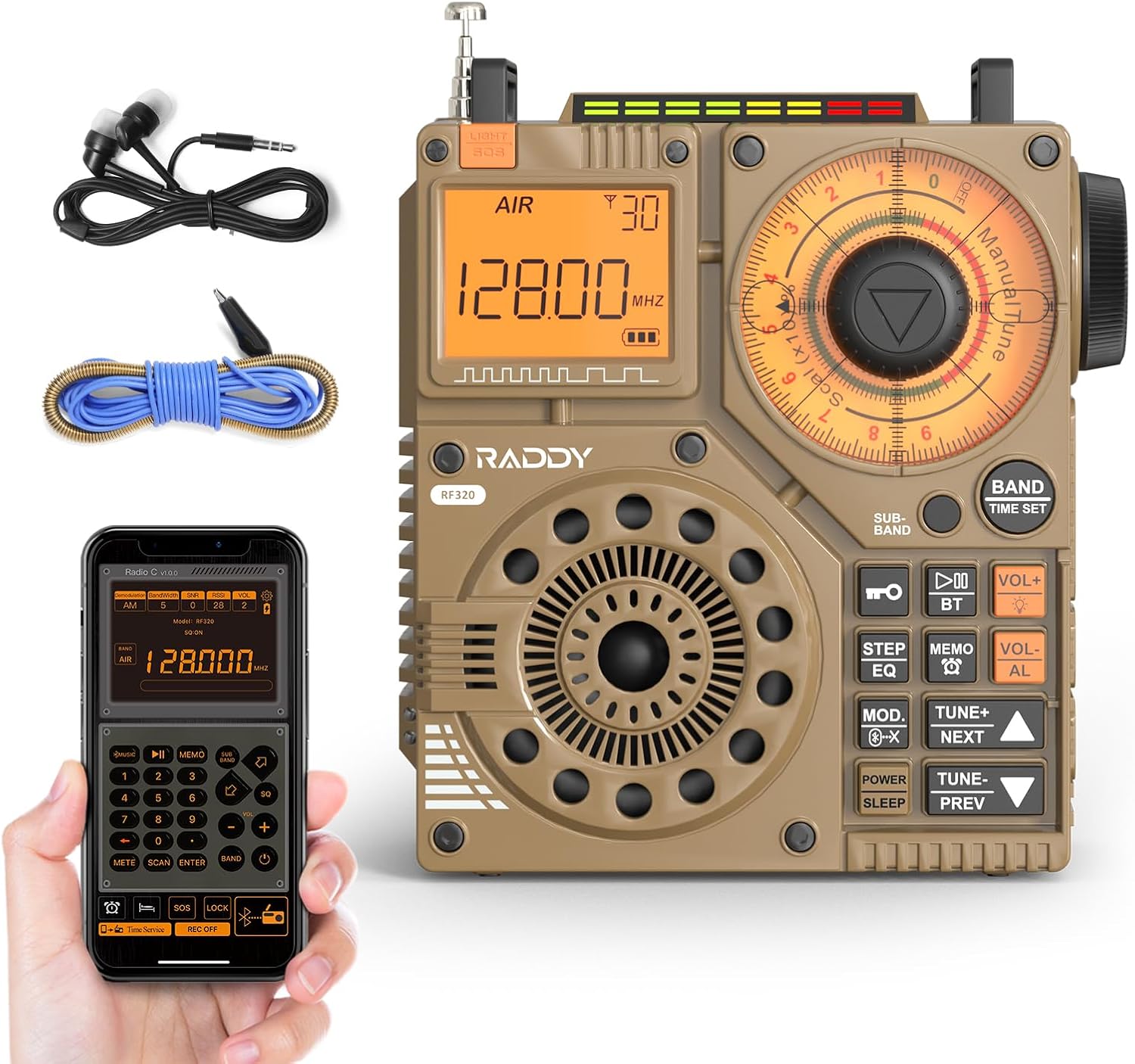
Şəkil 1: Ön view of the Raddy RF320 Shortwave Radio, showing the display, speaker, and control buttons.

Şəkil 2: Yan view of the Raddy RF320, illustrating the fine-tuning knobs and their function for precise frequency adjustment.
Əsas Xüsusiyyətlər:
- Digital Display: Shows frequency, band, and other operational information.
- Sazlama düymələri: For manual and fine-tuning adjustments.
- Bant Seçimi Düymələri: To switch between AIR, FM, VHF, MW, SW bands.
- Səs səviyyəsinə nəzarət: Audio çıxış səviyyəsini tənzimləyir.
- İnteqrasiya edilmiş Fənər: Aşağı işıq şəraitində işıqlandırma üçün.
- SOS funksiyası: Təcili vəziyyət siqnalını aktivləşdirir.
- Bluetooth 5.0: Simsiz audio yayımı üçün.
- TF Kart Yuvası: For direct playback of stored audio files.
- 3.5 mm audio giriş: For earphone connection.
Quraşdırma
1. Batareyanın doldurulması
The RF320 is powered by a built-in Lithium-ion battery. Before first use, fully charge the radio.
- Connect the USB charging cable to the radio's charging port.
- USB kabelin digər ucunu uyğun USB güc adapterinə (daxil deyil) və ya kompüterin USB portuna qoşun.
- The charging indicator on the display will show the charging status. It will typically turn off or change color when fully charged.
2. Antenanın quraşdırılması
For optimal reception, especially on SW and AIR bands, extend the telescopic antenna or connect the included 3m cable antenna.
- Teleskopik antena: Extend it fully and adjust its direction for best signal.
- Cable Antenna: Plug the cable antenna into the designated antenna jack on the radio. Extend the cable antenna as much as possible, ideally outdoors or near a window, for improved shortwave reception.
Əməliyyat Təlimatları
1. Gücü yandırın/söndürün
basın və saxlayın GÜC radionu yandırmaq və ya söndürmək üçün düymə.
2. Band seçimi
düyməsini basın BAND button repeatedly to cycle through the available frequency bands: FM, AM (MW), SW, VHF, AIR, WB.
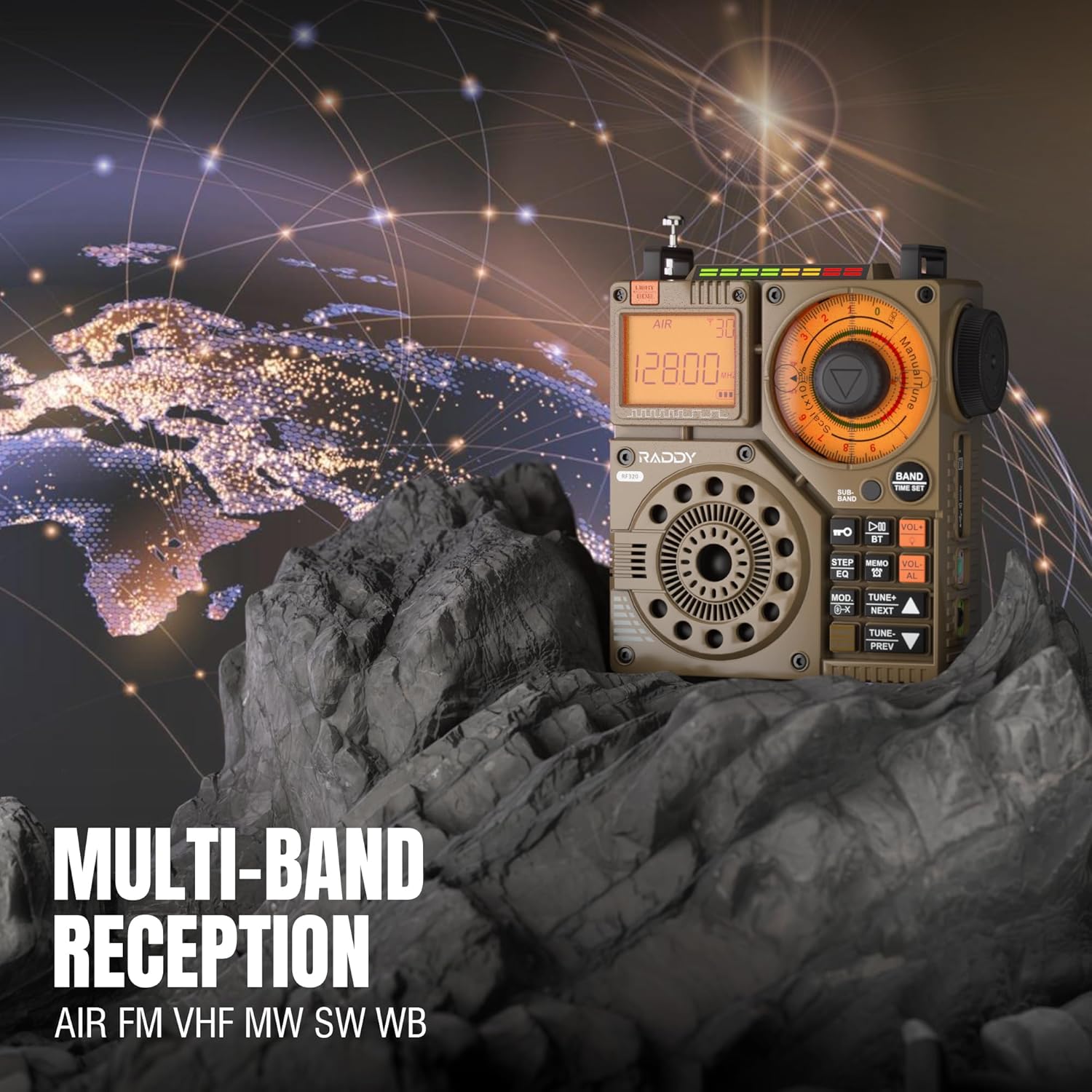
Figure 3: The Raddy RF320 radio on a rocky surface, symbolizing its multi-band reception capabilities across AIR, FM, VHF, MW, SW, and WB bands.
3. Tuning Methods
The RF320 offers multiple tuning options:
- Əl ilə tənzimləmə: Use the main tuning knob to adjust the frequency incrementally. The precise tuning knobs offer a minimum step value of 0.005 MHz for accurate frequency selection.
- Digital Tuning: Use the numeric keypad (if available on the device or via app) to directly enter a frequency.
- Avtomatik axtarış: düyməsini basın AVTO TARAMA Mövcud stansiyaları avtomatik olaraq skan etmək və saxlamaq üçün düyməni basın.
- Semi-Automatic Search: This function allows for scanning within a specific range or with user intervention. Refer to the on-screen prompts or app interface for details.
4. Station Storage
The radio can store up to 955 stations (199 for each of AIR, FM, VHF, MW, and SW bands).
- İstədiyiniz stansiyaya kökləyin.
- basın və saxlayın MEMO button (or equivalent) to save the station.
- istifadə edin Növbəti / Əvvəlcədən Saxlanılan stansiyalar arasında naviqasiya etmək üçün düymələr.
5. Bluetooth (BT) Rejimi
Səs yayımını simsiz olaraq həyata keçirmək üçün smartfonunuzu və ya digər Bluetooth dəstəkli cihazınızı qoşun.
- düyməsini basın MODE button until 'BT' or 'Bluetooth' is displayed.
- On your device, search for Bluetooth devices and select 'Raddy RF320'.
- Qoşalaşdıqdan sonra, cihazınızdakı səsi radionun dinamiki vasitəsilə oxuda bilərsiniz.
6. TF Kartının Oxudulması
Audio çalın files directly from a TF (MicroSD) card.
- Insert a TF card (up to 32GB, FAT32 format) with audio files TF kartı yuvasına daxil edin.
- düyməsini basın MODE button until 'TF' or 'Card' is displayed.
- istifadə edin Növbəti / Əvvəlcədən treklərdə naviqasiya etmək üçün düymələr.

Figure 4: The Raddy RF320 radio next to a smartphone displaying music, highlighting its three operational modes: Bluetooth, TF Card, and Radio Receiver.
7. Flashlight and SOS Function
The RF320 includes an integrated flashlight and an SOS emergency signal.
- Fənər: düyməsini basın İŞIQ button to turn the flashlight on/off.
- SOS: basın və saxlayın SOS button to activate the emergency alarm and flashing light. Press again to deactivate.

Figure 5: Close-up of the Raddy RF320 radio with its integrated flashlight active, demonstrating its outdoor lighting capability.
8. Proqrama nəzarət
The Raddy RF320 can be controlled via a dedicated application on iOS, Android, and HarmonyOS systems.
- Download the 'Radio C' application from your device's app store.
- Ensure Bluetooth is enabled on your smartphone and the RF320 radio.
- Open the app and follow the on-screen instructions to connect to your RF320.
- The app allows for digital tuning, channel naming, recording broadcasts, and other advanced controls.

Figure 6: The Raddy RF320 radio displayed alongside a smartphone running its control application, illustrating the ease of use with app integration.
Baxım
- Radionu yumşaq, quru parça ilə təmizləyin. Aşındırıcı təmizləyicilərdən və ya həlledicilərdən istifadə etməyin.
- Radionu uzun müddət istifadə etmədikdə, onu sərin və quru yerdə saxlayın.
- Periodically charge the battery to maintain its lifespan, even if the radio is not being used.
- Ensure the telescopic antenna is retracted when not in use to prevent damage.
Problemlərin aradan qaldırılması
| Problem | Mümkün Səbəb | Həll |
|---|---|---|
| Radio açılmır. | Batareya bitib. | Charge the radio fully. |
| Zəif radio qəbulu. | Zəif siqnal; antenna uzadılmayıb. | Extend the telescopic antenna or connect the 3m cable antenna. Adjust antenna position. Move to an area with better signal. |
| Bluetooth bağlantısı uğursuz oldu. | Radio not in BT mode; device too far; pairing issue. | Ensure radio is in BT mode. Bring devices closer. Delete 'Raddy RF320' from your device's BT list and re-pair. |
| TF kartı oynanmır. | Card not inserted correctly; unsupported format; corrupted files. | Reinsert TF card. Ensure card is FAT32 format. Check if audio files dəstəklənir. |
| Tətbiq nəzarəti işləmir. | Bluetooth not connected; app not updated. | Ensure radio is paired via Bluetooth. Update the 'Radio C' app to the latest version. |
Spesifikasiyalar
| Xüsusiyyət | Spesifikasiya |
|---|---|
| Brend | Raddy |
| Model nömrəsi | RF320 |
| Dəstəklənən Radio Qrupları | AIR, FM, VHF, MW (AM), SW |
| Tuning texnologiyası | FM, AM, VHF, SW, AIR |
| Bağlantı texnologiyası | Bluetooth 5.0 |
| Xüsusi Xüsusiyyətlər | Digital Display, Integrated Flashlight, Rechargeable, Automatic Squelch, Keypad Lock, TF Card Playback, App Control, SOS Function |
| Məhsulun Ölçüləri (U x G x Y) | 15L x 9W x 15H santimetr |
| Güc mənbəyi | Batareya ilə işləyir (1 Litium-ion batareya daxildir) |
| Ekran növü | Digital Display (LCD/LED) |
| Avadanlıq interfeysi | 3.5mm Audio Jack |
| Suya davamlılıq səviyyəsi | Suya davamlı deyil |
| Daxili material | Metal |
| Mənşə ölkəsi | Çin |
Zəmanət və Dəstək
Zəmanət Məlumatı
Raddy products typically come with a standard manufacturer's warranty. Please refer to the warranty card included in your package or visit the official Raddy website for detailed warranty terms and conditions specific to the RF320 model. Keep your purchase receipt as proof of purchase for warranty claims.
Müştəri dəstəyi
For technical assistance, troubleshooting beyond this manual, or warranty inquiries, please contact Raddy customer support through their official website or the contact information provided with your product packaging. When contacting support, please have your product model (RF320) and purchase details ready.