1. Giriş
This manual provides essential instructions for the safe and efficient use of your DALI IO-8 Wireless/Wired Hi-Fi Headphones. Please read this manual thoroughly before using the product and retain it for future reference. The DALI IO-8 headphones are designed to deliver a high-fidelity audio experience with advanced features such as Active Noise Cancellation (ANC), Bluetooth AptX Adaptive connectivity, and a long-lasting battery.
2. Məhsul bitdiview
Familiarize yourself with the components and controls of your DALI IO-8 headphones.

Şəkil 2.1: Ön view of the DALI IO-8 headphones, showcasing the caramel and white color scheme and overall design.

Şəkil 2.2: Yuxarıdan aşağı view of the DALI IO-8 headphones, highlighting the earcups and visible control buttons on the side.
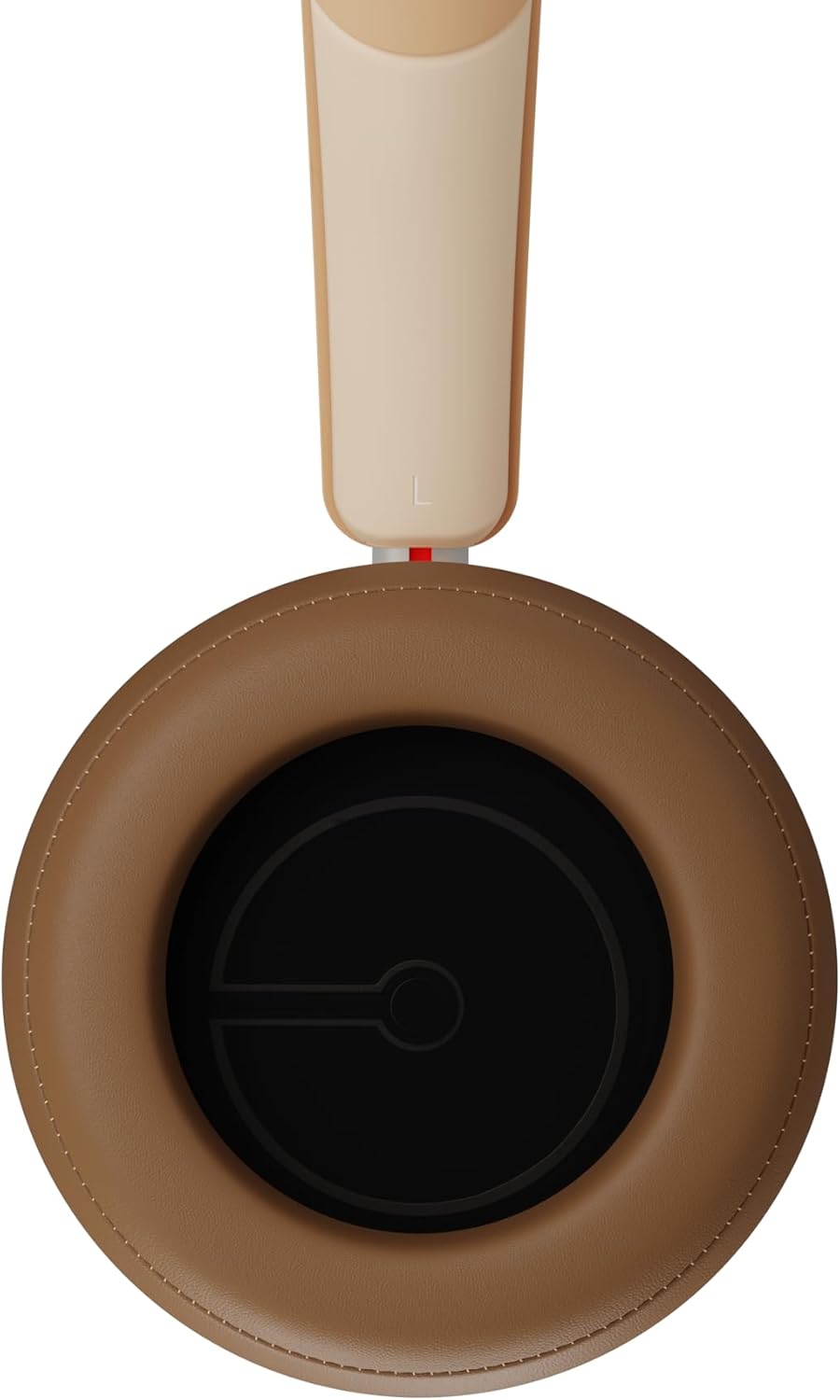
Şəkil 2.3: Daxili view of a DALI IO-8 earcup, showing the soft padding and driver grille, designed for comfort and sound delivery.

Şəkil 2.4: Yaxın plan view of the DALI IO-8 earcup, showing the USB-C charging port and other control buttons.
2.1 Paketin məzmunu
- DALI IO-8 qulaqcıqları
- USB-C şarj kabeli
- 3.5 mm audio kabel
- Travel Case (if included)
- İstifadəçi Təlimatı (bu sənəd)
2.2 Qulaqlıq komponentləri

Şəkil 2.5: Partladı view illustrating the internal components of the DALI IO-8 headphones, including the 50mm driver, circuitry, and earcup structure.
- Headband (Adjustable)
- Earcups (Over-ear design with genuine leather)
- 50mm Driver (SMC Driver Technology)
- Control Buttons (Power, Volume, ANC, Multifunction)
- USB-C Port (Charging and Wired Audio)
- 3.5mm Audio Jack (Wired Audio)
- Microphones (for ANC and calls)
3. Quraşdırma
3.1 Qulaqlıqların doldurulması
Before initial use, fully charge your DALI IO-8 headphones.
- Connect the supplied USB-C cable to the USB-C port on the headphone earcup.
- Connect the other end of the USB-C cable to a compatible USB power source (e.g., computer USB port, USB wall adapter).
- The LED indicator will show charging status. A full charge provides up to 35 hours of playback with ANC enabled.
- Tam doldurulduqdan sonra kabeli ayırın.
3.2 Yandırma/Söndürmə
- Yandırmaq üçün: LED göstəricisi yanıb-sönənə qədər Güc düyməsini təxminən 2 saniyə basıb saxlayın.
- Söndürmək üçün: LED göstəricisi sönənə qədər Güc düyməsini təxminən 3 saniyə basıb saxlayın.
3.3 Bluetooth Qoşulması
The DALI IO-8 supports Bluetooth AptX Adaptive for high-quality wireless audio.
- Qulaqlıqların söndürüldüyünə əmin olun.
- Press and hold the Power button for approximately 5 seconds until the LED indicator flashes blue rapidly. This indicates pairing mode.
- Səs cihazınızda (smartfon, planşet, kompüter) Bluetooth-u aktivləşdirin və mövcud cihazları axtarın.
- Select "DALI IO-8" from the list of found devices.
- Once paired, the LED indicator will glow solid blue or flash slowly.
- Qulaqlıqlar işə salındıqda avtomatik olaraq sonuncu qoşalaşmış cihaza yenidən qoşulmağa çalışacaq.
3.4 Simli əlaqə
The DALI IO-8 can be used with a wired connection via the 3.5mm audio jack or USB-C.
- 3.5 mm Audio Kabel: Connect one end of the supplied 3.5mm audio cable to the headphone's 3.5mm jack and the other end to your audio source's headphone output. The headphones can be used passively in this mode, or actively with ANC and amplification if powered on.
- USB-C Audio: Connect the supplied USB-C cable to the headphone's USB-C port and the other end to a compatible USB audio output on your computer or device. This mode allows for digital audio transmission and charging simultaneously.
4. Qulaqlıqların işlədilməsi
4.1 Aktiv səs -küyün ləğvi (ANC)
The DALI IO-8 features three distinct ANC modes and wind noise suppression.
- Press the dedicated ANC button to cycle through the available modes:
- ANC Aktivdir: Maximum noise cancellation.
- Şəffaflıq rejimi: Allows ambient sounds to pass through for situational awareness.
- ANC Deaktiv: Active noise cancellation is disabled.
- Wind noise suppression is automatically engaged in ANC modes to reduce interference from wind.
4.2 səs rejimi
Customize your listening experience with two sound profiles.
- Press the Sound Mode button (if available, or refer to specific button on device) to switch between:
- Hi-Fi Rejimi: Delivers a balanced and neutral sound signature.
- Bas rejimi: Enhances low-frequency response for a more impactful bass.
4.3 Playback and Volume Control
Use the control buttons on the earcup for media playback and volume adjustments.
- Həcmi artır: '+' düyməsini basın.
- Səs azaldı: '-' düyməsini basın.
- Oynat/Pauza: Çoxfunksiyalı düyməni bir dəfə basın.
- Növbəti trek: Double-press the Multifunction button.
- Əvvəlki Track: Triple-press the Multifunction button.
4.4 Zənglərin idarə edilməsi
Manage phone calls when connected via Bluetooth.
- Zəngə Cavab Vermək/Bitirmək: Çoxfunksiyalı düyməni bir dəfə basın.
- Zəngi rədd edin: Çoxfunksiyalı düyməni 2 saniyə basıb saxlayın.
- Səs köməkçisini aktivləşdirin: Press and hold the Multifunction button for 2 seconds (when not on a call).
5. Baxım
5.1 Təmizləmə
- Qulaqlıqları yumşaq, quru, tüysüz parça ilə silin.
- Aşındırıcı təmizləyicilərdən, həlledicilərdən və ya kimyəvi spreylərdən istifadə etməyin.
- Qulaqcıqlar üçün yüngülcə yumşaldıcı ilə yumşaq bir şəkildə silinamp Lazım gələrsə, parça ilə silin, sonra dərhal qurulayın.
- Limanlara və ya açılışlara nəmin daxil olmadığından əmin olun.
5.2 Saxlama
- When not in use, store the headphones in their protective travel case to prevent damage.
- Qulaqlıqları həddindən artıq temperatura, rütubətə və ya birbaşa günəş işığına məruz qoymaqdan çəkinin.
6. Giderme
| Problem | Mümkün Səbəb | Həll |
|---|---|---|
| Güc yoxdur | Batareya bitib. | Qulaqlıqları verilən USB-C kabelindən istifadə edərək doldurun. |
| Bluetooth vasitəsilə cütləşdirmək mümkün deyil | Qulaqlıqlar cütləşmə rejimində deyil; cihazın Bluetooth söndürülməsi; cihazdan çox uzaqdır. | Ensure headphones are in pairing mode (rapid blue LED flash). Turn on Bluetooth on your device. Move headphones closer to the device. Forget "DALI IO-8" on your device and re-pair. |
| Səs yoxdur | Volume too low; incorrect input source; headphones not connected. | Increase volume on headphones and source device. Check Bluetooth connection or wired cable. Ensure the correct audio output is selected on your device. |
| ANC effektiv işləmir | ANC mode off; poor earcup seal. | Ensure ANC is enabled. Adjust headphones for a proper seal around your ears. |
7. Spesifikasiyalar
| Xüsusiyyət | Detal |
|---|---|
| Model Adı | DALI IO-8 |
| Brend | DALI |
| Bağlantı texnologiyası | Simli, Simsiz (Bluetooth) |
| Simsiz Rabitə Texnologiyası | Bluetooth (AptX Adaptive) |
| Səs-küyün ləğvi | Active Noise Suppression (ANC) with Wind Noise Suppression |
| Qulaqların Yerləşdirilməsi | Qulaq üstü |
| Sürücü ölçüsü | 50mm (SMC Driver Technology) |
| Empedans | 25 ohm |
| Qulaqlıq yuvası | 3.5 mm |
| Batareya Ömrü | Up to 35 hours (with ANC) |
| Materiallar | Genuine Leather (earcups) |
8. Təhlükəsizlik Məlumatı
Please observe the following safety guidelines to ensure safe operation and prevent damage to your headphones or injury to yourself.
- Do not expose the headphones to water, rain, or moisture.
- Həddindən artıq temperaturdan çəkinin.
- Do not disassemble, repair, or modify the headphones. This voids the warranty.
- Eşitmə qabiliyyətinə zərər verməmək üçün orta səs səviyyəsində qulaq asın.
- Uşaqların əli çatmayan yerdə saxlayın.
- Məhsulu yerli qaydalara uyğun olaraq məsuliyyətlə atın.
9. Zəmanət və Dəstək
DALI products are manufactured to high standards and are covered by a limited warranty. For specific warranty terms and conditions, please refer to the warranty card included with your product or visit the official DALI website. For technical support, troubleshooting assistance, or service inquiries, please contact your authorized DALI dealer or DALI customer support.

Şəkil 9.1: A person wearing the DALI IO-8 headphones, demonstrating their comfortable fit and use in a real-world environment.