
1. Giriş
Aldığınız üçün təşəkkür edirikasing the AGPTEK A02XT MP3 Player. This device is designed to provide a high-quality audio experience with its HIFI lossless sound and Bluetooth 5.3 connectivity. It features a compact design, button operation, and various functions including FM radio, voice recording, and a pedometer. This manual will guide you through the setup, operation, and maintenance of your new MP3 player.

Figure 1.1: AGPTEK A02XT MP3 Player with accessories.
2. Məhsul bitdiview
2.1 Paketin məzmunu
- AGPTEK A02XT MP3 Player (1)
- USB-C şarj kabeli (1)
- İstifadəçi təlimatı (1)
- Earphones (1 pair) - May vary by region/package

Figure 2.1: Contents of the AGPTEK A02XT package.
2.2 Cihazın Düzəldilməsi və İdarəetmələri
Familiarize yourself with the buttons and ports on your A02XT MP3 player.

Şəkil 2.2: Ön view of the A02XT MP3 Player.
- Ekran: Displays menus, music information, and settings.
- M düyməsi: Menu/Back button. Long press to lock/unlock the screen.
- Oynat/Pauza düyməsi: Oynatmağa başlayır və ya dayandırır.
- Əvvəlki/Növbəti Düymələr: Navigates through tracks or menu options.
- VOL düyməsi: Səs səviyyəsinə nəzarət.
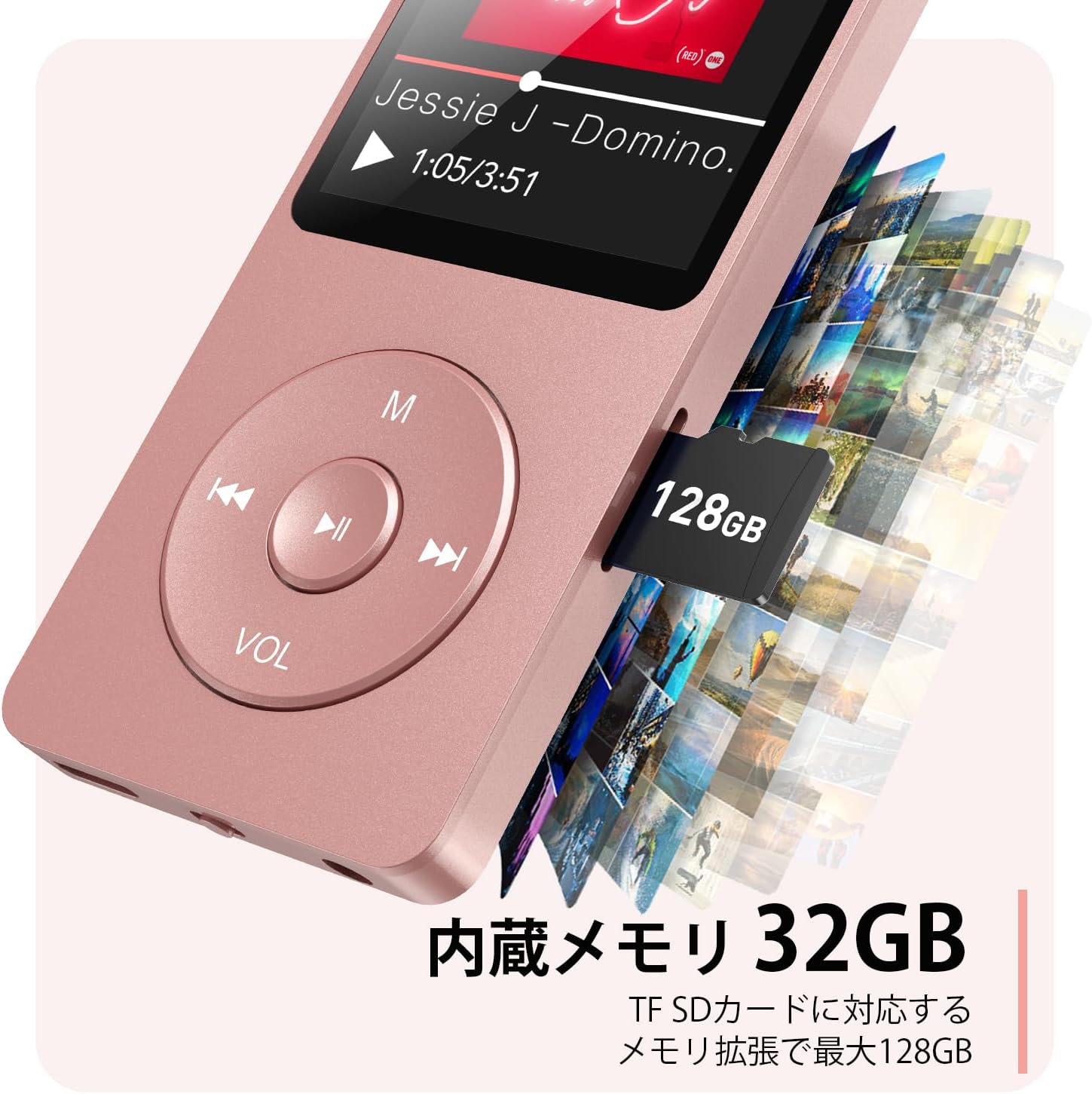
Şəkil 2.3: Yan view with microSD card slot.
- USB-C portu: Şarj etmək və məlumat ötürmək üçün.
- 3.5 mm qulaqlıq girişi: Simli audio çıxışı üçün.
- MicroSD Kart Yuvası: 64 GB-a qədər genişləndirilə bilən yaddaş üçün.
3. Quraşdırma
3.1 Cihazın doldurulması
Before first use, fully charge the MP3 player. Connect the provided USB-C cable to the player's USB-C port and the other end to a USB power adapter (not included) or a computer's USB port. The screen will indicate charging status. A full charge takes approximately 2 hours and provides up to 40 hours of music playback.

Figure 3.1: MP3 Player charging indication.
3.2 MicroSD kartın daxil edilməsi
The player has 32GB of internal storage. To expand storage, insert a microSD card (up to 64GB, not included) into the microSD card slot until it clicks into place. Ensure the card is inserted correctly to avoid damage.
3.3 Musiqinin ötürülməsi Files
- Connect the MP3 player to your computer using the USB-C cable.
- The player will appear as a removable disk on your computer.
- Musiqinizi sürükləyin və buraxın files (MP3, WMA, OGG, WAV, APE, FLAC, AAC, ACELP) into the 'Music' folder on the player or microSD card.
- Kabeli ayırmadan əvvəl cihazı kompüterinizdən təhlükəsiz şəkildə çıxarın.
4. Əməliyyat Təlimatları
4.1 Yandırma/Söndürmə
- Güc Aktivdir: Long press the Power button (usually on the side or top edge) until the screen lights up.
- Söndürmək: Long press the Power button until the 'Power Off' option appears, then select it.
4.2 Əsas naviqasiya
Use the navigation buttons (Previous, Next, Play/Pause, M) to move through menus and select options. The Play/Pause button often acts as a 'Confirm' button in menus.

Figure 4.1: Main menu interface with various functions.
4.3 Musiqi oxutma
- Əsas menyudan "Musiqi" seçin.
- Browse by Artist, Album, Songs, Playlists, etc.
- Oxutmağa başlamaq üçün mahnı seçin.
- Use the Previous/Next buttons to skip tracks, and Play/Pause to control playback.
- Adjust volume using the VOL button.
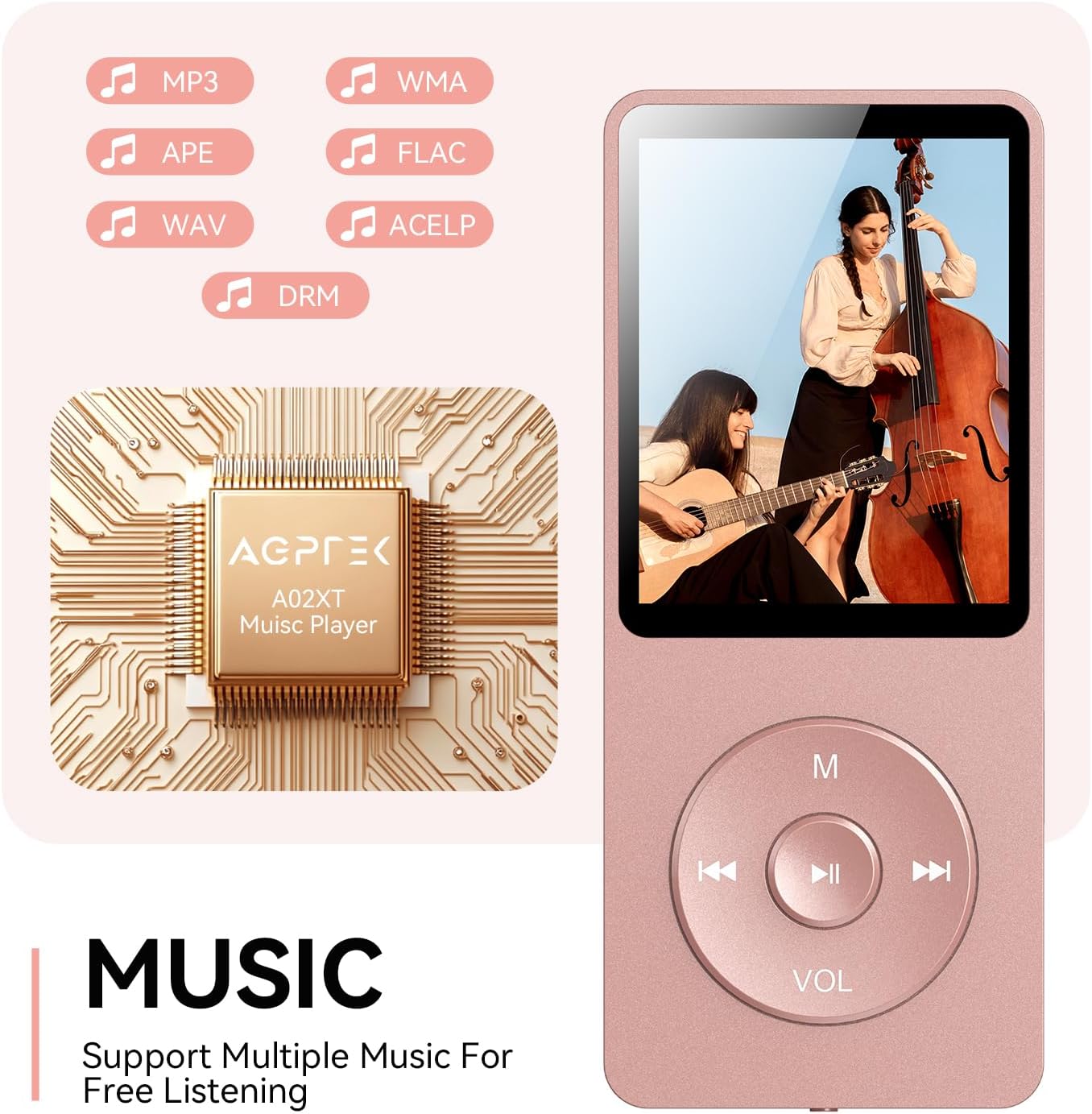
Figure 4.2: Music playback screen and supported formats.
4.4 Bluetooth bağlantısı
The A02XT supports Bluetooth 5.3 for wireless audio output to headphones or speakers.
- From the main menu, select 'Bluetooth'.
- Turn on Bluetooth on the player.
- Ensure your Bluetooth headphones/speaker are in pairing mode.
- The player will search for nearby devices. Select your device from the list to pair.
4.5 FM Radio
- Connect wired earphones to the 3.5mm jack; they act as the antenna.
- Əsas menyudan "FM Radio" seçin.
- Use the navigation buttons to scan for stations or manually tune.
4.6 Səs yazma
- From the main menu, select 'Record'.
- Choose 'Start Voice Recording' to begin.
- Press Play/Pause to stop and save the recording.
4.7 Ekran kilidi
To prevent accidental button presses, long press the 'M' button to lock the screen. Repeat the action to unlock.
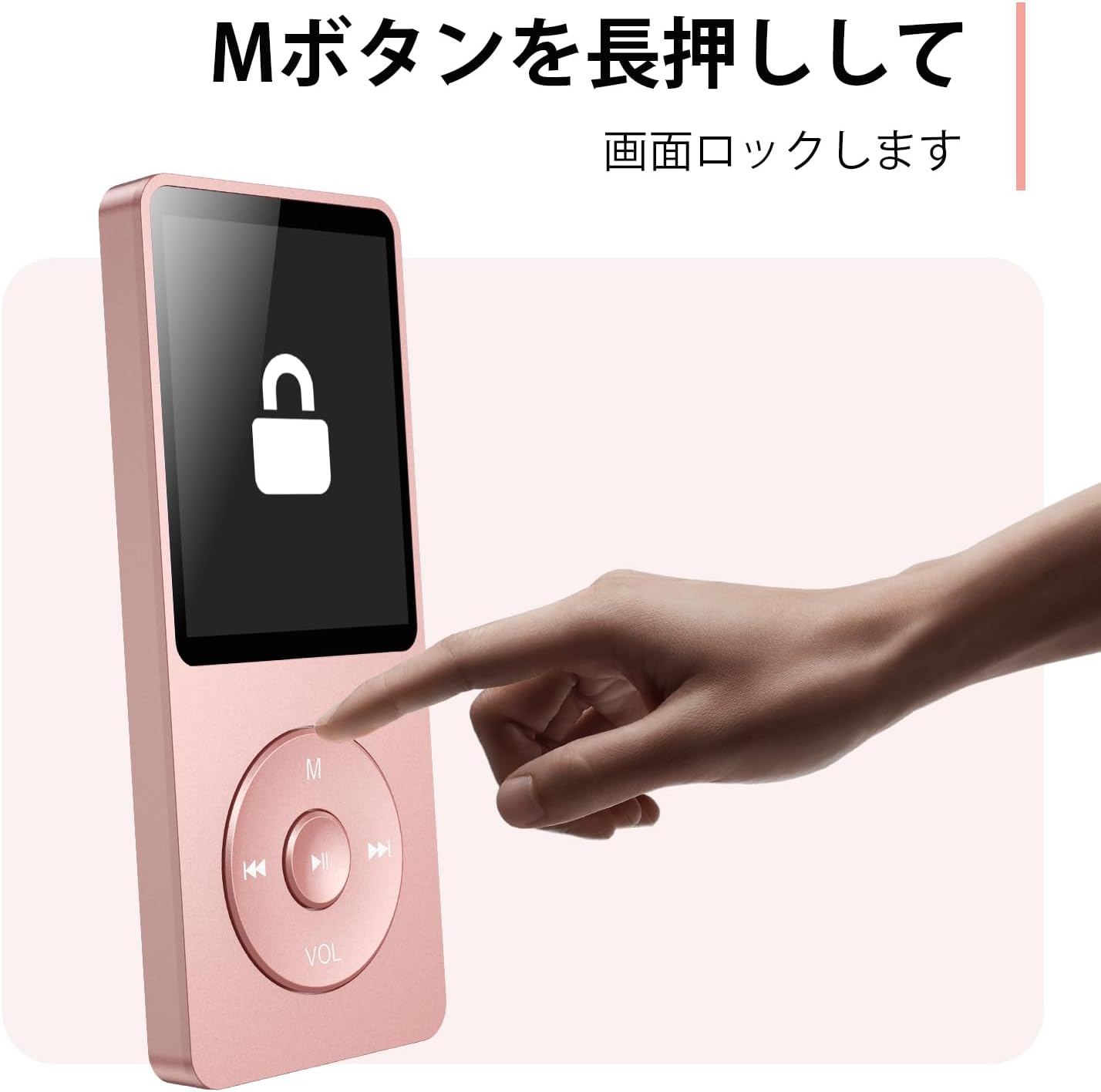
Figure 4.3: Screen lock function using the M button.
5. Baxım
5.1 Təmizləmə
- Cihazı yumşaq, quru bir parça ilə silin.
- Maye təmizləyicilərdən və ya həlledicilərdən istifadə etməyin.
5.2 Saxlama
- Pleyeri birbaşa günəş işığından və həddindən artıq temperaturdan uzaq sərin, quru yerdə saxlayın.
- Cihazı yerə atmaqdan və ya güclü zərbələrə məruz qoymaqdan çəkinin.
5.3 Batareya Baxımı
- Batareyanın sağlamlığını qorumaq üçün istifadə olunmasa belə, batareyanı müntəzəm olaraq doldurun.
- Tez-tez batareyanı tamamilə boşaltmaqdan çəkinin.
6. Giderme
6.1 Cihaz Açılmır
- Batareyanın doldurulduğundan əmin olun. Enerji mənbəyinə qoşulun və yenidən cəhd edin.
- Perform a hard reset by pressing and holding the power button for 10-15 seconds.
6.2 Köçürülə Bilmir Files
- Check the USB-C cable connection. Try a different cable or USB port.
- Ensure the device is properly recognized by your computer.
- Doğrulayın ki file format is supported by the player.
6.3 Bluetooth Qoşulması Problemləri
- Ensure both the player and the Bluetooth device are in pairing mode and within range.
- Turn off and on Bluetooth on both devices.
- Əvvəlki cütləşmələri silin və yenidən cütləşməyə cəhd edin.
6.4 Səs yoxdur
- Səs səviyyəsini yoxlayın.
- Ensure headphones are properly connected or Bluetooth device is paired.
- Test with different headphones or Bluetooth device.
7. Spesifikasiyalar
| Brend | AGPTEK |
| Model Adı | A02XT |
| Yaddaş Saxlama Tutumu | 32 GB (expandable up to 64 GB via microSD card) |
| Rəng | Çəhrayı |
| Ekran Ölçüsü | 8.9 Santimetr (təxminən 3.5 düym) |
| Media növü | microSD Kart |
| Ekran Texnologiyası | LCD |
| Dəstəklənən Audio Formatlar | MP3, WMA, OGG, WAV, APE, FLAC, AAC, ACELP |
| Batareya Ömrü | 40 saata qədər |
| Maddə Çəkisi | 130 qram |
8. Zəmanət və Dəstək
8.1 Zəmanət Məlumatı
This AGPTEK A02XT MP3 Player comes with a 1 il zəmanət satın alındığı tarixdən etibarən. Bu zəmanət normal istifadə zamanı istehsal qüsurlarını və nasazlıqlarını əhatə edir. Sui-istifadə, qəzalar, icazəsiz modifikasiyalar və ya normal aşınma və yırtılma nəticəsində yaranan zərərləri əhatə etmir.
8.2 Müştəri dəstəyi
If you encounter any issues or have questions regarding your AGPTEK A02XT MP3 Player, please refer to the troubleshooting section of this manual first. If the problem persists, contact AGPTEK customer support through the official website or your retailer's support channels. Please have your purchase receipt and product model number (A02XT) ready when contacting support.