
Giriş
This manual provides essential information for the setup, operation, and maintenance of your PowerA Enhanced Wireless Controller, featuring the unique Pikachu vs. Gengar design. This officially licensed controller is designed to enhance your gaming experience on Nintendo Switch, Nintendo Switch Lite, and Nintendo Switch (OLED Model) consoles.
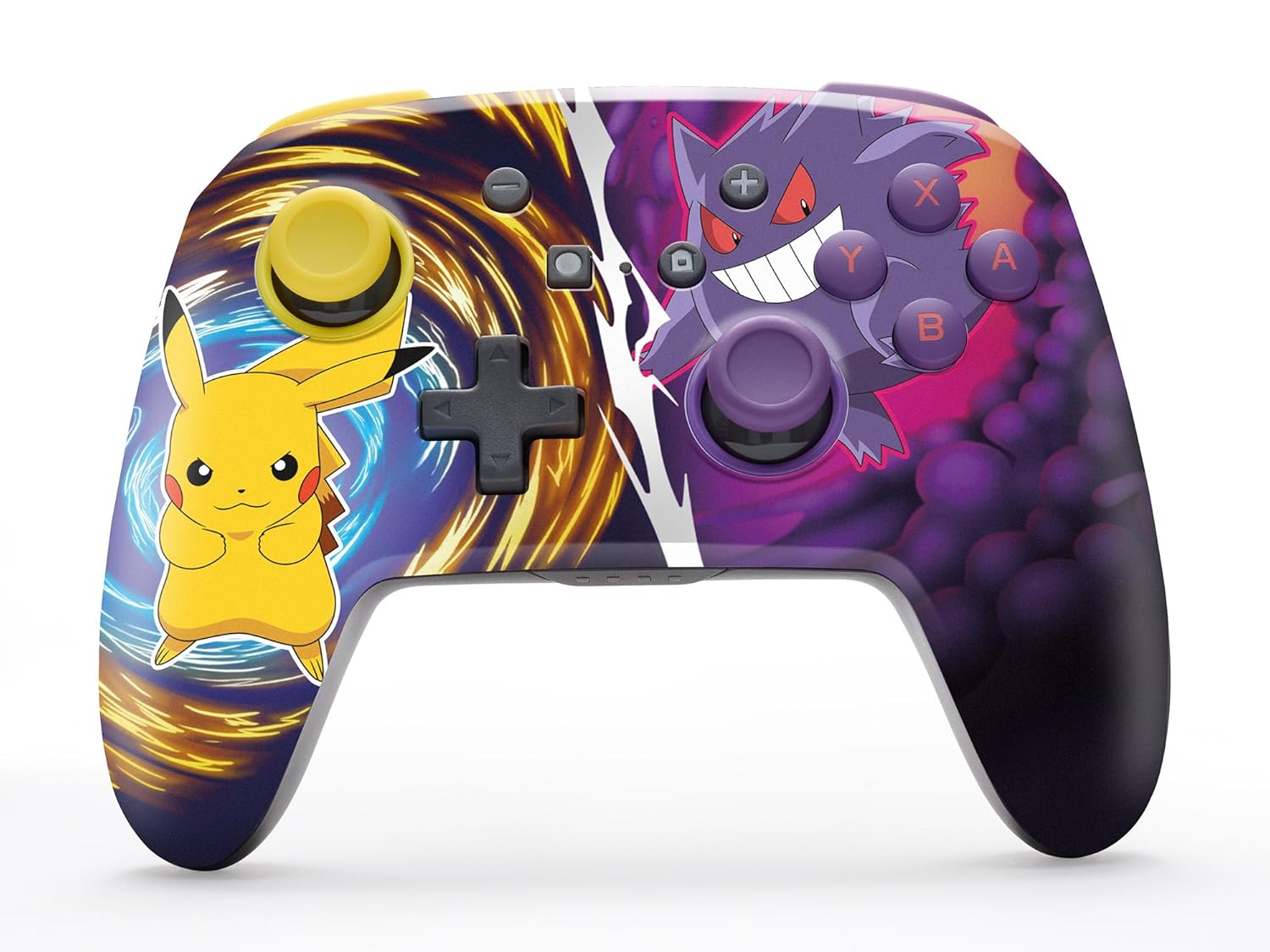
The PowerA Enhanced Wireless Controller with Pikachu vs. Gengar artwork.
Əsas Xüsusiyyətlər
- Simsiz əlaqə: Utilizes Bluetooth 5.0 technology for a stable connection.
- Yenidən doldurulan batareya: Integrated lithium-ion battery provides up to 30 hours of gameplay per charge.
- Mappable Advanced Gaming Buttons: Two programmable buttons on the back for custom control.
- Erqonomik Dizayn: Uzun müddətli rahat oyun seansları üçün üstün erqonomika.
- Smooth Thumbstick Control: Embedded anti-friction rings ensure precise and fluid movement.
- Hərəkət İdarəetmələri: Supports intuitive motion controls for compatible games.

Rahat oyun üçün erqonomik dizayn.
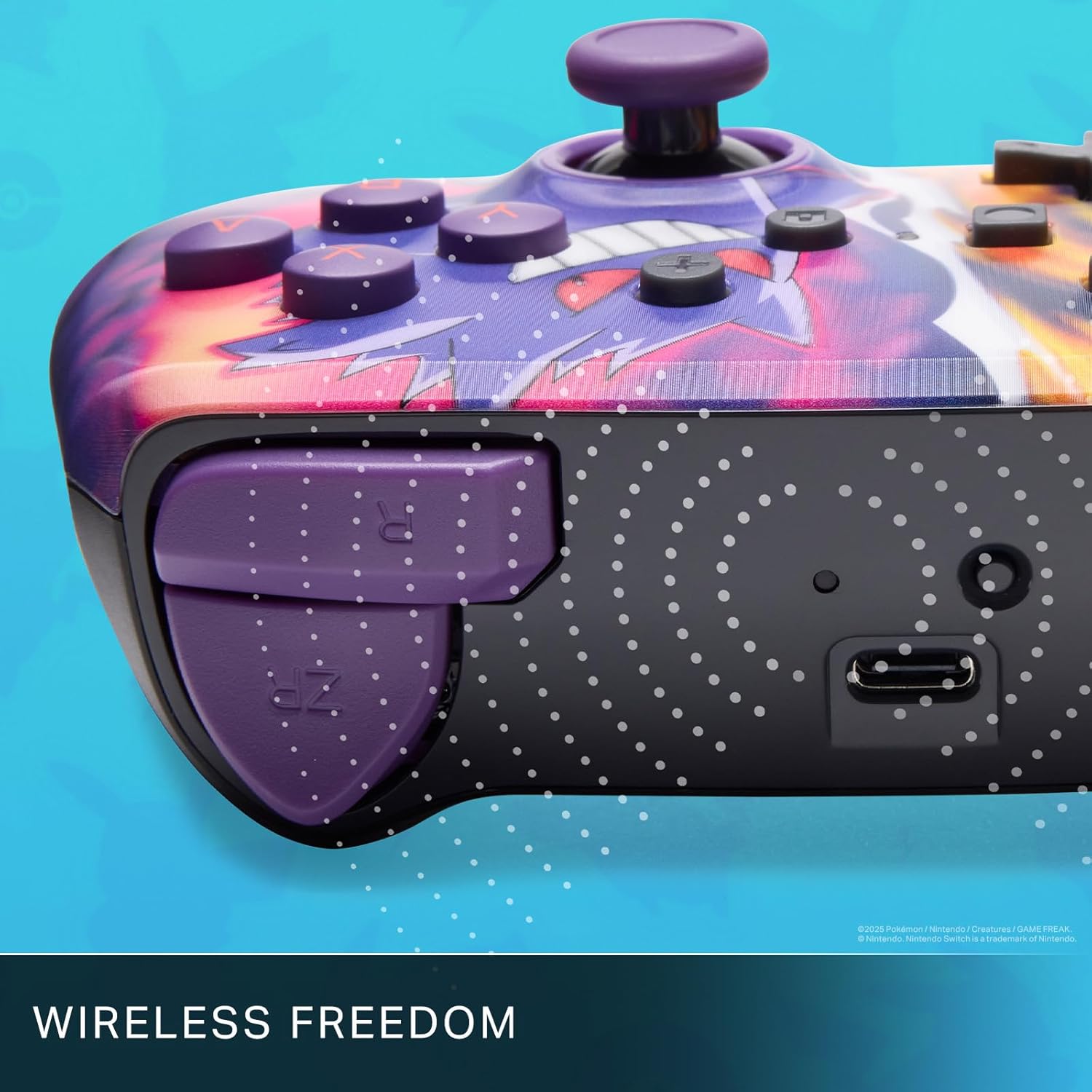
Enjoy wireless freedom with Bluetooth 5.0 technology.
Quraşdırma və Qoşulma
- Nintendo Switch konsolunuzun işə salındığından və ən son sistem proqram təminatına yeniləndiyindən əmin olun.
- HOME Menyusundan seçin Nəzarətçilər, sonra Tutma / Sifarişi dəyişdirin.
- basın və saxlayın SYNC düyməsi on the top edge of your PowerA Enhanced Wireless Controller for at least one second. The Player LED(s) will flash.
- Once paired, the Player LED(s) corresponding to the controller number will remain lit.
- düyməsini basın Bir Düymə to confirm and exit the menu. Your controller is now ready for use.
Nəzarətçinin doldurulması
The controller features an internal 900mAh lithium-ion rechargeable battery, providing up to 30 hours of gameplay on a single charge. To charge your controller:
- Connect the included 10ft (3m) USB-C charge cable to the USB-C port on the top of the controller.
- Connect the other end of the USB-C cable to a USB power source (e.g., Nintendo Switch dock, USB wall adapter, or computer USB port).
- The LED indicator on the controller will show charging status. It will typically turn off or change color when fully charged.

Connect the USB-C cable to charge your controller.
Advanced Gaming Buttons
Your PowerA Enhanced Wireless Controller includes two mappable Advanced Gaming Buttons (AGBs) on the back, allowing you to assign specific button functions for quick access during gameplay.
Programming AGBs:
- düyməsini basın Proqram düyməsi on the back of the controller. The Program LED will flash, indicating programming mode.
- Press the button you wish to map (A/B/X/Y/L/R/ZL/ZR/Left Stick Click/Right Stick Click/D-Pad). The Program LED will flash rapidly.
- Press the Advanced Gaming Button (AGB L or AGB R) you want to assign the function to. The Program LED will stop flashing, indicating the AGB is now programmed.
Resetting AGBs:
To reset all Advanced Gaming Buttons to their default (no function) state, press and hold the Proqram düyməsi for five seconds. The Program LED will flash slowly, then turn off, confirming the reset.
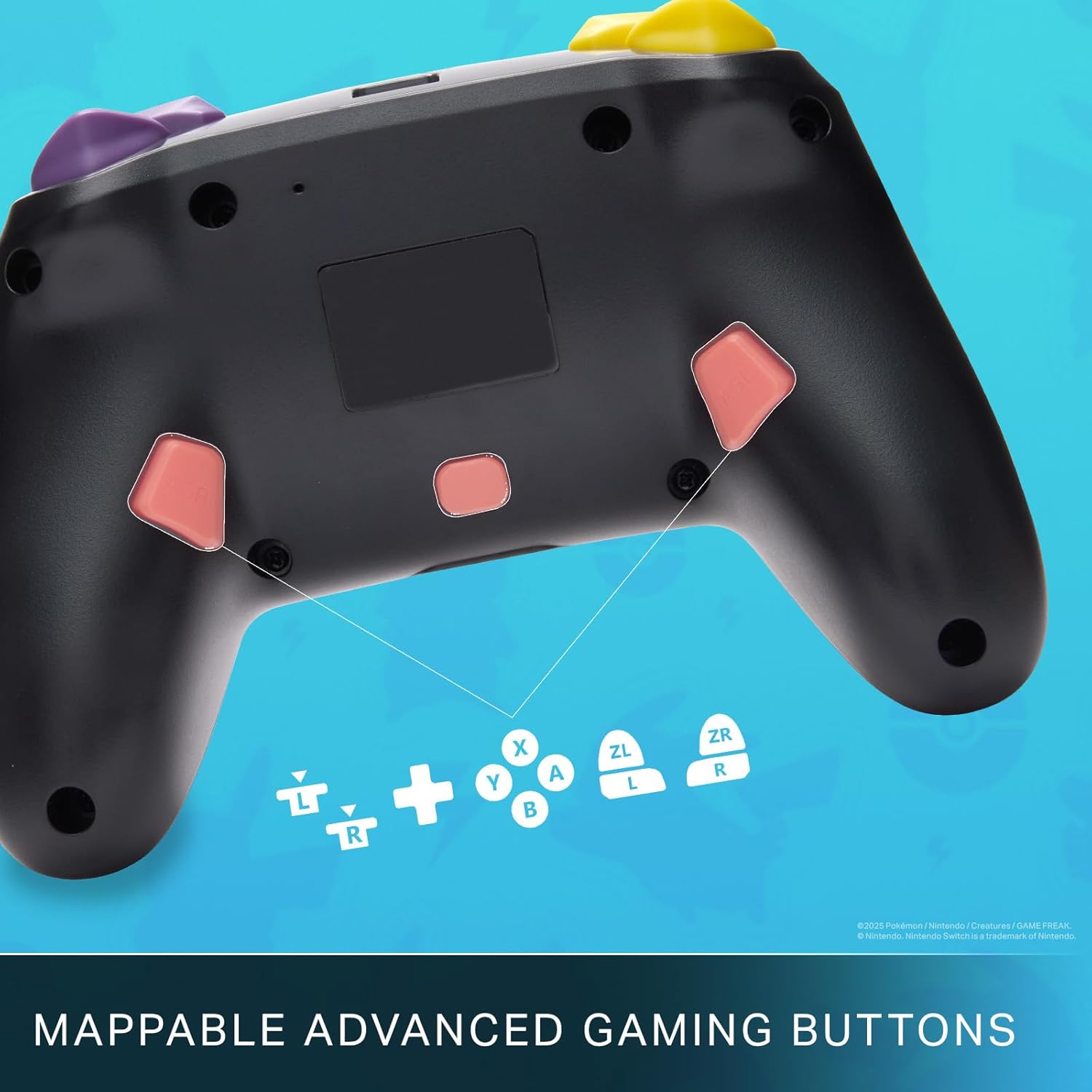
Mappable Advanced Gaming Buttons for personalized control.
Uyğunluq
This PowerA Enhanced Wireless Controller is compatible with the following Nintendo consoles:
- Nintendo Switch
- Nintendo Switch Lite
- Nintendo Switch (OLED Model)
- Nintendo Switch 2 (Note: C button not available)

The controller is compatible with Nintendo Switch 2, though the C button functionality is not available.
Spesifikasiyalar
| Xüsusiyyət | Detal |
|---|---|
| Uyğun Cihazlar | Nintendo Switch |
| Nəzarətçi növü | Gamepad |
| Bağlantı texnologiyası | Bluetooth, USB |
| Əlavə Xüsusiyyətlər | Ergonomic, Wireless |
| Düymə Miqdarı | 12 |
| Avadanlıq Platforması | Oyun Konsolu |
| Güc mənbəyi | Batareya ilə işləyir (Yenidən doldurulan Litium-ion) |
| Uyğun Video Oyun Konsolu Modelləri | Nintendo Switch, Nintendo Switch Lite |
| Maddə Çəkisi | 0.68 funt sterlinq |
| Element Ölçüləri | 6.02 x 4.41 x 2.48 düym |
| Rəng | Pikachu vs Gengar |
| Model Adı | Pikachu vs. Gengar |
| Model nömrəsi | NSGP0420-01R |
Qulluq və Baxım
- Keep the controller dry. Avoid exposure to moisture or extreme temperatures.
- Kontrolleri yumşaq, quru parça ilə təmizləyin. Sərt kimyəvi maddələr və ya aşındırıcı materiallar istifadə etməyin.
- Zədələnməməsi üçün nəzarət cihazını istifadə edilmədikdə təhlükəsiz yerdə saxlayın.
Problemlərin aradan qaldırılması
Nəzarətçi qoşulmur:
- Nəzarətçinin tam doldurulduğundan əmin olun.
- Verify the controller is within the Bluetooth range of your Nintendo Switch console.
- Attempt to re-pair the controller following the "Setup and Pairing" instructions.
Unresponsive Buttons/Joysticks:
- Düymələr və ya joystiklər ətrafında hər hansı fiziki maneələrin və ya zibillərin olub olmadığını yoxlayın.
- Perform a hard reset by holding the SYNC button for 10 seconds, then attempt to re-pair.
- Ensure the controller's firmware is up to date (check PowerA's official webyeniləmələr üçün sayt).
Zəmanət və Dəstək
This PowerA Enhanced Wireless Controller comes with a İki illik məhdud zəmanət. For detailed warranty information, product support, and troubleshooting assistance, please visit the official PowerA support websayt: