
Giriş
This manual provides essential information for setting up, operating, and maintaining your paitanry 10.1 Inch Android Tablet. Please read this manual thoroughly before using your device to ensure proper function and longevity.
The paitanry 10.1 Inch Android Tablet (Model G80) features the Android 15 operating system, an octa-core MediaTek Helio G80 processor, 12GB RAM, and 128GB internal storage. It is equipped with a 10.1-inch In-Cell IPS display, dual cameras (5MP front, 13MP rear), dual-band Wi-Fi, Bluetooth 5.0, and an 8000mAh battery with 18W fast charging support.
Paketin məzmunu
Bütün əşyaların paketdə olduğunu yoxlayın:
- 1 × paitanry 10.1 Inch Android Tablet
- 1 × Protective Case
- 1 × 9V/2A Fast Charger
- 1 × Dual Type-C Data Cable
- 1 × OTG Adapter
- 1 × İstifadəçi Təlimatı (bu sənəd)

Image: The paitanry 10.1 Inch Android Tablet shown with its included protective case, charger, and cables.
Quraşdırma
1. Planşetin doldurulması
Before first use, fully charge the tablet. Connect the provided Type-C data cable to the tablet's USB-C port and the 9V/2A fast charger. Plug the charger into a power outlet. The battery icon on the screen will indicate charging status.
The 8000mAh battery supports up to 8 hours of mixed use. 18W PD fast charging allows for efficient recharging.

Image: Visual representation of the tablet's powerful 8000mAh battery and its estimated usage duration for various activities like gaming, online video, web surfing, music, and e-books.
2. Gücü yandırın/söndürün
- Yandırmaq üçün: Press and hold the Power button located on the side of the tablet until the paitanry logo appears on the screen.
- Söndürmək üçün: Press and hold the Power button until a power menu appears. Select "Power off" from the options.
- Yenidən Başlamaq üçün: Press and hold the Power button until a power menu appears. Select "Restart" from the options.
3. İlkin Quraşdırma
Planşet ilk dəfə işə salındıqda, ilkin quraşdırma prosesində sizə kömək edəcək. Ekrandakı təlimatları izləyin:
- Dilinizi seçin.
- Wi-Fi şəbəkəsinə qoşulun.
- Google hesabınızla daxil olun və ya yenisini yaradın.
- Ekran kilidini (PIN, model, parol) qurun.
- Review və şərtləri qəbul edin.
Əməliyyat Təlimatları
1. Əsas Naviqasiya
- Toxunmaq: Seçmək üçün bir işarəyə və ya seçimə toxunun.
- Çalmak: Ekranlar arasında hərəkət etmək və ya naviqasiya etmək üçün barmağınızı ekranda sürüşdürün.
- Böyütmək üçün Çimdik: Place two fingers on the screen and move them apart or together to zoom in or out.
- Ev düyməsi: Əsas ekrana qayıdır.
- Geri düyməsi: Əvvəlki ekrana qayıdır.
- Son proqramlar düyməsi: Bu yaxınlarda açılmış proqramları göstərir.
2. Wi-Fi bağlantısı
Wi-Fi şəbəkəsinə qoşulmaq üçün:
- gedin Parametrlər > Şəbəkə və internet > Wi-Fi.
- Wi-Fi-ı dəyişin On.
- Siyahıdan istədiyiniz şəbəkəni seçin.
- Tələb olunduqda parolu daxil edin, sonra vurun Qoşun.
The tablet supports dual-band Wi-Fi (802.11ac) for stable and fast internet connectivity.
3. Bluetooth bağlantısı
Bluetooth cihazı ilə qoşmaq üçün:
- gedin Parametrlər > Qoşulmuş cihazlar > Bluetooth.
- Bluetooth-u dəyişin On.
- Bluetooth cihazınızın cütləşmə rejimində olduğundan əmin olun.
- Select the device from the "Available devices" list and follow any on-screen prompts to complete pairing.
The tablet features Bluetooth 5.0 for efficient wireless connections.
4. Kamera İstifadəsi
The tablet is equipped with a 5MP front camera and a 13MP rear camera.
- açın Kamera tətbiq.
- Ön və arxa kameralar arasında keçid etmək üçün kamera işarəsinə toxunun.
- Şəkil çəkmək və ya video yazmağa başlamaq/dayandırmaq üçün çekim düyməsini klikləyin.
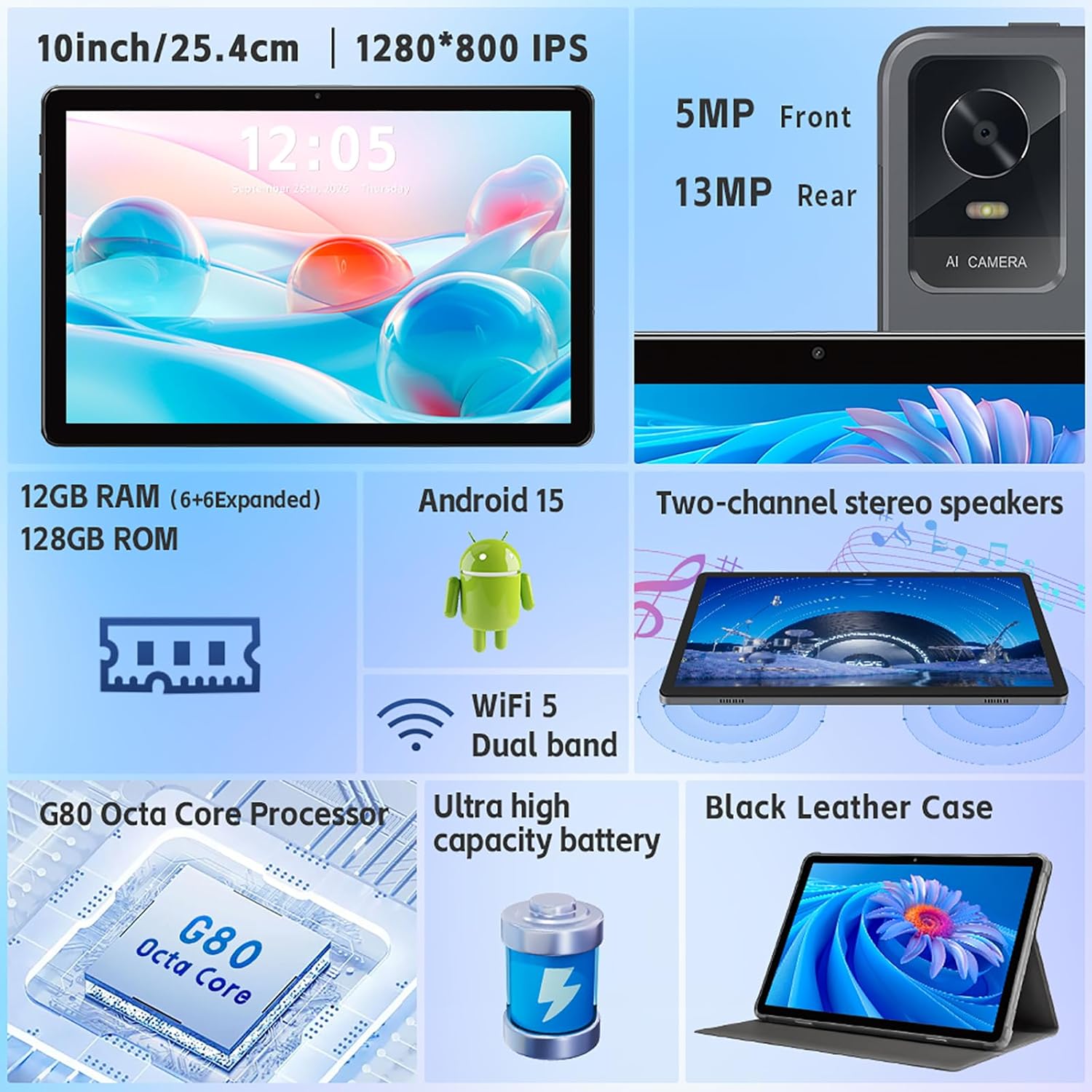
Şəkil: Artıqview of the tablet's features, including the 5MP front camera and 13MP rear camera, 12GB RAM, 128GB ROM, Android 15, Wi-Fi 5 Dual band, G80 Octa Core Processor, and ultra-high capacity battery.
5. Saxlamanın İdarə Edilməsi
The tablet has 128GB of internal storage. You can expand storage up to 2TB using a Micro SD card (sold separately).
- To insert a Micro SD card: Locate the card slot on the side of the tablet. Gently insert the Micro SD card until it clicks into place.
- To manage storage: gedin Parametrlər > Saxlama üçün view saxlama istifadəsi və idarə edilməsi files.
6. Ekran Parametrləri
Customize your display experience:
- gedin Parametrlər > Ekran.
- Adjust brightness, dark theme, night light, and font size.
- Set screen timeout duration.
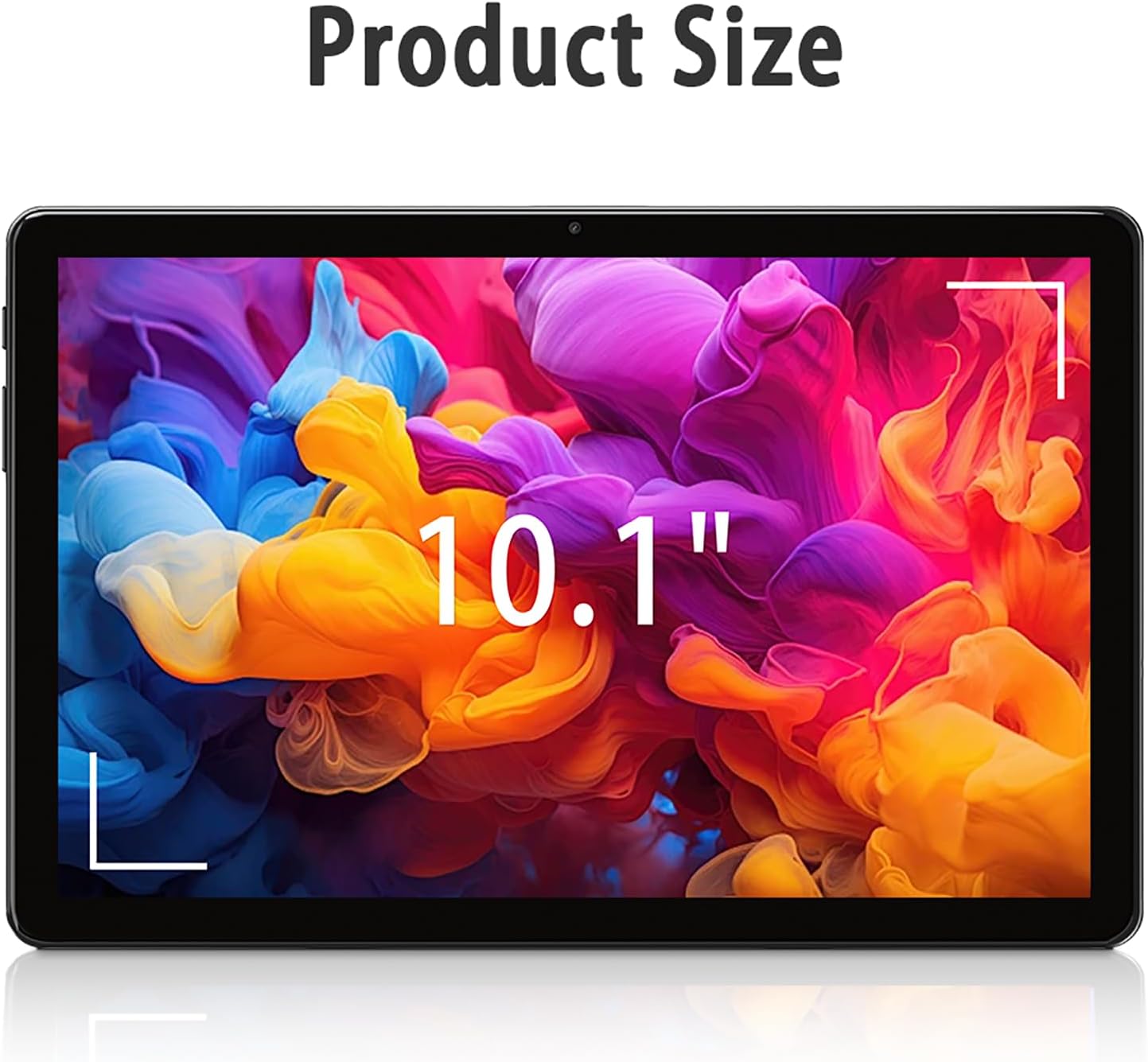
Image: The tablet screen showing "10.1"" to indicate its display size, with colorful abstract art on the screen.
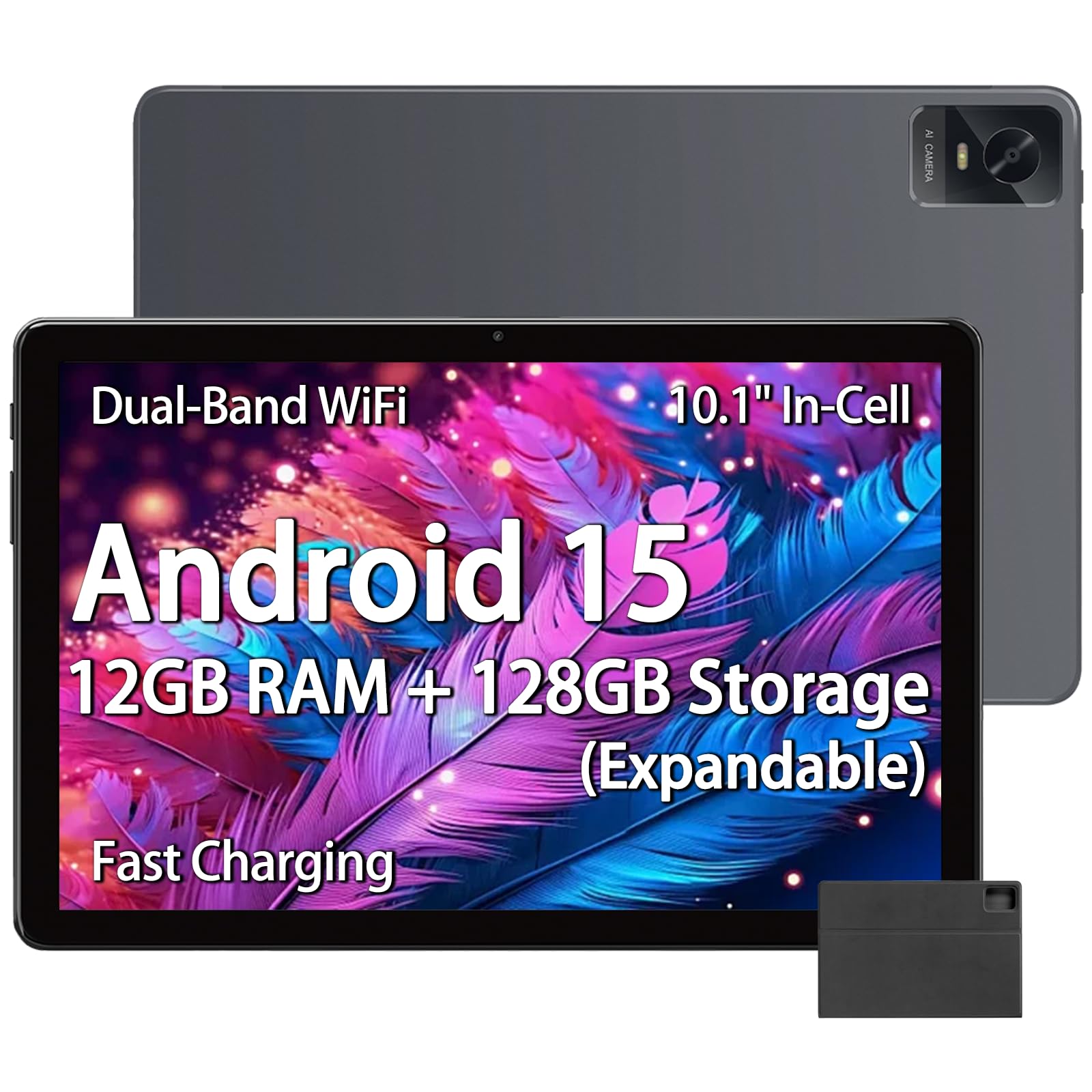
Image: The tablet displaying an image of penguins in an icy landscape, emphasizing its 16:10 aspect ratio and 10.1-inch 1280x800 HD In-Cell full lamination touchscreen for an immersive view.
7. Səs Ayarları
Adjust volume and sound preferences:
- gedin Parametrlər > Səs və vibrasiya.
- Adjust media, call, ring, and alarm volumes.
- Select ringtones and notification sounds.
The tablet includes a 3.5mm headphone jack for wired audio accessories.
Baxım
1. Planşetin təmizlənməsi
- Planşetin ekranını və gövdəsini təmizləmək üçün yumşaq, tüksüz bir parça istifadə edin.
- İnadkar ləkələr üçün, bir az dampsu və ya elektronika üçün nəzərdə tutulmuş ekran təmizləyicisi ilə parça.
- Sərt kimyəvi maddələrdən, aşındırıcı materiallardan və ya həddindən artıq nəmdən istifadə etməkdən çəkinin.
2. Proqram təminatı yeniləmələri
Optimal performansı, təhlükəsizliyi və yeni funksiyalara çıxışı təmin etmək üçün proqram yeniləmələrini mütəmadi olaraq yoxlayın və quraşdırın.
- gedin Parametrlər > Sistem > Sistem yeniləməsi.
- Follow the on-screen instructions to check for and install available updates.
3. Batareyaya qulluq
- Tableti həddindən artıq temperaturlara (isti və ya soyuq) məruz qoymaqdan çəkinin.
- Do not allow the battery to fully discharge frequently. Charge it before it drops below 20%.
- Yalnız təqdim olunan şarj cihazı və kabeldən və ya sertifikatlı uyğun aksesuarlardan istifadə edin.
Problemlərin aradan qaldırılması
Planşet açılmır
- Ensure the tablet is sufficiently charged. Connect it to the charger for at least 30 minutes.
- Yenidən başlamağa məcbur etmək üçün Güc düyməsini 10-15 saniyə basıb saxlayın.
Wi-Fi Bağlantı Problemləri
- Check if Wi-Fi is enabled in Settings.
- Wi-Fi routerinizi və planşetinizi yenidən başladın.
- Planşet parametrlərində şəbəkəni unudun və yenidən qoşulun.
- Wi-Fi siqnalının əhatə dairəsində olduğunuzdan əmin olun.
Yavaş Performans
- Lazımsız fon proqramlarını bağlayın.
- Clear cache data for frequently used apps (Settings > Apps > [App Name] > Storage & cache > Clear cache).
- Ensure sufficient free storage space. Delete unused files və ya proqramlar.
- Planşeti yenidən başladın.
Apps Crashing or Not Responding
- Force close the app (Settings > Apps > [App Name] > Force stop).
- Clear the app's cache (Settings > Apps > [App Name] > Storage & cache > Clear cache).
- Proqramı Google Play Store-dan yeniləyin.
- Problem davam edərsə, tətbiqi silin və yenidən quraşdırın.
Spesifikasiyalar
| Brend | paitanry |
| Model Adı | 10.1 inch Tablet |
| Model nömrəsi | G80 |
| Əməliyyat sistemi | Android 15 |
| Prosessor | MediaTek Helio G80 Octa-Core (Arm Cortex-A75 @ 2GHz, Arm Cortex-A55 @ 1.8GHz) |
| Qrafik koprosessor | Qol Mali-G52 MC2 |
| RAM Yaddaş | 12 GB (6GB fiziki + 6GB virtual) |
| Daxili yaddaş | 128 GB |
| Genişləndirilə bilən yaddaş | Up to 2 TB (Micro SD card, sold separately) |
| Ekran Ölçüsü | 10.1 düym |
| Ekran növü | In-Cell IPS LCD |
| Ekran Çözünürlüğü | 1280 x 800 piksel |
| Aspekt nisbəti | 16:10 |
| Ön kamera | 5 MP |
| Arxa Kamera | 13 MP |
| Batareya Tutumu | 8000 mAh (Litium Polimer) |
| Batareya Ömrü (Orta) | 8 Saat (qarışıq istifadə) |
| Doldurulur | 18W PD Fast Charging (USB Type-C) |
| Wi-Fi | Dual-band 802.11ac |
| Bluetooth | Bluetooth 5.0 |
| Bağlantı | USB Type-C, 3.5mm Headphone Jack |
| Dimensions (L x W x Thickness) | 9.45" x 6.26" x 0.28" |
| Çəki | 1 funt sterlinq |
| Xüsusi Xüsusiyyətlər | Expandable Storage, Fast Charging, Supports USB OTG |

Şəkil: ətraflı view of the Helio G80 Octa-Core CPU, highlighting its central role in the tablet's performance.
Zəmanət və Dəstək
Zəmanət Məlumatı
Your paitanry 10.1 Inch Android Tablet comes with a 1 İl İstehsalçı Zəmanəti. This warranty covers defects in materials and workmanship under normal use. It does not cover damage caused by misuse, accidents, unauthorized modifications, or external causes.
Zəmanət iddiaları üçün satınalma sübutunuzu özündə saxlayın.
Müştəri dəstəyi
For technical assistance, warranty claims, or further inquiries, please contact paitanry customer support through the retailer's platform or the official paitanry websayt.
When contacting support, please have your tablet's model number (G80) and proof of purchase ready.