1. Əhəmiyyətli Təhlükəsizlik Təlimatları
Please read these instructions carefully before using the Audizio Canzo DAB+ Internet Radio. Keep this manual for future reference.
- Yanğın və ya elektrik şokunun qarşısını almaq üçün cihazı yağışa və ya nəmə məruz qoymayın.
- c açmayınasing. İçəridə istifadəçi tərəfindən xidmət edilə bilən hissələr yoxdur. Bütün xidmətlər üçün ixtisaslı işçilərə müraciət edin.
- Yalnız cihazla birlikdə verilən güc adapterindən istifadə edin.
- Cihazın ətrafında düzgün havalandırma təmin edin. Havalandırma dəliklərini bağlamayın.
- Cihazı istilik mənbələrinin yaxınlığında və ya birbaşa günəş işığı altında yerləşdirməyin.
- Clean the unit only with a dry, soft cloth. Do not use liquid cleaners.
2. Məhsul bitdiview
The Audizio Canzo is a versatile DAB+ Internet Radio designed for high-quality audio reception and playback. It features multiple connectivity options including Wi-Fi, Bluetooth 5.3, AUX, and USB, along with a remote control for convenient operation. The elegant wooden finish and clear display make it suitable for various home environments.
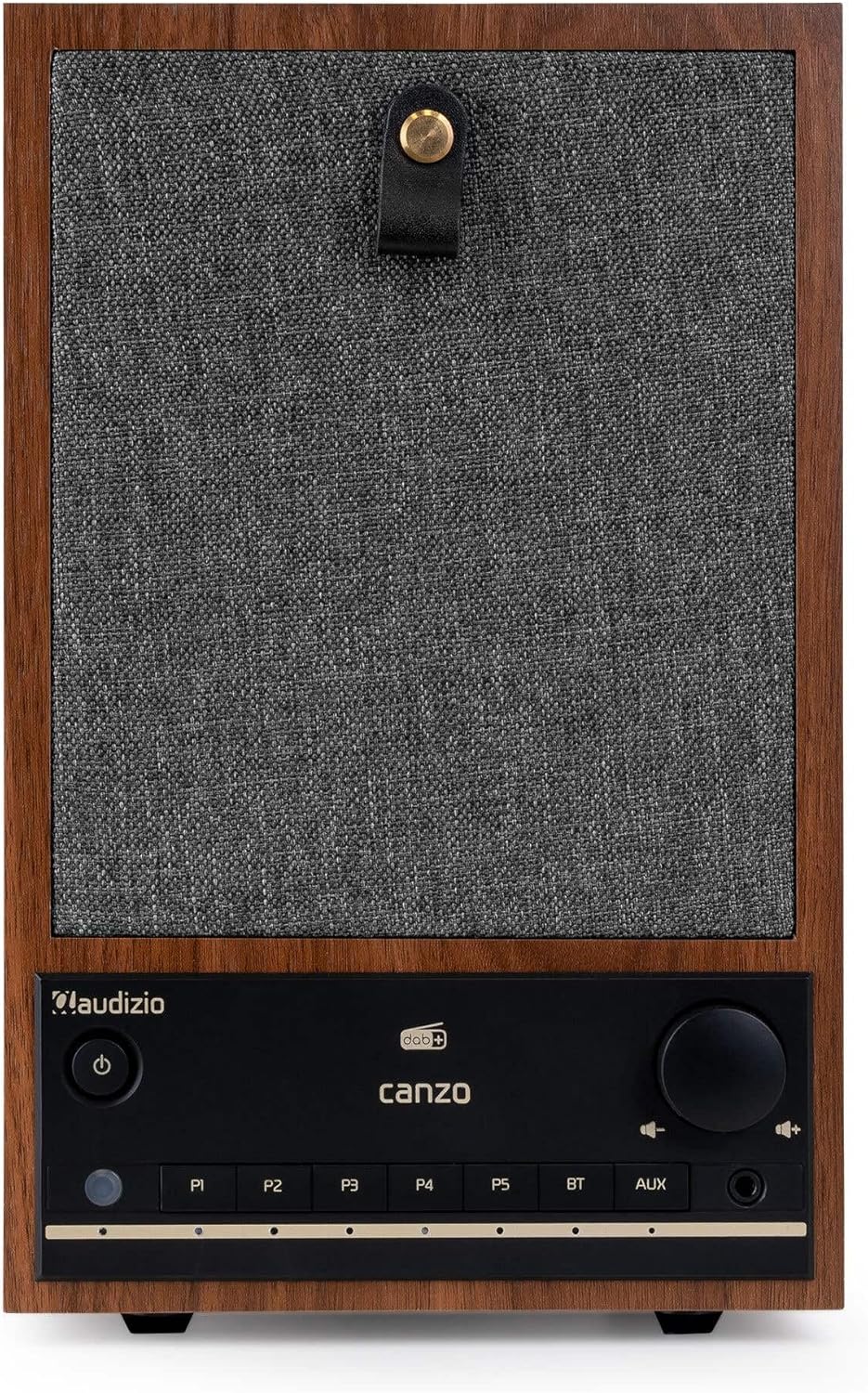
Şəkil 2.1: Ön view of the Audizio Canzo DAB+ Internet Radio in walnut finish.

Şəkil 2.2: Ön view with speaker grille removed, highlighting the speaker, display, and control panel.
3. Qutuda nə var
Qutunu diqqətlə açın və bütün əşyaların mövcud olduğundan əmin olun:
- Audizio Canzo DAB+ Internet Radio
- Güc adapteri
- Uzaqdan İdarəetmə
- Tez Başlanğıc Bələdçisi
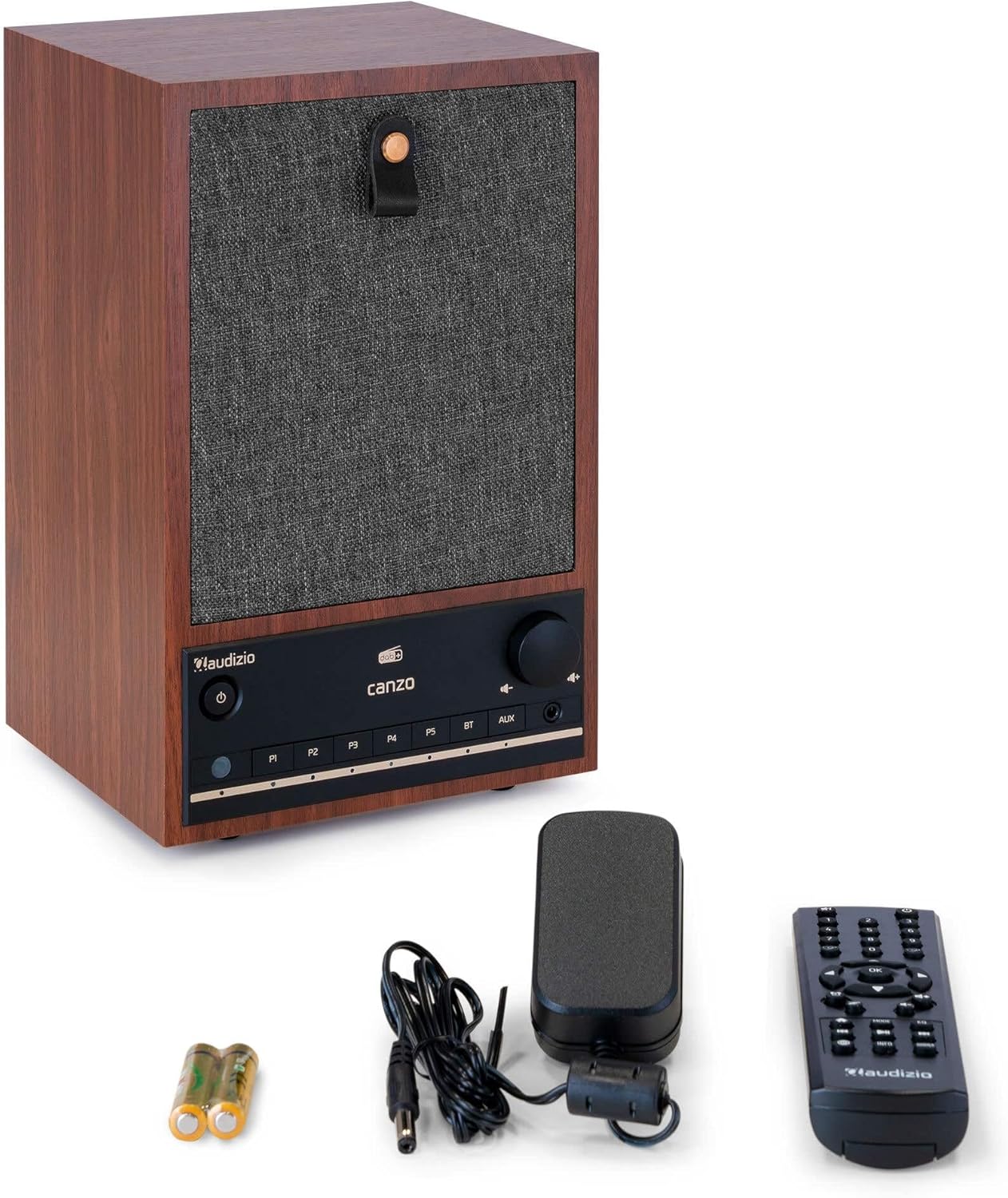
Figure 3.1: Audizio Canzo radio with its accessories.
4. Quraşdırma
4.1 Gücün qoşulması
- Insert the DC plug of the power adapter into the DC IN port on the back of the radio.
- Güc adapterini standart divar rozetkasına (220V) qoşun.
- çevirin ON/OFF switch on the back of the unit to the ON mövqe.
4.2 Antena qoşulması
For optimal DAB+ and FM reception, extend the telescopic antenna located on the back of the unit. Adjust its position for the best signal.

Figure 4.1: Rear panel with power input, audio ports, USB, LAN, and antenna.
4.3 İlkin işə salınma və şəbəkənin qurulması
- düyməsini basın Güc button on the front panel or remote control to turn on the radio.
- The display will show the Audizio logo and then guide you through the initial setup wizard.
- Tercih etdiyiniz dili seçin.
- The radio will prompt you to connect to a network. Choose Wi-Fi or LAN.
- Wi-Fi üçün: Select your Wi-Fi network from the list and enter the password using the navigation buttons and OK düyməsi.
- For LAN: Connect an Ethernet cable from your router to the LAN port on the back of the radio. The connection should be established automatically.
- Once connected, the radio will update the time and date automatically.
5. Əməliyyat Təlimatları
5.1 Əsas idarəetmə vasitələri
The front panel features a power button, preset buttons (P1-P5), Bluetooth (BT) and AUX input buttons, a volume knob, and navigation controls. The remote control provides full access to all functions.
5.2 Rejimin seçimi
düyməsini basın MODE button on the radio or remote control to cycle through available modes: Internet Radio, DAB+, FM, Bluetooth, AUX, and USB Playback.
5.3 İnternet radiosu
- seçin İnternet radiosu rejimi.
- Use the navigation buttons to browse stations by location, genre, or search.
- basın OK stansiya seçmək.
- To save a station as a preset, press and hold one of the P1-P5 buttons until the display confirms.
5.4 DAB+ Radio
- seçin DAB+ rejimi.
- The radio will automatically scan for available DAB+ stations.
- Use the navigation buttons to scroll through the list of found stations.
- basın OK stansiya seçmək.
- To save a station as a preset, press and hold one of the P1-P5 düymələri.
5.5 FM Radio
- seçin FM rejimi.
- basın və saxlayın Skan edin button (usually on the remote or via menu) to auto-scan for FM stations.
- Use the navigation buttons to tune manually or select from scanned stations.
- To save a station as a preset, press and hold one of the P1-P5 düymələri.
5.6 Bluetooth oxutma
- seçin Bluetooth mode. The radio will enter pairing mode, indicated on the display.
- Smartfon və ya planşetinizdə Bluetooth-u aktiv edin və mövcud cihazları axtarın.
- Select "Audizio Canzo" from the list to pair.
- Qoşalaşdıqdan sonra cihazınızdakı səsi radio vasitəsilə səsləndirə bilərsiniz.
5.7 AUX Girişi
- Xarici audio cihazını (məsələn, MP3 pleyer) şəbəkəyə qoşun AUX IN port on the back of the radio using a 3.5mm audio cable.
- seçin AUX rejimi.
- Audio from the connected device will now play through the radio.
5.8 USB Oynatma
- Audio olan USB flash sürücüsünü daxil edin files daxil USB OYNATILMASI port on the back of the radio.
- seçin USB rejimi.
- Use the navigation buttons to browse and select audio filesəsləndirmə üçün.
5.9 Zəngli Saat və Yuxu Taymeri
- Siqnal: Access the Alarm settings via the menu. Set up to two alarms with desired time, source (buzzer, radio), and volume.
- Yuxu Taymeri: Access the Sleep Timer settings via the menu. Set a duration (e.g., 15, 30, 60 minutes) after which the radio will automatically turn off.
- Mürgüləmək: Siqnal səsləndikdə düyməsini basın Mürgülə button on the remote or radio to temporarily silence it.
6. Baxım
6.1 Təmizləmə
To clean the radio, use a soft, dry, lint-free cloth. Do not use abrasive cleaners, waxes, or solvents as they may damage the finish or internal components.
6.2 Saxlama
Cihazı uzun müddət saxlayacaqsınızsa, onu elektrik rozetkasından ayırın və sərin, quru yerdə, birbaşa günəş işığından və həddindən artıq temperaturdan uzaq saxlayın.
7. Giderme
| Problem | Mümkün Səbəb | Həll |
|---|---|---|
| Güc yoxdur | Power adapter not connected; ON/OFF switch is OFF. | Ensure power adapter is securely connected and ON/OFF switch is ON. |
| Səs yoxdur | Səs çox aşağı; səhv seçilmiş mənbə; qulaqlıq qoşulub. | Increase volume; select correct input mode; disconnect headphones. |
| Wi-Fi-a qoşulmaq mümkün deyil | Yanlış parol; marşrutlaşdırıcı çox uzaqdır; şəbəkə problemi. | Verify Wi-Fi password; move radio closer to router; restart router. |
| Zəif DAB+/FM qəbulu | Anten uzadılmayıb; siqnal sahəsi zəifdir. | Fully extend and adjust the telescopic antenna; try repositioning the radio. |
| Pult işləmir | Batteries depleted; obstruction between remote and radio. | Replace remote control batteries; ensure clear line of sight to the radio's sensor. |
8. Spesifikasiyalar
| Xüsusiyyət | Spesifikasiya |
|---|---|
| Model nömrəsi | Canzo |
| Məhsul Ölçüləri | 22.5 x 20.5 x 34 sm |
| Maddə Çəkisi | 2.9 kiloqram |
| Rəng | qoz |
| Ekran Ölçüsü | 2.4 düym |
| Bağlantı texnologiyası | Aux, Bluetooth, Wi-Fi, LAN |
| Bluetooth versiyası | 5.3 |
| Dəstəklənən Radio Qrupları | DAB+, FM, İnternet Radiosu |
| Güc mənbəyi | Şnurlu Elektrik (220 Volt) |
| Xüsusi Xüsusiyyətlər | Integrated Clock, Sleep Timer, Alarm, Remote Control, Preset Stations |
| Uyğun Cihazlar | Smartphone, Tablet, Headphones, MP3 Player, USB Storage Device |
9. Zəmanət və Dəstək
Zəmanət məlumatı və texniki dəstək üçün məhsulunuzla birlikdə gələn zəmanət kartına baxın və ya pərakəndə satıcınızla əlaqə saxlayın. Hər hansı bir zəmanət iddiası üçün alış qəbzini saxlayın.